

OptiImage – Upload Optimizer
Optimize and compress images uploaded from the frontend and media library for faster loading times with OptiImage - Upload Optimizer!
Plugin info
Maintenance & Compatibility
Maintenance score
Possibly abandoned • Last updated 542 days ago
Is OptiImage – Upload Optimizer abandoned?
Possibly abandoned (last update 542 days ago).
Compatibility
Languages
Similar & Alternatives
Explore plugins with similar tags, and compare key metrics like downloads, ratings, updates, support, and WP/PHP compatibility.
Description
The OptiImage – Upload Optimizer plugin is designed to automatically compress and optimize images uploaded through the frontend of your WordPress site, as well as images uploaded to the WordPress media library, using the powerful Imagick PHP library. This ensures your website loads faster and runs more efficiently!
Key Features
- Automatic Compression: Images uploaded from the frontend are automatically compressed, saving you time and effort.
- Faster Loading Times: Optimized images help your web pages load quicker, enhancing the experience for your visitors.
- Supports Popular Formats: Compatible with JPEG, JPG, and PNG images, allowing you to use the formats you prefer.
- Customizable Quality: Adjust the compression quality to achieve the right balance between image clarity and file size.
- User-Friendly: Simple to set up and easy to use, even if you’re not technically inclined.
Compatibility
This plugin works seamlessly with popular frontend form plugins like:
* Contact Form 7
* WP Forms
* Gravity Forms
* Elementor Form
By using OptiImage – Upload Optimizer, you can reduce image file sizes without sacrificing quality, resulting in a more efficient website that keeps your visitors engaged! Plus, enjoy the added benefit of optimizing images uploaded directly to your WordPress media library.
Need Plugin Support?
Please submit a request here for Support. We will get back to you quickly.
Installation
Installing the plugin is easy. Just follow these steps:
- From the dashboard of your site, navigate to Plugins –> Add New.
- Select the Upload option and hit “Choose File.”
- When the popup appears select the optimize-image-before-upload.zip file from your desktop.
- Follow the on-screen instructions and wait till the upload completes.
- When it’s finished, activate the plugin via the prompt. A message will display confirming activation was successful.
Frequently Asked Questions
OptiImage supports JPEG, JPG, and PNG formats for image uploads.
Yes, OptiImage automatically compresses images uploaded both from the frontend and the WordPress media library.
Absolutely! You can customize the compression quality to find the right balance between image clarity and file size.
OptiImage works seamlessly with popular form plugins, including Contact Form 7, WP Forms, Gravity Forms, and Elementor Form.
While OptiImage reduces file sizes, it uses advanced compression techniques to ensure there’s no significant loss in image quality.
While you can adjust settings to suit your needs, the plugin works out of the box with default settings for immediate optimization.
Yes! By compressing images, OptiImage helps improve your website’s loading speed, enhancing overall performance and user experience.
Review feed
Screenshots
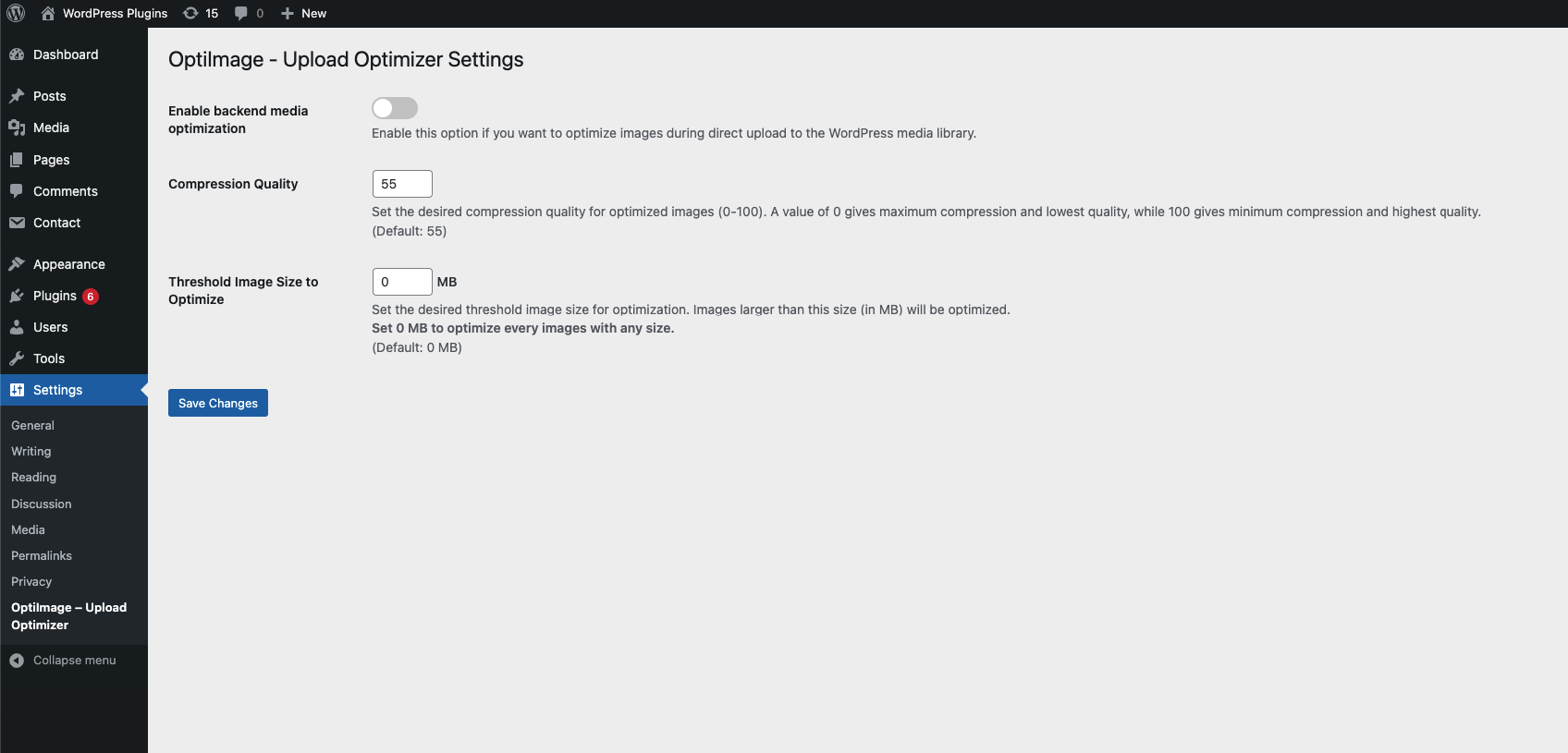
OptiImage Setting Page

Optimized Image Sample
Changelog
1.0
- Initial release of the OptiImage – Upload Optimizer Plugin.