

WowOptin: Next-Gen Popup Maker – Create Stunning Popups and Optins for Lead Generation
Create stunning popups and newsletter forms with WowOptin. Boost your lead generation and sales with advanced targeting and Canva-like flexibility.
Plugin info
Maintenance & Compatibility
Maintenance score
Maintained • Last updated 120 days ago • 13 reviews
Is WowOptin: Next-Gen Popup Maker – Create Stunning Popups and Optins for Lead Generation abandoned?
Likely maintained (last update 120 days ago).
Compatibility
Languages
Similar & Alternatives
Explore plugins with similar tags, and compare key metrics like downloads, ratings, updates, support, and WP/PHP compatibility.
Description
🔥 Canva-like popup building flexibility for WordPress
📜 700+ eye-catching ready-made popup designs
🖇️ Integrations with 10+ email marketing and analytics tools
🤯 AI-powered copywriting with ChatGPT, Gemini, and Grok
🧪 Both manual and automated A/B testing available
🎯 Advanced targeting options for better conversion
💖 A plugin by WPXPO that powers 60K+ businesses
💪 Dedicated support team with 4.9/5 customer satisfaction on Trustpilot
🔥 WowOptin Pro | 📃 Documentation
WowOptin is a popup builder plugin for collecting leads from various sources. It offers 700+ pre-designed popups, slides, hello bars, and in-line banners, plus 10+ integrations and built-in A/B testing to enhance lead collection with AI-powered copywriting.
✔ Subscriber
✔ Announcement
✔ Coupon
✔ Special Offers
✔ Exit Intent
✔ Increase Sales
✔ Boost conversions
✔ Gamification (Coming Soon)
✔ Feedback (Coming Soon)
What can I do with WowOptin?
WowOptin is just another opt-in and popup builder with more flexibility and dynamic controls. Let’s start exploring the different possibilities of WowOptin.
Popups
WowOptin helps you build the perfect pop ups based on your requirements. So you can collect leads, show discounts, or reduce abandoned carts. Here is a list of popups that you can make with WowOptin:
✔ Lead Magnet Popup
✔ Exit Intent Popup
✔ Contact Form Popup
✔ Announcement Popup
✔ Upsell Popup
✔ Cross-sell Popup
✔ And More
Banner / Hellobar
Showing banners or a hello bar is a great way to display sales campaign announcements. With WowOptin you can build eye catchy banners and display them on your desired pages or full site. It will make sure that all of your visitors are aware of the sales campaigns.
Slides
slides are another great way to showcase announcements or special offers. It ensures that your visitors have a good browsing experience and see the offer. You can adjust the position as per your requirements.
Inline Forms
It helps you create your opt-ins and place them on your desired position via shortcode. It can be on your blog posts, product pages, sidebar, or footer widgets. So you can create lead magnets or subscription forms and place them on the places you want.
Multi-Step Form
With WowOptin, you can also create multi-step forms to make them more engaging and conversion-focused. Like in the first step you can get the email ID and then you can show your announcement, discount coupon, or whatever you want.
Canva Like Optin Builder
Building optins and popups shouldn’t be hard and time-consuming. That’s why we have tried to make it simplified and user-friendly. You can just drag and drop elements, place them anywhere, customize and that’s all, your optin is ready. Adjusting element position is as easy as using Canva editor in WordPress.
AI-Powered Copywriting
Empower your copywriting with AI – use either ChatGPT, Grok, or Gemini to create catchy messages for your popups and banners. You can also create the messages in different languages!
A/B Testing
Conduct A/B tests on opt-in banners – see which ones perform the best. Only keep the best-performing popups and banners live using the manual or the automated testing functionality.
Responsive
You can also make the optin responsive to all types of devices. You just need to use your preferred device to see the presentation and adjust the position accordingly. And you can also hide any elements for specific devices.
Premade Template
WowOptin has a growing templates library if you don’t like to do things from scratch. You can just explore and import the one that suits your needs. Not only that but you can also further customize the premade templates to make them even better.
Smart Trigger
No matter how good your optins are, they will be wasted if they don’t appear at the right time. Thanks to WowOptin’s trigger options you don’t need to worry about that. The following are the available triggering options:
✔ After X Seconds
✔ After Scrolling X
✔ Inactivity Mode
✔ Exit Intent
✔ On Click
Audience
Customer segmentation is another important thing to create high-converting optins. WowOptin has the most advanced targeting options. So you can make your that the optins are displayed to the right person. Here is the list of available audience targeting options.
✔ Visitor Devices
✔ Visitor Types – New or Returning, Customer or Visitor
✔ Browser Languages
✔ GEO Location
✔ Operating System
✔ Traffic Sources
Display Rules
Display refers to which page(s) you want to display the optins. It can be blog posts, static pages, single product pages, or any other WooCommerce pages. And, if you use EDD, you can also target cart, checkout, etc pages with ease.
Schedules
Manually enabling and disabling optins is a challenging task. The good news is you don’t need to worry about it anymore. Because with WowOptin you can set start and end dates for the optins. So they will automatically stop showing once the duration is over. You can also schedule them based on specific days and times.
Optin Intervals
Interval is a very effective control to have if you don’t want to annoy the visitors and still want good results. It allows you to decide when and how many times the visitors will see the optins and when they will stop showing it.
Other Wow Plugins
As you are considering WowOptin, make sure to check out our other plugins that can also help you make your business WOW.
📃 PostX: The first ever Gutenberg dynamic site builder plugin specially designed & developed for News, Magazine, and Blogging sites.
🏪 WowStore: Give your WooCommerce store the look and professional style it deserves. On top of that enjoy exclusive features to increase conversion and boost sales.
🤑 WowRevenue: The most advanced and unique WooCommerce plugin that boosts your revenue by increasing the order value without any extra marketing costs.
📦 WholesaleX: The complete solution for creating and managing WooCommerce B2B or B2B + B2C hybrid stores without breaking your bank.
➕ WowAddons: The most advanced product addons plugin for WooCommerce that helps you add extra fields & options to product pages with ease.
Author
Developed by WPXPO. Contribute to WowOptin on Bitbucket and join the party.
3rd party as a service
We use IPinfo to accurately determine the user’s IP address location, allowing us to display Optin based on their specific location in the world. We also use Pexels and Unsplash to provide stock images and videos to the user in the Optin Builder.
Our Service Terms and Privacy Policy
Read our Plugin Service Terms and Privacy Policy.
Translations
You can translate WowOptin on translate.wordpress.org.
Installation
Minimum Requirements
- WordPress 6.4 or greater
- PHP version 7.4 or greater
- MySQL version 5.6 or greater
Automatic installation
Automatic installation is the easiest option as WordPress handles the file transfers itself and you don’t even need to leave your web browser.
- Go to your WordPress Plugin installation menu (Dashboard > Plugins > Add New)
- In the search field type “WowOptin” and press enter.
- “Install Now” and then click “Active”
Manual installation
For Manual installation, you download our product from WordPress directory uploading it to your web-server via your FTP or CPanel application.
- Download the plugin and unzip it
- Using an FTP program or CPanel upload the unzipped plugin folder to your WordPress installation’s wp-content/plugins/ directory.
- Activate the plugin from the Plugins menu (Dashboard > Plugins > Installed Plugins) within the WordPress admin.
Upgrading
Automatic update working great for this plugin. If you customize the plugin make sure to store a backup before update.
Sometimes because of the permalink issue during the plugin update, just go to WordPress > Settings > Permalinks and hit the ‘Save’ button.
Frequently Asked Questions
Yes, WowOptin has integration with Mailchimp and all other popular email marketing & CRM tools.
Yes, we have a dedicated support team ready to answer all your questions and assign you to use WowOptin in the most effective way.
Yes, WowOptin has exit intent popups. Not only that, but you can also trigger popups in many other ways including time, scrolling, inactivity, etc.
Review feed
Great UI & Support
Strong, flexible popup & opt-in solution
Screenshots
Canva Like Flexibility
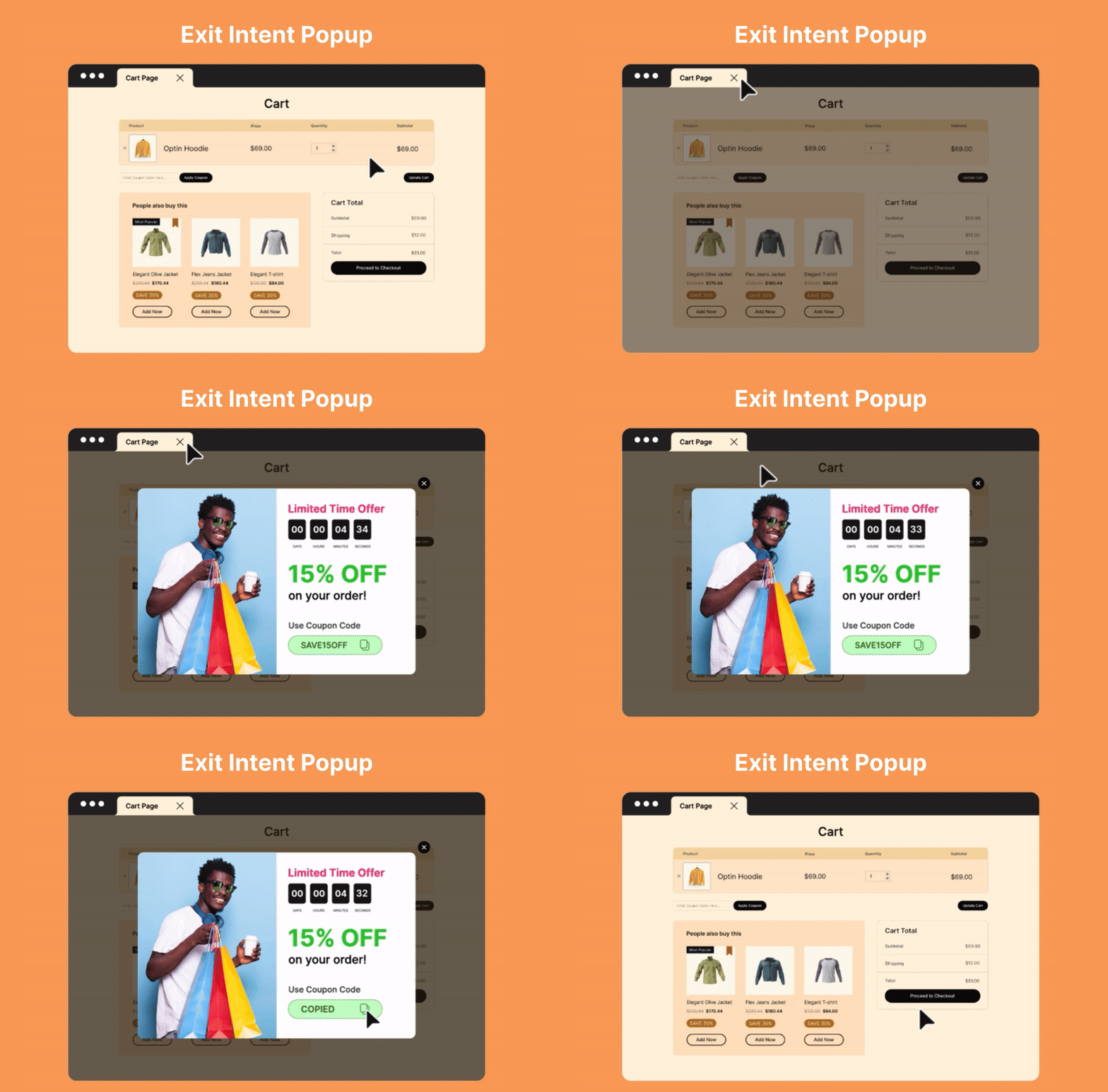
Exit Intent Popup

Banners/Hellobars
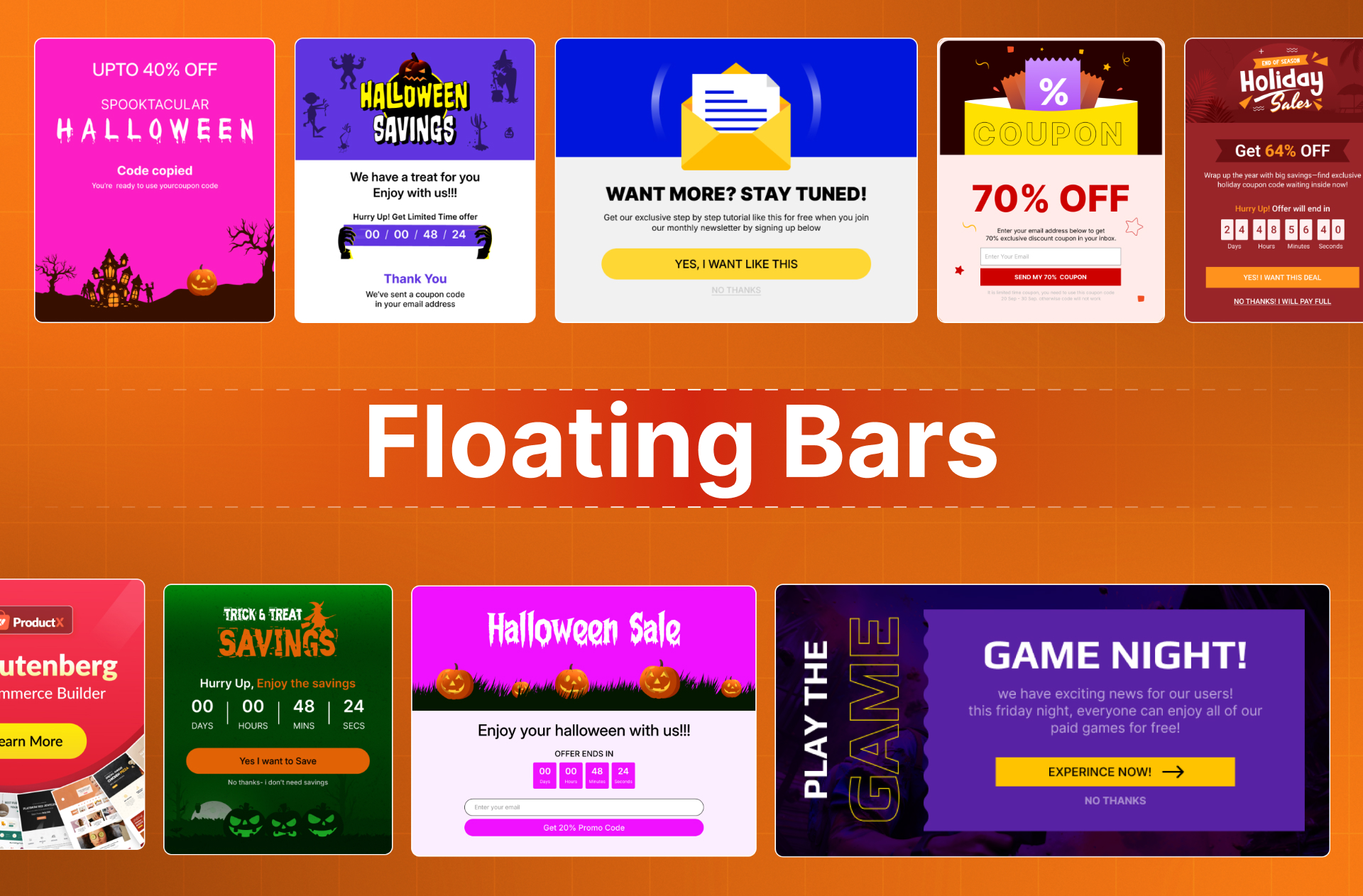
Slides

Advanced Targeting

Smart Triggers

Page Level Targeting

Premade Templates

Dashboard
Changelog
1.4.18 – 04 Dec 2025
- New: WordPress 6.9 compatibility.
- Fix: Minor CSS fixes in the backend.
1.4.17 – 09 Nov 2025
- New: Embed an inline optin directly without using shortcode.
- Fix: Renamed Floating to Slide to avoid confusion.
- Fix: Adjusted CSS selector to stop unwanted style overriding by themes.
- Fix: Added support for shortcode preview in frontend builders.
1.4.16 – 29 Oct 2025
- Fix: Minor CSS issues in the backend.
1.4.15 – 28 Oct 2025
- Fix: Compatibility with Elementor.
1.4.14 – 22 Oct 2025
- Fix: Body was overflowing when popup was opened in some themes.
1.4.13 – 20 Oct 2025
- New: Added support for sorting and adding/hiding columns in the Optin table.
1.4.12 – 15 Oct 2025
- New: Ability to reset statistics for any optin.