

OptionTree Extension: Gravity Forms
Adds Option Tree fields for linking Gravity Forms to Option Tree, allowing you to select a specific form for an option.
Plugin info
Maintenance & Compatibility
Maintenance score
Possibly abandoned • Last updated 4405 days ago
Is OptionTree Extension: Gravity Forms abandoned?
Possibly abandoned (last update 4405 days ago).
Compatibility
Similar & Alternatives
Explore plugins with similar tags, and compare key metrics like downloads, ratings, updates, support, and WP/PHP compatibility.
Description
Integrate Gravity Forms with Option Tree, and add support for yourself or your customers to easily link to Gravity Forms from your Option Tree options panel.
Forms field
The plugin adds a field to the Option Tree field types list for linking to a form. Because Gravity Forms does not use custom post types for its forms, this is not possible with both plugins out of the box. Simply select the gravity forms field type in the Option Tree settings and allow your clients (and yourself) to link to a form from Gravity Forms like you link to a post or page.
Translations
For websites in another language than English, the plugin has translation files included for the following languages:
* Dutch
Installation
- Upload the folder
option-tree-gravityformsto your plugins folder - Activate the plugin OptionTree Extension: Gravity Forms through the plugins panel in the admin panel.
That’s all there is to it!
Frequently Asked Questions
Review feed
Screenshots
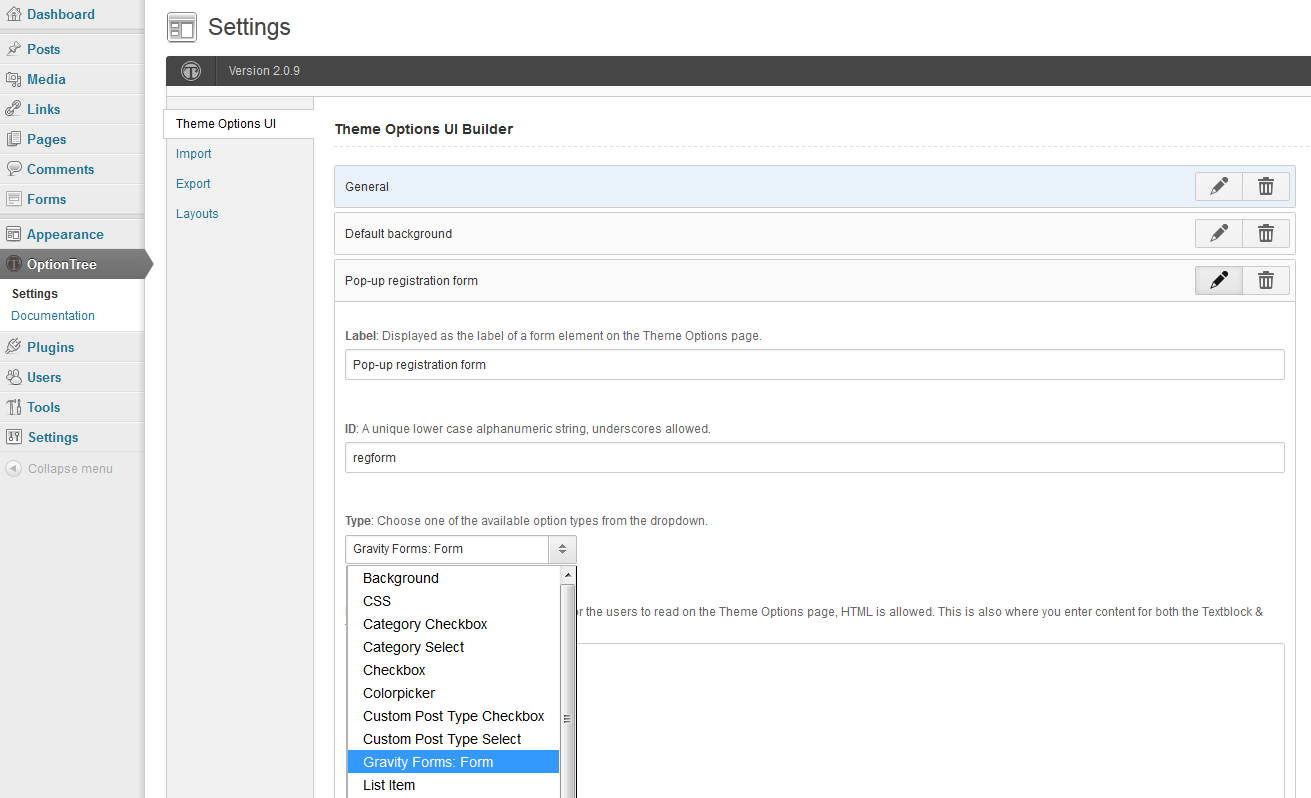
Select the "Gravity Forms: Form" field type for a field to enable selecting a form for that field.

Selecting a form on the Theme Options page

The selected form on the Theme Options page
Changelog
0.2.1
- [Updated] Tested up to WordPress version 3.8.1
0.2
- [Updated] Rewrite code
- [Updated] Localization changes
- [Fixed] Ensure the plugin checks whether Gravity Forms is active regardless of plugin loading priority
0.1
- Initial release