

Orbisius Simple Feedback
Generates a nice & simple Feedback form which is positioned at the bottom center of your visitor's browser window.
Plugin info
Maintenance & Compatibility
Maintenance score
Possibly abandoned • Last updated 3706 days ago • 3 reviews
Is Orbisius Simple Feedback abandoned?
Possibly abandoned (last update 3706 days ago).
Compatibility
Languages
Similar & Alternatives
Explore plugins with similar tags, and compare key metrics like downloads, ratings, updates, support, and WP/PHP compatibility.
Description
Support
Support is handled on our site: http://club.orbisius.com/
Please do NOT use the WordPress forums or other places to seek support.
Generates a nice & simple Feedback form which is positioned at the bottom center of your visitor’s browser window.
The data is sent via ajax to your admin email. The current page is also sent as well.
This plugin is useful when you have a private beta or want to collect some feedback from your users.
Features / Benefits
- Have a quick and easy way for your customers and clients to reach you.
- Get quick feedback for your site.
- Optionally Premium Extension: log the feedback. The plugin extension keeps track of failed and not failed email deliveries (based on wp_mail status)
- For logged in users their info is included.
- The Reply-to field is filled with the sender’s email address … Just hit reply.
- Small box which only expands when the user puts their mouse over it.
- Configure the call to action
Demo
TODO
Bugs? Suggestions? If you want a faster response contact us through our website’s contact form [ orbisius.com ] and not through the support tab of this plugin or WordPress forums.
We don’t get notified when such requests get posted in the forums.
Support is handled on our site: http://club.orbisius.com/
Please do NOT use the WordPress forums or other places to seek support.
Author
Svetoslav Marinov (Slavi) | Custom Web and Mobile Programming by Orbisius.com
Installation
- Unzip the package, and upload
orbisius-simple-feedbackto the/wp-content/plugins/directory - Activate the plugin through the ‘Plugins’ menu in WordPress
Frequently Asked Questions
How to use this plugin?
Just install the plugin and activate it. The feedback text appear in the public area
How to remove the powered by?
If you don’t want to give us credit 🙁 add this line to your functions.php
add_filter(‘orbisius_simple_feedback_filter_powered_by’, ‘__return_false’, 10);
Review feed
Screenshots
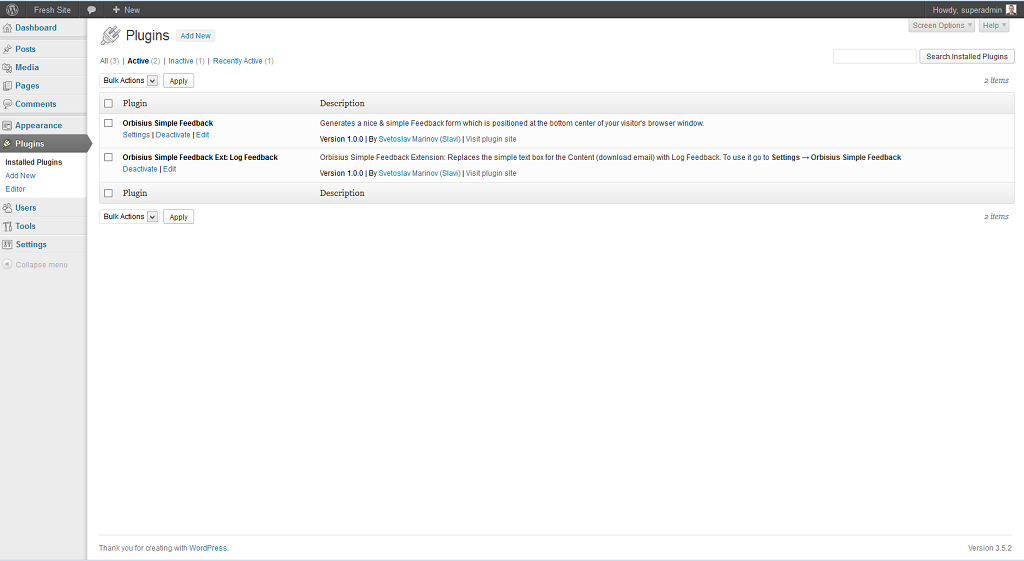
Plugins

Settings Page

Live demo (collapsed - center)

Live demo (expanded)

Live demo (left align)

Live demo (right align)
Changelog
1.0.8
- Attached last modified time to assets.
- Fixed some JS events.
1.0.7
- Fixed not centering even if selected.
- Improved the UI a bit: better aligned buttons, Close X button now has text.
- The feedback can be triggered via a click or mouse over.
- Tested with WP 4.4
- Rearranged options a bit.
1.0.6
- Tested with WP 4.1
- Do not render if it’s an ajax request
- Removed the width so it doesn’t block elements under it
1.0.5
- Made the IPs to be unique (the plugin uses multiple ways to find the IP)
- Added an option in the settings to enable/disable powered by
- Tested with WP 3.9
1.0.4
- Fix: the page ID was included but not the page link
1.0.3
- Showing the success message near the send button
- Autohide on success after 3.5 sec
1.0.2
- Including the IP address(es) of the person and their browser in the message
- Added alignment options for the feedback call to action: bottom left, bottom center, bottom right.
- Call to action text now takes as much space as needed and not 50% of the screen
- Added an option to choose of having a textbox or a textarea for the feedback message
- Changed send_feedback name to include plugin’s prefix
- Fixes and improvements
- Hid status -> not necessary to enable it explicitely
- Improved the UI of the settings page.
- Updated screenshots and added 2 more for left and right align of the call to action
- made the feedback box and the email box occupy as much space as the feedback container so they looks nicer.
- Set the default align to be bottom right
- Added an uninstall.php file.
- Added an option to include an image (lightbulb) near the call to action – image from famfamfam
- Tested with WP 3.8.1
1.0.1
- Added a setting so the feedback box can be optionally shown in the admin area as well.
1.0.0
- Initial release