

Order Barcode Plugin
Order Barcode generates unique barcodes for each indiviual order placed on your site. These barcodes can be used as packing slips, order confirmation …
Plugin info
Maintenance & Compatibility
Maintenance score
Possibly abandoned • Last updated 1717 days ago • 3 reviews
Is Order Barcode Plugin abandoned?
Possibly abandoned (last update 1717 days ago).
Compatibility
Similar & Alternatives
Explore plugins with similar tags, and compare key metrics like downloads, ratings, updates, support, and WP/PHP compatibility.
Description
Order Barcode generates unique barcodes for each indiviual order placed on your site. These barcodes can be used as packing slips, order confirmation email, invoices or anything which get benefitted from having a scannable barcode attached to it.
Major features in Order Barcode Plugin include:
-
Indiviual Barcode for each Order
-
Shows in Admin Order Details Page
-
Shows in Customer’s MyAccount Page each order under Order Tab
-
Invoice integration with WooCommerce PDF Invoices & Packing Slips
-
Integrated with Order Confirmation Email.
Pro Features
-
QR Code integration
-
Settings Options for Barcode and QR Code
-
Color Option for Barcode or QR Code
-
Size Option for Barcode or QR Code
-
Order ID adding Option with color and font size
-
Order Number adding option with color and font size
-
Order Number Integration with Sequential Order Number for WooCommerce plugin
Check the Pro version here.
Minimum Requirements
- WooCommerce 2.2 or later
- WordPress 4.9.6 or later
Manual installation via FTP
- Download the plugin file to your computer and unzip it
- Using an FTP program, or your hosting control panel, upload the unzipped plugin folder to your WordPress installation’s wp-content/plugins/ directory.
- Activate the plugin from the Plugins menu within the WordPress admin
Installation
This section describes how to install the plugin and get it working.
-
Go to WordPress Dashboard > Plugins > click on Installed plugins > look for add new at the top most of the screen and click here > Add Plugins > upload plugin > choose file -> click here and upload Simple Demo Importer plugin.
-
Activate Plugin through ‘Plugins’ menu in WordPress.
Frequently Asked Questions
Review feed
Screenshots
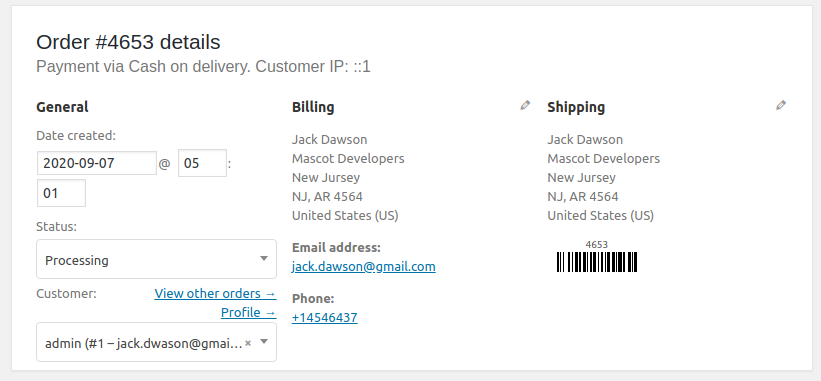
Admin Order Page
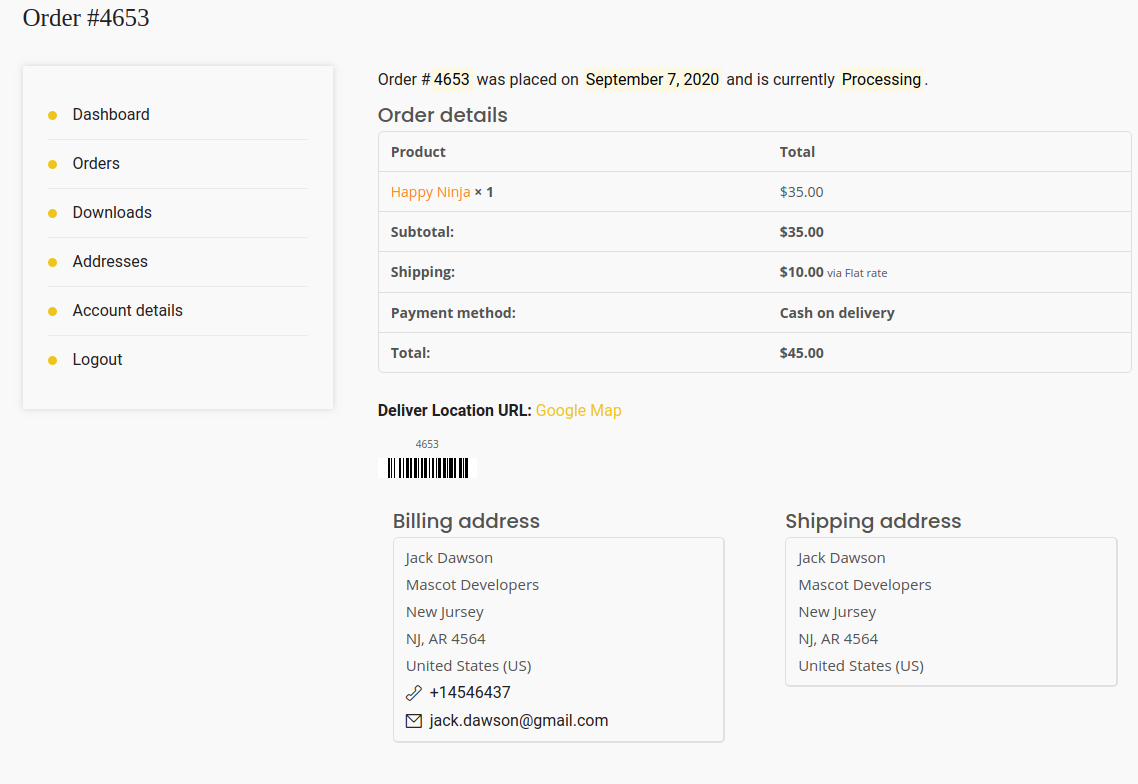
Customer odrer details

Invoice PDF

Packing Slip PDF

Email Preview
Changelog
Intially it can be used to get the barcode for each order.