
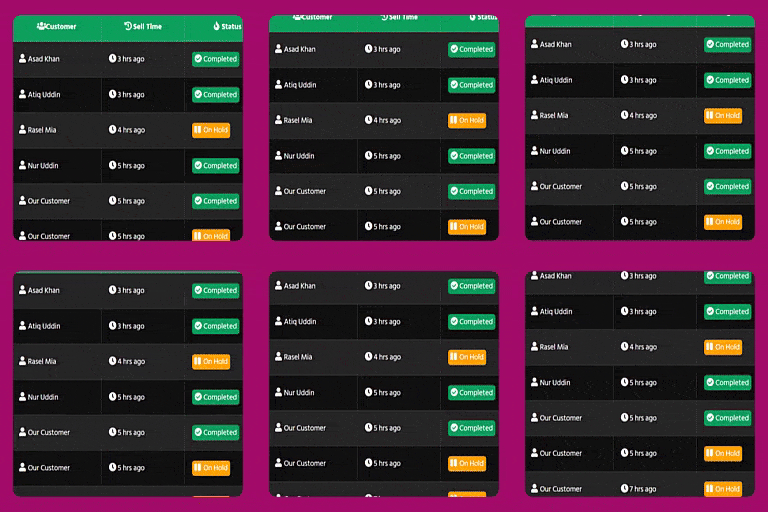
Order List Table Elementor Widget for Woocommerce
Order List Table use for to show Woocommerce recent order list on a table, just use this Elementor Widget/Addon.
Plugin info
Maintenance & Compatibility
Maintenance score
Stale • Last updated 281 days ago • 3 reviews
Is Order List Table Elementor Widget for Woocommerce abandoned?
Likely maintained (last update 281 days ago).
Compatibility
Similar & Alternatives
Explore plugins with similar tags, and compare key metrics like downloads, ratings, updates, support, and WP/PHP compatibility.
Description
Order List Table is the best Elementor Addon to show your woocommerce customer orders on frontend using Elementor page builder. You can easily customize the order table And show your customer’s information. Like order time, customer name, order status, etc. Just use elementor page builder and use This widget and customize this table.
If you face ‘time ago’ issue just go to wp-admin dashboard settings>general>timezone and select city name from timezone.
Features
✅ Show Orders from specific order status
✅ Customizable Table Icons
✅ Change Table Background, Borders, Heading Color
✅ Hide / Show Any Columns
✅ Show customer name, sell time, product name, sell amount, etc.
✅ Super Customizable Table & easy to change styles.
✅ Enable/Disable Responsive Table for Mobile Devices.
✅ Buy Now button on the order list table.
Made with love by WP Methods
🎁If you like this plugin, consider supporting development: Donate
Note: This plugin is an addon of Elementor Page Builder and will only work with Elementor Page Builder and WooCommerce Plugin installed.
Installation
- Upload the ‘order-list-table-elementor-widget’ folder to the ‘/wp-content/plugins/’ directory
- Activate the plugin through the ‘Plugins’ menu in WordPress
or
- Go to the ‘Plugins’ menu in WordPress and click ‘Add New’
- Search for ‘WooCommerce Order List for Elementor’ and select ‘Install Now’
Activate the plugin when prompted
Getting Started
- Just go to Settings>General>Timezone from your wp-admin dashboard, then select your city. And click on save changes.
- Open your elementor page builder and Edit any page. And search for “order list table”, then use this widget.
Frequently Asked Questions
Sorry, You have to install and active Elementor Plugin
No, You must install and active woocommerce plugin to make this plugin work.
Review feed
Good
Screenshots

Show order list from specific status

Change table styles

Show customer order information

Change order status background, icon, text

Buy Now Button to directly order specific product.

Responsive for mobile device
Changelog
2.0.0 (2025-01-02)
- Fixed not showing order list some website.
- Added Buy Now button on the order list.
- Added Enable/Disable mobile responsive table feature.
1.0.2 (2024-12-09)
- Fixed Time zone issue
1.0.1 (2023-09-01)
- Fixed Customer Username Issue
0.1
- Plugin initial release