

Customer Portal for Stripe
Provides shortcodes for Stripe Invoices, Subscriptions & Cards.
Plugin info
Maintenance & Compatibility
Maintenance score
Possibly abandoned • Last updated 1224 days ago • 2 reviews
Is Customer Portal for Stripe abandoned?
Possibly abandoned (last update 1224 days ago).
Compatibility
Similar & Alternatives
Explore plugins with similar tags, and compare key metrics like downloads, ratings, updates, support, and WP/PHP compatibility.
Description
Customer Portal for Stripe provides shortcodes which allows the currently signed-in user to
manage their Stripe subscriptions, see their invoices & manage their cards:
-
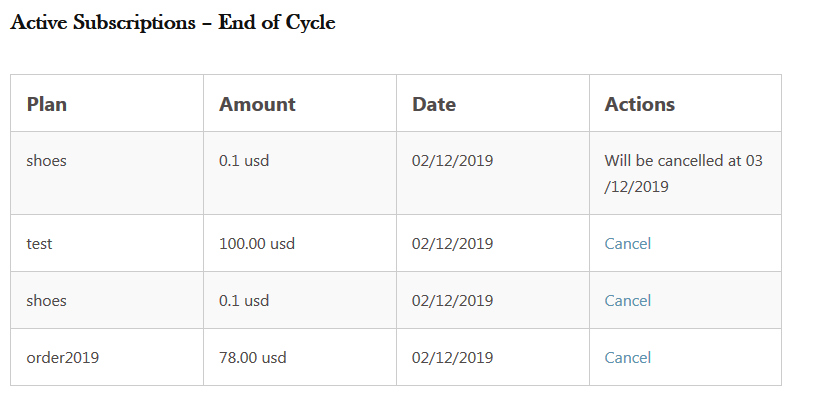
[cpfs_list_subscriptions allow-cancel="true"]
Lists up to 10 Stripe subscriptions. The default value forallow-cancelisfalse.
To allow a user to cancel their subscriptions, setallow-cancel="true". -
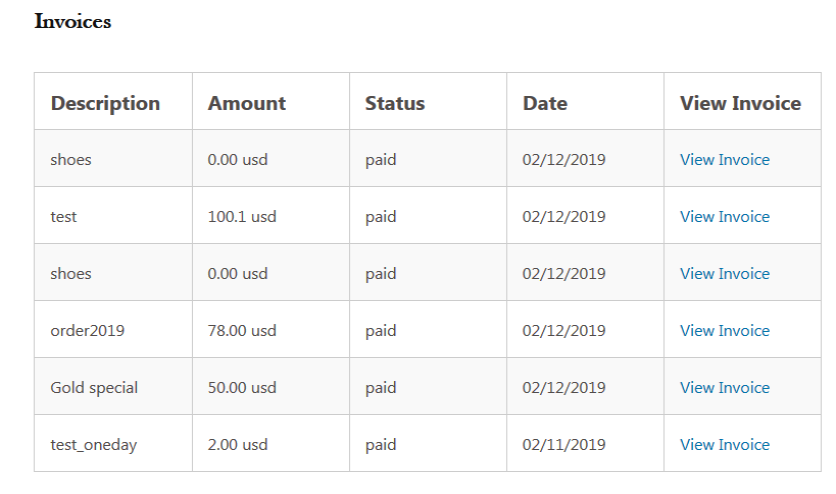
[cpfs_list_invoices]
Lists up to 10 Stripe invoices. -
[cpfs_list_cards]
Lists up to 10 credit cards stored at Stripe. -
[cpfs_add_card]
Allows a user to add a new card. The newly added card will be set as default.
Notes:
-
On first visit of any page containing a
cpfs_*shortcode, the currently signed-in user will be looked up
in Stripe using the user’s email address. If not matching customer is found, a customer will be created. -
If needed, an administrator can manually link a Stripe customer ID to a user by editing the affected user profile
in WP Admin and updating theStripe Customer IDfield. -
If an administrator updates the email address of any user in WP Admin, the Stripe customer email will be updated as
well (or created if the customer doesn’t exist). -
If a user updates their email address in WordPress, their email will not be updated in Stripe.
-
Responses from Stripe are being cached for 15 minutes to avoid excessive API calls.
Installation
- Upload
customer-portal-for-stripeto the/wp-content/plugins/directory - Activate the plugin through the ‘Plugins’ menu in WordPress
- Place any of the
[cpfs_*]shortcodes into your pages
Frequently Asked Questions
Review feed
Screenshots





Changelog
4.1.6
- Improve error handling
4.1.5
- [FIXED] Fix regex to allow saving of live keys. Cameron Gilroy
4.1.4
- [SECURITY] Escape all Stripe API output
4.1.3
- [CHANGED] Remove ZIP input/requirement when adding a new card
4.1.2
- [FIXED] Properly handle
[cpfs_list_subscriptions]shortcode attribute(s)
4.1.1
- [IMPROVED] Remove both card & customer transient upon card update to immediately reflect ‘default card’ attribute
4.1.0
- Complete plugin rewrite
1.1.0
- Initial release