

Issues and Series for Newspapers, Magazines, Publishers, Writers
PublishPress Series is the publishing plugin that allows you to organize posts into issues or series. This is ideal for magazines, newspapers, writers …
Plugin info
Maintenance & Compatibility
Maintenance score
Maintained • Last updated 119 days ago • Support resolved 80% • 71 reviews
Is Issues and Series for Newspapers, Magazines, Publishers, Writers abandoned?
Likely maintained (last update 119 days ago).
Compatibility
Similar & Alternatives
Explore plugins with similar tags, and compare key metrics like downloads, ratings, updates, support, and WP/PHP compatibility.
Description
PublishPress Series is a publishing plugin that allows you to organize posts into issues or series. This is ideal for magazines, newspapers, short-story writers, teachers, comic artists, or anyone who writes multiple posts on the same topic.
Newspapers, magazines and publishers can use PublishPress Series to create issues based on topics or time periods:
- Collect posts into monthly issues for a magazine.
- Group together newspaper articles on the same topic.
- Organize chapters into an overall story.
When you’re writing a post, you can easily add a post to an existing series, or start a new series. You can also add a new post into the middle of an existing series, and the plugin will adjust the order.
PublishPress Series Pro
Upgrade to Series Pro
This plugin is the free version of the Series Pro plugin. The Pro version of PublishPress Series supports custom post types, multiple series, extra tokens, shortcodes and more. Click here to purchase the best WordPress newspaper and magazine plugin now!
Easily assign posts to your series
When you’re writing a post, you can easily add a post to an existing series, or start a new series. You can also add a new post into the middle of an existing series, and the plugin will adjust the order.
It’s easy to keep track of what posts have been added to a series. You can also filter the post list by series giving you a quick way to see all the posts you’ve already added to the series.
Click here to get started with PublishPress Series.
Display options for your Series information
Right out-of-the-box, the Series meta box will be automatically added to posts that are a part of a series. You can modify how this meta box appears using the template for it in the Series Options Page. Plus, there are at least four different displays that your visitors may see in PublishPress Series.
Click here to see more about displaying Series.
Advanced layouts for PublishPress Series
You can easily create beautiful layouts with PublishPress Series. This is possible thanks to an integration with the PublishPress Blocks plugin. Using the Content Display block, you choose your series from the “Show content with these Series” box. You will then have access to dozens of layout options.
Click here to see more about advanced layouts.
Widgets and Blocks to show your Series information
PublishPress Series plugin provides two widgets you can use to display your series: Series Table of Contents, and Latest Series. Both widgets are packed with features and can be dropped into your theme, or into the Gutenberg editor.
Click here to see more about Series widgets.
Order, schedule, publish and unpublish posts in your series
The Publish Series feature is available in the Free and Pro versions of PublishPress Series. This feature allows you to quickly manage all posts linked to a Series. You can use this screen to re-order, schedule publish, and unpublish all the posts in a Series.
Click here to see more about Publish Series screen.
Series Pro: Custom post type support
Custom Post Type support is available in the Pro version of PublishPress Series. With this feature, not only can you use PublishPress Series with WordPress posts, plus you can also create series with pages, or any other WordPress Custom Post Type. Your series can even have parts across different post types. That means you could have “Part 1” that is a post, “Part 2” that is a page, and “Part 3” that is another post type.
Click here to see more about custom post types.
Series Pro: Shortcodes
PublishPress Series Shortcodes is a feature in the Pro version of PublishPress Series. This provides a set of WordPress shortcodes that allow you insert series information into posts. There are five shortcodes available:
Click here to see more about Series shortcodes.
Series Pro: Multiples
The Pro version of PublishPress Series allows you to add posts to more than one series. The core plugin only allows posts to be added to one series. The most obvious change you will see after enabling this feature is inside the post editing screen. The “Series” metabox will allow you to choose more than one series.
Click here to see more about the Multiples feature.
Series Pro: Extra Tokens
token is a specific format for indicating where you want series information to appear. Tokens can be added in any of the PublishPress Series templates available on the Series Options screen. Extra tokens are available in the Pro version of PublishPress Series. This adds new tokens to the “Templates” screen for customizing the various series templates.
Click here to see more about the extra tokens.
Join PublishPress and get the Pro plugins
The Pro versions of the PublishPress plugins are well worth your investment. The Pro versions have extra features and faster support. Click here to join PublishPress.
Join PublishPress and you’ll get access to these ten Pro plugins:
- PublishPress Authors Pro allows you to add multiple authors and guest authors to WordPress posts.
- PublishPress Blocks Pro has everything you need to build professional websites with the WordPress block editor.
- PublishPress Capabilities Pro is the plugin to manage your WordPress user roles, permissions, and capabilities.
- PublishPress Checklists Pro enables you to define tasks that must be completed before content is published.
- PublishPress Future Pro is the plugin for scheduling changes to your posts.
- PublishPress Permissions Pro is the plugin for advanced WordPress permissions.
- PublishPress Planner Pro is the plugin for managing and scheduling WordPress content.
- PublishPress Revisions Pro allows you to update your published pages with teamwork and precision.
- PublishPress Series Pro enables you to group content together into a series.
- PublishPress Statuses Pro enables you to create additional publishing steps for your posts.
Together, these plugins are a suite of powerful publishing tools for WordPress. If you need to create a professional workflow in WordPress, with moderation, revisions, permissions and more… then you should try PublishPress.
Bug Reports
Bug reports for PublishPress Series are welcomed in our repository on GitHub. Please note that GitHub is not a support forum, and that issues that aren’t properly qualified as bugs will be closed.
Follow the PublishPress team
Installation
INSTALL PUBLISHPRESS SERIES FROM WITHIN WORDPRESS
- Visit the plugins page within your dashboard and select ‘Add New’;
- Search for ‘PublishPress Series’;
- Activate PublishPress Series from your Plugins page.
INSTALL PUBLISHPRESS SERIES MANUALLY
- Upload the ‘organize-series’ folder to the /wp-content/plugins/ directory;
- Activate the PublishPress Series plugin through the ‘Plugins’ menu in WordPress;
Frequently Asked Questions
It makes it easier for you to write a series of posts on your blog/website and have them automatically linked together. One of the best ways to build an audience on your blog/website is to write short posts about the same subject over a period of time rather than one long post. There are numerous SEO benefits to this as well. PublishPress Series takes the hassle out of managing the serial posts and you can just focus on writing. Another way of saying this is, PublishPress Series takes the work out of organizing series so that you write more and your readers can EASILY follow along.
You sure can! Create a file called taxonomy-series.php and copy the code from your themes archive.php file and use that as the basis for building out how the series archive page looks. You’ll also want to take a look at all the template tags you can use for series in the orgSeries-template-tags.php file.
Yes. Create a file named taxonomy-series-{series-slug}.php file and replace {series-slug} with the slug of your series and you’ll be good to go!
Yes, you can In the organize-series folder you’ll see a file called seriestoc.php. It’s what gets loaded when you go to your series toc url (defaults at \series-toc\ but you can change this on the series options page). Chances are though it doesn’t look great with your theme (the file included just gives you an idea of what you can put in the file). What you want to do is copy this file to your theme folder and then modify it to match your theme structure (see your themes archive page for an example). You don’t need to put any of the WordPress loop code in this file.
Yes, Publishpress Series introduces a new taxonomy “series”. Thanks to the rich API provided to plugin authors by WordPress, PublishPress Series takes advantage of the WordPress core.
Review feed
Screenshots
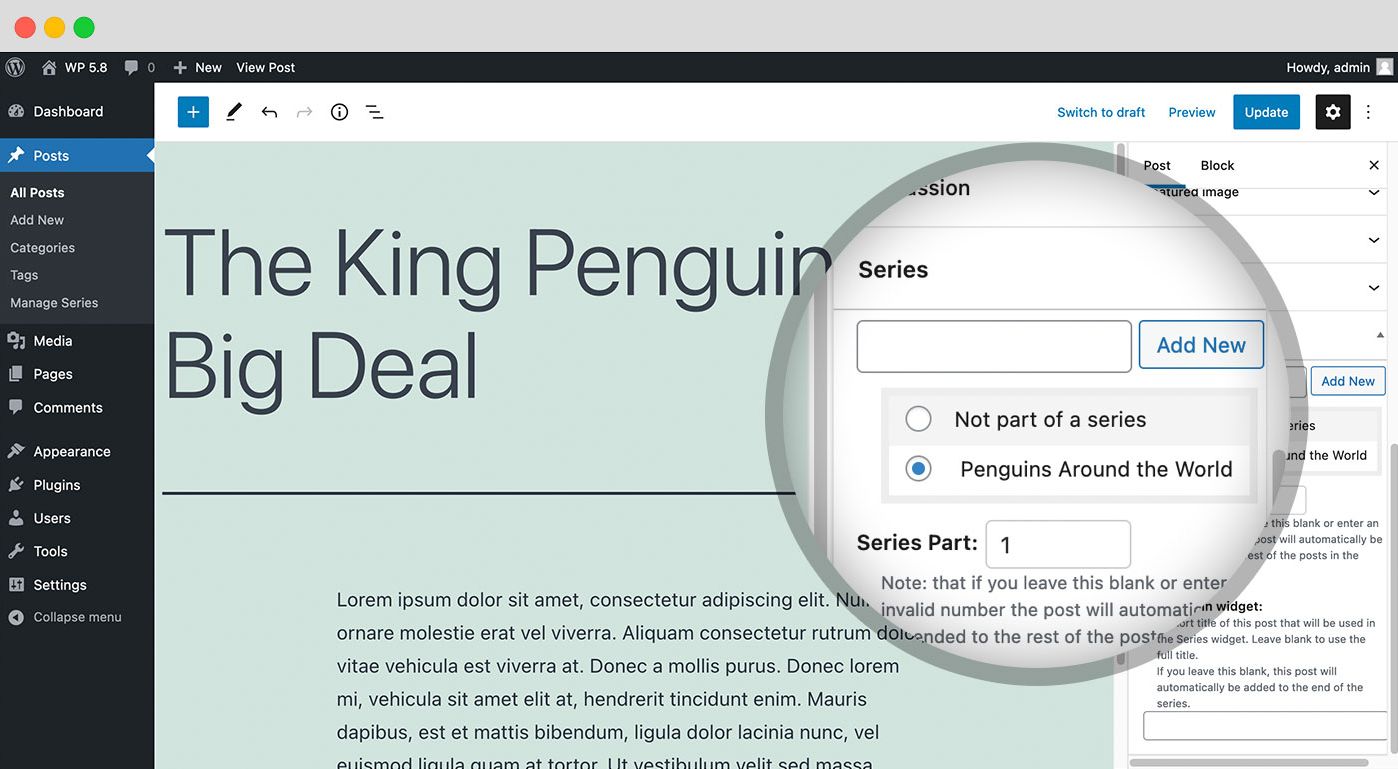
When you're writing a post, you can easily add a post to an existing series, or start a new series.
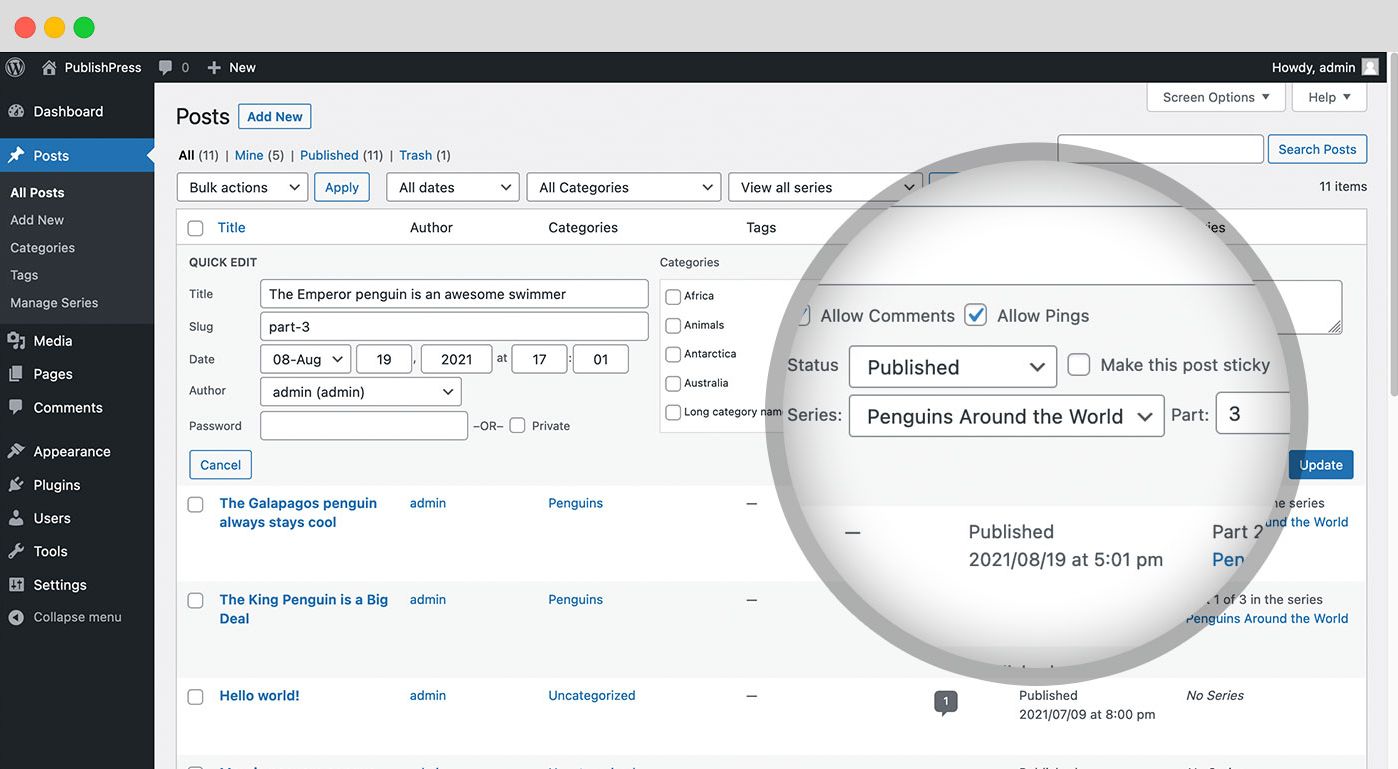
Integration with the Posts List table - it's easy to keep track of what posts have been added to a series.
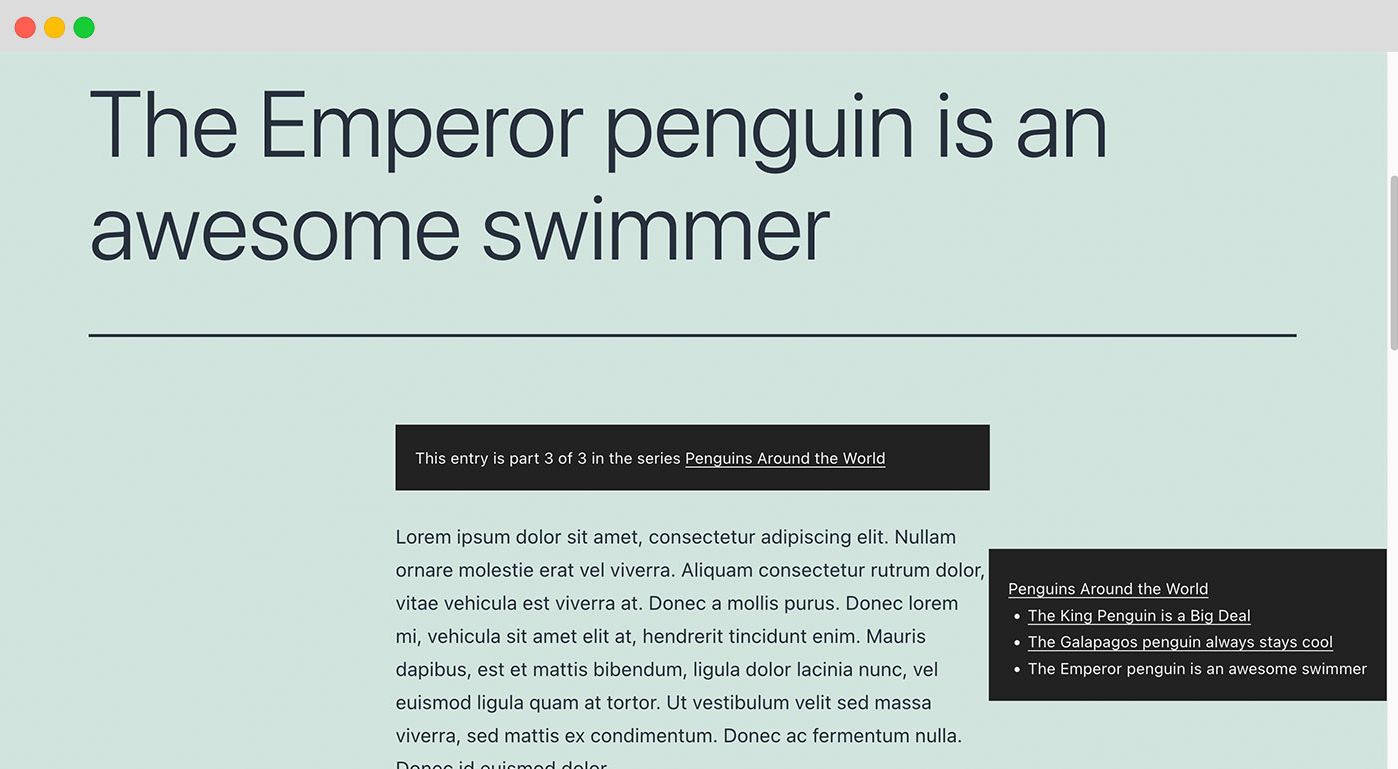
Right out-of-the-box, the Series meta box will be automatically added to posts that are a part of a series.
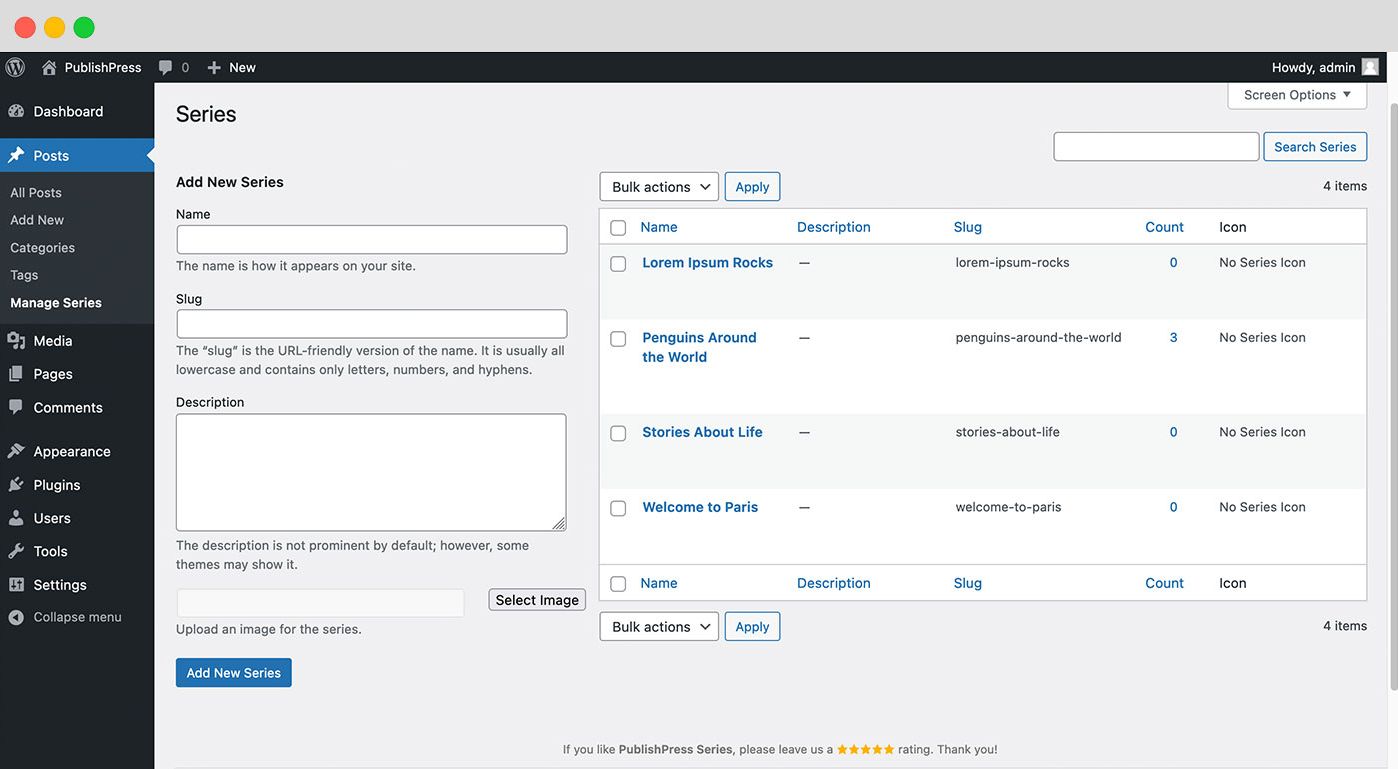
Add, delete, edit all your series on one handy dandy page. You can also upload/select images to associate with the series.
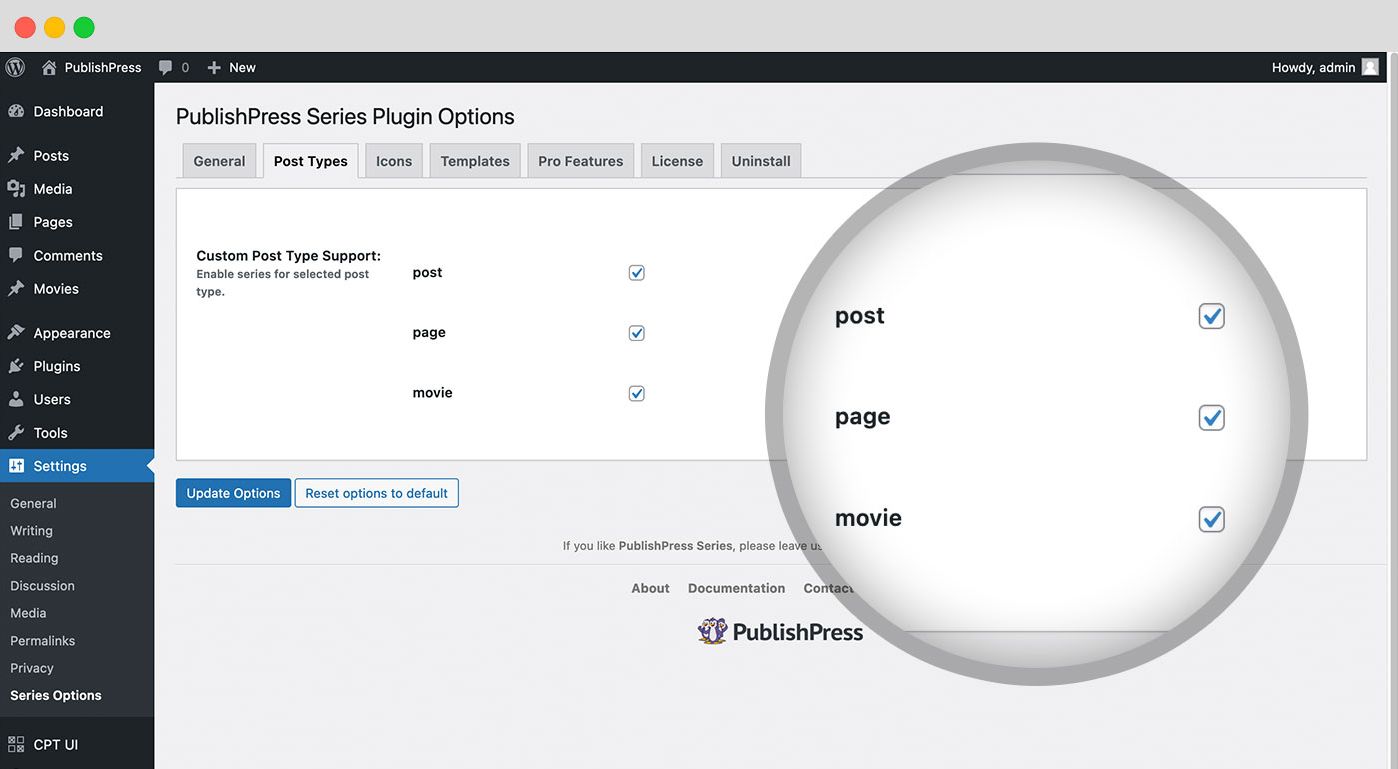
This feature is in the Pro version of PublishPress Series and it allows you to use the plugin with any WordPress post type.
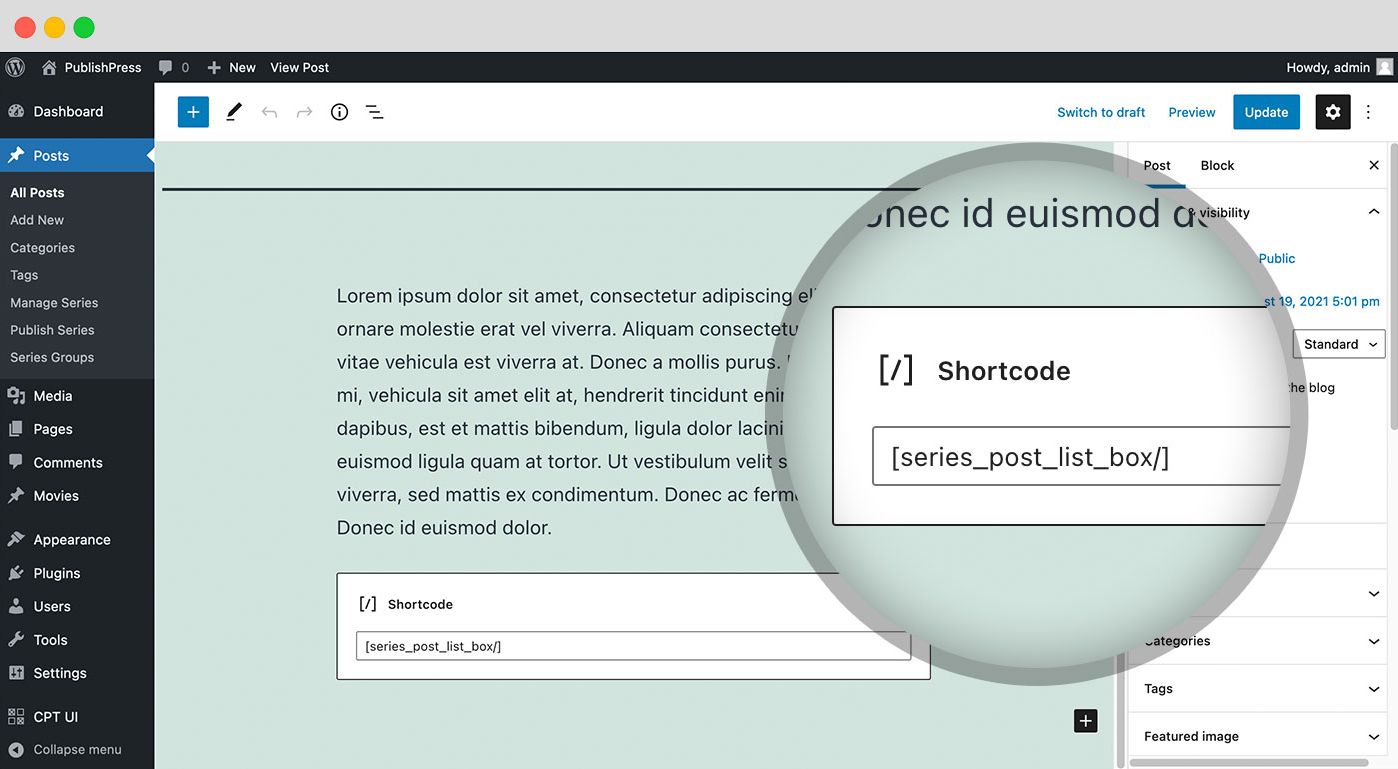
The Pro version of PublishPress Series provides a set of WordPress “shortcodes” that provide users a way to easily insert various series information into their posts.
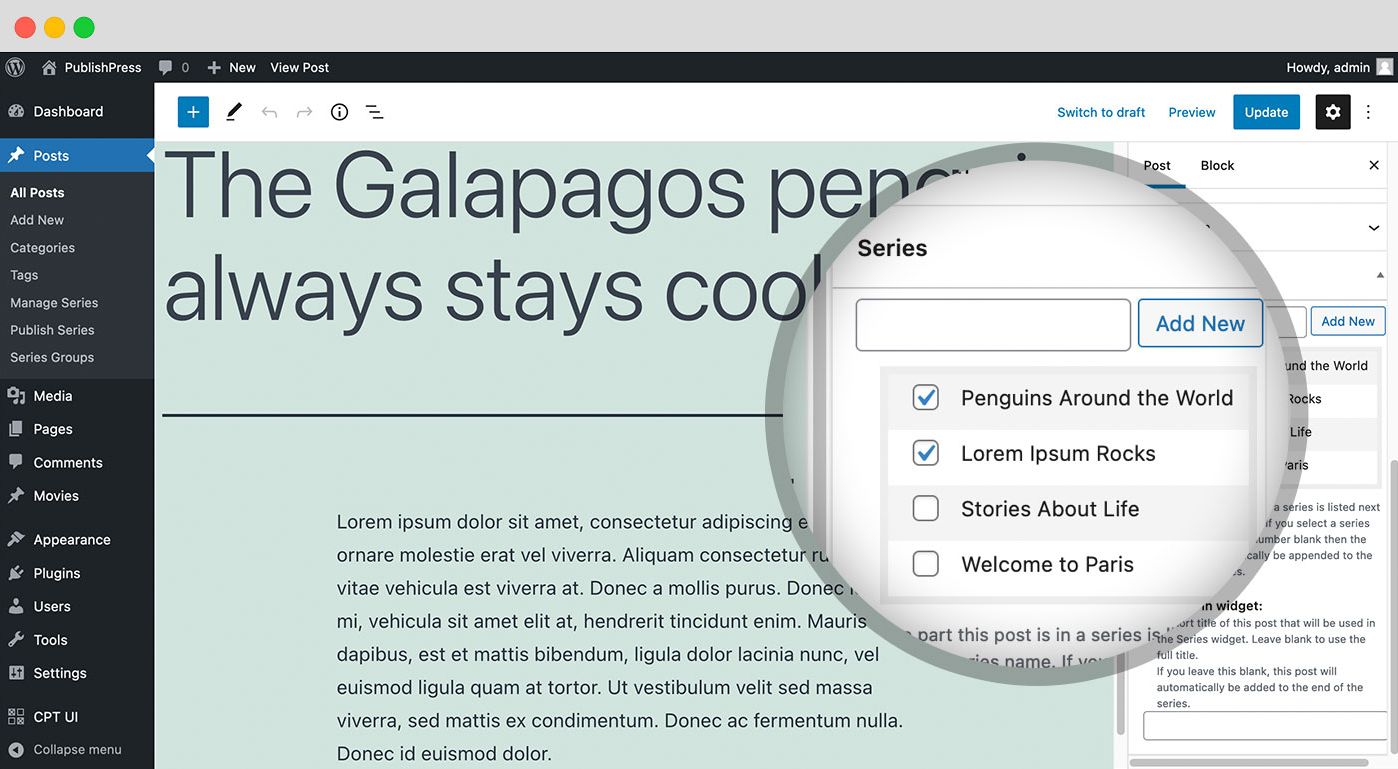
This feature is in the Pro version of PublishPress Series and it brings the capability of adding a post to more than one series.
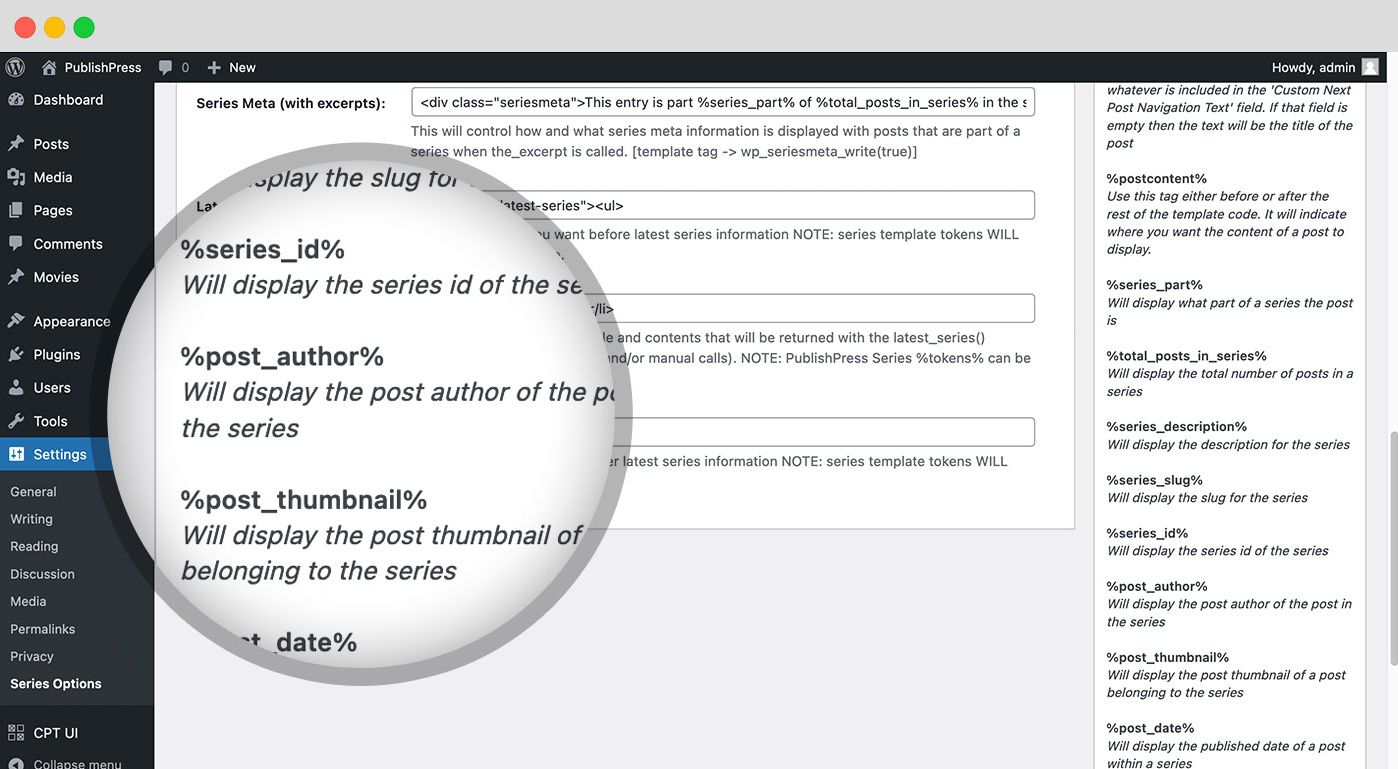
The Pro version provides additional tokens to use in the series options page for customizing various series templates.
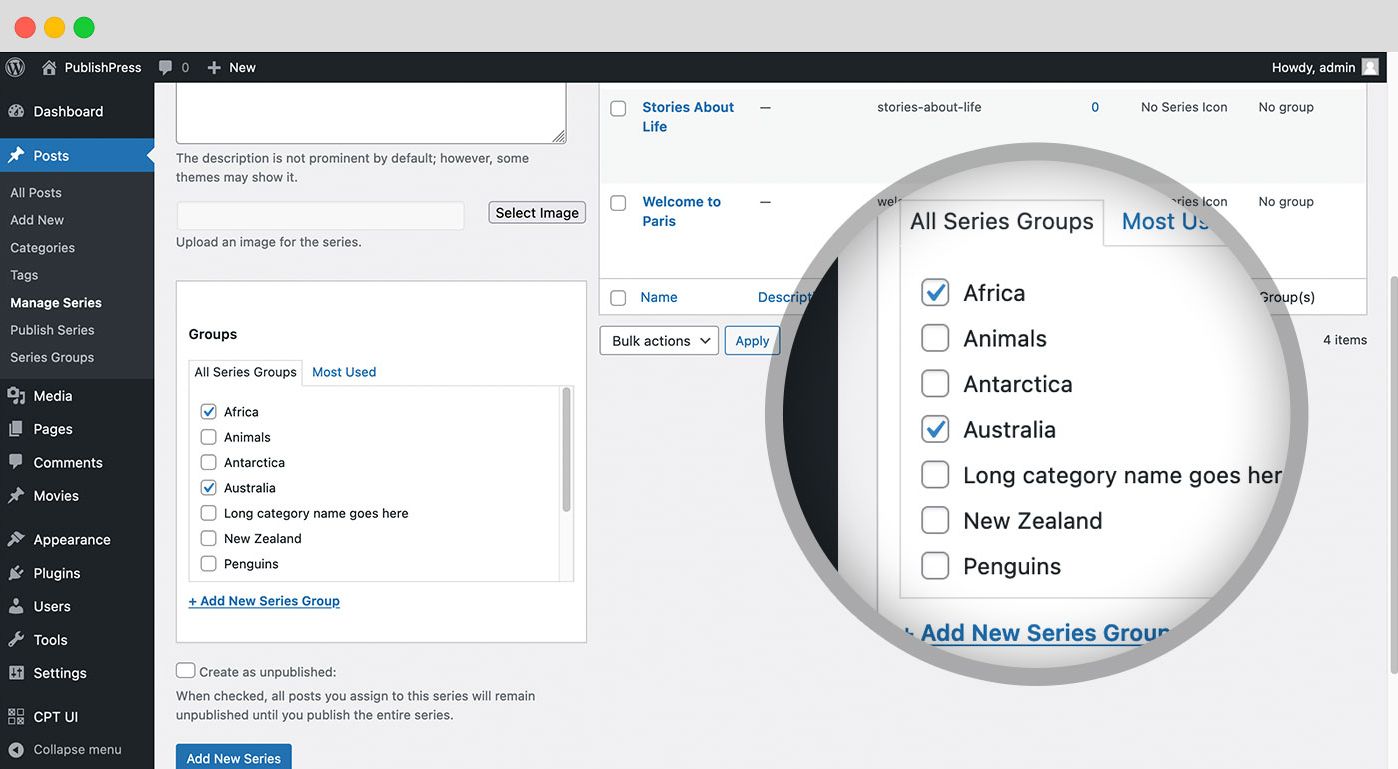
The PublishPress Series core plugin groups posts together in series. The Pro version gives the ability to put series together in groups.
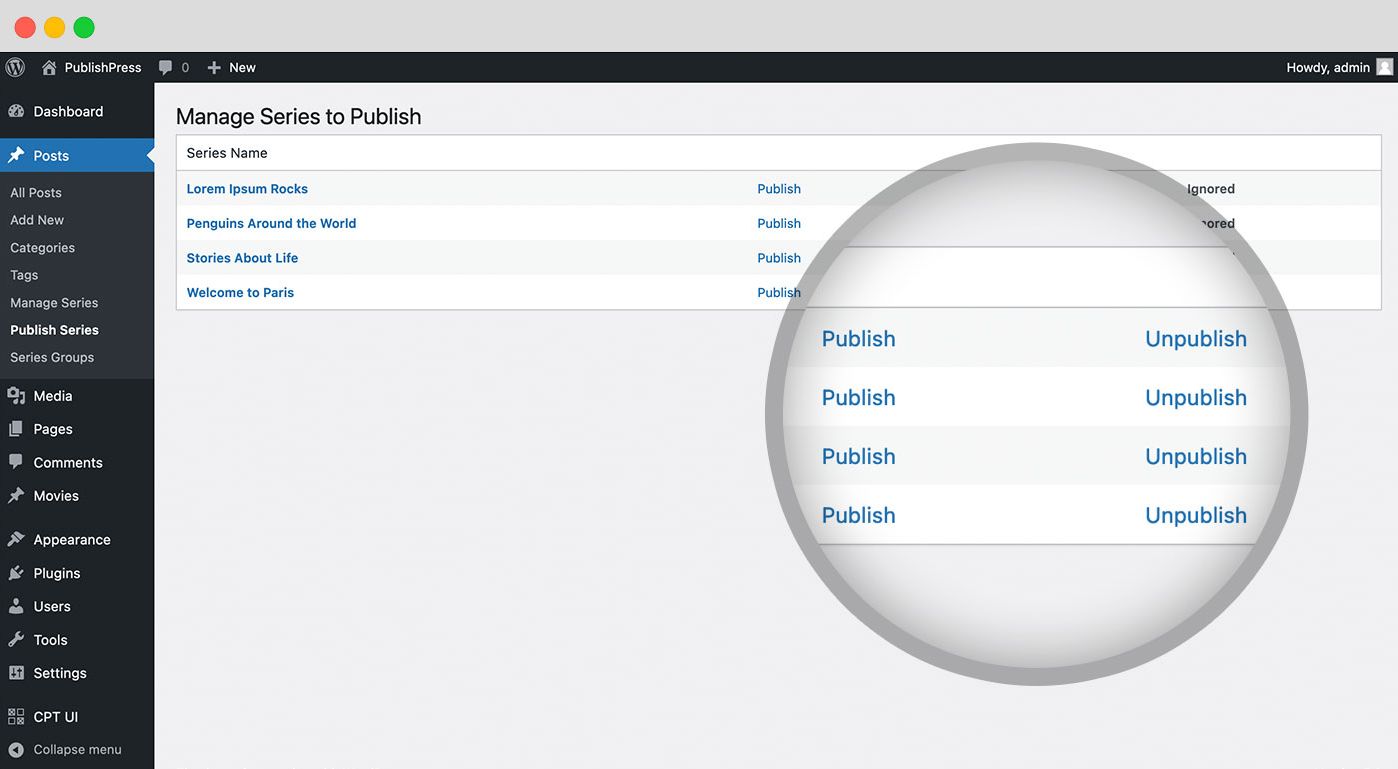
The Pro version of Series enables easy bulk publishing of all posts in a series at once.
Changelog
The full changelog can be found on GitHub.