

OSM Map Widget for Elementor
A free Elementor Map Widget that utilizes Open Street Map. Comes with features like adding multiple markers, and choosing from a library of custom til …
Plugin info
Maintenance & Compatibility
Maintenance score
Stale • Last updated 209 days ago • Support resolved 100% • 8 reviews
Is OSM Map Widget for Elementor abandoned?
Likely maintained (last update 209 days ago).
Compatibility
Languages
Similar & Alternatives
Explore plugins with similar tags, and compare key metrics like downloads, ratings, updates, support, and WP/PHP compatibility.
Description
A free Elementor Map Widget that utilizes Open Street Map. Comes with features like adding multiple markers, and choosing from a library of custom tiles to change the look and feel. Requires Elementor Page Builder Plugin Version: 3.5+
This plugin is open sourced so feel free to contribute to it by:
1. Adding a topic/issue here
2. Submitting a pull request with any well-written code that implements the desired feature.
Usage
- Make sure that Elementor plugin is installed
- Add optional API Keys to the settings page:
- Google Maps API Key (Used to autocomplete and update the coordinates of markers in a map. Need help to get a Google map API key? Read this resource)
- Mapbox Access Token (Used for custom tiles. Need help to get a Mapbox Access Token? Read this resource)
- Geoapify API Key (Used for custom tiles. Need help to get a Geoapify API key? Read this resource)
- Add OSM Map widget to your elementor page and have fun 🙂
- Find OSM Map widget from elements listing and add it to your elementor page
- Add multiple markers, change Zoom level style them accordingly
- Editing the markers: A marker’s settings contains Title, Location, Coordinates, Description, Button Text, and Button URL fields. Of those fields, only the Coordinates field is required to render a marker on the map. If you have a Google Maps API key added, you’ll be able to automatically populate the coordinates field without manually doing so.
- Change Tiles from style section requires Mapbox Access Token and Geoapify API Key
Installation
Frequently Asked Questions
Review feed
Screenshots
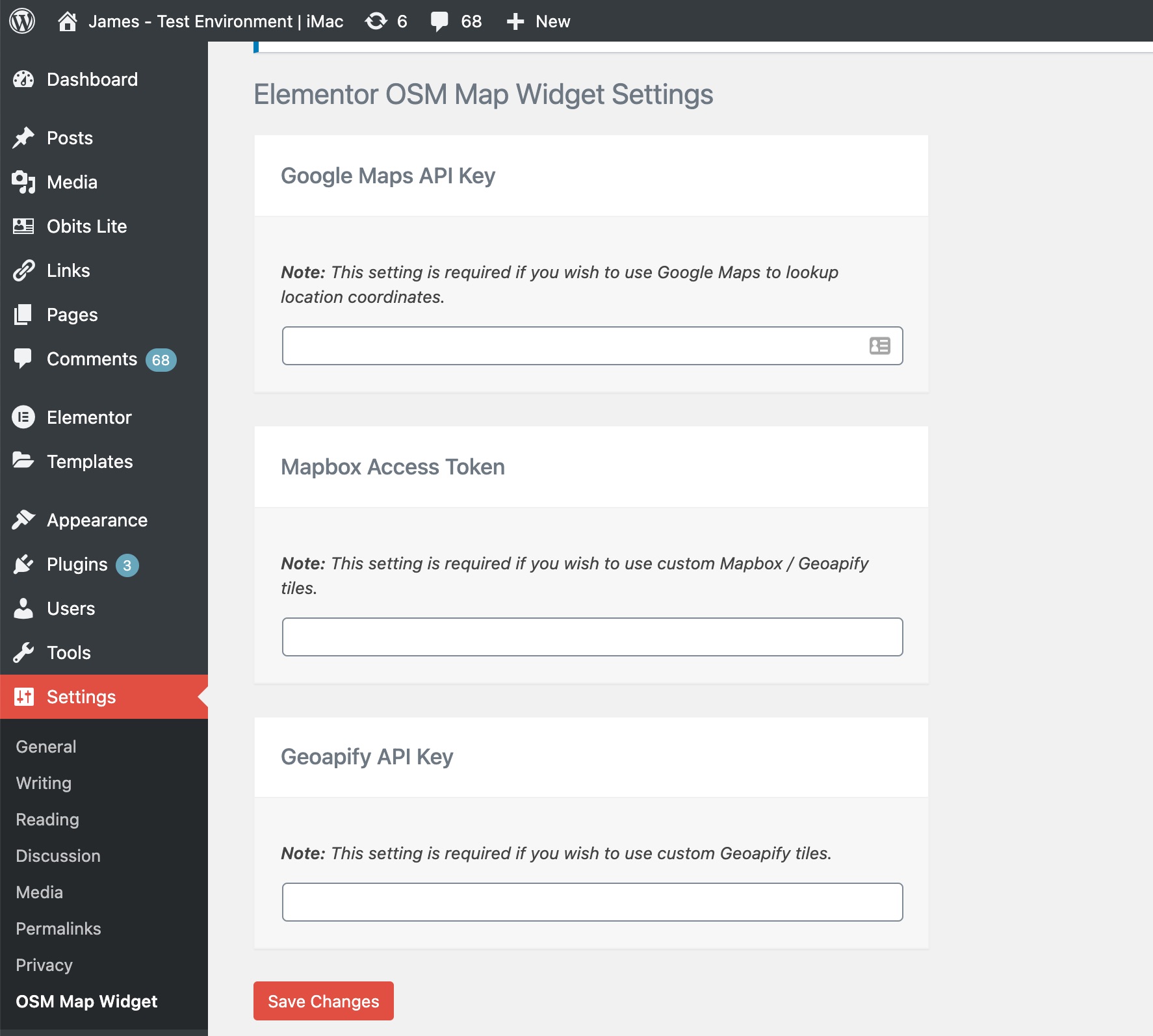
Update optional API keys
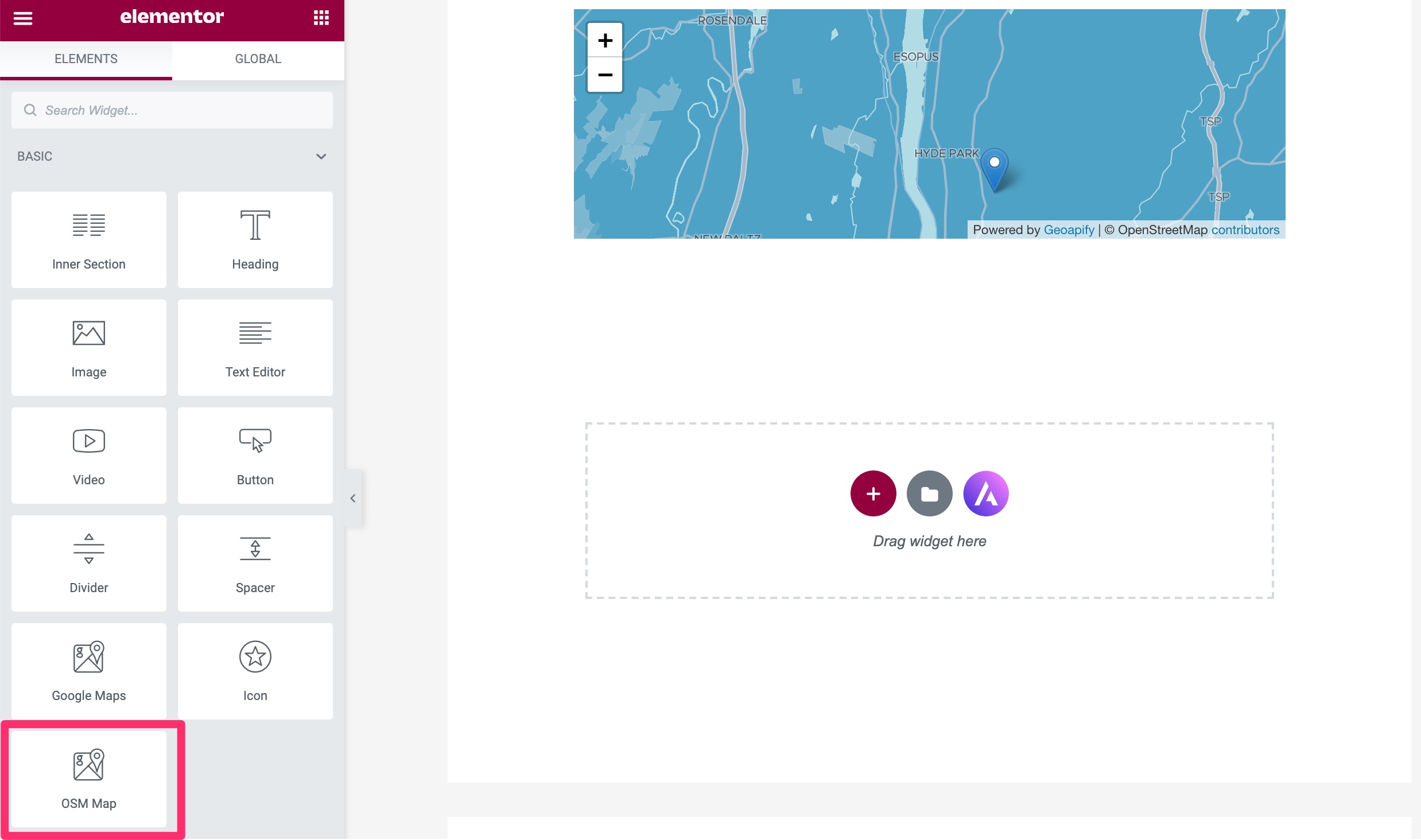
Add widget to your elementor page
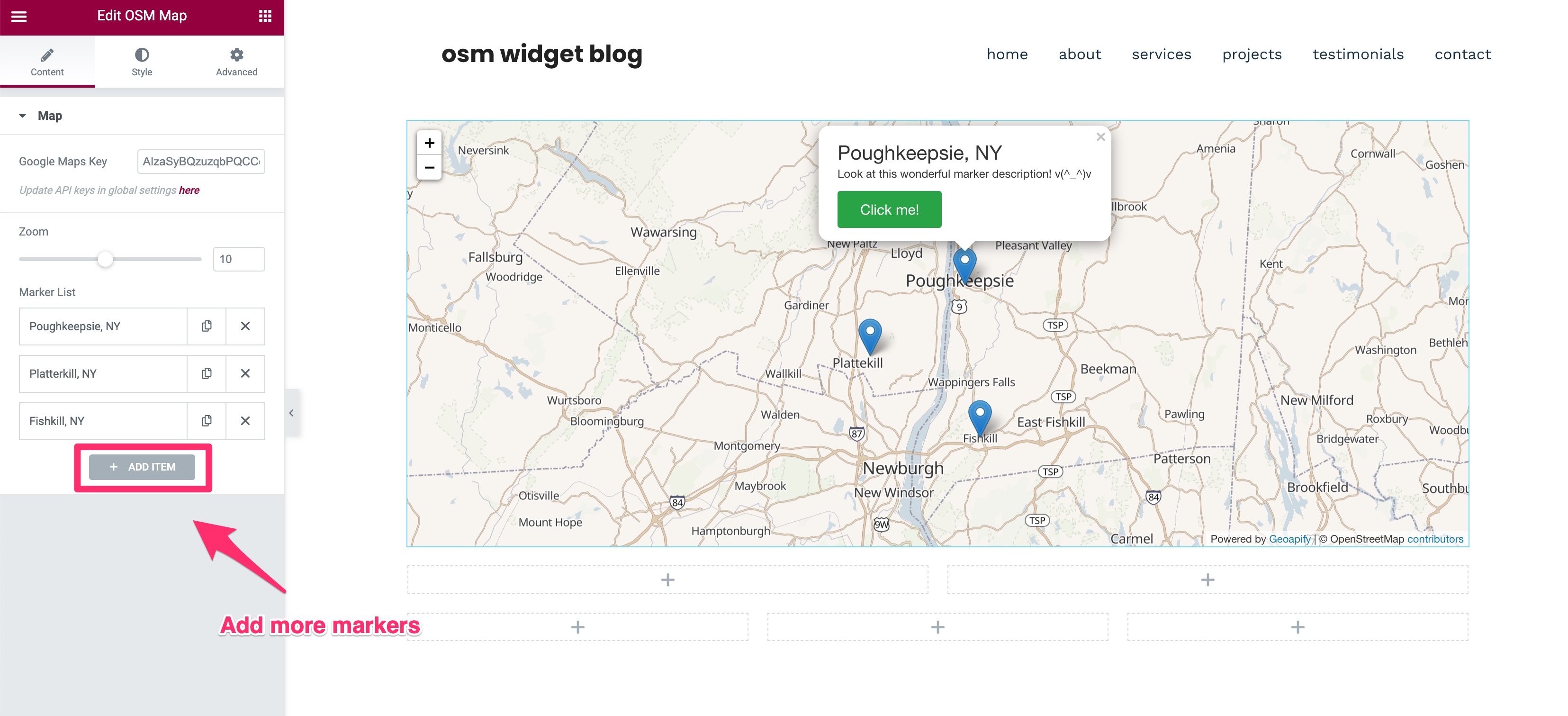
Add multiple markers & style them accordingly
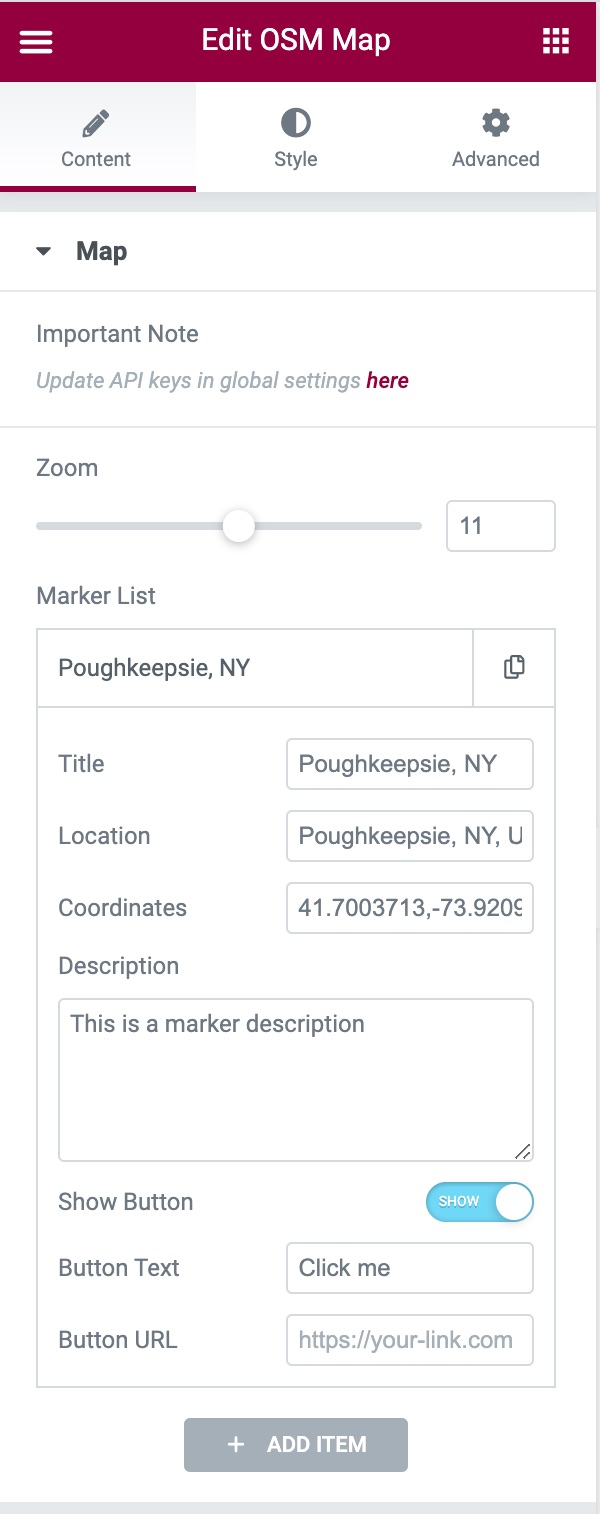
Edit the marker's coordinates to render them in the map

Choose from 14 different custom tiles

NEW: Add custom marker icons. Available Icon types: Default, Font Awesome and Custom Image.
Changelog
Thank you for using OSM Map Widget for Elementor.
To make your experience using the widget better we release updates regularly, you can view the full changelog here