

OTP Add-on for Booking Calendar
Adds One-Time Password (OTP) verification via SMS or email to the Booking Calendar plugin for secure booking confirmations.
Plugin info
Maintenance & Compatibility
Maintenance score
Stale • Last updated 344 days ago
Is OTP Add-on for Booking Calendar abandoned?
Likely maintained (last update 344 days ago).
Compatibility
Similar & Alternatives
Explore plugins with similar tags, and compare key metrics like downloads, ratings, updates, support, and WP/PHP compatibility.
Description
This plugin is an add-on for the Booking Calendar plugin and requires it to function (version 10.10.2 or newer).
It enhances booking security by introducing One-Time Password (OTP) verification via SMS or email. When a user attempts to confirm a booking, they are prompted to verify the action with an OTP, helping to ensure the authenticity of the request.
SMS verification is provided via the SMS.to service. You must have an active SMS.to account and API key configured in the plugin settings to enable SMS delivery.
External Services
This plugin connects to an external service to send One-Time Passwords (OTP) via SMS as part of the booking verification process.
Service Used: SMS.to
What it’s used for: Sending OTPs (One-Time Passwords) via SMS during booking confirmations.
What data is sent and when:
– The recipient’s phone number
– The OTP message content
These are sent to the SMS.to API at the time a booking requires verification via SMS.
Terms of Service: https://sms.to/terms/
Privacy Policy: https://sms.to/privacy-policy/
Installation
- Install and activate the Booking Calendar plugin (version 10.10.2 or newer).
- Upload the OTP Add-on plugin files to the
/wp-content/plugins/directory, or install the plugin through the WordPress plugin screen. - Activate the plugin through the ‘Plugins’ screen in WordPress.
- Go to Settings > OTP Settings to configure your SMS.to API key or email settings.
Frequently Asked Questions
No. This add-on requires Booking Calendar version 10.10.2 or newer.
You will need to sign up with SMS.to and enter your API key in the plugin settings to send OTPs via SMS.
Review feed
Screenshots
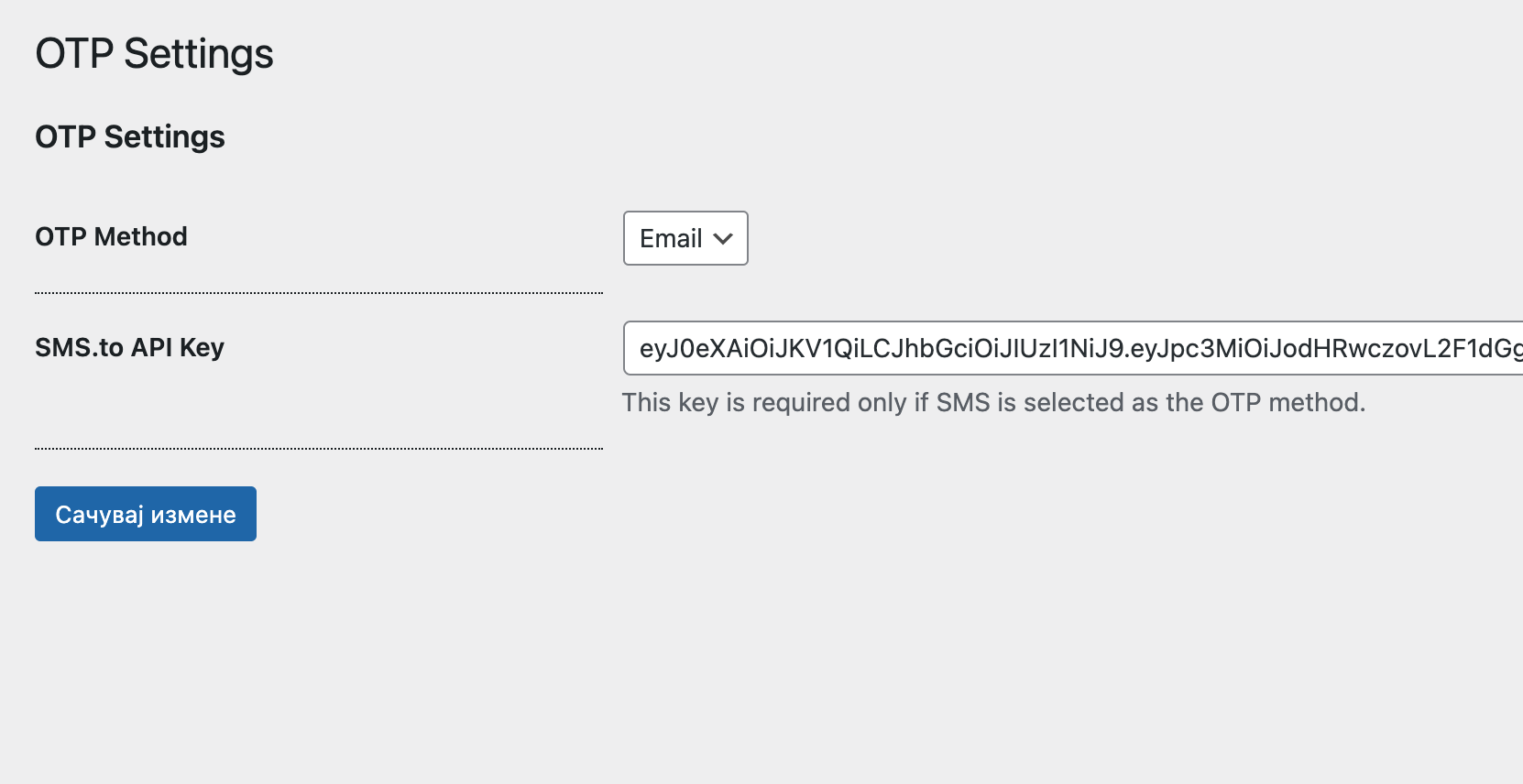
OTP Settings panel in the WordPress dashboard.
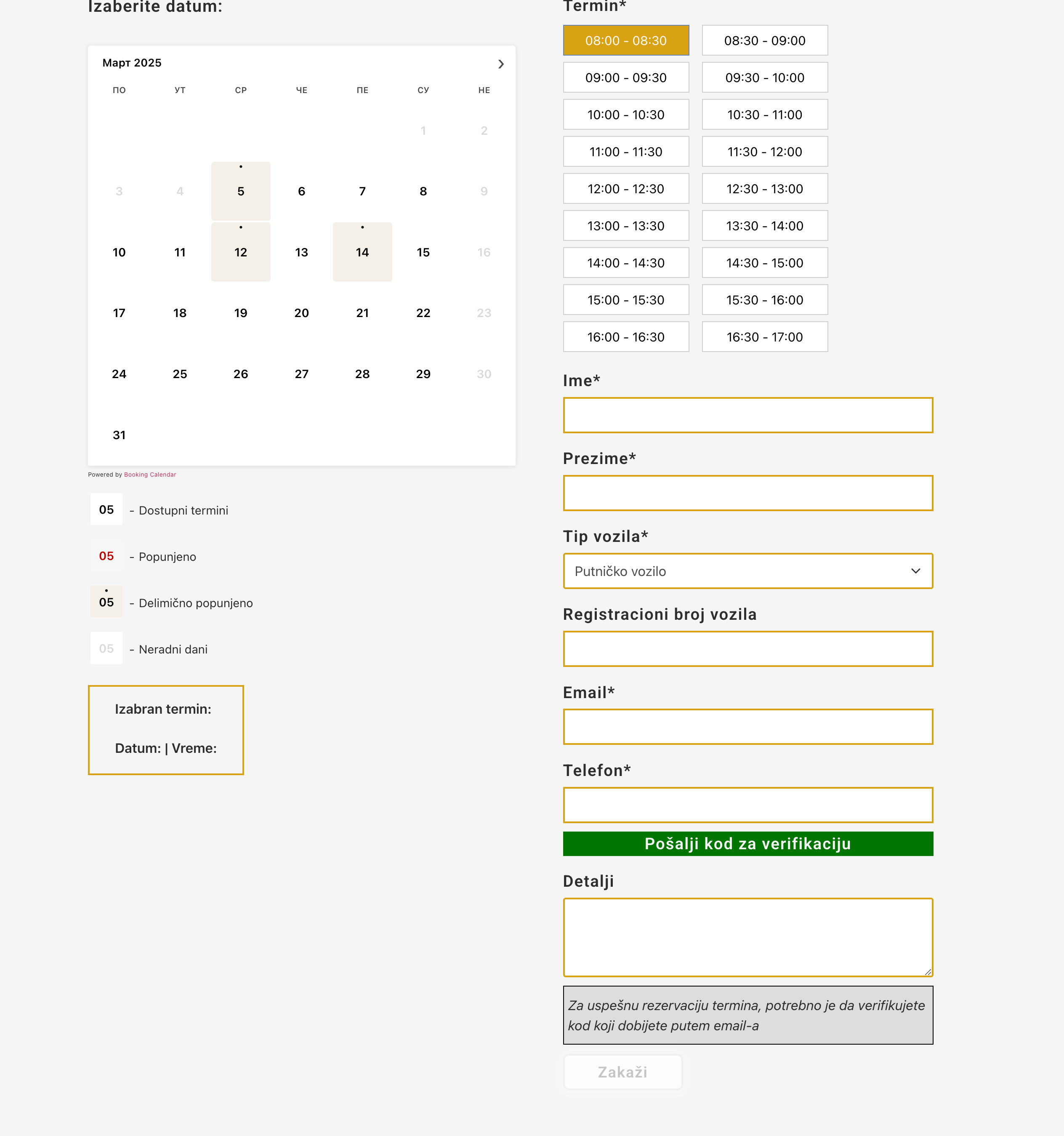
Booking page before sending the OTP.
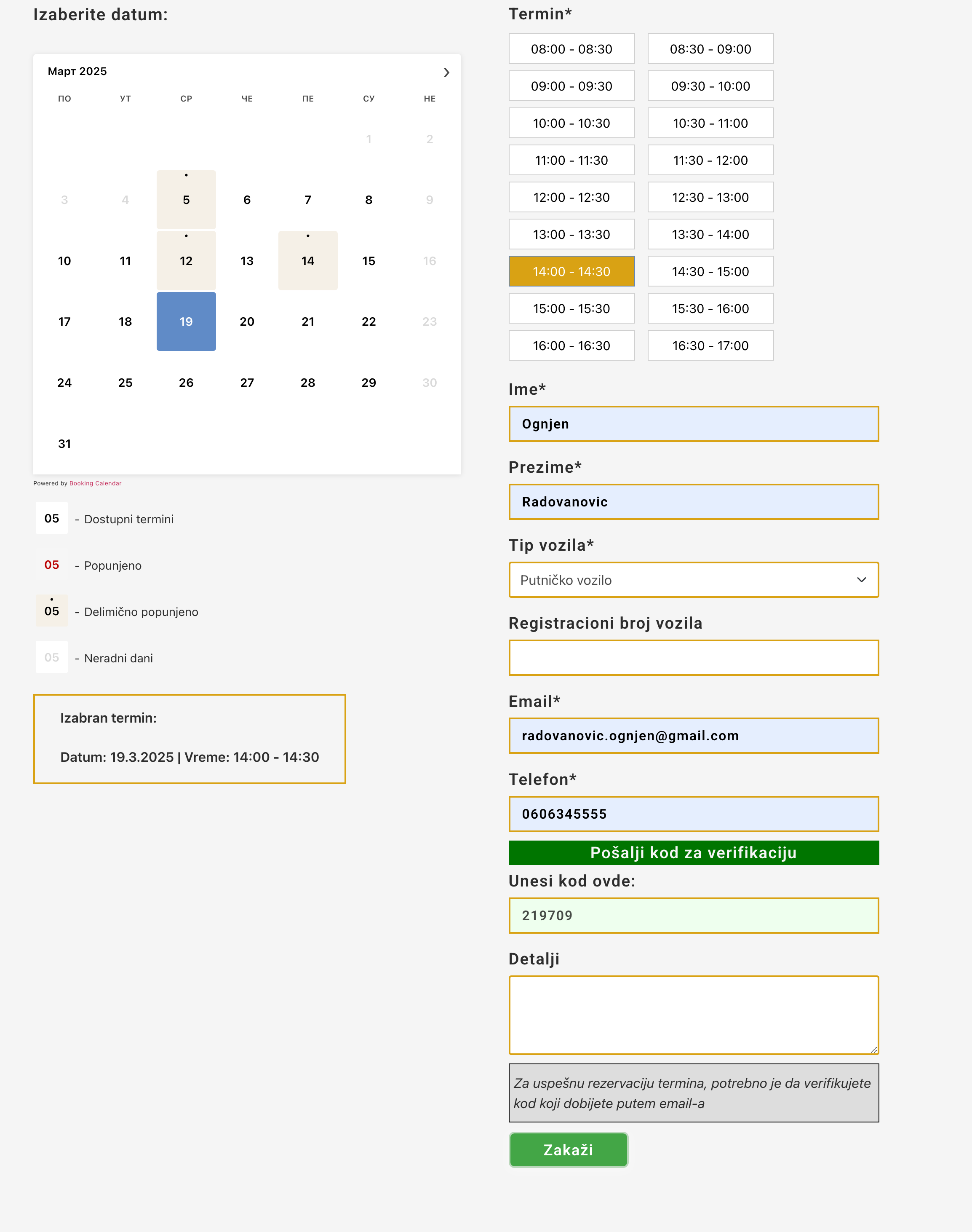
Booking page after verifying the OTP, with the Submit button enabled.
Changelog
1.0
- Initial release.