

Out of Stock Affiliate Redirect
Recover lost sales! Automatically adds a "Buy on Amazon" (or any affiliate link) button to WooCommerce products when they go out of stock.
Plugin info
Maintenance & Compatibility
Maintenance score
Actively maintained • Last updated 72 days ago
Is Out of Stock Affiliate Redirect abandoned?
Likely maintained (last update 72 days ago).
Compatibility
Similar & Alternatives
Explore plugins with similar tags, and compare key metrics like downloads, ratings, updates, support, and WP/PHP compatibility.
Description
Don’t let “Out of Stock” be a dead end for your customers.
When you run out of inventory, you usually lose the customer. With Out of Stock Affiliate Redirect, you can save that sale by sending the customer to an external source (like Amazon, eBay, or a partner site) where they can still buy the item—and you can earn an affiliate commission.
This lightweight plugin adds a simple field to your WooCommerce “Inventory” tab. If the product stock reaches 0, the “Add to Cart” button disappears (standard WooCommerce behavior), and our plugin inserts a call-to-action button linking to your backup source.
Features
- Simple Setup: Adds a URL field directly to the WooCommerce Product Data “Inventory” tab.
- Automatic Trigger: The button only appears when the product status is “Out of Stock.”
- Custom Button Text: Change “Buy on Amazon” to “Buy on eBay,” “Check Partner Stock,” or anything else per product.
- Affiliate Friendly: Great for Amazon Associates or other affiliate programs to monetize out-of-stock traffic.
- Theme Compatible: Uses standard WooCommerce hooks (
woocommerce_single_product_summary) to display correctly on most themes.
How it Works
- Edit a Product in WooCommerce.
- Click the Inventory tab.
- Enter a URL in the Alternative Buying URL field.
- (Optional) Enter custom text for the button (Default is “Buy on Amazon”).
- When your stock hits 0, the button appears automatically!
Installation
- Upload the plugin files to the
/wp-content/plugins/out-of-stock-affiliate-redirectdirectory, or install the plugin through the WordPress plugins screen directly. - Activate the plugin through the ‘Plugins’ screen in WordPress.
- Go to any WooCommerce product, click the Inventory tab, and add your affiliate link.
Frequently Asked Questions
You can find the instructions and upgrade options by clicking “Out of Stock Redirect” in your main WordPress admin sidebar. To use the plugin, go to Products > Edit Product, click the Inventory tab, and enter your URL in the “Alternative Buying URL” field.
Currently, this plugin is optimized for Simple Products. While the fields may appear on Variable products, the logic is designed to check the main product’s stock status.
Yes! The button has the CSS class .oos-affiliate-btn. You can target this class in your theme’s “Additional CSS” section to change colors, fonts, or padding.
If you add stock (so the product is “In Stock” again), the Affiliate button automatically disappears, and the standard WooCommerce “Add to Cart” button returns. You do not need to delete the URL.
Review feed
Screenshots
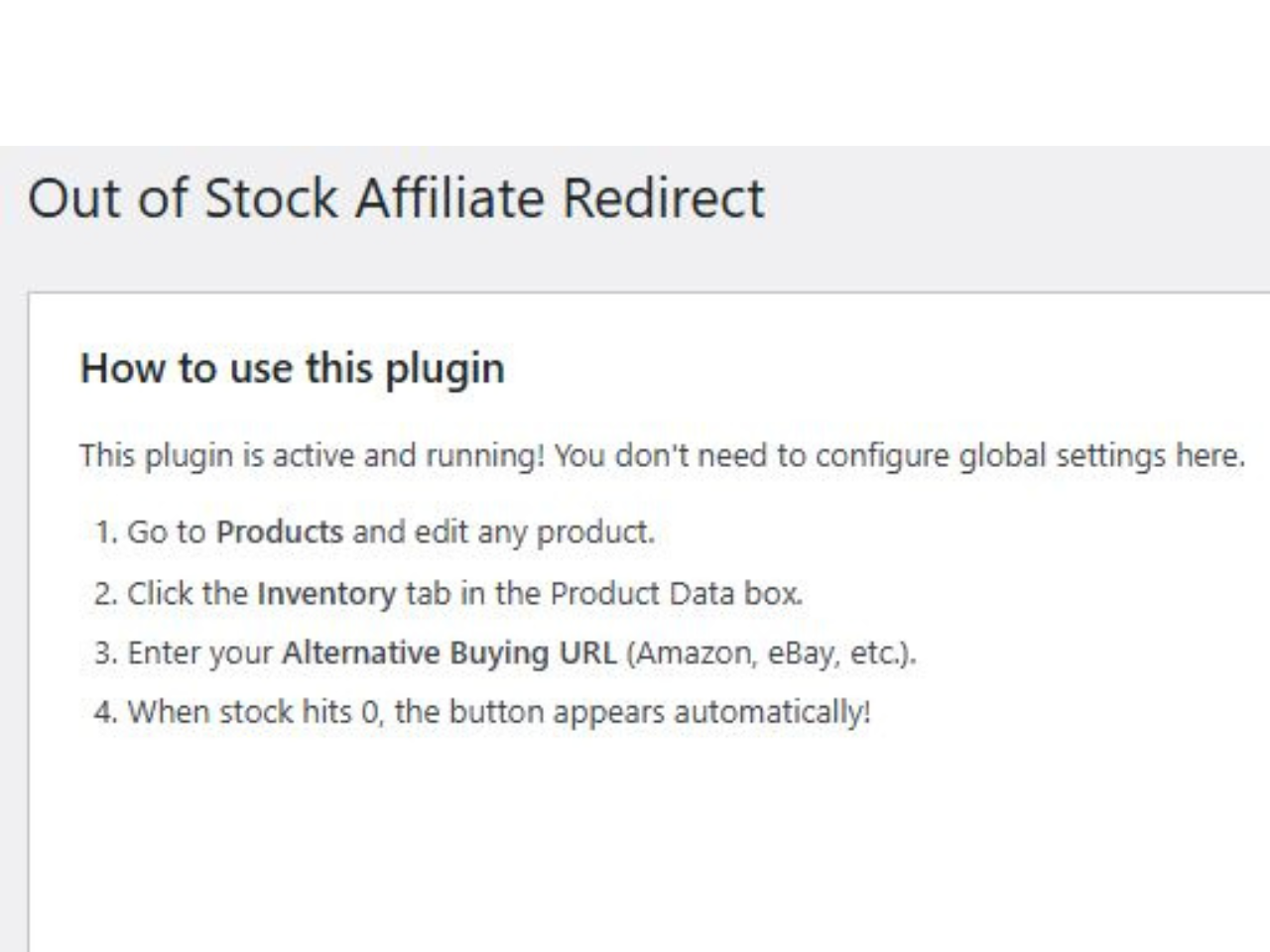
Quick guide showing how to set up the Out of Stock Affiliate Redirect plugin.
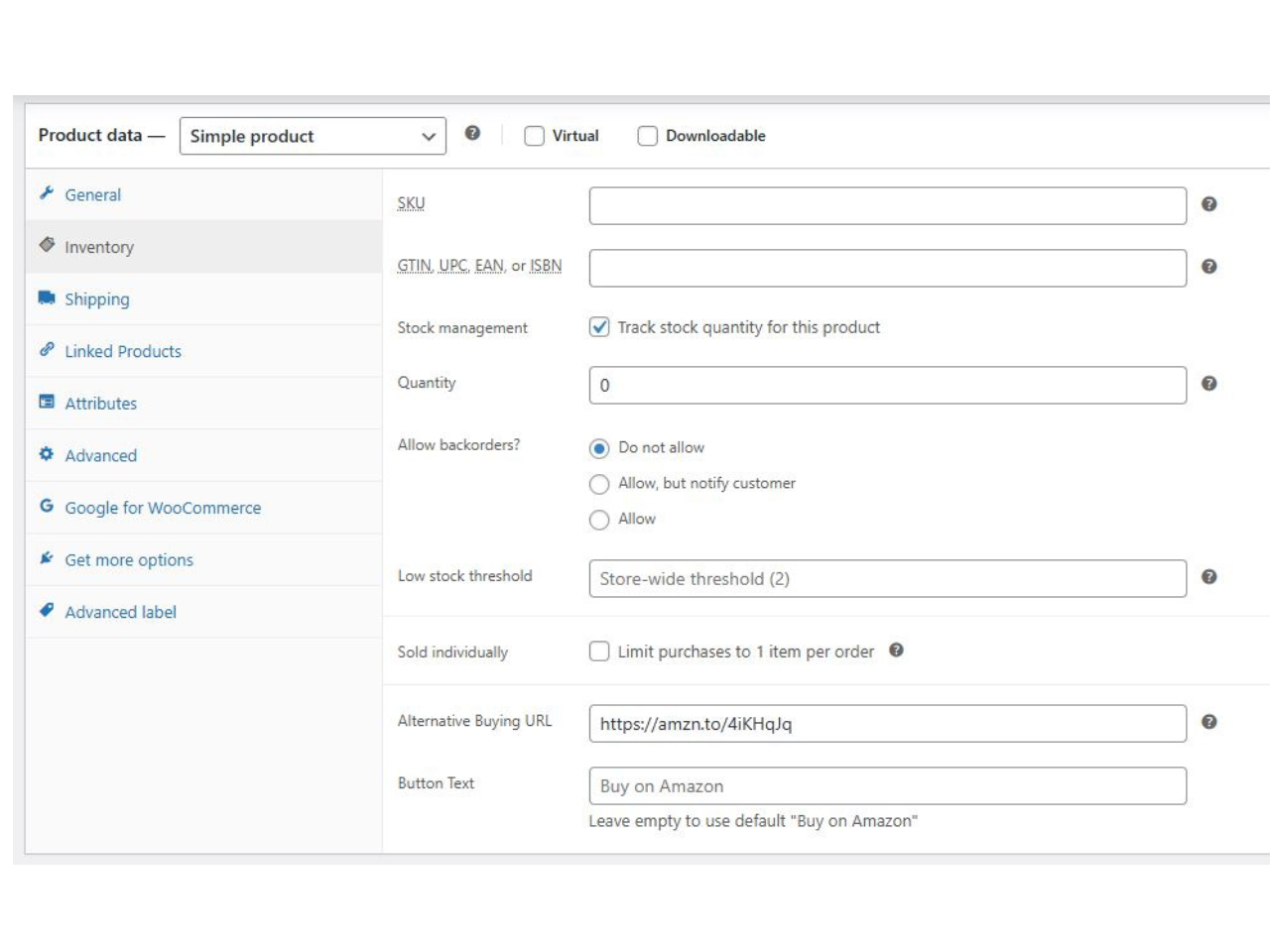
Add your Alternative Buying URL directly in the WooCommerce product settings.
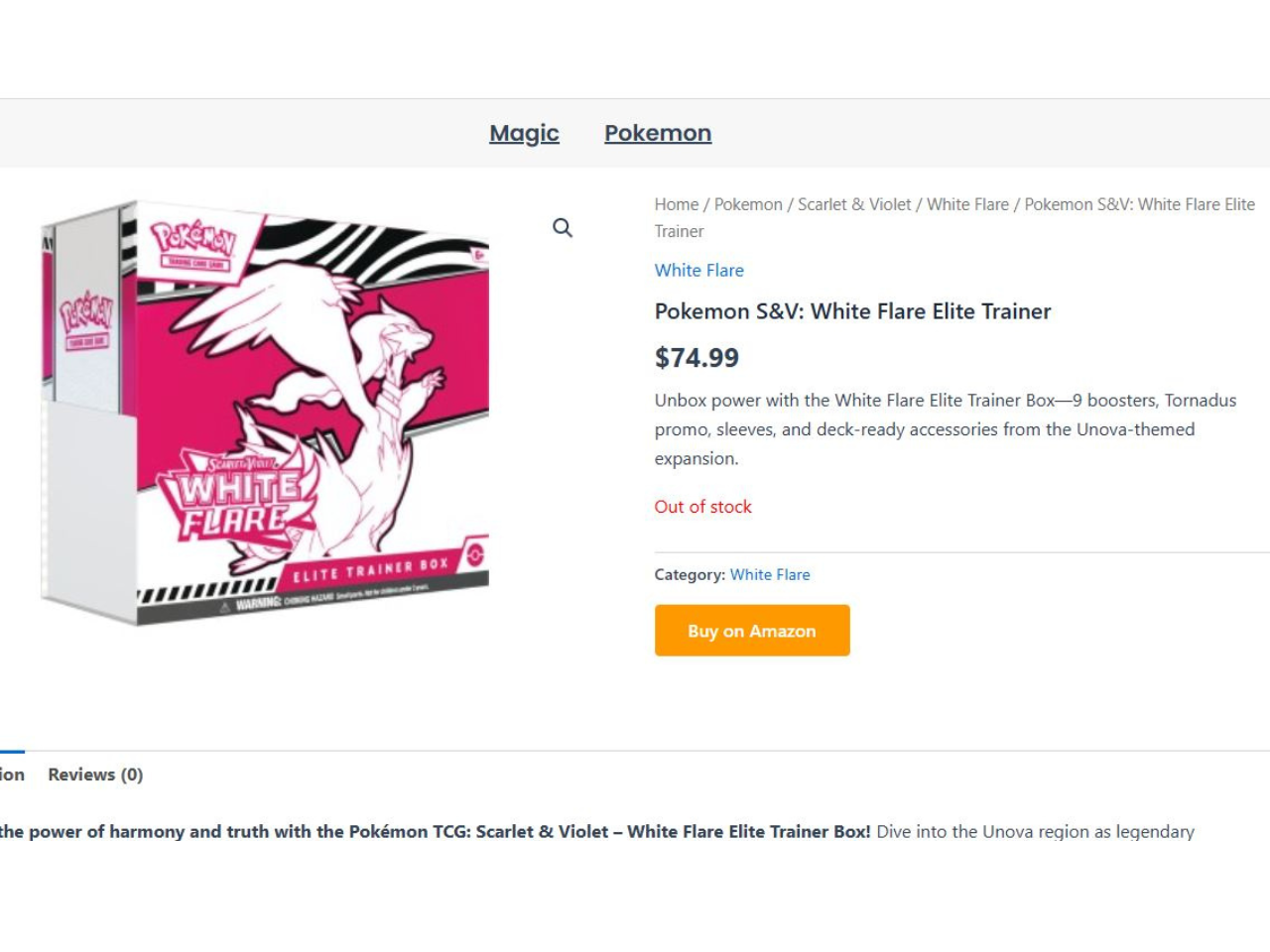
When a product is out of stock, the redirect button appears automatically.
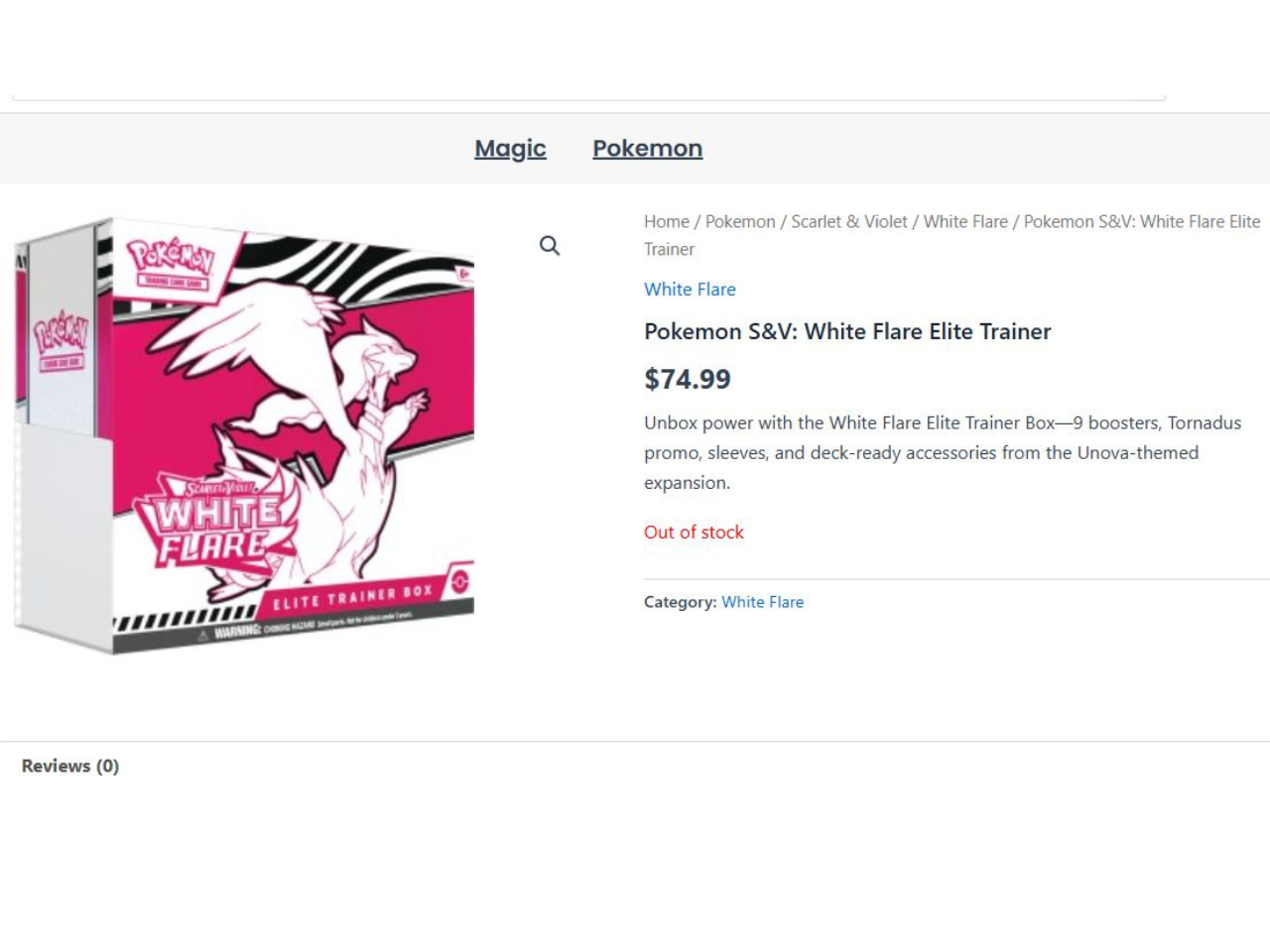
Example of a standard out-of-stock product before enabling a redirect.
Changelog
1.1.0
- Initial repository release.
- Added admin sidebar menu.
- Added support for custom button text.
- Added sanitization and escaping for better security.
1.0.0
- Beta release.