

OVO Product Table for WooCommerce
Listing WooCommerce Products in Table, Grid format, and direct purchase from one page.
Plugin info
Maintenance & Compatibility
Maintenance score
Possibly abandoned • Last updated 749 days ago
Is OVO Product Table for WooCommerce abandoned?
Possibly abandoned (last update 749 days ago).
Compatibility
Similar & Alternatives
Explore plugins with similar tags, and compare key metrics like downloads, ratings, updates, support, and WP/PHP compatibility.
Description
Create a listing of WooCommerce Products in Table, and Grid format, and Also help shortcode used in a single product to help additional add to cart and growth business.
Features
- Select simple and varitaion products for product table.
- For variable products each have valid selected vartionation fir adding.
- Used shortcode and used under website in any templates or a pages for lisiting.
- Products table and Grid format designing for websites.
Installation
This section describes how to install the plugin and get it working.
e.g.
- Upload the plugin files to the
/wp-content/plugins/ovo-product-table-for-woocommercedirectory, or install the plugin through the WordPress plugins screen directly. - Activate the plugin through the ‘Plugins’ screen in WordPress
- Use the Settings->Plugin Name screen to configure the plugin
- (Make your instructions match the desired user flow for activating and installing your plugin. Include any steps that might be needed for explanatory purposes)
Simple Products
- Under Simple Products be chack and avaible of product stock
- You can use and attach simple product directly to product table
Variable Products
- Under Variable Products, Create variations based selectation attributes generate individual id.
- In each variation, select option avaible for variation wise for direct purachse
- Created variation product be Manage and Select for product table for attaching products
For documentation and support visit and contact us Website.
Frequently Asked Questions
Yes you can use the simple product to attach to the product table
Not directly, you can use variation product to attach and use under product table
Review feed
Screenshots

Grid Options setting
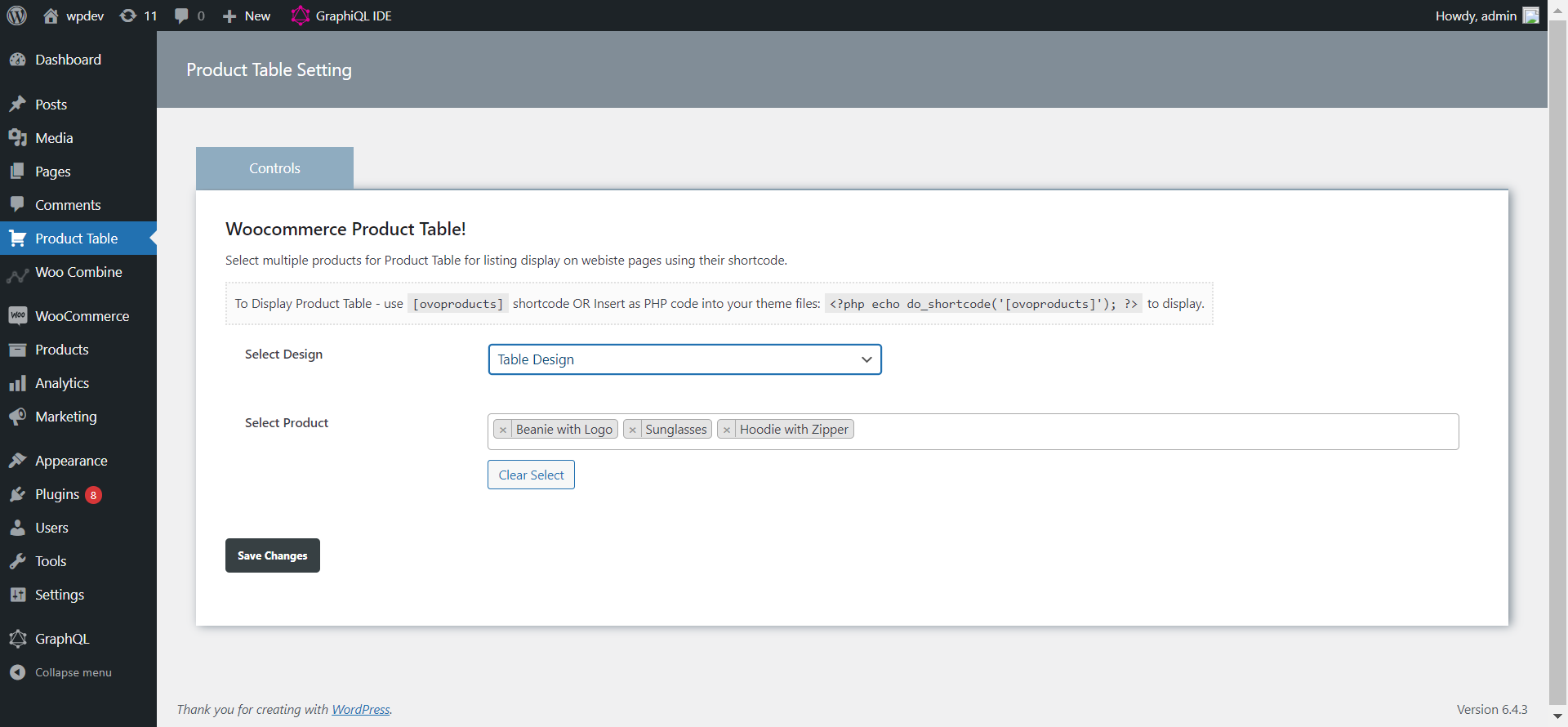
Table Options setting
Changelog
- Initial Realase –