
Pageviews
A simple and lightweight pageviews counter for your WordPress posts and pages.
Plugin info
Maintenance & Compatibility
Maintenance score
Possibly abandoned • Last updated 2233 days ago • 7 reviews
Is Pageviews abandoned?
Possibly abandoned (last update 2233 days ago).
Compatibility
Similar & Alternatives
Explore plugins with similar tags, and compare key metrics like downloads, ratings, updates, support, and WP/PHP compatibility.
Description
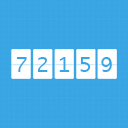
Pageviews is a simple and lightweight views counter for your WordPress posts and pages. It is based on JavaScript and is compatible with all caching plugins, proxies and complex setups. Pageviews works with a hosted processing service, and performs extremely well under high-traffic and on sites with large amounts of content.
Don’t start from scratch! Import existing numbers from Google Analytics and other services with Pageviews Sync.
Features
- Display the number of times a post or page has been viewed
- Works on high-traffic websites with zero impact on performance
- Includes useful hooks and APIs for seamless integration into third-party themes
- Compatible with caching plugins, proxies and application firewalls
More information on Pageviews.io.
If you need any setup assistance or help migrating your existing views counts from other plugins or services please reach out to us via e-mail, or open a new thread in the WordPress.org support forums. For best performance Pageviews uses an external service to collect and process numbers. Visit our terms of service and privacy policy for more details.
Installation
Installing via the WordPress dashboard:
- Browse to Plugins – Add New in your WordPress dashboard.
- Search for “pageviews” using the search box on the right.
- Find the Pageviews plugin in the search results and click Install Now.
Installing via FTP:
- Upload the plugin files to the
/wp-content/plugins/pageviewsdirectory, or install the plugin through the WordPress plugins screen directly. - Activate the plugin through the ‘Plugins’ screen in WordPress.
- Enjoy.
Installing via WP-CLI:
wp plugin install pageviews --activate
Installing via Git:
cd wp-content/plugins
git clone https://github.com/pressjitsu/pageviews.git
For an installation and configuration guide please visit the full documentation on GitHub.
Frequently Asked Questions
Review feed
Simple and functional
Screenshots

Customized implementation of the pageviews output, styled specifically for this theme

Simple replacement for WP-PostViews and other popular plugins with inherited styles

Default output of the views counter for themes that don't provide explicit support for this plugin
Changelog
0.11.0
- Added pageviews_script_version_param filter to remove JS version fragment
- Added minification. Enjoy your pagespeeds.
0.10.0
- Added i18n
- Russian translation
- Added config.output_filter JavaScript filter for developers to filter the output number
- A couple of typos
0.9.3
- Add compatibility for Pageviews Sync
- Better configuration handling methods
0.9.2
- Add support for multiple containers per page for a single key
- Add support for Jetpack’s Infinite Scroll module
- Wrap the JS code into a triggerable event
0.9.1
- Initial public release