

Panoramic Slider Block
Add a block to WordPress posts and pages to display panoramic images as a lightly-configurable, content-width image with horizontal sliding controls.
Plugin info
Maintenance & Compatibility
Maintenance score
Maintained • Last updated 173 days ago
Is Panoramic Slider Block abandoned?
Likely maintained (last update 173 days ago).
Compatibility
Similar & Alternatives
Explore plugins with similar tags, and compare key metrics like downloads, ratings, updates, support, and WP/PHP compatibility.
Description
A simple plugin to add a block to WordPress posts and pages to display panoramic images as a lightly-configurable, content-width image with horizontal sliding controls.
I personally take a lot of panoramic photos on my phone, you know the kind: big, ultrawide images in “pano” mode. When I upload them to my blog they are either cropped or shrunk so small that they are not especially impressive to display.
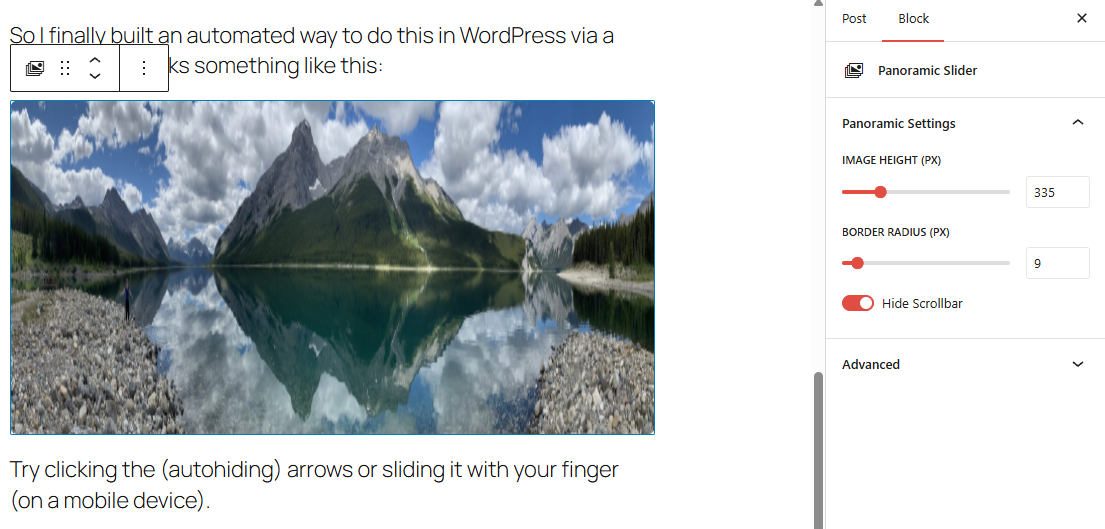
My solution was a simple horizontally scrolling image. The block displays a properly proportioned image as set by the fixed image height in the editor, except the overflow disappears into the magical void that is the margin of your content width. Using the buttons, scrollbar or a finger on mobile, the user can scroll the image back and forth, left to right, allowing a simple but effective sharing of images in a more enjoyable resolution.
Installation
Automatic
- From your WordPress Admin, navigate to: Plugins > Add New
- Search for: Panoramic Slider Block
- Install it
- Activate it
Manual
- Download
- Unzip
- Upload to /plugins/ folder
- Activate
Frequently Asked Questions
Review feed
Screenshots
Changelog
1.1.0
- Initial public release following a personal version (1.0) where I used and tested on my own site.