

Plugin info
Maintenance & Compatibility
Maintenance score
Possibly abandoned • Last updated 2572 days ago • 3 reviews
Is Parallax Scrolling Enllax.js abandoned?
Possibly abandoned (last update 2572 days ago).
Compatibility
Similar & Alternatives
Explore plugins with similar tags, and compare key metrics like downloads, ratings, updates, support, and WP/PHP compatibility.
Description
Parallax Scrolling Effect by Enllax.js
An ultra-lightweight and super easy to use plugin for applying parallax scrolling effect to any scrolling element. You can set parallax scrolling effects to background elements, and also in both directions (vertically or horizontally)
Shortcode example
With external image:
[enllax xclass=”enllax” offset=”0″ direction=”horizontal” speed=”0.8″ img=”image url”]
Your content.
[enllaxend]
With internal image (featured image and content):
[enllax_post postid=”1″ xclass=”enllax” offset=”0″ direction=”horizontal” speed=”0.8″]
xclass: CSS class name (default: enllax)
offset: background offset in pixel (default: 0)
direction: vertical (default) or horizontal
speed: to allow background image to move with different speed, just use a data attribute with a numeric value as a multiplier for scrolling speed, less is slower and 1 is normal (default value: 0.5)
img: Parallax background image url
Installation
Add the plugin by uploading the zip file or by installing it from the WordPress Plugin directory.
Activate the plugin and go to the Settings->Enllax.
Frequently Asked Questions
Review feed
Screenshots

Settings page
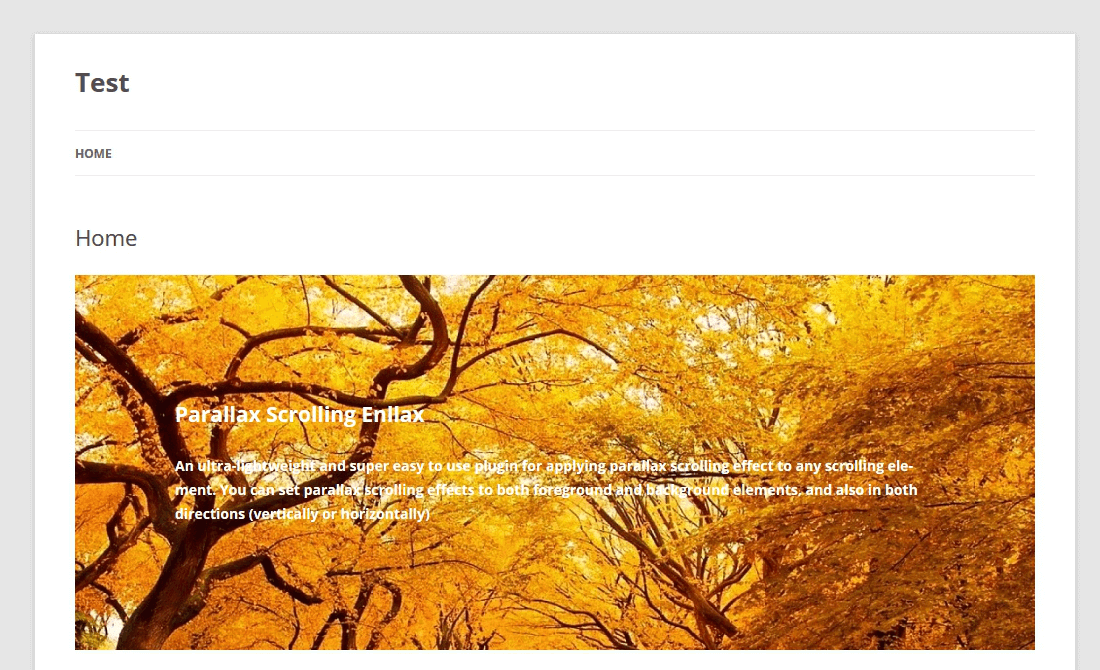
Web site home page

Shortcode in header.php
Changelog
0.0.6
- Add new shortcode (enllax_post)
0.0.5
- Add background offset option
0.0.4
- More Parallax effect with different CSS classes (use more CSS classes in customizing area, .enllax01, .enllax02, etc.)
0.0.3
- Enllax plugin button on edit page
0.0.2
- Enllax info page move to Settings menu
- New CSS customize option
- Compatible with Scripts-To-Footer.