

Parallaxium – Parallax Widget for Elementor
Add a customizable parallax section to your Elementor pages with background image, overlay color, text content, and typography controls.
Plugin info
Maintenance & Compatibility
Maintenance score
Maintained • Last updated 119 days ago
Is Parallaxium – Parallax Widget for Elementor abandoned?
Likely maintained (last update 119 days ago).
Compatibility
Similar & Alternatives
Explore plugins with similar tags, and compare key metrics like downloads, ratings, updates, support, and WP/PHP compatibility.
Description
Parallaxium – Parallax Widget for Elementor adds a new widget to Elementor that lets you create eye-catching parallax sections with customizable background images, headings, buttons, descriptions, overlay colors, and text styles — all without writing any code.
You can control the section height, enable or disable overlays, add a button with custom text and link, and style your content using Elementor’s built-in typography and color controls.
Features:
– Add background images with a smooth parallax scrolling effect.
– Set custom section height (default 500px).
– Add heading and description text.
– Add a customizable button with text and link.
– Enable or disable a semi-transparent overlay.
– Customize overlay color for better text contrast.
– Adjust typography and text color for heading and description.
– Works seamlessly in both Elementor editor and frontend.
– Lightweight and designed for performance.
How It Works:
The widget creates a section with a background image and optional overlay layer. You can add text content over it and adjust its appearance directly from the Elementor panel. The visual changes are reflected instantly in the live preview.
Installation
- Upload the plugin files to the
/wp-content/plugins/parallaxium-parallax-widget-for-elementordirectory, or install the plugin through the WordPress Plugins screen. - Activate the plugin through the Plugins screen in WordPress.
- In the Elementor editor, open the widgets panel and search for Parallax Section, located under the General category.
- Drag and drop Parallax Section into your page and customize it.
Frequently Asked Questions
Yes, it fully supports Elementor’s live preview feature.
Yes, you can enable or disable the overlay and select any color with opacity.
Yes, you can adjust the height in pixels using the height control slider.
Review feed
Screenshots
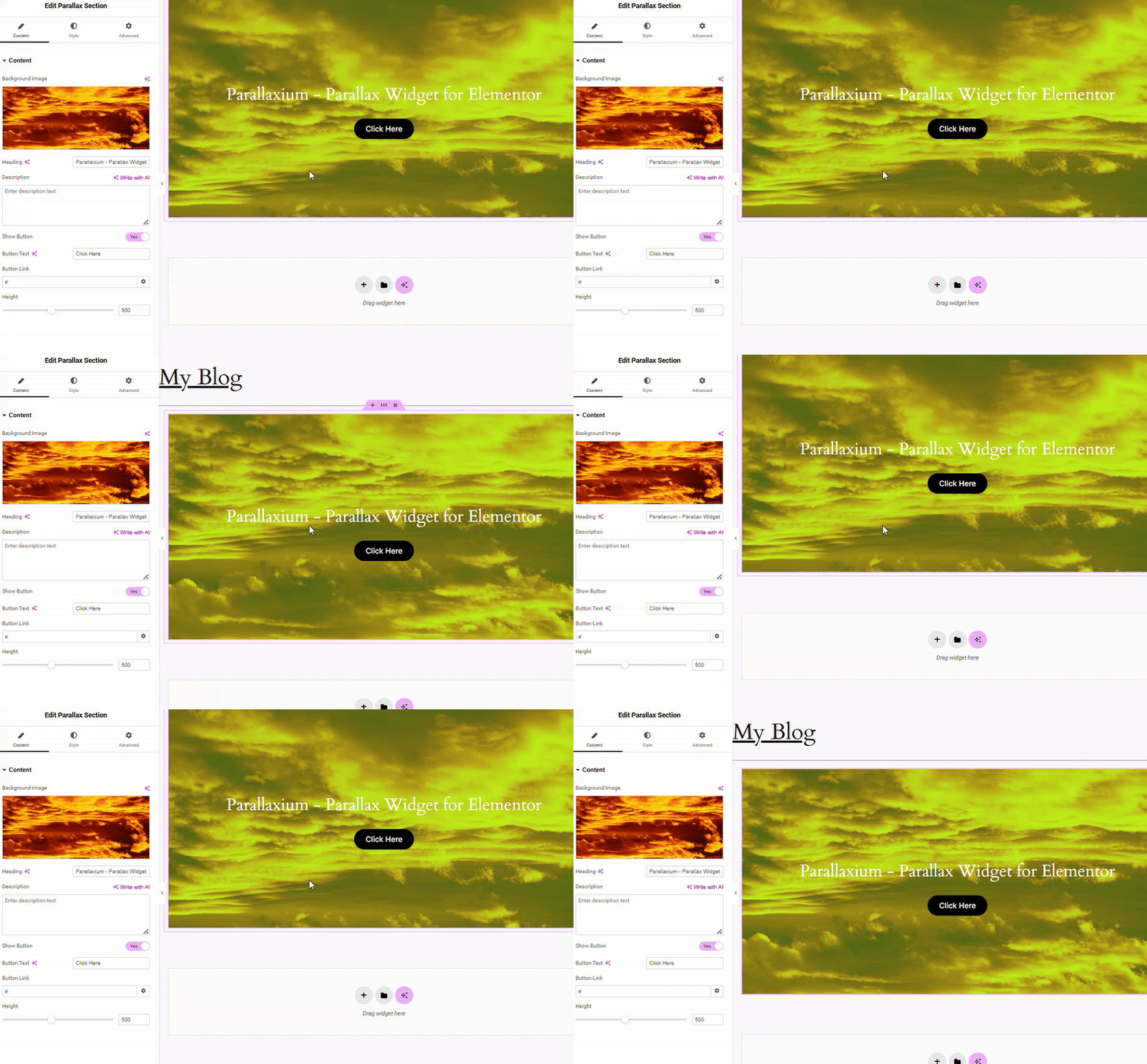
Example of setup in the editor.
Changelog
1.0
- Initial release — added parallax section widget with background, overlay, and typography controls.
1.0.1
Fixed a minor comment issue and renamed the translation file.