
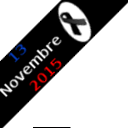
Paris Attacks Ribbon MC
Show support to Parisian and French people with a selected ribbon in your website corner. Configure the display via the Settings panel.
Plugin info
Maintenance & Compatibility
Maintenance score
Possibly abandoned • Last updated 3784 days ago • 1 reviews
Is Paris Attacks Ribbon MC abandoned?
Possibly abandoned (last update 3784 days ago).
Compatibility
Similar & Alternatives
Explore plugins with similar tags, and compare key metrics like downloads, ratings, updates, support, and WP/PHP compatibility.
Description
To show support to Parisian and French people on your web site, after the terrorists attacks in Paris (13 November 2015),
this plugin will put a ribbon on the (left or right) corner of your website.
There’s a simple black ribbon that could be used for any mourning (not only the for November 13th Paris attacks).
The ribbon is half transparent to be able to view the part of the web site underneath the ribbon.
When moving over the ribbon, the ribbon changes to solid display, without any transparency.
When clicking on the ribbon, a new page will be displayed (or not) according to your choice from the Settings.
In the Settings, you will also choose which ribbon to display (the image) and the position: top left or top right.
Installation
- You may install this plugin from WordPress back office (the admin panel)
or by copying the zip archive in the “wp-content/plugins”. - Activate the plugin through the ‘Plugins’ menu in WordPress
- Optionnaly define your Settings for the plugin via the Admin menu or the plugin menu.
Frequently Asked Questions
Review feed
I like it
Screenshots

Demo site with a ribbon in the left corner

This plugin Settings screen
Changelog
1.00a
- correction for the focus on clic of the black ribbon tag (in the Settings)
1.00
- Initial release.