
Password Less Login
A powerful and easy-to-use WordPress plugin for passwordless and OTP-based login.
Plugin info
Maintenance & Compatibility
Maintenance score
Maintained • Last updated 139 days ago
Is Password Less Login abandoned?
Likely maintained (last update 139 days ago).
Compatibility
Similar & Alternatives
Explore plugins with similar tags, and compare key metrics like downloads, ratings, updates, support, and WP/PHP compatibility.
Description
Password Less Login is a passwordless and OTP-based login system for WordPress.
Every user — both existing and new — must verify their identity using a One-Time Password (OTP) sent to their email before being logged in.
This ensures that no one can access an account without confirming ownership of the email address, providing a secure, passwordless authentication process.
How It Works
- The user enters their email address.
- The plugin sends a 6-digit OTP to that email.
- The user enters the OTP:
- If the email exists the user is securely logged in.
- If the email is new the user provides a username, verifies the OTP, and a new account is created automatically.
- The OTP is valid for 10 minutes and expires after use.
Note: The plugin never logs in users without OTP verification.
Key Features
- OTP-Based Authentication for All Users – Both existing and new users must verify the OTP before login.
- Passwordless Login – Securely log in using only your email and OTP.
- Auto User Registration – New users can register instantly after OTP verification.
- Temporary OTP (10 Minutes) – Each OTP expires after 10 minutes and can only be used once.
- Rate Limiting – Prevents brute-force or spam OTP requests (maximum 5 per 15 minutes per email).
- Nonce Verification – Protects REST API endpoints from unauthorized access.
- Secure Email Handling – Emails are hashed when stored in transients to protect user data.
- Streamlined User Experience – Clean, minimal login flow with conditional fields for existing vs. new users.
Why Choose Password Less Login?
- No passwords to remember or reset.
- OTP verification ensures true ownership of email.
- Protects against brute-force attacks.
- Simple setup – works with the native WordPress login page.
- Modern and user-friendly design.
- Reduces “Forgot Password” support requests.
Usage
- Go to your WordPress login page.
- Enter your email address and click “Send OTP”.
- Check your email for the OTP.
- Enter the OTP in the login form:
- If your account exists, you’ll be logged in.
- If not, you’ll be prompted to provide a username before registration and login.
- You’ll be redirected to your dashboard after successful verification.
License
This plugin is released under the GPL license. You are free to use and modify it.
For support, contact: [email protected]
Installation
Automatic Installation
- Go to your WordPress dashboard Plugins Add New.
- Search for Password Less Login.
- Click Install Now and then Activate.
Manual Installation
- Download the plugin from WordPress.org.
- Upload the
password-less-loginfolder to/wp-content/plugins/. - Activate the plugin through the Plugins menu.
Frequently Asked Questions
A: No. Users are only logged in after successful OTP verification. Email submission only sends the OTP.
A: OTP (One-Time Password) is a 6-digit temporary code valid for 10 minutes.
A: Users can request up to 5 OTPs every 15 minutes per email to prevent abuse.
A: Yes. OTPs are stored temporarily and securely using hashed transient keys.
A: Yes, you can modify the email template in the plugin settings page.
Review feed
Screenshots
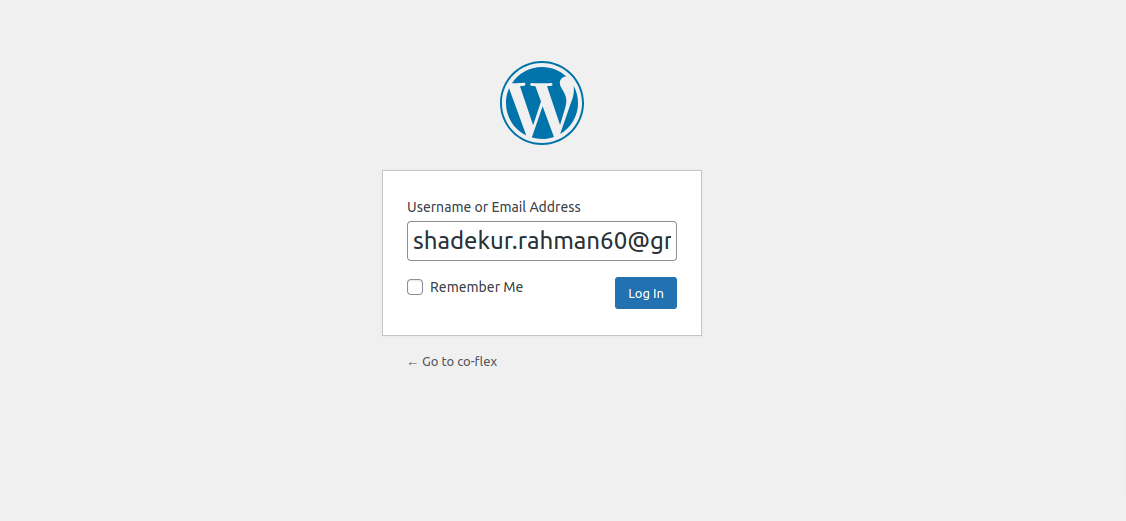
Login screen with email input.
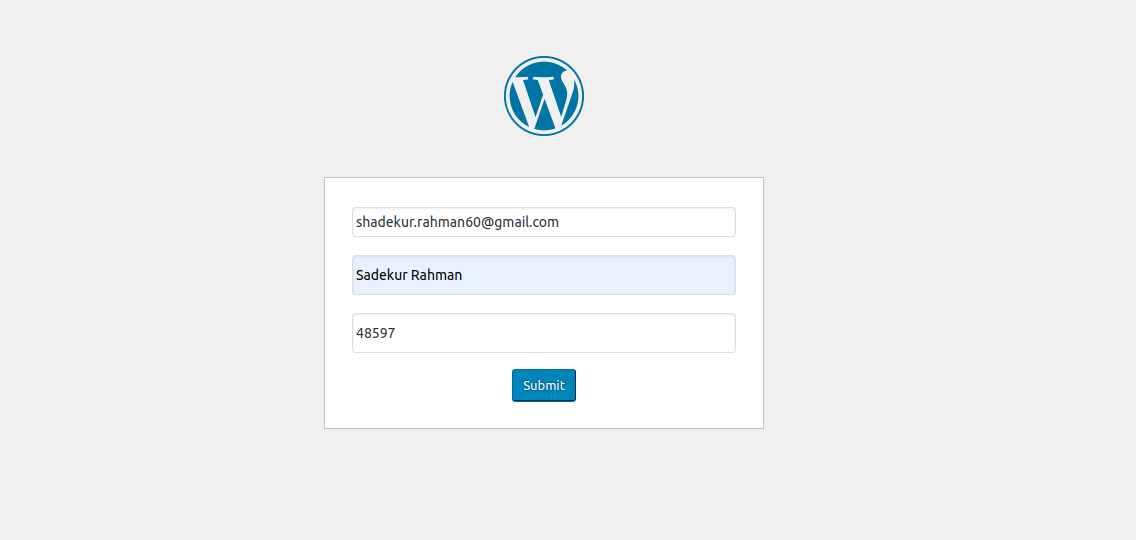
OTP verification form for existing users.
Changelog
1.0.1
- Added OTP verification for both existing and new users.
- Added nonce verification for REST API requests.
- Added rate limiting (5 OTP requests per 15 minutes).
- Enhanced email and OTP sanitization.
- Improved overall security and error handling.
1.0.0
- Initial release with passwordless email login, OTP verification, and auto-registration.