

Password Protected Store for WooCommerce
This is a great plugin for securing your WooCommerce store. It enables you to easily set passwords for accessing your store.
Plugin info
Maintenance & Compatibility
Maintenance score
Possibly abandoned • Last updated 563 days ago • Support resolved 50% • 4 reviews
Is Password Protected Store for WooCommerce abandoned?
Possibly abandoned (last update 563 days ago).
Compatibility
Similar & Alternatives
Explore plugins with similar tags, and compare key metrics like downloads, ratings, updates, support, and WP/PHP compatibility.
Description
Do you want a password protected page or a woocommerce password protected store? So here all you need is our wordpress password protected page plugin. The Password Protected WooCommerce Store lets you create product categories, pages, or your entire website password protected.
Visitors will be asked to login to view protected pages, product categories, or the entire website. Store administrators can select multiple user roles who need to enter a password to view protected pages.
Here you can protect your store in 3 different ways like on the entire website, on page level, or on product category. Each way is fully secure and dynamic, admin can select specific pages and product categories and also select user roles who need to enter a password to view any protected page or category.
The Password Protected WooCommerce Store can help you to create your private store or password protected store. Admin can enable password and set preferable different passwords, set different password expiry time, select different user roles that all are different for pages, product categories or entire website to prevent direct preview. Admin can also select specific pages and product categories to be password protected or private.
Using Password Protected WooCommerce Store admin can fully customize password protected page wordpress like form title, form above/below content, Button color, font size, background, etc.
Free Features
🔹 Enable different passwords for the entire site, pages, products and product categories.
🔹 Set different password expiry time for the entire site, pages, products and product categories.
🔹 User role wise protection for each page, products, product categories and entire site.
🔹 Option to Protect archive page of password protected categories.
🔹 Allows to set a password for a specific page, specific product, product categories And hide product from shop/loop for protected products, product categories.
🔹 Customizable form title and form above/below content.
🔹 Change title color, size, and alignment.
🔹 Admin can set content color, size, and alignment.
🔹 Admin can set website logo on password-protected box. also admin can customize logo options like logo link, open link in new tab and set nofollow attribute.
🔹 Set a custom submit button text, text color, text hover color, font size, button color, button hover color, border color as you like.
🔹 Customize input box size, color, font size, border color, border color, placeholder text, placeholder text color.
🔹 Option to customize page background image, color or none with custom opacity and opacity color.
🔹 Customize form background image, color or none with custom opacity and opacity color.
🔹 For the Administrative user, option are available for disable the password, called “Disable For Administrator.”
🔹 Isolation mode option to prevent conflicts with other plugins or themes that use wp_head or wp_footer
🔹 Option for adding custom scripts directly to the header, body and footer on password protected page
🔹 Option to manage REST API data protection with protect settings
Pro Features
🔹 Set a password to specific category.
🔹 Set category password for specific user types and user roles.
🔹 Option for Reverse protection with Logged in user roles.
🔹 Hide protected single category products from product loop.
🔹 Protect specific category archive page.
🔹 Set a password to specific product.
🔹 Set product password for specific user types and user roles.
🔹 Users have the option to access products with different category password.
🔹 Timely support 24/7
🔹 Regular updates.
🔹 Well documented.
GET PRO PLUGIN
Buy Now
The free version of our plugin works like a charm, but the premium one is an even more powerful tool to prevent unauthorized access, restrict access to certain user roles, or create a private area for your members or clients.
Installation
Extract the zip file and just drop the contents in the wp-content/plugins/ directory of your WordPress installation and then activate the Plugin from Plugins page.
After Plugin Active go to Woocommerce-> Password Protected
Frequently Asked Questions
Review feed
Screenshots

General

Page

Product Categories

Products
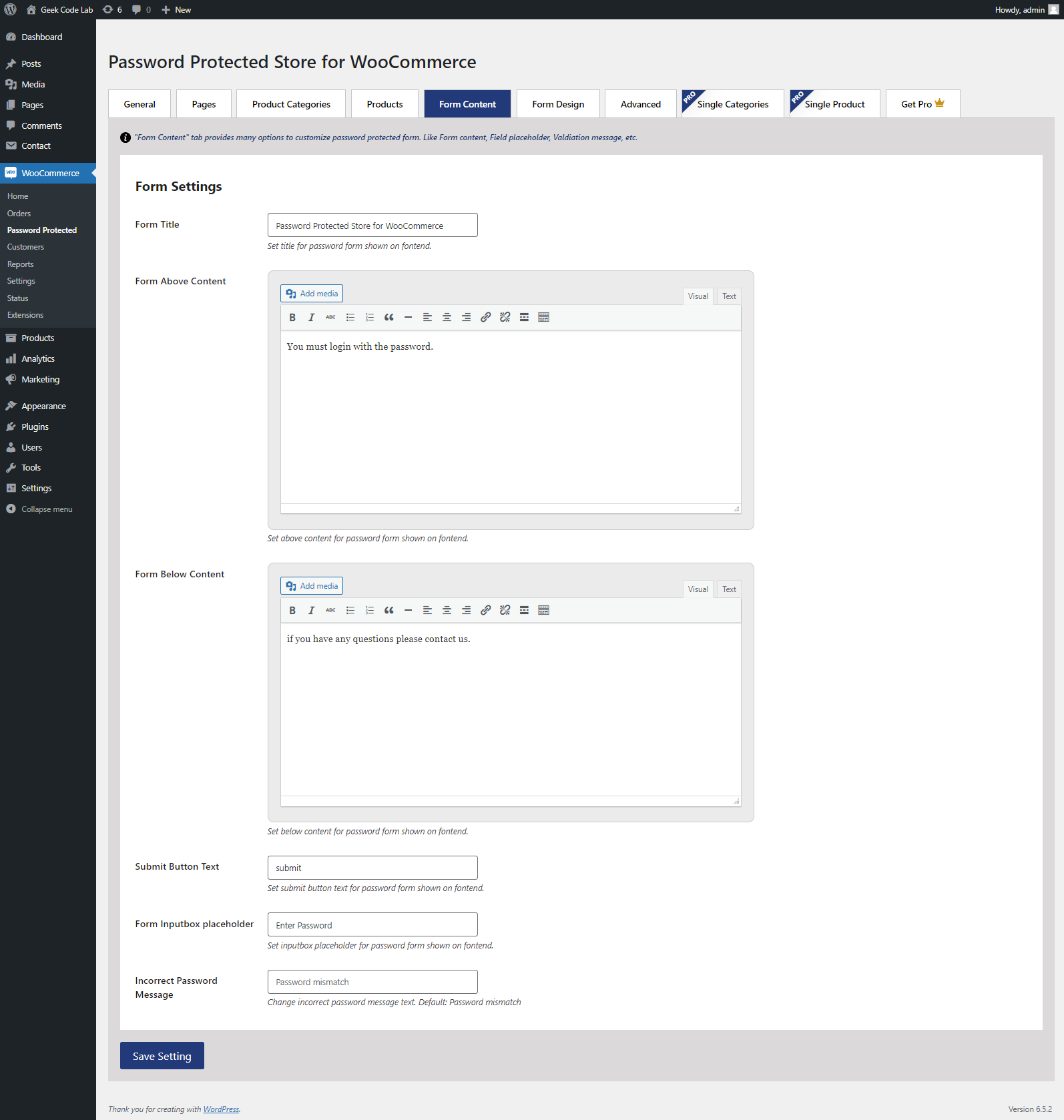
Form Content

Form design
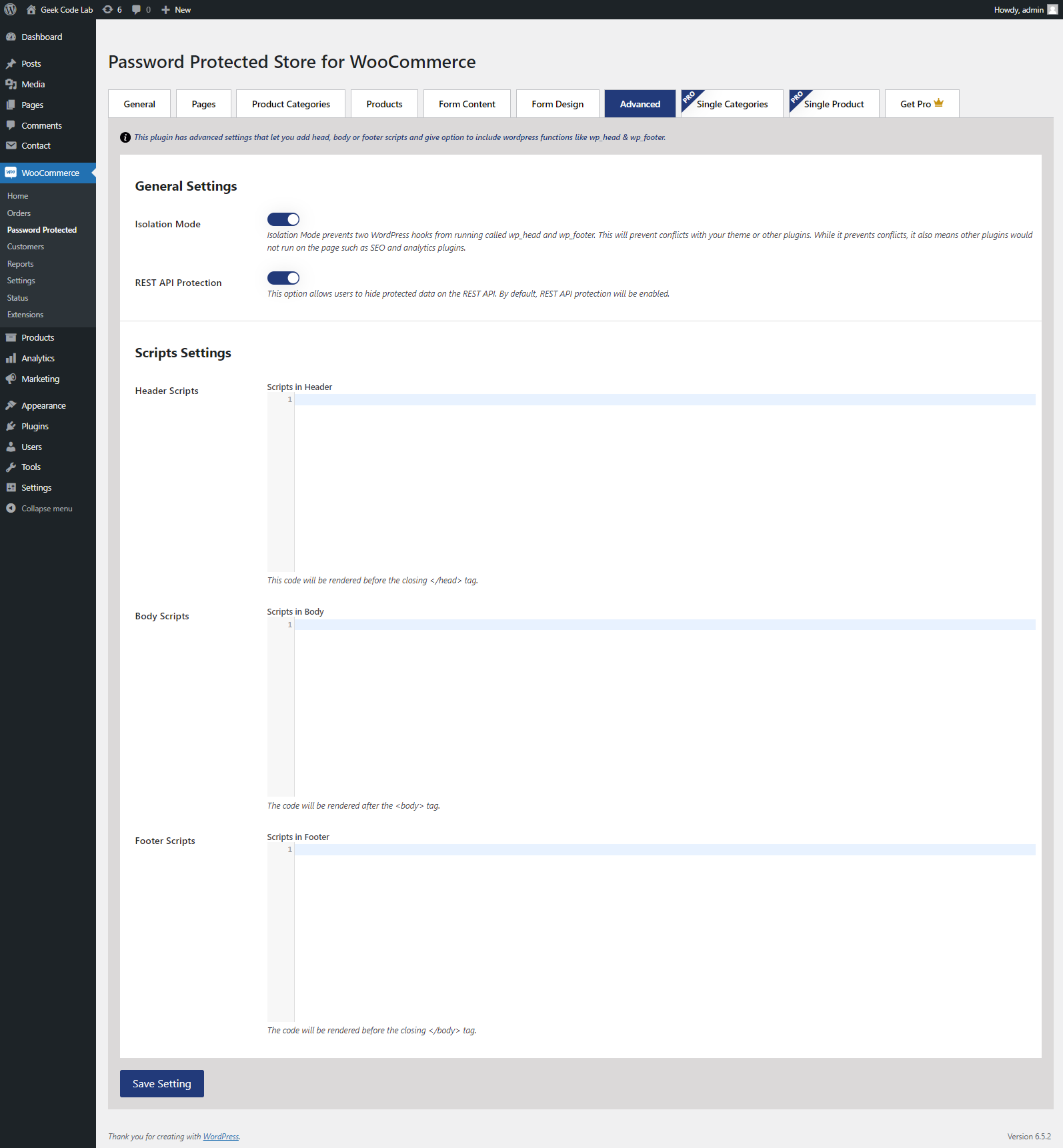
Advanced
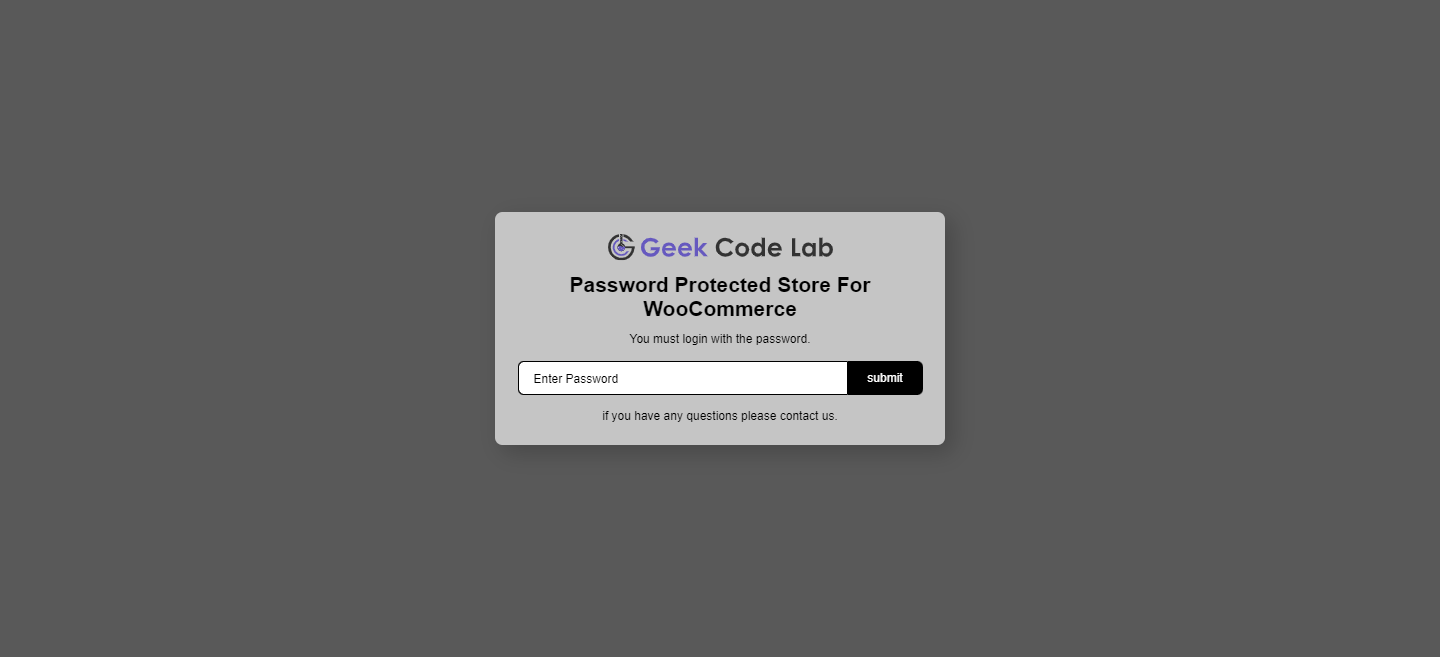
Front side -1
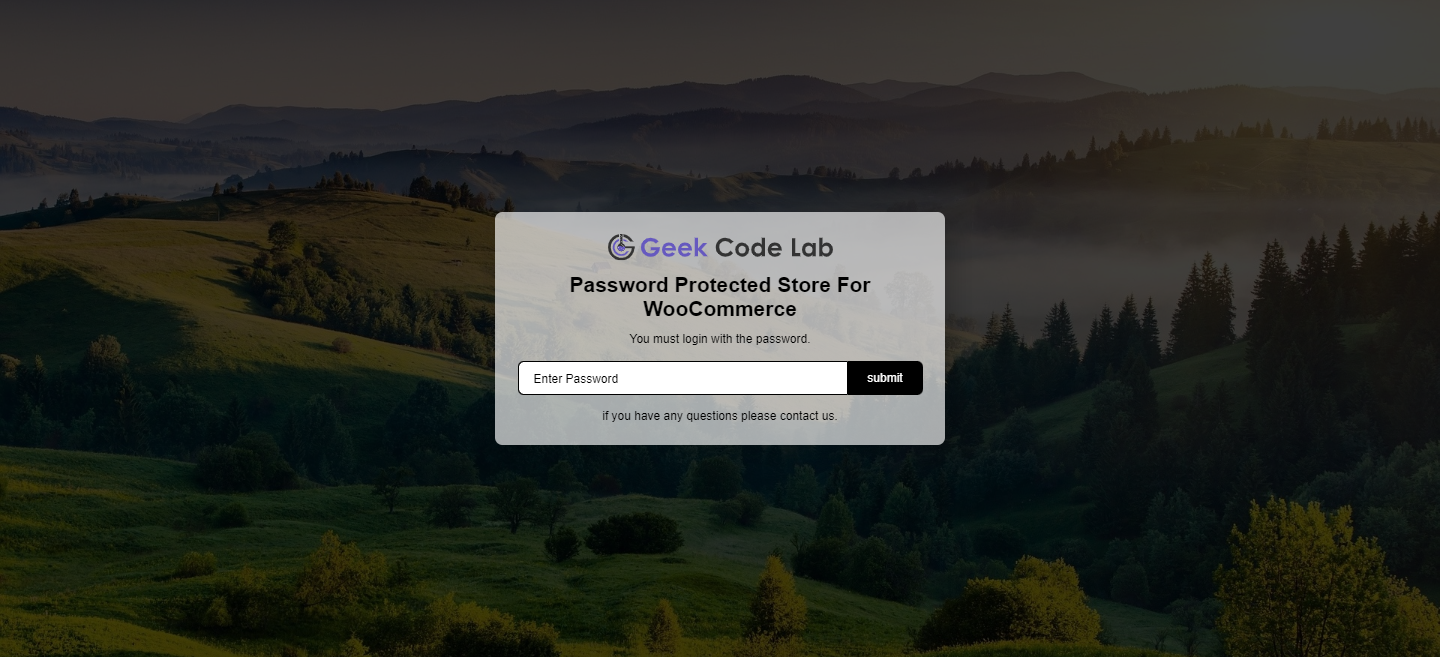
Front side -2
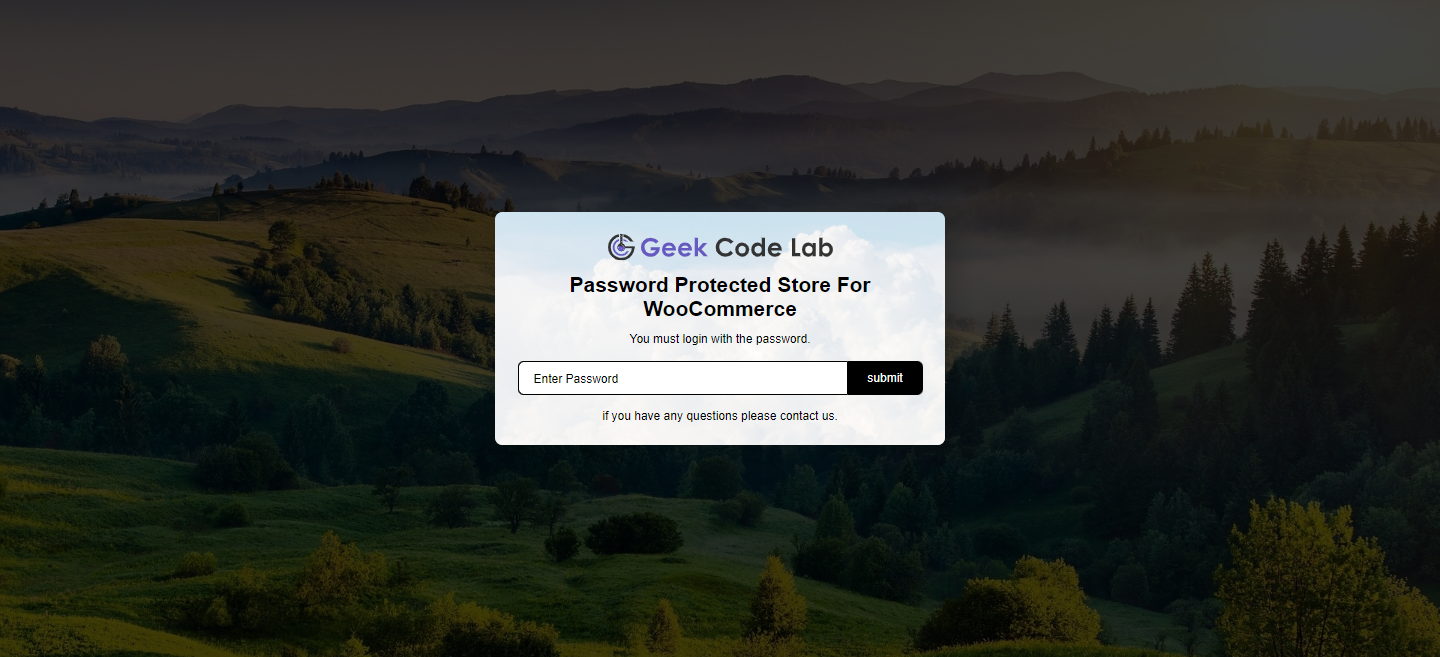
Front side -3

Get Pro
Changelog
2.6.2
Fixed bugs
2.6.1
Fixed Custom CSS field decode special character
2.6.0
Fixed REST API Protection bug
2.5.9
Fixed rest api handler on admin
2.5.8
Added option – Reverse Protection of Logged in users
2.5.7
Fixed PHP version bug
2.5.6
Fixed protected product visibility bugs.
2.5.5
Fixed bugs.
2.5.4
Fixed REST API global protection
Added remove image for logo selection in admin
2.5.3
Fixed bugs.
2.5.2
Fixed bugs.
2.5.1
- Added new feature
Protect Single Products at once
2.5
- Added option for logo in password-protected box
2.4
- Added option to manage REST API protection
2.3
- Fixed REST API security bugs
2.2
- Translate string bug fixed
2.1
- Hide protected products from search results.
2.0
- Added options
- Isolation mode
- Insert header, body and footer scripts
1.9
- Fixed “hide products from loop” error.
1.8
- Fixed bugs.
- Added option to protect archive page of password prtected categories.
- Released pro version.
1.7
- Fixed expiry days field defaults to No expiry.
1.6
- Fixed bugs.
- Added woocommerce HPOS support.
- Tested up to 6.4 wordpress version.
1.5
- Added additional style option (Under Form Design tab).
- Fixed cache issue.
1.4
- Added: Hide product from shop/loop for specific product category.
- Added: Set option for incorrect password message.
1.3
- BUG FIX
- Bug that caused the “Logged In User” password popup repeatedly is fixed now.
1.2
- BUG FIX/ENHANCEMENT
- If the “General Setting” password is enabled, at this time passwords for “Page Settings” and “Product Category” are disabled. Because “General Setting” has a higher priority.
- For the Administrative user, added a new option called “Disable For Administrator.”
- Under Logged In User, there is an option to select all users at once.
- If a new password set then the user must re-enter the password on the front end.
- Set Maximum time: 400 days, for Coockie Expiry times.
- Tested up to wp version 6.0.2
1.1
*Tested up to wp version 6.0.1
1.0
*Initial release