

Payment Gateway GiveWP Asoriba BusinessPay
BusinessPay is a Ghanaian Payment Gateway Add-on for the GiveWP plugin.
Plugin info
Maintenance & Compatibility
Maintenance score
Possibly abandoned • Last updated 1002 days ago
Is Payment Gateway GiveWP Asoriba BusinessPay abandoned?
Possibly abandoned (last update 1002 days ago).
Compatibility
Similar & Alternatives
Explore plugins with similar tags, and compare key metrics like downloads, ratings, updates, support, and WP/PHP compatibility.
Description
This is the BusinessPay payment gateway for GiveWP. Allows you to use Asoriba BusinessPay payment gateway for the GiveWP plugin. BusinessPay is a Ghanaian Payment Gateway.
Configuration
- Visit the Donations settings page, and click on the Payment Gateways tab.
- Click on BusinessPay to edit the settings. If you do not see BusinessPay in the list at the top of the screen make sure you have activated the plugin in the WordPress Plugin Manager.
- Enable the Payment Method, name it BusinessPay, add in your public key and sandbox enable/disable Click Save.
Installation
This section describes how to install the plugin and get it working.
e.g.
1. Ensure you have latest version of GiveWP plugin installed
2. Unzip and upload file & folder of the plugin to your /wp-content/plugins/ directory
3. Activate the plugin through the ‘Plugins’ menu in WordPress
4. Make hover on Donations menu and click on Settings menu from left menu
5. Click on Payment Gateways tab and enable Asoriba BusinessPay payment gateway
6. Configure all required settings and see the result on the donation form
Frequently Asked Questions
Review feed
Screenshots
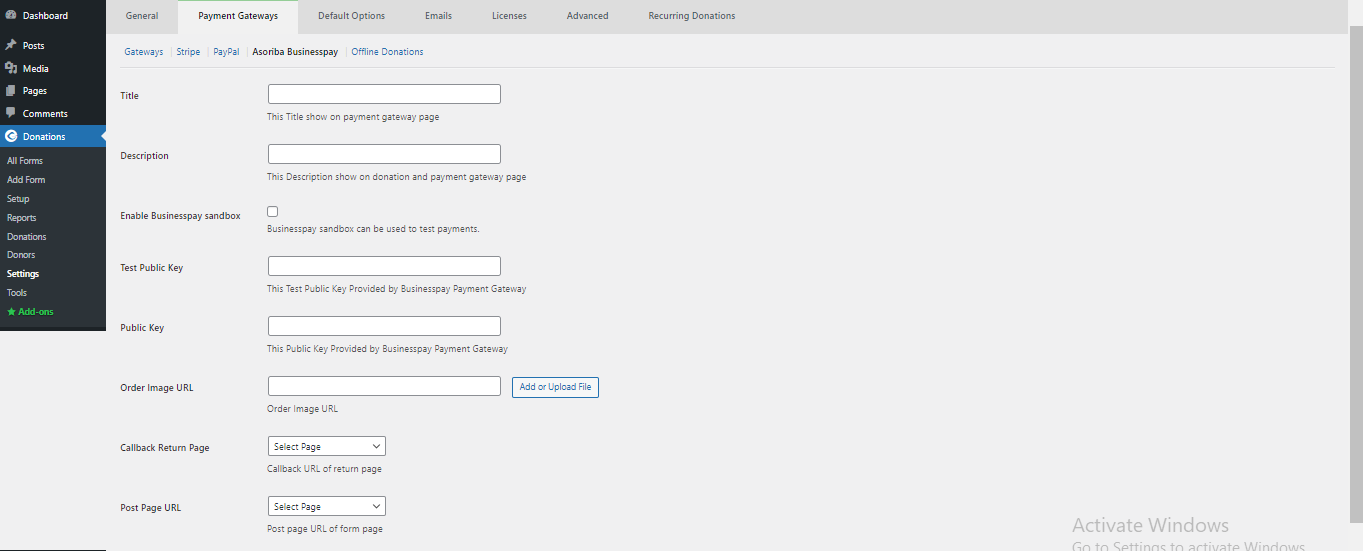
Asoriba Businesspay Payment Gateway Account configuration page #1
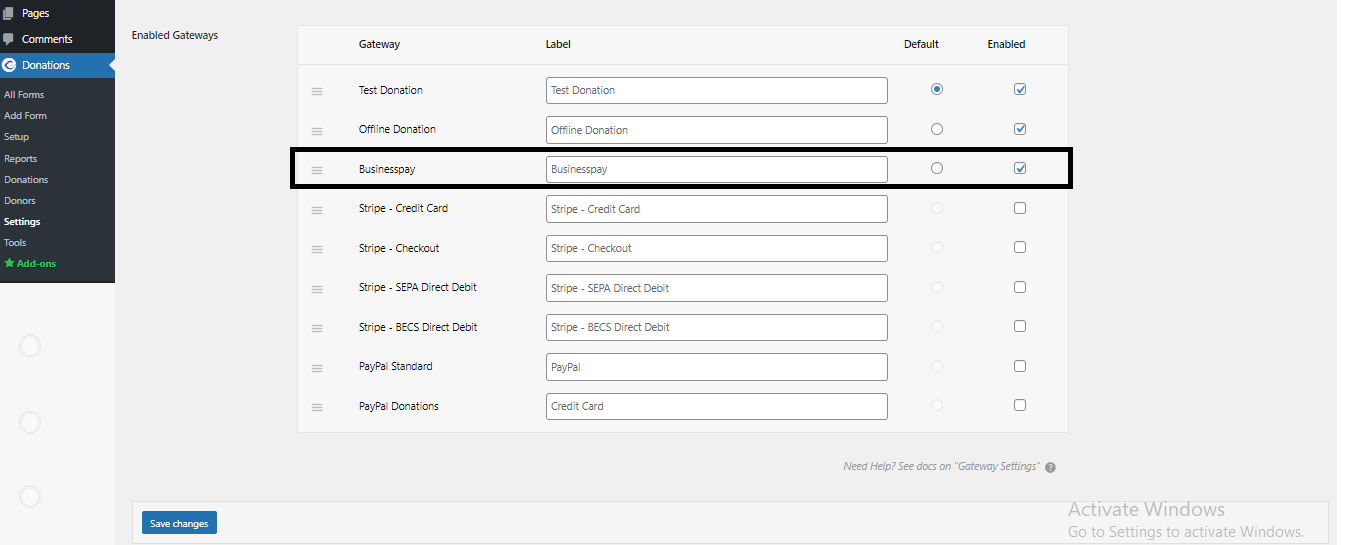
Asoriba Businesspay Payment Gateway Setup Page #2

Display Asoriba Businesspay Payment Gateway option in Donation Form #3
Changelog
1.0
- First Public Release.
1.1
- Resolved Fatal error from the code: Fatal error: Uncaught Error: Call to undefined function and fixed some warnings.
- Tested Plugin With WordPress Latest Version.
1.2
- Tested with latest updated version