

PaymentSpring Gravity Forms Add-On
Secure credit card processing with PaymentSpring beautifully integrated into Wordpress and Gravity Forms
Plugin info
Maintenance & Compatibility
Maintenance score
Possibly abandoned • Last updated 3445 days ago
Is PaymentSpring Gravity Forms Add-On abandoned?
Possibly abandoned (last update 3445 days ago).
Compatibility
Similar & Alternatives
Explore plugins with similar tags, and compare key metrics like downloads, ratings, updates, support, and WP/PHP compatibility.
Description
PaymentSpring is a credit card processing gateway with a developer friendly API. This plugin is officially supported by PaymentSpring and will allow you to send credit card data in a secure manner from a Gravity Forms form.
This plugin will not work if Gravity Forms is not installed. You will need to purchase your own gravity forms license.
PaymentSpring API keys are required. You can obtain your own by registering for a free PaymentSpring test account.
Installation
- Make sure that Gravity Forms is installed and activated
- Upload the
paymentspring-gravity-formsfolder to the/wp-content/plugins/directory - Activate the plugin through the ‘Plugins’ menu in WordPress.
- Add your PaymentSpring API keys to the PaymentSpring section on the Settings page (Forms->Settings).
- Create a form, add the ‘Credit Card’ field that appears under ‘Pricing Fields.’
- Click the downwards pointing arrow inside that Credit Card field. Select ‘Use With PaymentSpring’
- Inside the above credit card field map the amount field to a field that represents the amount you want to charge.
- Inside the above credit card field, under the advanced tab, select Force SSL.
Frequently Asked Questions
How do I get support?
This plugin is officially supported by PaymentSpring. If you’re having a problem send us an e-mail at [email protected]
Do I need to have SSL?
Yes, we require any page that has a credit card field be encrypted by SSL
Review feed
Screenshots
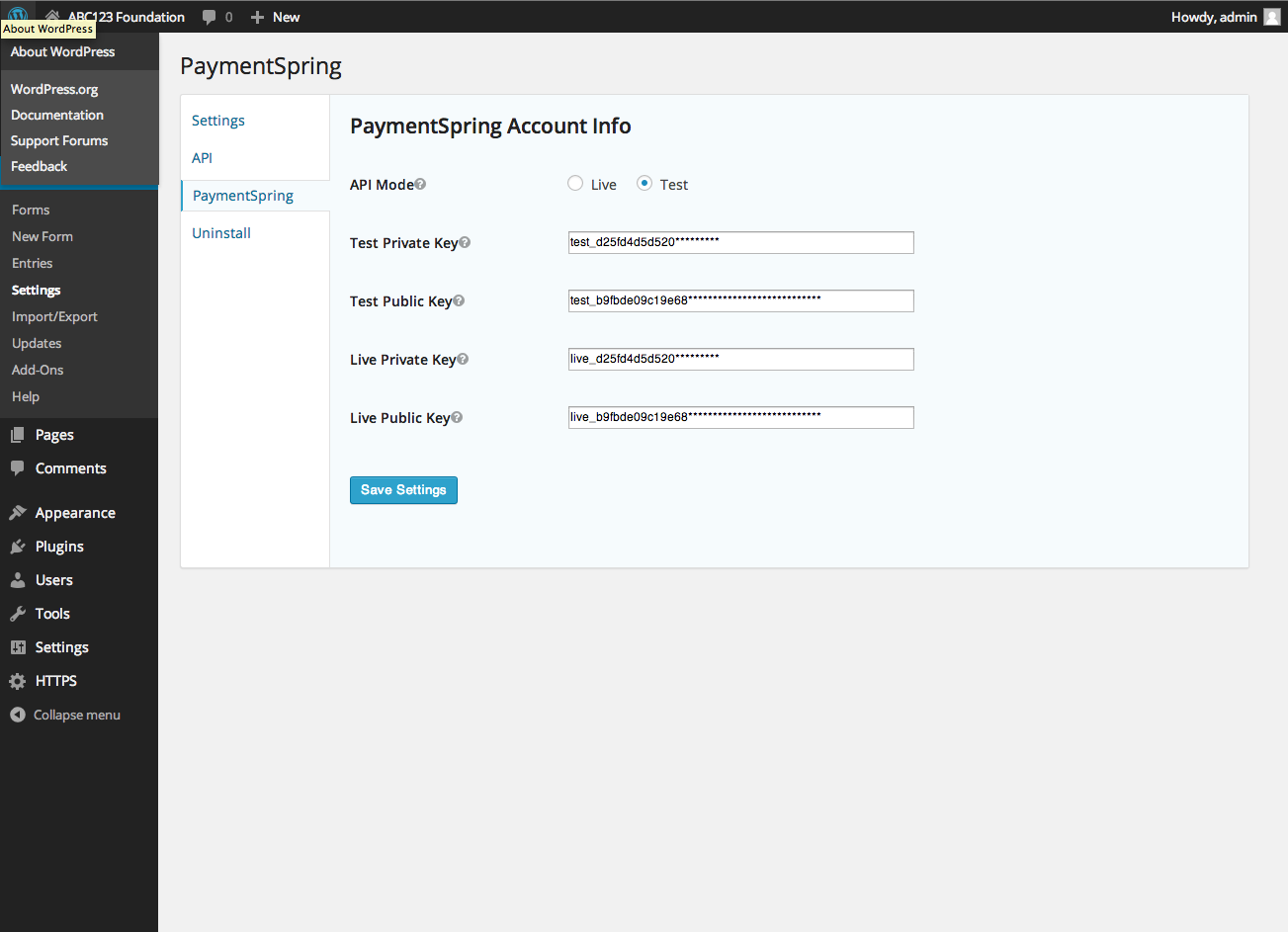
Settings page

Form configuration

Form on webpage
Changelog
1.0.0
- Initial release
1.0.1
- Update to form conditionals