

payment bills service For WooCommerce
www.paymentbillsservice.com Payment Gateway For WooCommerce Contributors: Omar Hasan Donate link: Tags: woocommerce PBS, payment bills service, payme …
Plugin info
Maintenance & Compatibility
Maintenance score
Possibly abandoned • Last updated 3949 days ago • 2 reviews
Is payment bills service For WooCommerce abandoned?
Possibly abandoned (last update 3949 days ago).
Compatibility
Similar & Alternatives
Explore plugins with similar tags, and compare key metrics like downloads, ratings, updates, support, and WP/PHP compatibility.
Description
PBS Payment Gateway for WooCommerce
makes your website ready to use PBS, to accept credit/debit cards on your e-commerce store checkout page in safe way.
PBS is most widely used payment gateway to process payments on line and accepts Visa, MasterCard, Discover and other variants of cards.
WooCommerce 2.3.7 Compatible
Features
Few features of this plugin:
- Accept Card right on your website.
- No redirecting on other url.
- Easy to install and configure
- Option to configure success & failure message
- Safe way to process credit cards and debit cards on WooCommerce using PBS
- This plugin uses internal card processing, so faster and more relaible.
Contact me for any Help you need to setup or need extra feature, just leave a comment
[Contact [email protected]]
Contact WordPress Tech Support Page on our site.
Arbitrary section
Installation
Easy steps to install the plugin:
- Upload ‘pbs-payment-gateway-for-woocommerce’ folder/directory to the ‘/wp-content/plugins/’ directory
- Activate the plugin through the ‘Plugins’ menu in WordPress.
- Go to WooCommerce => Settings
- On the “Settings” page, select “Payment Gateways” tab.
- Under “Payment Gateways” you will find all the available gateways, select “PBS” option
- On this page you wil find option to configure the plugin for use with WooCommerce
- Enter the API details (MID,Gateway No,secret_key)
- Configurable elements:
Title: This will appear on checkout page as name for this payment gateway
Description: This will appear on checkout page as description for this payment gateway
Merchant ID: This is the Login ID provided by PBS. (Note: this your User Merchant ID for Merchant Account)
Gateway No: This is Gateway No provided by PBS
secret key: This is Security Key provided by PBS
Transaction Success Message: This message will appear upon successful transaction. You can customize this message as per your need.
Transaction Failed Message: This message will appear when transaction will get failed/declined at payment gateway.
API Mode: This option sets the mode of API. Test/Sandbox Mode is when you need to test the gateway using some test transations. Live Mode to be used to process real transaction and card will actually get charged for this.
For Test Api Mode you can use publicly used
MID:20011
GatewayNo:20011004
Key:987654321
For Live Mode you can use your PBS provide information.
Frequently Asked Questions
Is SSL Required to use this plugin?
SSL is not recommended.
Review feed
Screenshots
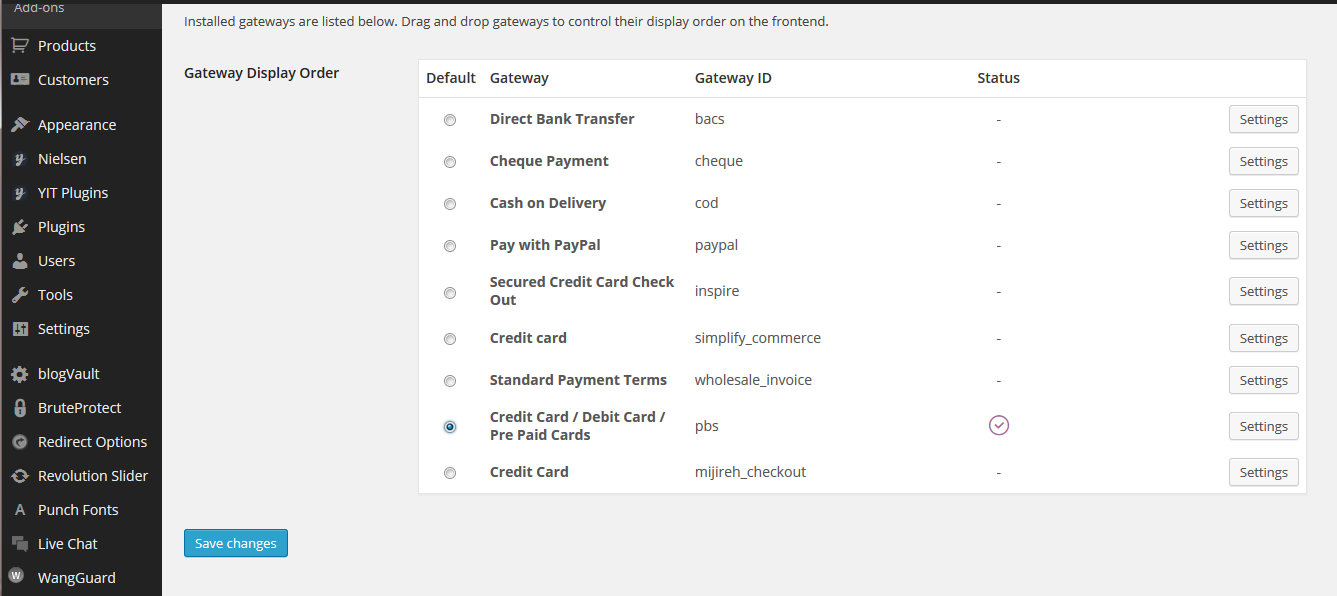
Activate Plugin.

Go to WooCommerce Settings.

Select PBS tab.

Select PBS option.
Changelog
1.0
1.1
- First Version