

PE Theme Elements Info – get info about sidebars and widgets types
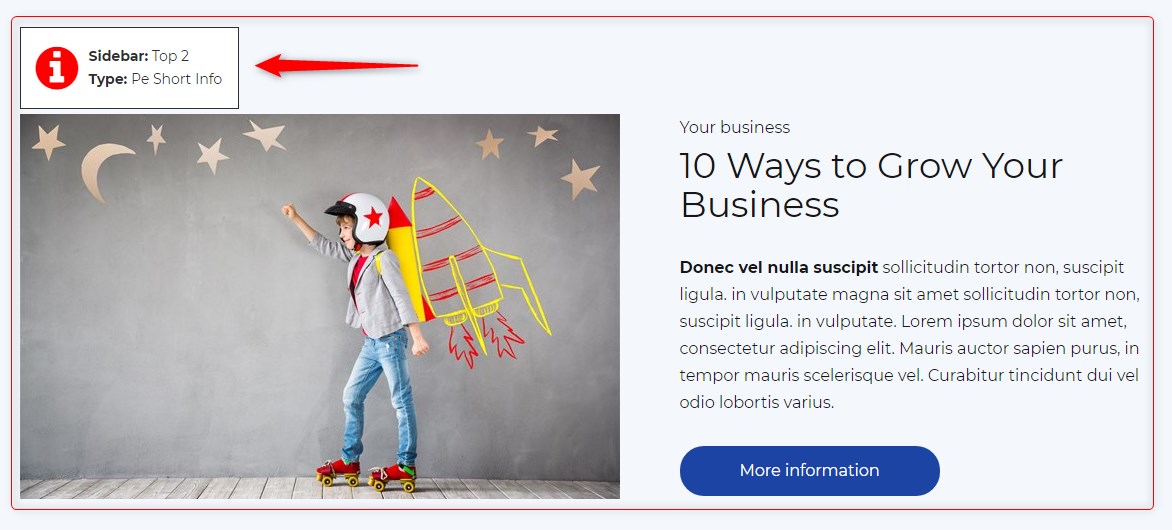
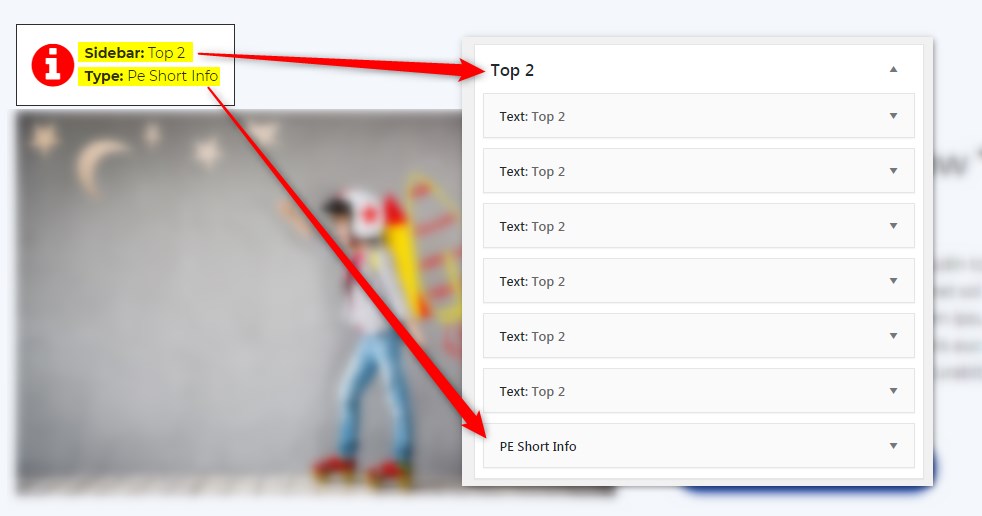
Get info about visible sidebars and widgets types and easily find them in the dashboard in Appearance -> Widgets
Maintenance 20/1001898d since update
Active installs
20
Downloads
1,667
Reviews
0
Age
6.8y
Plugin info
Total downloads: 1,667
Active installs: 20
Total reviews: 0
Average rating: 0
Support threads opened: 0
Support threads resolved: 0 (0%)
Available in: 1 language(s)
Contributors: 1
Last updated: 1/22/2021 (1898 days ago)
Added to WordPress: 6/18/2019 (6 years old)
Minimum WordPress version: 4.0
Tested up to WordPress version: 5.6.16
Minimum PHP version: f
Maintenance & Compatibility
Maintenance score
Possibly abandoned • Last updated 1898 days ago
20/100
Is PE Theme Elements Info – get info about sidebars and widgets types abandoned?
Possibly abandoned (last update 1898 days ago).
Compatibility
Requires WordPress: 4.0
Tested up to: 5.6.16
Requires PHP: f
Similar & Alternatives
Explore plugins with similar tags, and compare key metrics like downloads, ratings, updates, support, and WP/PHP compatibility.
Custom Sidebars – Dynamic Sidebar Classic Widget Area Manager
Rating 4.7/5 (1,027 reviews) • Active installs 100,000
Image Widget
Rating 4.9/5 (287 reviews) • Active installs 100,000
Fixed Widget and Sticky Elements for WordPress
Rating 4.7/5 (261 reviews) • Active installs 100,000
Widget Logic
Rating 4.4/5 (188 reviews) • Active installs 100,000
Content Aware Sidebars – Fastest Widget Area Plugin
Rating 4.9/5 (724 reviews) • Active installs 30,000
Dynamic Widgets
Rating 4.7/5 (109 reviews) • Active installs 20,000
Description
Get info about visible sidebars and widgets types and easily find them in the dashboard in Appearance -> Widgets
Installation
- In your admin panel, go to Plugins -> Add New and click the Upload Plugin button.
- Click Choose File, then select the plugin ZIP file. Click Install Now.
- Click Activate to activate the plugin.
Frequently Asked Questions
No FAQ available
Review feed
No reviews available
Screenshots
Changelog
1.10
- Added information about menus
- Fixed possible incorrect widget names in sidebars
- By default information about widgets or menus on the page will be displayed only for logged-in administrators