

Peeps – People Directory
A WordPress plugin for managing and displaying people profiles.
Plugin info
Maintenance & Compatibility
Maintenance score
Maintained • Last updated 119 days ago
Is Peeps – People Directory abandoned?
Likely maintained (last update 119 days ago).
Compatibility
Similar & Alternatives
Explore plugins with similar tags, and compare key metrics like downloads, ratings, updates, support, and WP/PHP compatibility.
Description
Peeps – People Directory is a WordPress plugin that helps you create and manage a directory of people on your website. Perfect for displaying staff members, team rosters, or employee directories.
Features:
- Custom post type for managing people profiles
- Block templates for single person posts and archive pages
- Configurable phone number formatting
- Custom URL structure for people profiles
- Public/private directory option
Installation
- Download the latest release from GitHub
- Upload the plugin files to the
/wp-content/plugins/peepsdirectory - Activate the plugin through the ‘Plugins’ screen in WordPress
- Go to People Settings to configure the plugin options
Frequently Asked Questions
Go to People Settings and update the “Directory Slug” field. After saving, visit the WordPress Permalinks page and click “Save Changes” to update your URLs.
Yes, in People Settings you can disable the “Make People Directory Public” option to make the directory visible only to logged-in users.
Go to People Settings and update the “Phone Number Format” field. Use # symbols where you want digits to appear. For example: (###) ###-####
Review feed
Screenshots
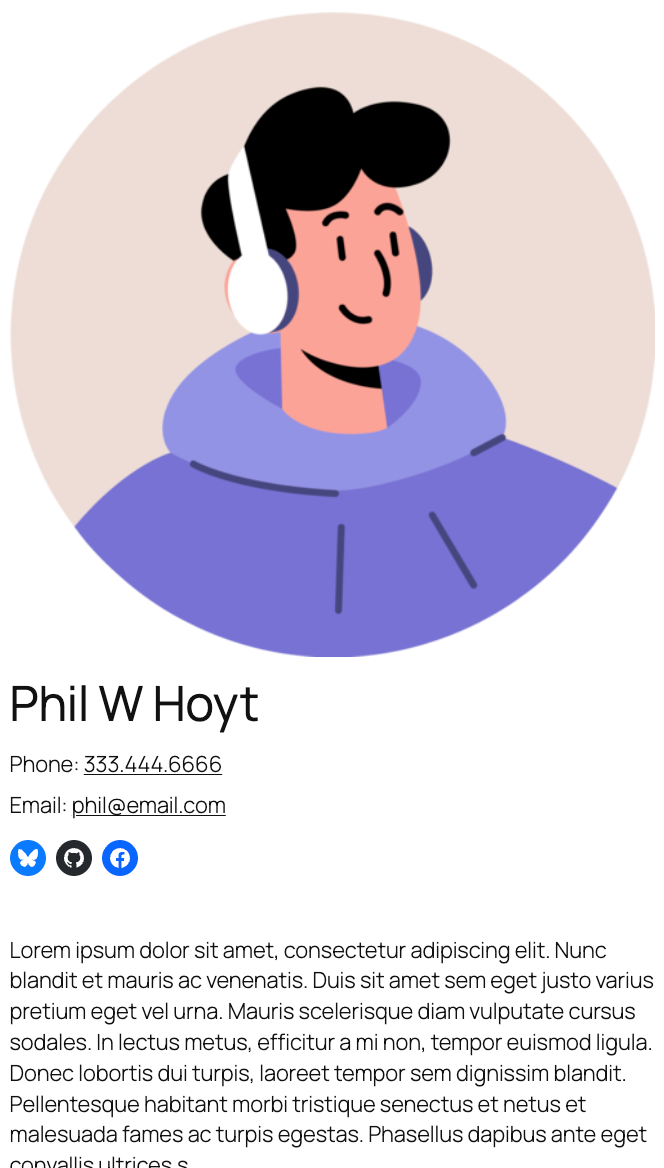
Example of a person post displayed on the frontend
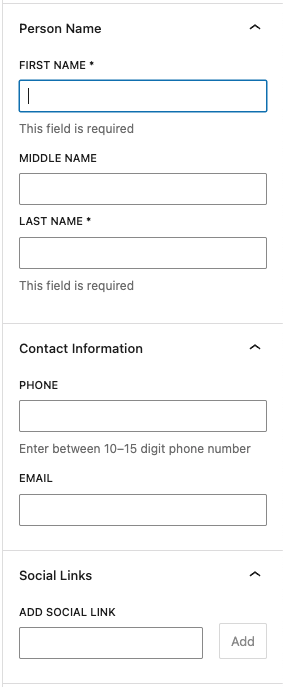
Fields available when editing a person post
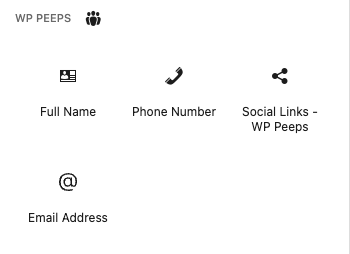
Available Peeps blocks in the block inserter
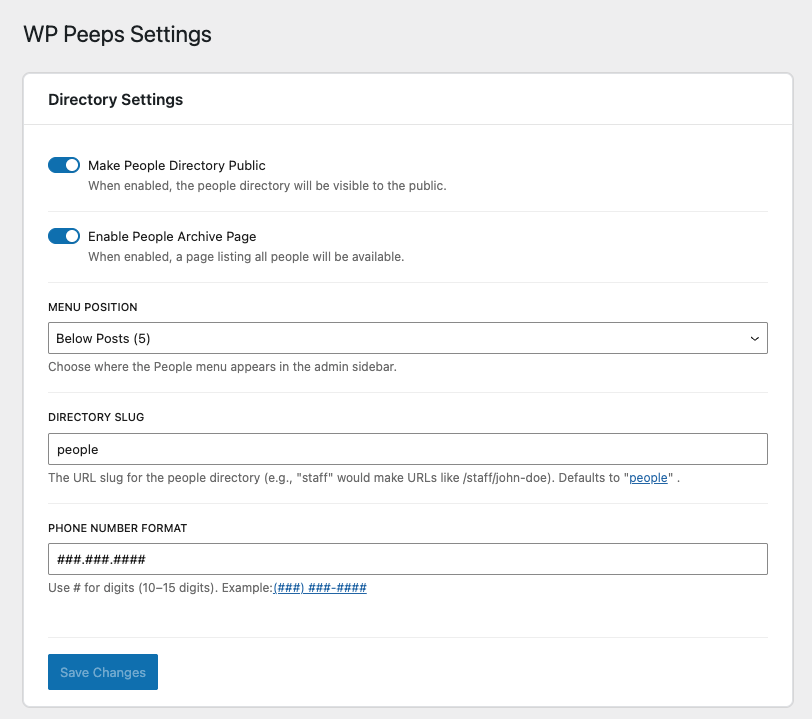
Peeps – People Directory settings page
Changelog
2.0.0
- BREAKING: Updated all prefixes from “wp_peeps” to “ph_peeps” for WordPress Directory compliance
- BREAKING: Post type changed from “wp_peeps_people” to “ph_peeps_people”
- BREAKING: All meta keys changed from “wp_peeps_” to “ph_peeps_“
- BREAKING: All option names changed from “wp_peeps_” to “ph_peeps_“
- BREAKING: Block names changed from “wp-peeps/” to “ph-peeps/“
- Updated plugin name to “Peeps – People Directory”
- Updated namespaces from “WP_Peeps” to “PH_Peeps”
- Updated text domain from “wp-peeps” to “peeps-people-directory”
- Added sanitization callbacks for boolean settings
- Note: Existing posts and settings will need to be migrated or re-entered
1.3.1
- Updated plugin name from “WP Peeps” to “Peeps” for WordPress Directory compliance
1.3.0
- Added block template for archive pages
- Archive template includes featured image, name, contact information, and social links
1.2.0
- Automatic permalink flush on plugin activation
- Automatic permalink flush on plugin deactivation
- Added notice when changing settings that affect permalinks (slug, public status, archive)
1.1.0
- Added block template registration for single person posts
- Default template includes featured image, full name, contact information, and social links
- Template is customizable through the Site Editor
1.0.0
- Stable release
- Comprehensive code audit and security improvements
- Fixed XSS vulnerabilities
- Added proper validation and sanitization
- Improved error handling and logging
- Code quality improvements and documentation
- Performance optimizations
0.1.1
- Disable post title editing
0.1.0
- Initial release
- People directory custom post type
- Admin settings page
- Phone number formatting
- Required name fields
- Contact information fields