

LoginWP (Formerly Peter's Login Redirect)
Redirect users to different locations after they log in, log out and register based on different conditions.
Plugin info
Maintenance & Compatibility
Maintenance score
Maintained • Last updated 162 days ago • Support resolved 100% • 488 reviews
Is LoginWP (Formerly Peter's Login Redirect) abandoned?
Likely maintained (last update 162 days ago).
Compatibility
Languages
Similar & Alternatives
Explore plugins with similar tags, and compare key metrics like downloads, ratings, updates, support, and WP/PHP compatibility.
Description
LoginWP (formerly Peter’s Login Redirect) lets you define a set of redirect rules for specific users, users with specific roles, users with specific capabilities, and a blanket rule for all other users. Also, set a redirect URL for post-registration.
You can use the following placeholders in your URLs so that the system will build a dynamic URL upon each login: {{username}}, {{user_slug}}, {{website_url}}.
Upgrade to LoginWP PRO to redirect users to the current page they are logging in from or back to the previous (or referrer) page after login using {{current_page}} and {{previous_page}} placeholders. Learn more
You can add your own code logic before and between any of the plugin’s normal redirect checks if needed. See our documentation. Some examples include: redirecting the user based on their IP address and redirecting users to a special page on the first login.
Website | Documentation | Support
Pro Integrations
This is the lite version that works with the default WordPress login page and limited other user registration and login form plugins. Upgrade to Pro to avail the support for the following features and plugins.
- Redirect After First Login
- WooCommerce
- Gravity Forms
- WPForms
- LearnDash
- Uncanny Toolkit
- LifterLMS
- Tutor LMS
- ProfilePress
- MemberPress
- MemberMouse
- LearnPress
- Easy Digital Downloads
- Restrict Content Pro
- Ultimate Member
- WP User Manager
- WP User Frontend
- Paid Memberships Pro
- WishList Member
- Theme My Login
- User Registration (WPEverest)
- Elementor Login Form
- BuddyBoss Theme Login/Registration Form
- Divi Theme Login/Registration Form
Installation
Installing this plugin is just like any other WordPress plugin.
Navigate to your WordPress “Plugins” page, inside of your WordPress dashboard, and follow these instructions:
- In the search field enter LoginWP. Click “Search Plugins”, or hit Enter.
- Select LoginWP and click either “Details” or “Install Now”.
- Once installed, click “Activate”.
Frequently Asked Questions
Please visit the plugin page with any questions.
Login redirects not working? This plugin uses WordPress’s standard login_redirect hook. The usual cause of problems is that another plugin is using the hook first, or there is a custom login form that isn’t even running through the standard WordPress login functions.
Review feed
Excellent plugin and support.
Flexible to use
Simple, basic login
Screenshots
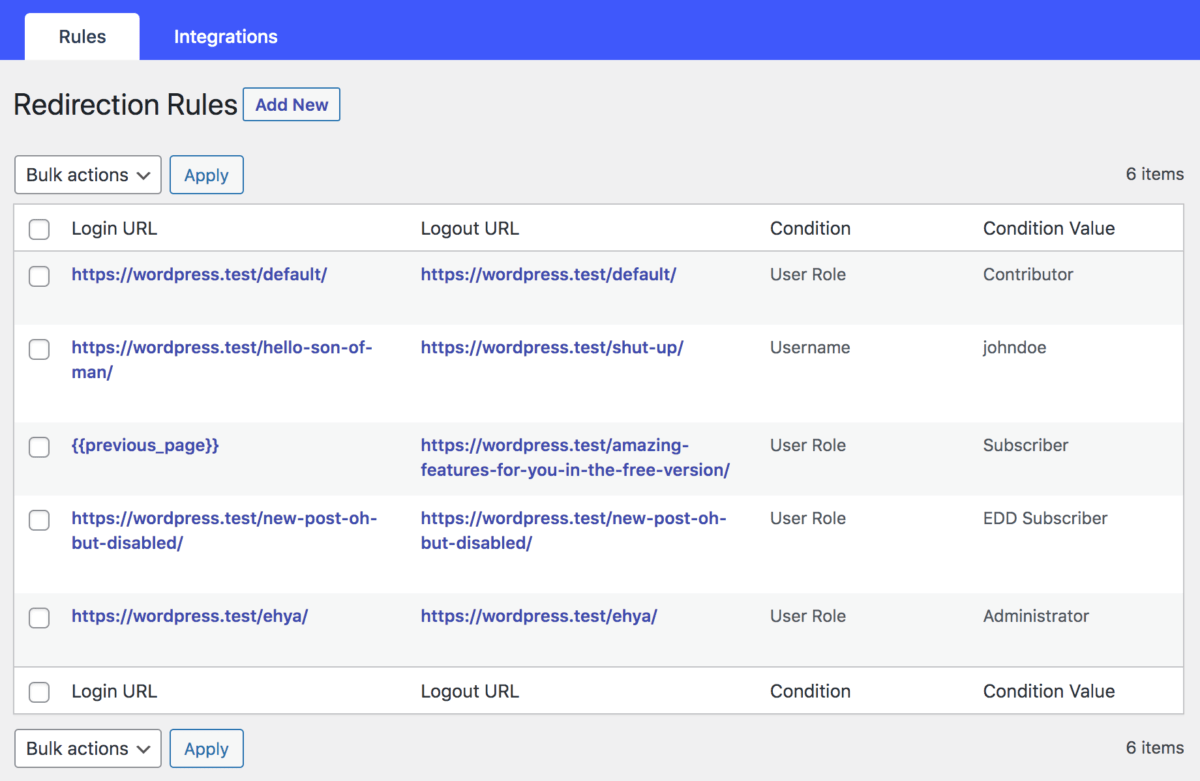
Redirection rules overview.
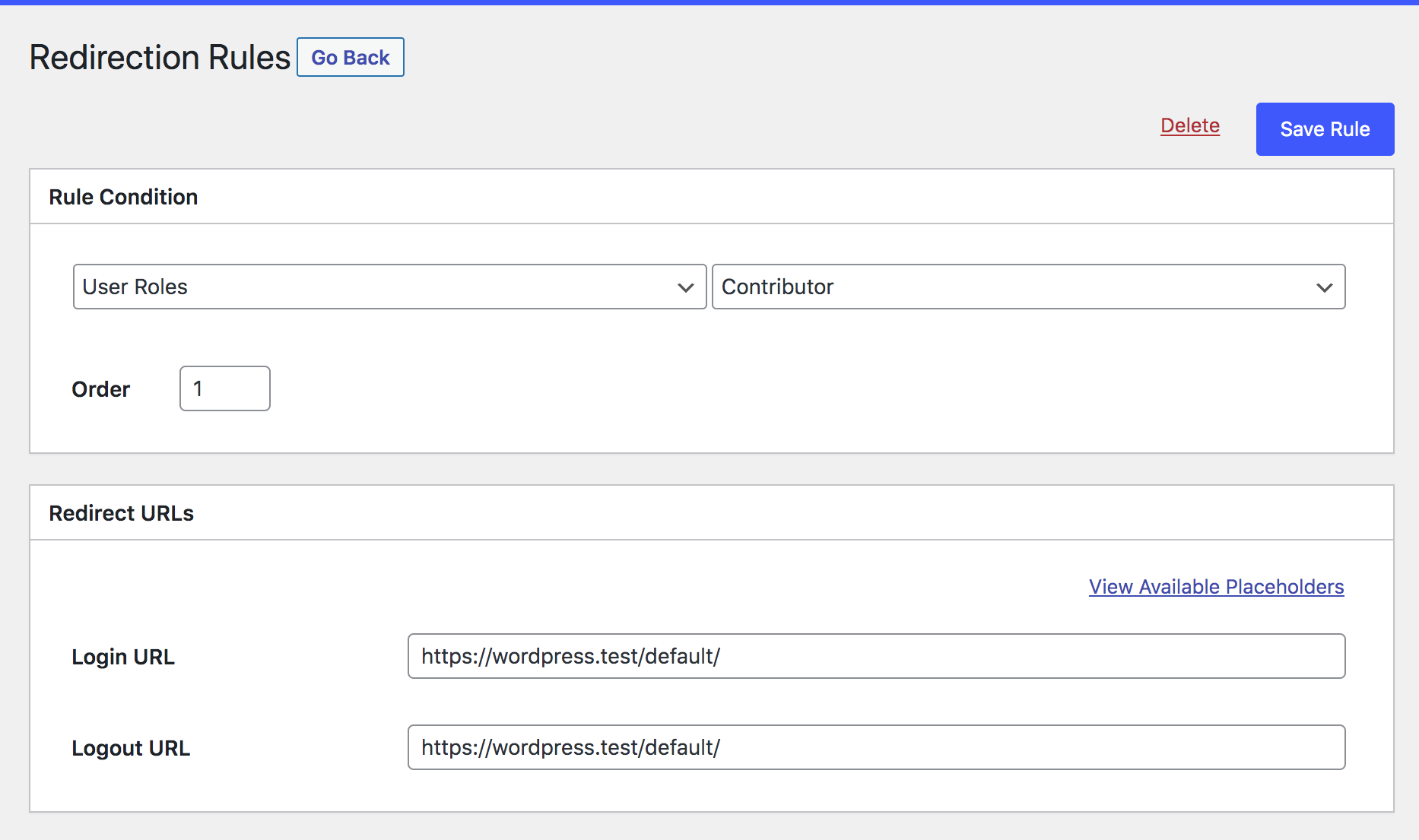
Adding a redirection rule.
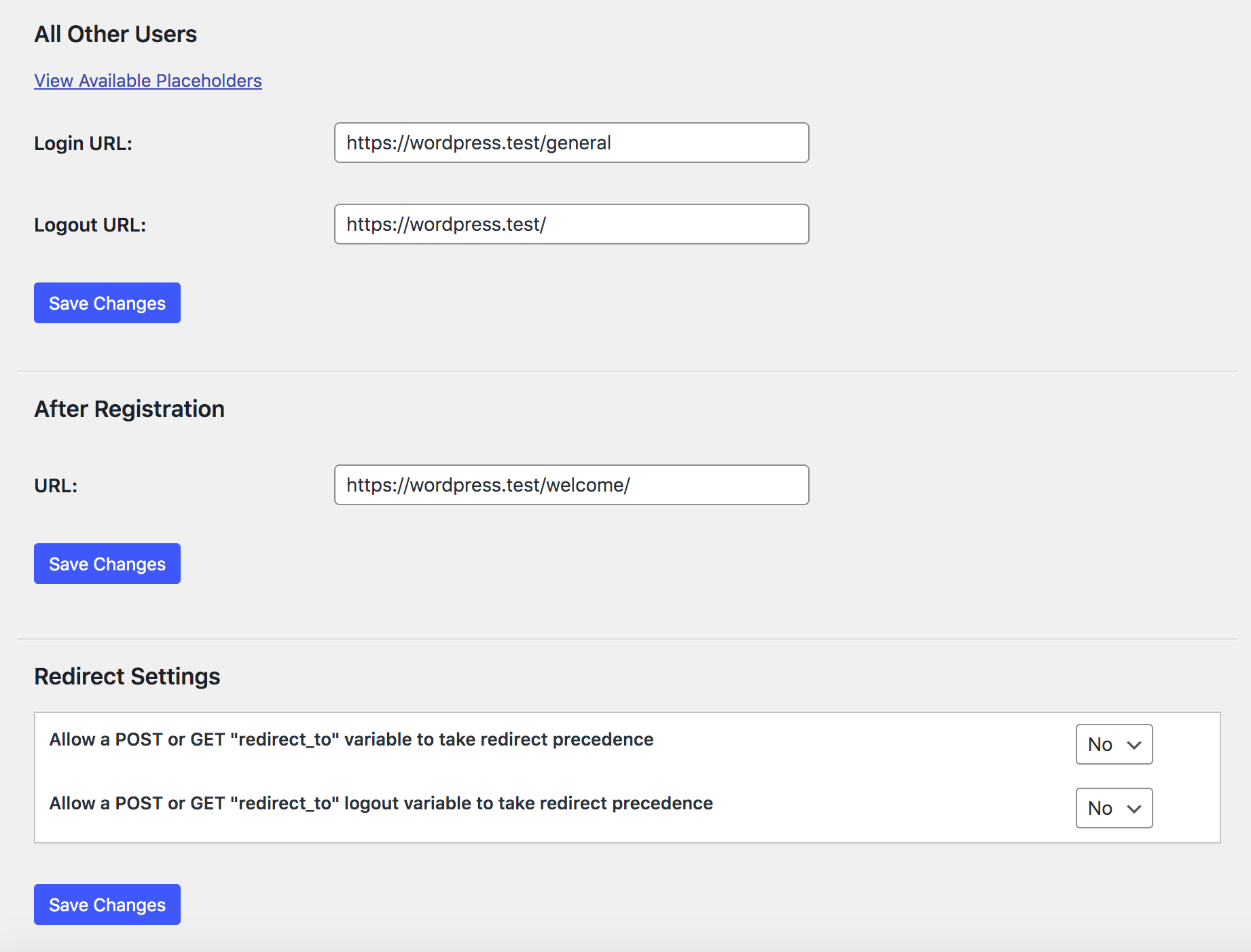
Other settings.
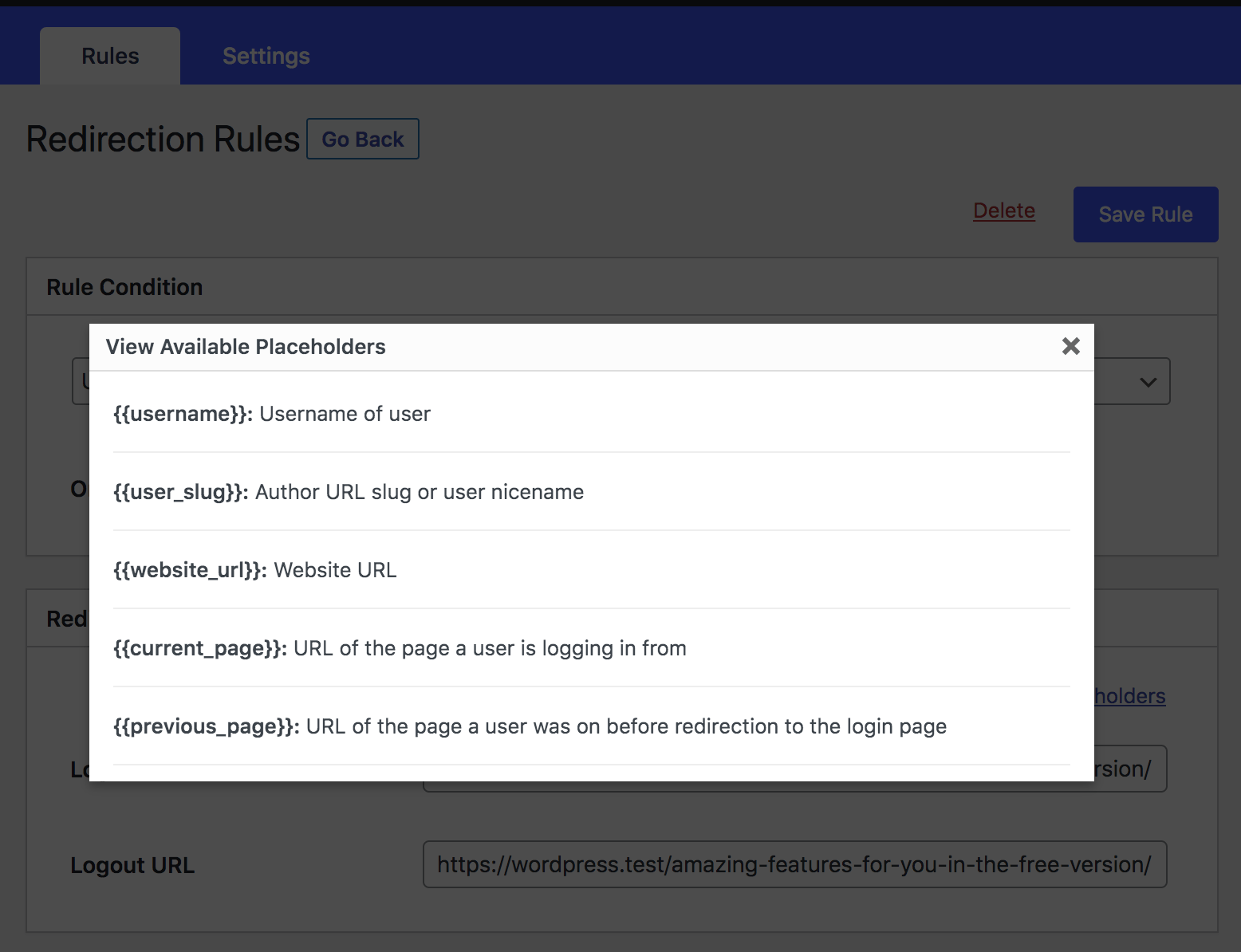
Redirect Placeholders.
Changelog
3.0.8.8
- Fixed: Resolved the “s” error issue from the plugin.
3.0.8.7
- Fixed: LoginWP redirections were bypassing the DW Block User Account plugin, preventing the display of blocked status for users.
- Fixed: Fixed issue where incorrect WordPress login credentials were not displaying an error notice. Added “Failed login redirect” in the plugin settings.
3.0.8.6
- Fixed: Custom login page redirects to the default WordPress login page when incorrect credentials are entered.
3.0.8.5
- Fixed: Cookie issue
3.0.8.4
- Fixed: Advert dismissing issue
3.0.8.3
- Improved: Compatibility PHP 8.1
- Added: UserSync (Collaboration with FuseWP)
3.0.8.0
- Improved: Compatibility PHP 8
- Improved: Compatibility with WP 6.2
- Fixed: Assets URL
- Updated: Plugin’s Description
3.0.7.0
- Added LearnPress integration.
- PHP 8 improvements.
- Fixed Warning: Undefined array key “rul_first_login”
- Added filter to execute integrations conditions last.
See the changelog file for full changelog information.