

Picnote Image Annotations
Add professional source attributions and licenses to images in your WordPress content with overlays and organized lists.
Plugin info
Maintenance & Compatibility
Maintenance score
Maintained • Last updated 173 days ago • Support resolved 100%
Is Picnote Image Annotations abandoned?
Likely maintained (last update 173 days ago).
Compatibility
Similar & Alternatives
Explore plugins with similar tags, and compare key metrics like downloads, ratings, updates, support, and WP/PHP compatibility.
Description
Picnote lets you easily manage and display image credits, attributions, and licenses on your WordPress website. Perfect for photographers, news sites, magazines, and any content creator who needs to properly attribute their images.
Use Cases
- Photography Portfolios: Properly credit photographers and maintain image rights
- News & Magazine Sites: Display source attributions professionally
- Educational Websites: Maintain academic integrity with proper image citations
- Agency Websites: Track and display image licenses across client projects
- Content Publishers: Streamline image attribution workflow
Core Features
- Add custom annotations (credits, sources) to any image in your media library
- Display annotations as overlays on images or below them
- Create a list of image credits at the bottom of posts
- Global annotations list via shortcode
[pn_global_list] - Default annotation text to speed up the process of adding new images of the same author
- Support for Creative Commons licenses
- Predefined styles
Pro Features
Upgrade to PRO for advanced customization and time-saving features:
-
Enhanced Customization
- Custom header tags (h2-h6) for annotation lists
- Full appearance control (colors, fonts, spacing)
- More predefined styles
-
Advanced Control
- Support for inline and CSS background images
- Choose post types for indexing and overlay display
- Additional shortcode
[pn_list]for flexible placement
-
Bulk Management
- Dedicated image annotations management page
- Bulk edit titles, annotations, licenses and links
- Quick preview of image usage across your site
- Filters to help you find images you are looking for
Easy to Set Up
- Install and activate the plugin
- Add annotations in your media library
- Choose your preferred display style
- Optional: Configure global settings and customize appearance
Installation
- Upload the plugin files to the
/wp-content/plugins/picnotedirectory, or install the plugin through the WordPress plugins screen directly. - Activate the plugin through the ‘Plugins’ screen in WordPress
- Use the Settings->Picnote screen to configure the plugin
- Begin adding annotations to your images in the Media Library
Frequently Asked Questions
Yes, Image Annotations is designed to work with any properly coded WordPress theme.
The free version includes few predefined styles. For full customization options, including colors, fonts, and spacing, upgrade to PRO.
Background image support is available in the PRO version, supporting both inline styles and CSS backgrounds.
Visit your Media Library, select an image, and you’ll find annotation fields in the attachment details.
Review feed
Screenshots
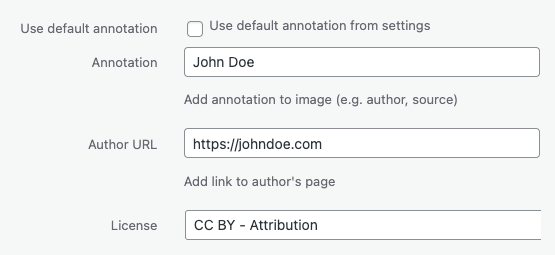
Media Library annotation fields
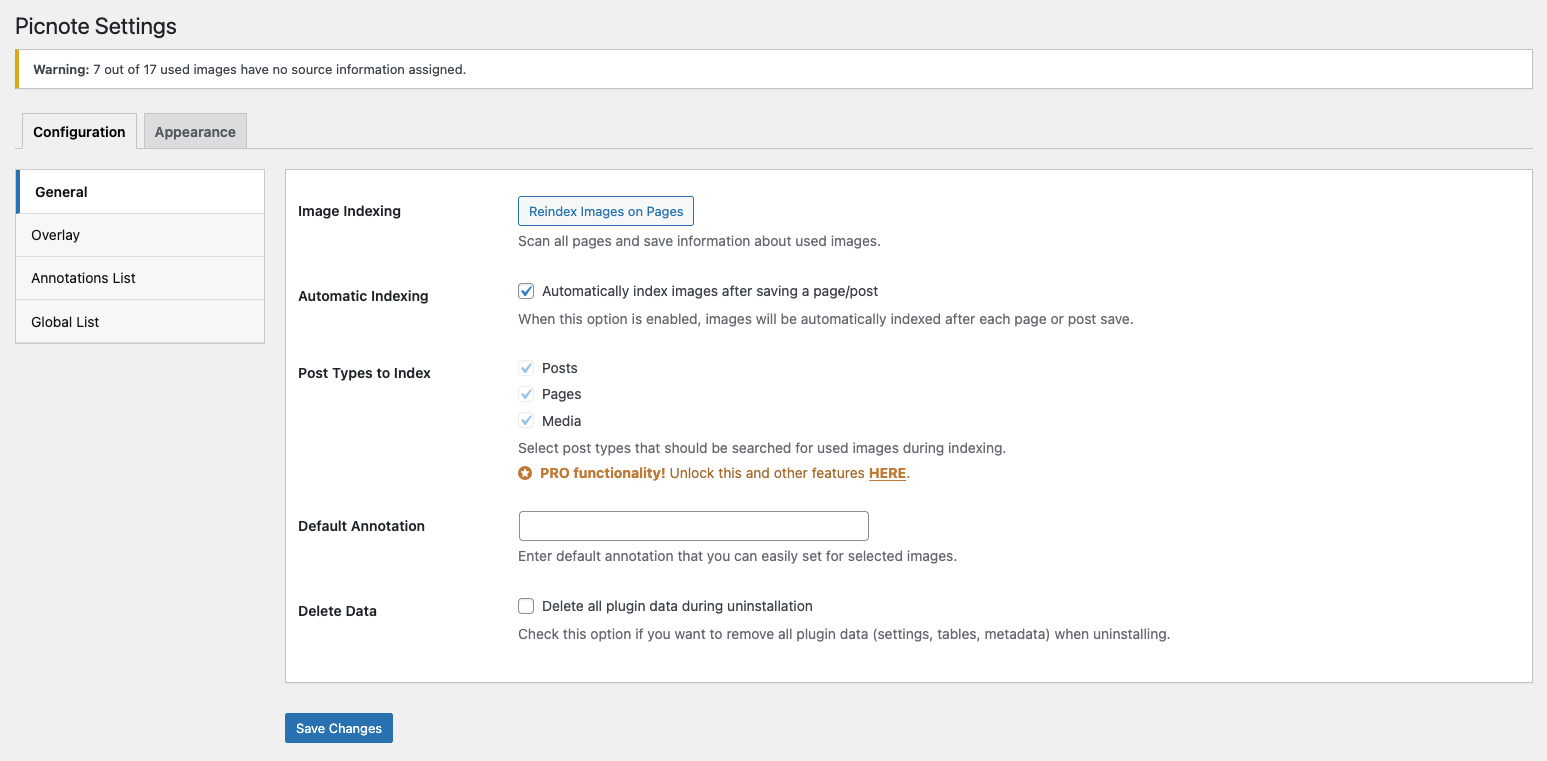
General settings
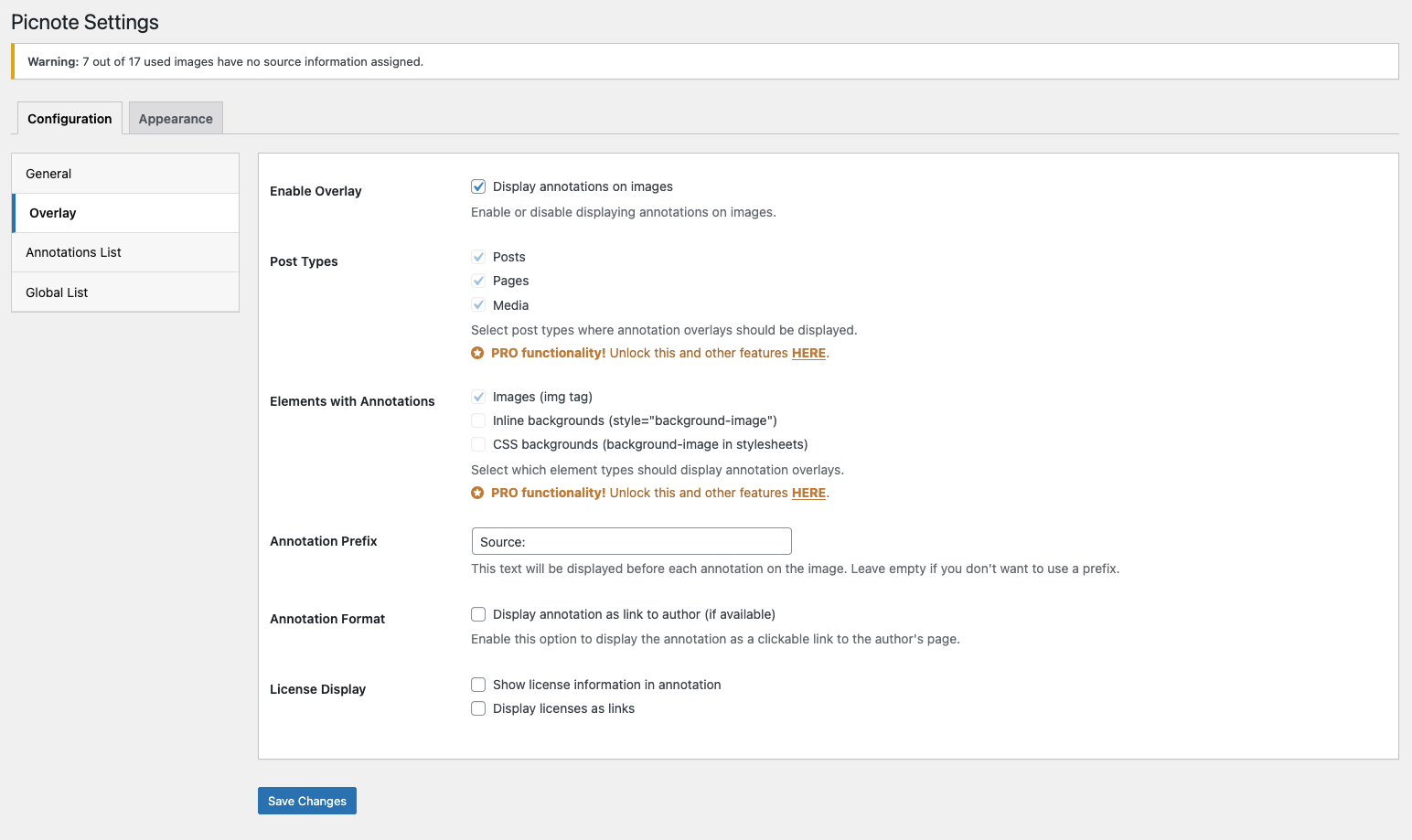
Overlay settings

Example of overlay annotation

Example of annotation below image

Example of annotations list
Changelog
0.1.0
- Initial release