

Piggly View
The Piggly Views WordPress Plugin allows you to track views for each post. Once you…
Plugin info
Maintenance & Compatibility
Maintenance score
Possibly abandoned • Last updated 2476 days ago
Is Piggly View abandoned?
Possibly abandoned (last update 2476 days ago).
Compatibility
Similar & Alternatives
Explore plugins with similar tags, and compare key metrics like downloads, ratings, updates, support, and WP/PHP compatibility.
Description
The plugin is quite simple to use. See below.
- It will store all views for a Single Post. You can configure it to ignore views to logged users and disable for some posts.
- In the Posts View Table you will see the View column. You can remove it in configurations.
- All views will be cached for 24 hours. You can disabled it or change the flush cache hour.
For now, Piggly Views is available in:
- English,
- Portuguese Brazilian.
Some additional resources
- You can use the shortcode
[piggly_views]to get views to the current post OR use[piggly_views id="post_id"]to a specific post. It will return the number of views following the format set in the settings. - You can get a collection of most viewed posts by using the method
piggly_view_collection($limit,$days). Where$daysis the range between NOW and X($days) days,$limitis the number of posts and$typesis one or more post types slug into an array, such as:post,pageorattachment. - You can use the shortcode
[piggly_views_collection limit="X" days="X" types="post, page, attachment"]to get a collection of most viewed posts returning the default template.
Getting the most viewed posts
An easy way to get the most viewed posts is using the global function piggly_view_collection(). The default $days values is 30, default $limit value is 5 and default $types array is post.
// 10 most viewed posts in the last 180 days.
$most_viewed = piggly_view_collection( 10, 180 );if ( !empty( $most_viewed ) ) :
foreach ( $most_viewed as $post ) :
$postID = $post->post_id;
endforeach;
endif;
In the other side, you can use the shortcode [piggly_views_collection limit="10" days="180" types="post"] to return the default template.
When you use [piggly_views_collection] shortcode, it will return the following template for each post. Customize CSS as your needs by using .pgl-views-post as parent.
>
>
>
{{title}}
>
> {{category}}
> {{author}}
> {{date}}
>
>
How to Use
From your WordPress administration panel go to Plugins > Installed Plugins and scroll down until you find Piggly Views. You will need to activate it first, then click on Settings to configure it.
Configuration
- Display or not View Column in Post Table.
- Disable tracking for Logged Users.
- Convert Views from 1000 to 1K format.
- Cache Views Data.
-
Flush cache after X hours.
-
Keep options and/or table when uninstall the plugin.
Installation
This section describes how to install the plugin and get it working.
e.g.
- You can either install this plugin from the WordPress Plugin Directory, or manually download the plugin and upload it through the ‘Plugins > Add New’ menu in WordPress
- Activate the plugin through the ‘Plugins’ menu in WordPress
Frequently Asked Questions
How much does this cost?
Nothing. This plugin is completely free.
Furthermore, this plugin are open source (free as in “freedom”).
What is Piggly Views?
It’s a easy way to tracking views for a post. It is useful to have another more tracking method and to get the most viewed posts.
Review feed
Screenshots
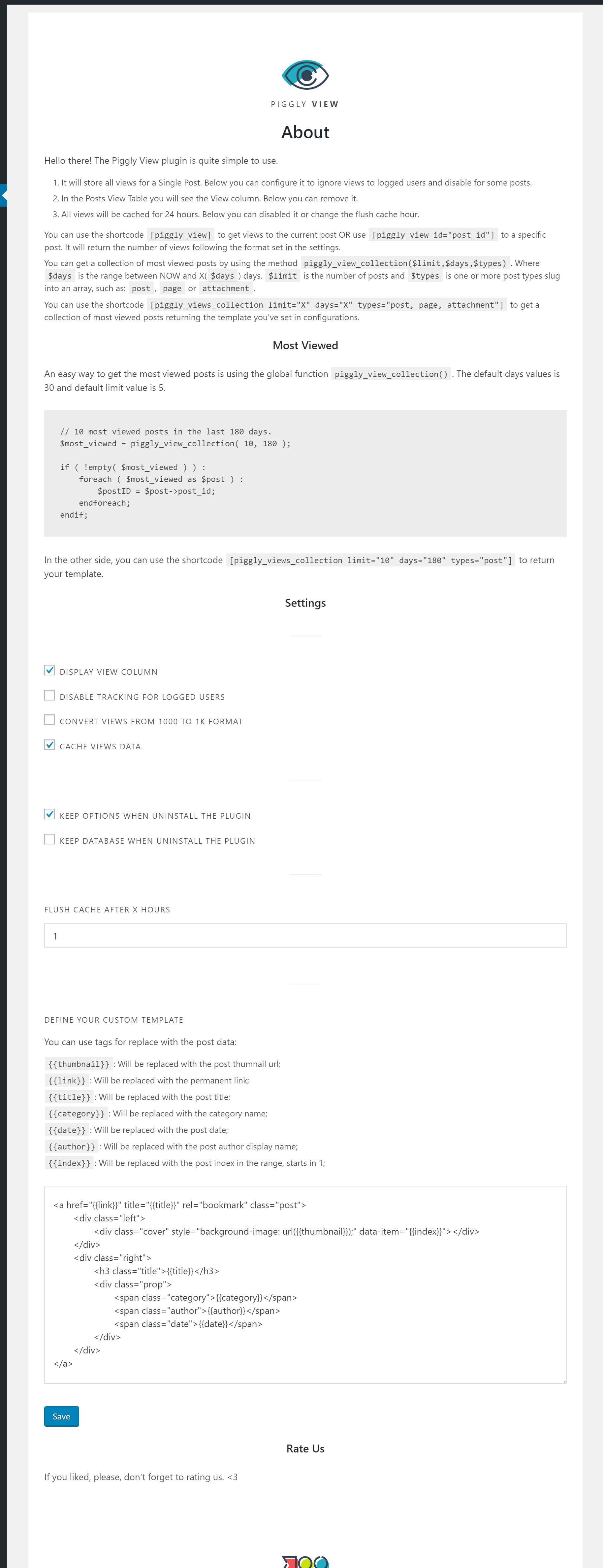
Piggly View settings.

Piggly View in Post Table Column.

Piggly View setting in Post Page.
Changelog
1.1.1
Removed the jQuery dependence for the JS code loaded when WP_CACHE is active.
And added wp_register_script to make things better.
1.1.0
Added the shortcode [piggly_views_collection] to return a collection based in a default template.
1.0.1
Now you can select one or more post type when getting a collection with piggly_views_colletion.
1.0.0
Initial release.