

PluggInsight – Maintenance Status
Easily access maintenance details for each plugin directly on the WordPress plugin page. Effortlessly stay updated on your installed plugins.
Plugin info
Maintenance & Compatibility
Maintenance score
Stale • Last updated 189 days ago • 2 reviews
Is PluggInsight – Maintenance Status abandoned?
Likely maintained (last update 189 days ago).
Compatibility
Similar & Alternatives
Explore plugins with similar tags, and compare key metrics like downloads, ratings, updates, support, and WP/PHP compatibility.
Description
PluggInsight – Maintenance Status is a lightweight, zero-configuration WordPress plugin designed to help site administrators and developers monitor the health and maintenance status of other installed plugins directly from the admin dashboard. With color coded indicators PluggInsight brings all the essential maintenance information right into the plugins page, streamlining your workflow and enhancing visibility.
Features
- Simple & Straightforward: There are no settings to configure
- Plugin Maintenance Details: Get immediate access to maintenance information for each plugin such as Last Updated details, Tested up to and the Latest Version released, right from the default plugin page itself.
- Time-saving convenience: No need to navigate away from the plugin page to check maintenance status.
- Monitor plugins removed from repo: Any plugins that were removed from WP repo, either by plugin author request or for guideline violation can be easily monitored.
- Data Sourced from Official Repository: The plugin uses the WP plugin repository API to source the data. So the data is trustworthy, as Individual plugin authors have tested and reported that their plugins are compatible with the latest WordPress versions.
- Cache: The plugin by default stores the data for a day, which means not every time you visit the plugin page a new API request is not being sent. So doesn’t affect loading speed on general use once cached.
- Clear cache functionality: Give the admin to control and clear maintenance cache data of plugins with just a single click. Admins can utilize this feature from the Maintenance Status Plugin Page.
- Colored Status Bar: A visual identity, which has 5 different colours helps you to easily identify which plugins are not updated or tested with the latest release versions. Checkout our documentation on what each color indicates.
- Decide when to update WP itself: Before updating to the latest version of WordPress, make sure all the plugins you rely on are compatible and tested with the new version. Helps you to avoid plugin conflict with new WP versions.
- Translation-ready: The plugin is fully translatable, allowing you to localize the plugin to your preferred language.
- No ads and No Upsells
- Works on local Test sites too. (Tested on localwp.)
- Works even when automatic updater is disabled.
Note
- Works only for those plugins hosted on the Official WordPress Plugin Repository.
- Data is sourced from official WordPress Plugin Repository. The plugin author has not individually verified the accuracy or validity of each plugin data.
- The plugin is designed keeping mind of those plugins that provides minimal functionality, that need not be updated but tested up to the latest version.
- The plugin uses Tested Up to Data to display this status bar.
- A plugin removed from WP repo, but still maintained from their private repo, will be only shown as plugin removed.
- The plugin checks for the latest major WP release and compare it with the major release mention in the tested up to data.
Dated: Aug 2025
Important: The WordPress API doesn’t show the reason for plugin deactivation anymore. Thereby, the plugin cannot particularly display whether the plugin was removed or not. Hence it will just display ‘Plugin not found’.
Installation
This section describes how to install the plugin and get it working.
- Search for Plugin Maintenance Status plugin in the plugin search box.
- Install the plugin through the WordPress plugins screen directly.
- Activate the plugin through the ‘Plugins’ screen in WordPress.
Frequently Asked Questions
Yes it should. As long as the plugins installed can be found in the repository, it will display the data.
For plugins installed from sources other than WP repo, will show a “Plugin not available in the repository” text instead of the plugin data.
Though it is doable, the fact that most commercial plugins are distributed directly from their sites, make it difficult. But if there are other repositories other than the default WP repo, it could be implemented.
Report it on GitHub
If you have a better idea or if you would like to add more feature. Do submit a request in the GitHub repository.
Check out our FAQ section for detailed information.
Review feed
Screenshots
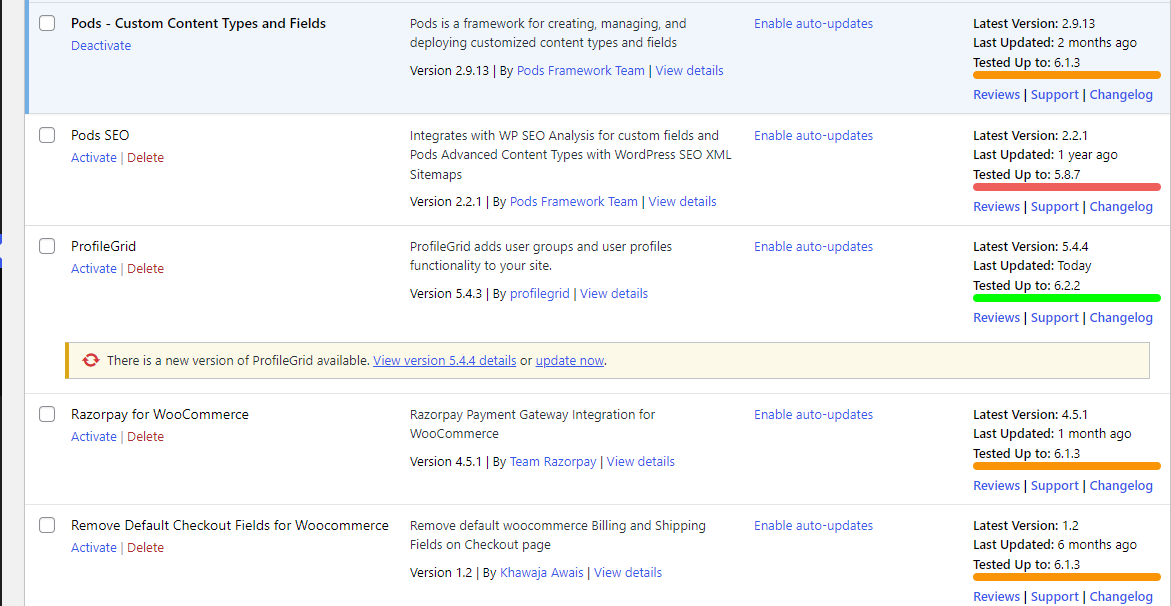
Maintenance Status Settings
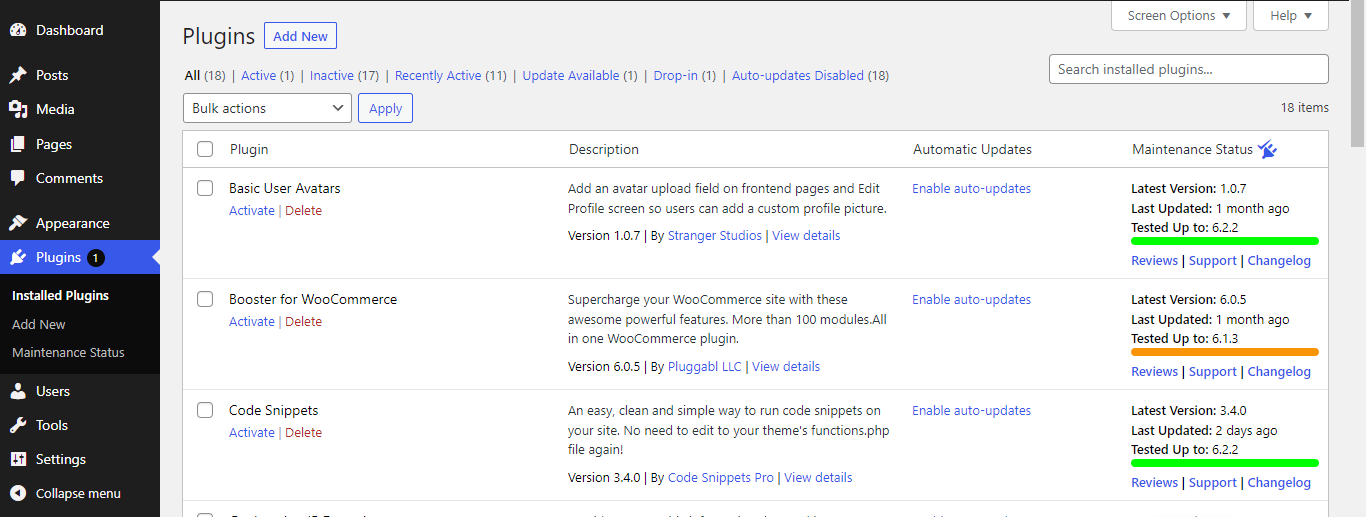
Default Plugin Page
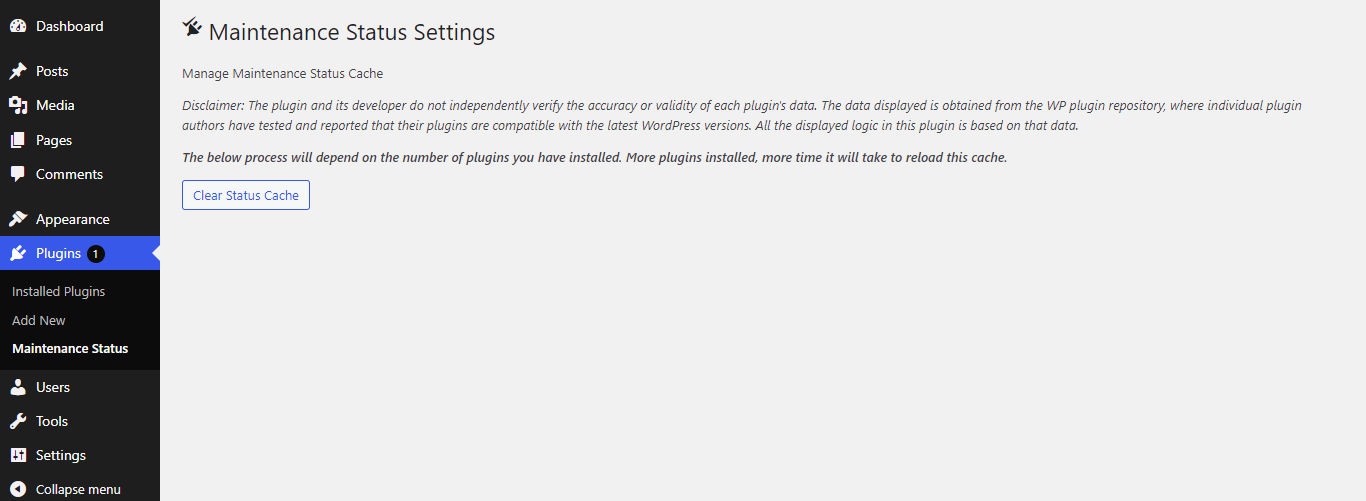
PluggInsight Settings Page
Changelog
1.0.3
- Code refactored.
- Better Cache Bursting: The plugin now correctly clears the transient cache upon deactivation, ensuring fresh data is fetched on reactivation.
- Performance Boost: The code responsible for clearing and refreshing the cache has been optimized, resulting in a ~40% increase in cache refresh speed.
1.0.2
- Version Updates for WP 6.8
1.0.1
- Supports even when automatic updater is disabled.
- Track plugins that were removed for guideline violation.
1.0.0
- Initial Release