

Plugin Detective – Troubleshooting Conflicts
Plugin Detective helps you troubleshoot issues on your site quickly and easily to find the cause of a problem. Once the culprit is found, the problem …
Plugin info
Maintenance & Compatibility
Maintenance score
Maintained • Last updated 169 days ago • 48 reviews
Is Plugin Detective – Troubleshooting Conflicts abandoned?
Likely maintained (last update 169 days ago).
Compatibility
Languages
Similar & Alternatives
Explore plugins with similar tags, and compare key metrics like downloads, ratings, updates, support, and WP/PHP compatibility.
Description
Plugin Detective helps you troubleshoot issues on your site quickly and easily to find the cause of a problem. Once the culprit is found, the problem plugin can be quickly deactivated. You can even fix your site when it has the white screen of death (fatal error). You’ll want to have Plugin Detective installed, so if your site crashes from a conflict or bad plugin update, you can get it back up and running quickly!
Plugin Detective is your best friend when you need to:
– Troubleshoot WordPress plugin conflicts
– Remove stuck .maintenance files
– Recover your site from fatal errors caused by plugins
We’ve all been there–something’s broken on your site. You’ve looked around the web for advice about what to do and have stumbled across the typical wisdom: deactivate all your plugins and then reactivate them one by one, checking your site for the problem after each reactivation.
Ugh.
Sure, it works. But who has time for that?
Find Plugin Conflicts with Detective Otto Bot
Detective Otto Bot walks you through solving your case one step at a time, all from one single screen.
- Open a case and tell Detective Otto where you’re seeing the problem. If your site requires any plugins to run correctly, tell Otto about those, too.
- Then, Otto will interrogate the suspects and track clues, checking in with you from time to time.
- All you need to do is answer “Yes, it’s fixed” or “No, it’s still broken” each time. Otto will do the rest and find the culprit in minutes.
Best of all – Plugin Detective can work even if you’re seeing the White Screen of Death on your site or if all you can see are PHP errors. Please have a look at the FAQ’s for how to access Plugin Detective and log into WordPress even if you can’t get to your login screen.
Once Otto has identified the culprit, you can quickly deactivate the troublesome plugin and go about your day.
Remove Stuck .Maintenance File or Scheduled Maintenance
Have you gotten stuck in maintenance mode on WordPress? The dreaded “Briefly unavailable for scheduled maintenance. Check back in a minute” message haunts you; the minute never ends!
With Plugin Detective installed you can quickly get out of these situations without the hassle of deleting files via your host or FTP. Just tack on this slug to the end of your website URL:
/wp-content/plugins/plugin-detective/troubleshoot/?restore=1
So that your URL looks like this:
https://yoursite.com/wp-content/plugins/plugin-detective/troubleshoot/?restore=1
This will prompt you to log in and automatically remove that stuck maintenance file for you.
Who Can Use This Troubleshooting Tool?
Plugin Detective is a tool that requires no coding experience or technical knowledge to use. For that reason, Plugin Detective is the ideal troubleshooting and conflict-checking tool for:
- Any WordPress website owner
- Developers and technical support engineers
- Plugin and theme owners and their support teams
Debug Tool Features
- Strategically activate and deactivate plugins on your site to help you find the plugin causing trouble
- Open Plugin Detective for troubleshooting on any page on your site – both in the backend and the frontend!
- Choose any subset of your active plugins as the baseline for your testing
Loved by Plugin Support Teams
The Simply Schedule Appointments and Draw Attention support teams love to share this conflict-checking tool with their customers.
Plugin Detective makes it easy for their clients to debug performance issues and figure out plugin conflicts in a jiffy!
1.2.14 – 2023-06-10
Features and Improvements
- Fix PHP 8.2 compatibility
1.2.13 – 2023-05-25
Features and Improvements
- Update required WP version to 6.1
1.2.12 – 2023-05-25
Features and Improvements
- Update required WP version to 6.1
1.2.11 – 2023-04-27
Features and Improvements
PR:#25 – Compatibility with WordPress 6.2
1.2.10 – 2023-04-11
Fixes
PR:#19 – Prevent fatal error on WP versions where WP_Textdomain_Registry doesn…
Features and Improvements
1.2.9 – 2023-03-28
Fixes
Features and Improvements
1.2.8 – 2023-03-28
Fixes
Features and Improvements
1.2.7 – 2023-03-28
Fixes
Features and Improvements
1.2.6 – 2023-02-24
- no changes
1.2.3
- Fixed for WP 6.1 compatibility
1.2.1
- Fixed for WP 5.9 compatibility
1.1.8
- Fixed for WP 5.8 compatibility
1.1.8
For older changelog entries, please see the additional changelog.txt file delivered with the plugin.
Installation
Manual Installation
- Upload the entire
/plugin-detectivedirectory to the/wp-content/plugins/directory. - Activate Plugin Detective through the ‘Plugins’ menu in WordPress.
Frequently Asked Questions
Install Plugin Detective. Then, from the WordPress admin, you’ll find Plugin Detective under the Tools menu.
Alternatively, you’ll find a Troubleshoot link added to your admin bar. Click this link on any page, admin or front end, to troubleshoot an issue you’re seeing on that page.
You can install Plugin Detective via FTP as long as you can still access your hosting account. On the Installation tab, we’ve included instructions for Manual Installation.
Once Plugin Detective is installed, head to yoursite.com/wp-content/plugins/plugin-detective/troubleshoot. You’ll be asked to log in with your WordPress username and password to make sure you have the right permissions, and then Detective Otto Bot will step you through troubleshooting just like always.
Detective Otto learns from you. While interrogating the different suspects, Otto will check in with you to see if the issue is still happening on your site or not. You just need to answer “Fixed” or “Broken” after Otto makes a change.
Each of your answers provides Otto with another clue that he can use to narrow down the list of plugins to find the one causing the problem.
There’s no time limit on the clues for Otto. Some issues are more complex than others. You can use the embedded screen Otto provides you to step through several steps to see if the issue appears, or you can even open your site in a new window and step through whatever steps it takes to replicate the problem you’re having. Once you have the answer – minutes or even hours later – you can tell Otto either “Yes, it’s fixed” or “No, it’s still broken”.
Yes, it’s much faster. Robots can be really fast at figuring out puzzles like these, and Detective Otto Bot is no exception. Rather than disabling your plugins one by one, Otto can disable groups of plugins and use your answers to quickly narrow the scope of his investigation using binary search (a fancy robot term for saving you time).
Otto was likely interrogating a group of suspects at the time. The clue that the problem was fixed only narrows it down to one suspect in that group. Give Otto a couple more rounds of interrogation, and he’ll find the exact plugin causing your problem.
No, we don’t support multisite yet. We wanted to get Plugin Detective out there for people to use as soon as possible, but there’s a good amount of work to do before it will support multisite. As you may know, multisite can get a bit complicated.
With a single install, it’s easy to determine which plugins are active and manipulate them. With a multisite, there are network-activated plugins and plugins at the site level. And theoretically, Plugin Detective could run the whole network or just look at a single site. And there are permission differences between a network admin and a site admin. So it will take some work for us to support all that. We want to see how much interest there is in supporting multisite, and get some feedback from multisite users to understand what would be most useful for them and how they’d use it.
If you’re reading this, you likely want to use Plugin Detective to troubleshoot multisite installs. Please send us an email ([email protected]) to let us know you’re interested and answer a few questions to help us build this the right way:
Would this just be a tool for you (the network admin)? Or would you want your site admins to be able to run it (and I assume they could only test their site-activated plugins, not disable any that you’ve network-activated?)
Review feed
Seems to work well
Greate Plugin
Screenshots
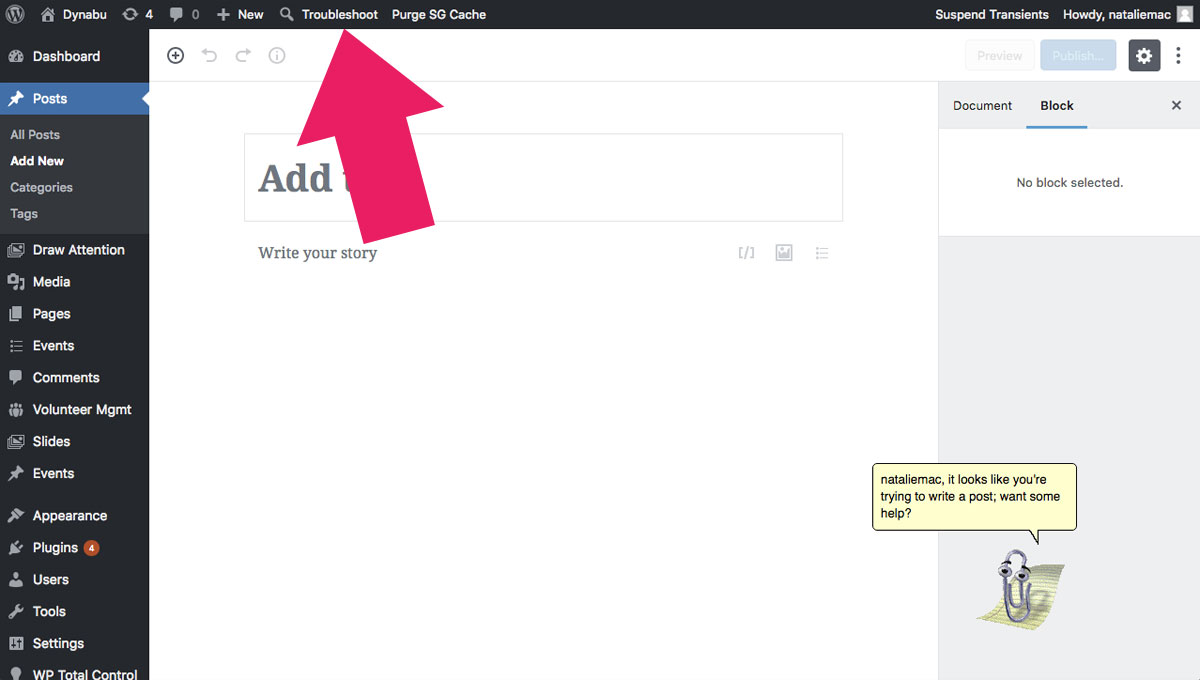
Troubleshoot link on the admin bar
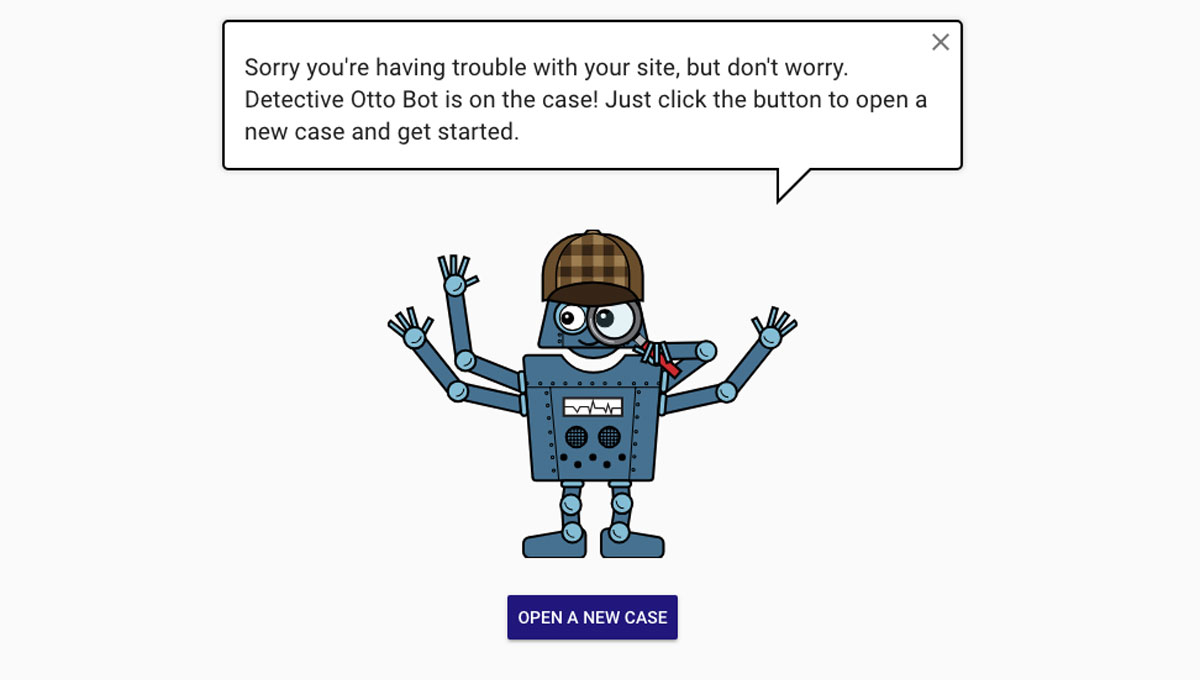
Welcome screen
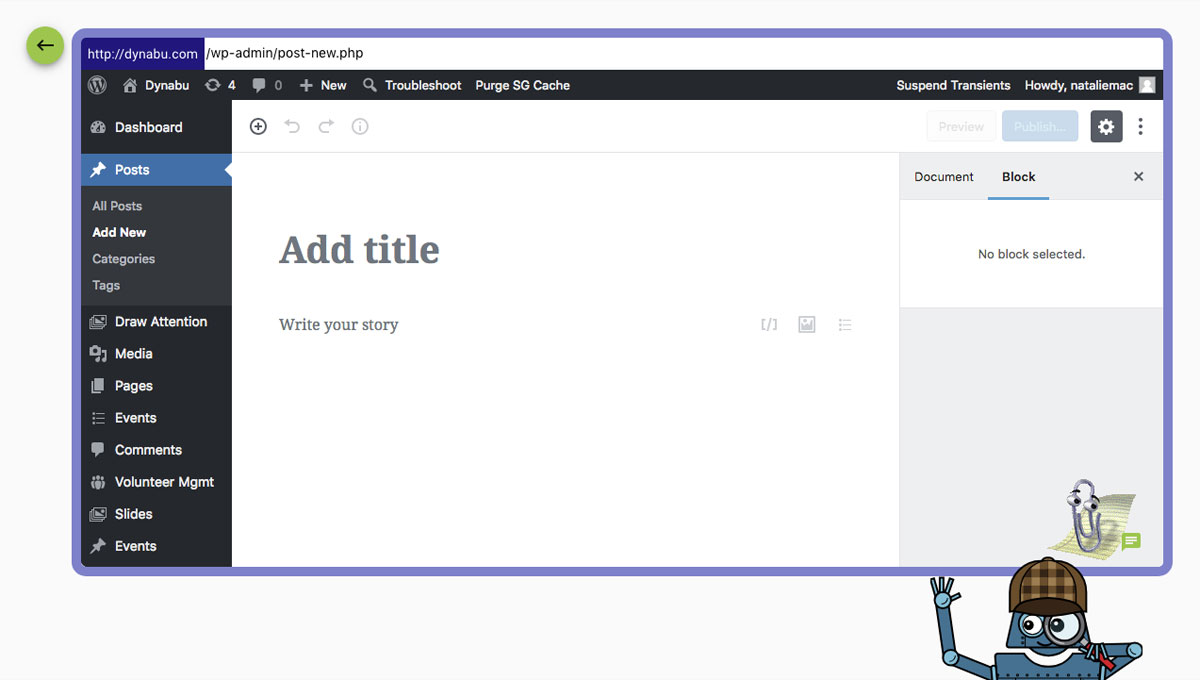
Seeing the problem on Otto's screen
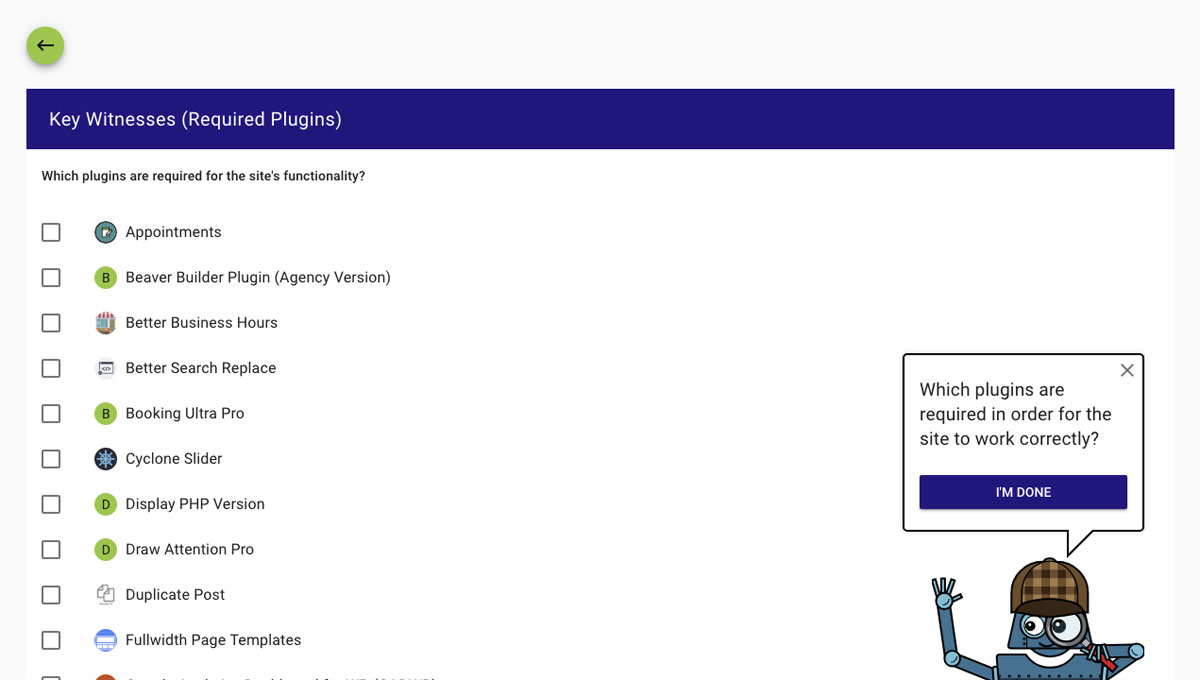
Marking the key witnesses (required plugins)
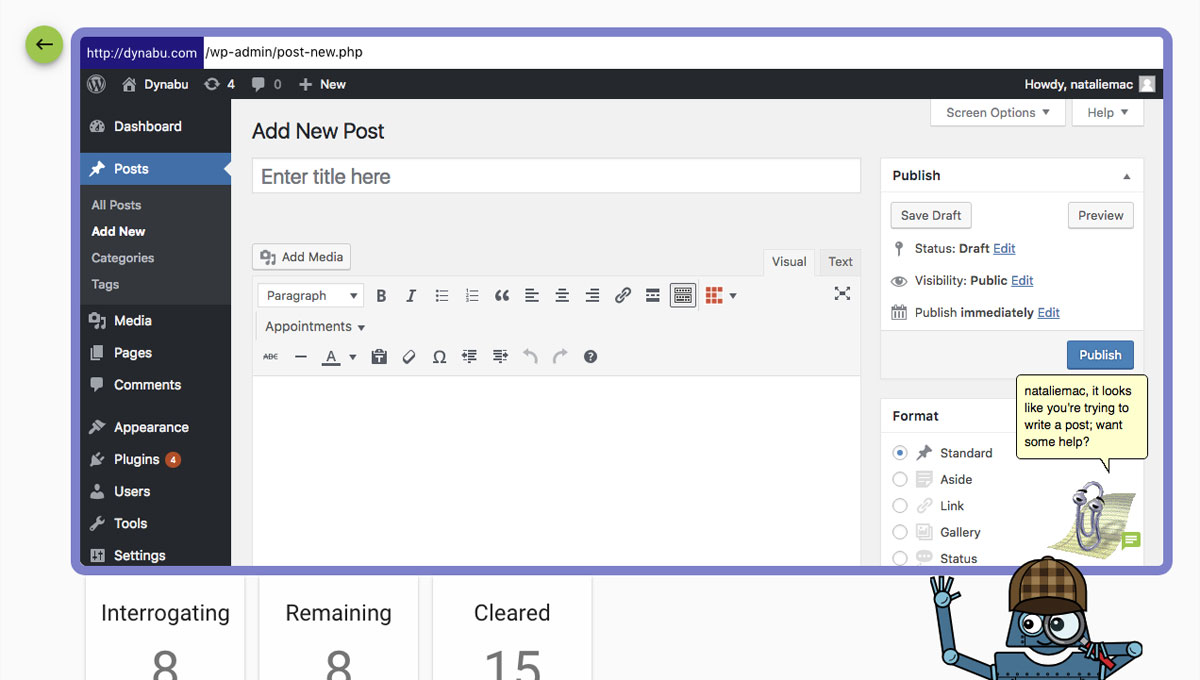
Testing Otto's screen to see if the problem is still there
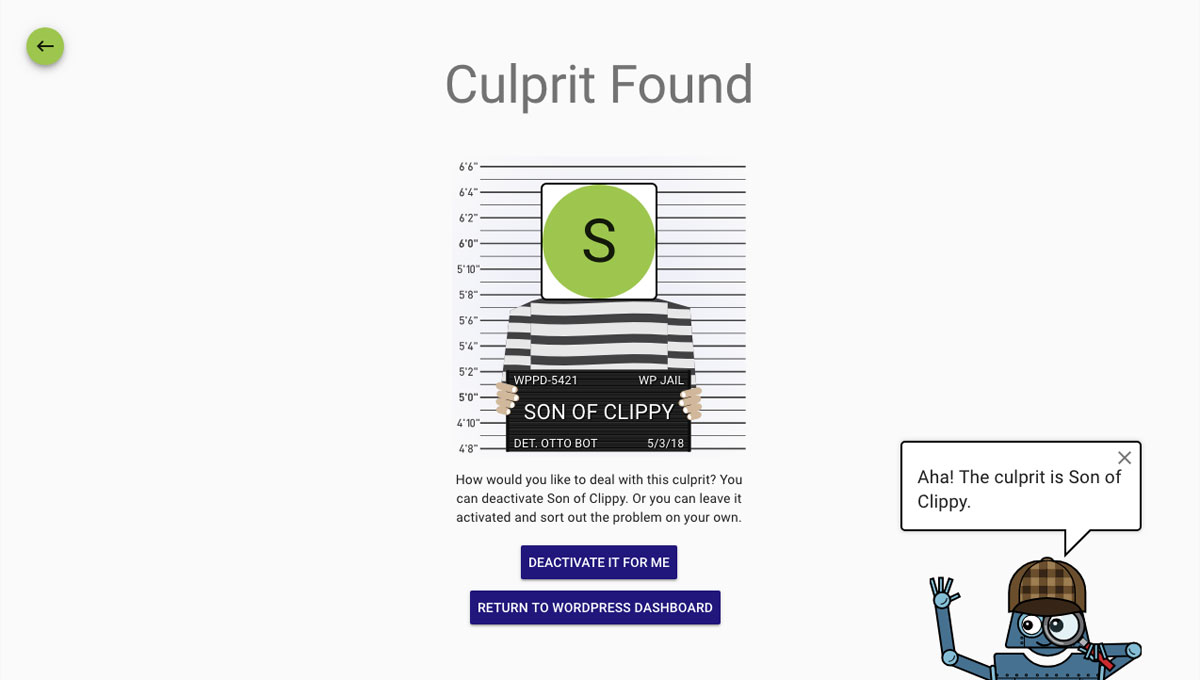
Culprit found! Option to disable the problem plugin
Changelog
1.2.3
- Fixed for WP 6.1 compatibility
1.2.1
- Fixed for WP 5.9 compatibility
1.1.8
- Fixed for WP 5.8 compatibility
1.1.8
- Fixed for WP 5.5 compatibility
1.1.6
- Fixed fatal error with WP 5.2 and some themes
1.1.4
- Fixed warning on PHP 7.3
1.1.2
- Fixed compatibility with servers running older than PHP5.5
1.1.1
- Fixed issue on some sites where there are redirects or irregularities with http://www.site.com vs http://site.com
1.1
- Added internationalized strings for future translation
1.0.14
- Improved support for HTTPS/HTTP issues on some sites
1.0.13
- Improved support for installs with wp-config.php outside of webroot
1.0.12
- Added support for sites that use wp-config-local.php
- Added support for Pantheon hosting config
- Added support for Pagely (wp-config-hosting.php file)
1.0.11
- Added warnings for multisite
- Improved searching for ABSPATH
1.0.9
- Fixed for sites with wp-content/ in a different location (make sure to define WP_CONTENT_URL and WP_CONTENT_DIR in wp-config.php)
- Fixed for sites with wp-content/ in a new location
- Added warning for iThemes Security users who need to adjust settings in order to use Plugin Detective
- Improved handling of https/http connections and mixed content warnings
- Added support for wp-content/plugin-detective-config.php (it will load before the Plugin Detective Troubleshooting app, so any required constants can also be defined there)
1.0.8
- Improved handling of unusual location for wp-config.php file
1.0.7
- Fixed issue with WordPress installs located in subdirectories
- Improved handling of unusual formatting in wp-config.php file
1.0.6
- Fixed issue with “back to WP” button in upper-left corner reactivating the plugin you just deactivated in the final step after the culprit is identified
1.0.5
- Fixed issue with unusual define() syntax in some wp-config.php files
1.0.4
- Fixed issue with required plugins not staying active during all tests
1.0.3
- Fixed issues with older PHP environments
1.0.0
- First release