
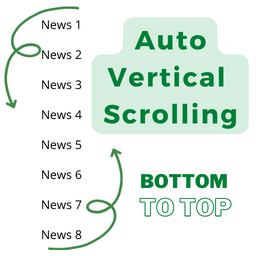
Post Auto Vertical Scrolling
Post Auto Vertical Scrolling plugins bottom to top. Simple but flexible.
Plugin info
Maintenance & Compatibility
Maintenance score
Stale • Last updated 353 days ago • 3 reviews
Is Post Auto Vertical Scrolling abandoned?
Likely maintained (last update 353 days ago).
Compatibility
Similar & Alternatives
Explore plugins with similar tags, and compare key metrics like downloads, ratings, updates, support, and WP/PHP compatibility.
Description
Any Post or any custom post category you can view Auto Vertical Scrolling bottom to top as like news tiker. Take full control over your WordPress site, build any shortcode paste you can imagine – no programming knowledge required.
Docs & Support
You can find docs, FAQ and more detailed information about Post Auto Vertical Scrolling on FB. If you were unable to find the answer to your question on the FAQ or in any of the documentation, you should check the support forum on WordPress.org. If you can’t locate any topics that pertain to your particular issue, post a new topic for it.
Why Use Post Auto Vertical Scrolling?
Post Auto Vertical Scrolling gives you all the features needed to create Post Auto Vertical Scrolling without any hassle.
Post Auto Vertical Scrolling Needs Your Support
It is hard to continue development and support for this free plugin without contributions from users like you. If you enjoy using Post Auto Vertical Scrolling and find it useful, please consider making a donation. Your donation will help encourage and support the plugin’s continued development and better user support. Find on gitlab. Gitlab
Our Other Plugins
Installation
- Upload the entire
Post Auto Vertical Scrollingfolder to the/wp-content/plugins/directory. - Activate the plugin through the ‘Plugins’ menu in WordPress.
You will find ‘Settings’ menu in your WordPress admin panel.
For basic usage, you can also have a look at the plugin web site.
Frequently Asked Questions
Do you have questions or issues with Post Auto Vertical Scrolling? Use these support channels appropriately.
Yes this plugin are fully responsive and support every mobile device.
This plugin is scrolling post or custom post bottom to top.
Review feed
Its a good plugins
Screenshots

screenshot-1.png

screenshot-2.png

screenshot-3.png

screenshot-4.png

screenshot-5.png
Changelog
2.2.2
- WP version update.
2.2.1
- WP version update.
2.2
- WP version update.
2.1
- Bug Fix.
- WP version update.
2.0
- Add new custom post type.
- Add multiple categories
- Generate shortcode place and show the main file.
1.0
- Add new post type.
- Generate shortcode place and show the main file.