

Post Date Labels
Add contextual labels (prefix/suffix) to post date blocks in the WordPress block editor.
Plugin info
Maintenance & Compatibility
Maintenance score
Stale • Last updated 310 days ago
Is Post Date Labels abandoned?
Likely maintained (last update 310 days ago).
Compatibility
Similar & Alternatives
Explore plugins with similar tags, and compare key metrics like downloads, ratings, updates, support, and WP/PHP compatibility.
Description
Post Date Labels is a lightweight WordPress plugin that enhances the post date block by allowing you to add contextual labels before and after the date. Perfect for adding context like “Published on”, “Last updated”, or custom labels to make your post dates more meaningful.
Key Features:
- Add custom prefix and suffix labels to post date blocks
- Separate labels for published and modified dates
- Automatic detection of date type (published vs modified)
- Clean, semantic HTML output with proper CSS classes
- Works seamlessly with the WordPress block editor
- Lightweight and performance-optimized
- No configuration required – works out of the box
Use Cases:
- Add “Published on” before publication dates
- Add “Last updated” before modification dates
- Include timezone information after dates
- Create custom date formatting with contextual labels
- Improve content accessibility and user experience
How It Works:
The plugin automatically detects whether a post date block is displaying the published date or modified date and applies the appropriate labels. You can customize the labels directly in the block editor sidebar when editing a post date block.
Developer Friendly:
- Clean, well-documented code
- Follows WordPress coding standards
- Extensible architecture
- Proper CSS classes for styling customization
Installation
- Upload the plugin files to the
/wp-content/plugins/post-date-labelsdirectory, or install the plugin through the WordPress plugins screen directly. - Activate the plugin through the ‘Plugins’ screen in WordPress.
- Edit any post or page and add a Post Date block.
- In the block sidebar, you’ll find new options to add prefix and suffix labels for both published and modified dates.
Frequently Asked Questions
Yes, Post Date Labels works with any theme that supports the WordPress block editor. The plugin adds semantic HTML with proper CSS classes that can be styled to match your theme.
Absolutely! The plugin adds specific CSS classes for each label type:
– .post-date-prefix and .post-date-suffix for general styling
– .post-date-published-prefix, .post-date-published-suffix for published date labels
– .post-date-modified-prefix, .post-date-modified-suffix for modified date labels
No, the plugin is designed to be lightweight and only loads minimal CSS and JavaScript when needed. It has no impact on your site’s loading speed.
Yes! The plugin automatically detects whether the post date block is showing the published date or modified date and applies the appropriate labels.
Yes, Post Date Labels is fully compatible with all major caching plugins as it doesn’t use any dynamic server-side processing that would conflict with caching.
Review feed
Screenshots
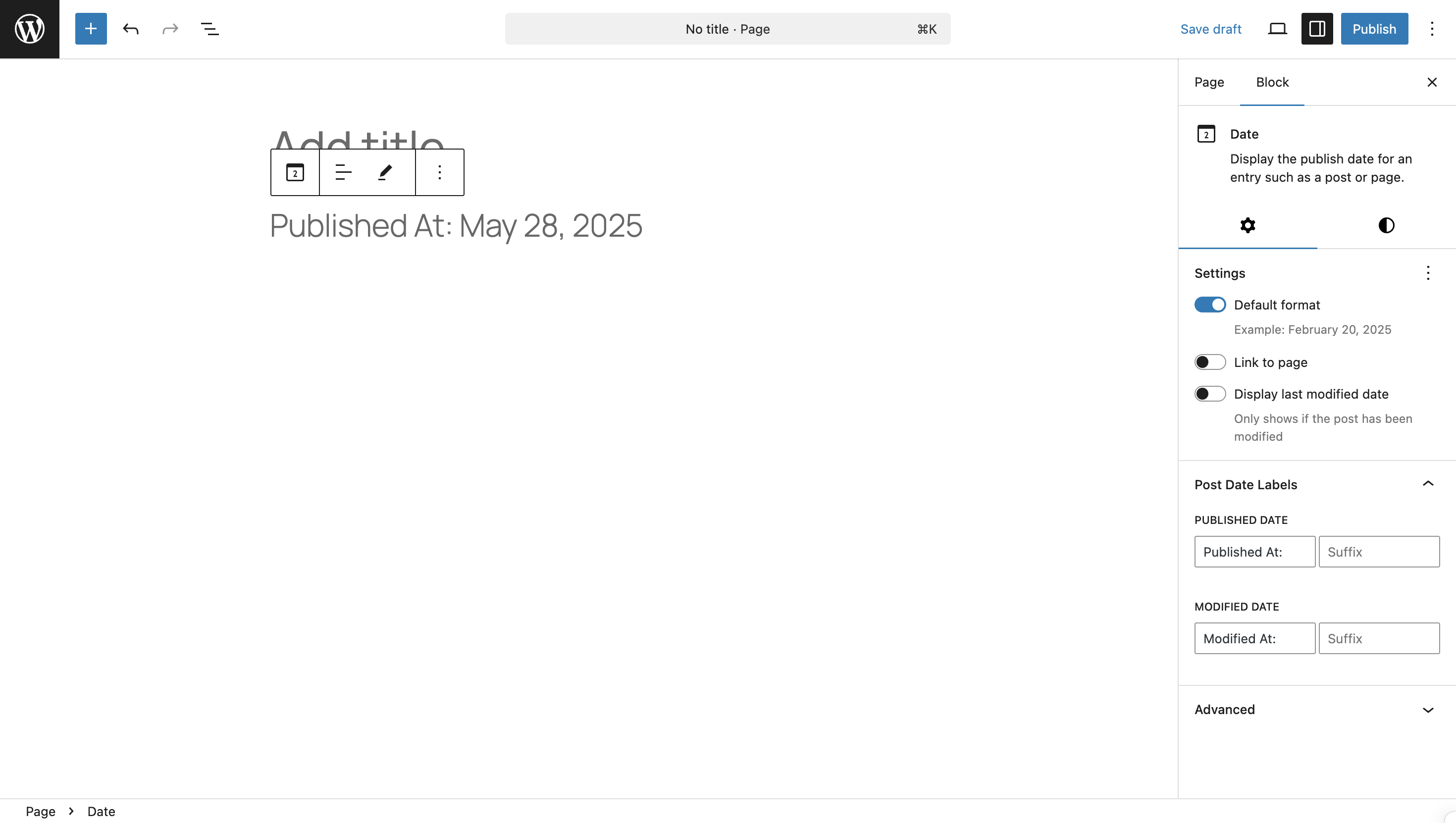
Post Date block with custom prefix and suffix labels in the editor
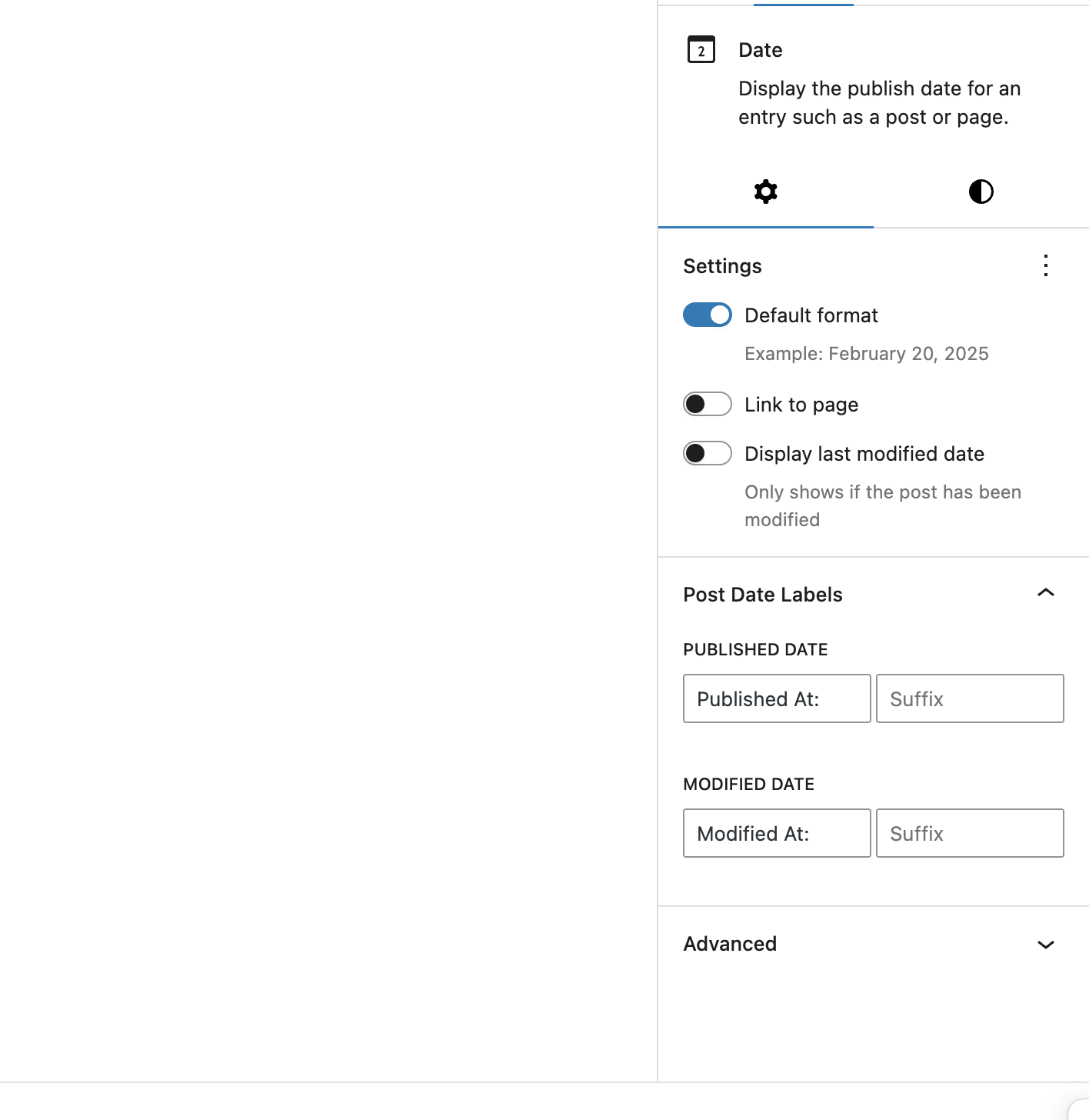
Block sidebar settings showing label configuration options
Changelog
1.0.1
- Initial release
1.0.0
- Internal release
- Add prefix and suffix labels to post date blocks
- Automatic detection of published vs modified dates
- Clean HTML output with semantic CSS classes
- Block editor integration with sidebar controls