

Post Designer
Post Designer is a WordPress plugin that adds two new Gutenberg blocks: Post List and Post Carousel. The Post List block allows you to display a list …
Plugin info
Maintenance & Compatibility
Maintenance score
Stale • Last updated 269 days ago
Is Post Designer abandoned?
Likely maintained (last update 269 days ago).
Compatibility
Similar & Alternatives
Explore plugins with similar tags, and compare key metrics like downloads, ratings, updates, support, and WP/PHP compatibility.
Description
Post Designer is a WordPress plugin that adds two new Gutenberg blocks: Post List and Post Carousel. The Post List block allows you to display a list of posts, while the Post Carousel block allows you to display a carousel of posts.
What can be designed using this plugin?
✅ Design Any Kind of Public Posts
✅ Personal Blog
✅ Magazine
✅ WooCommerce Product
✅ Blog Listing
✅ Blog Carousel
✅ Post Carousel
✅ Post Slider
✅ Content Slider
Key Features
✅ Post List block
✅ Post Carousel block
✅ Customizable settings for each block
✅ Filters posts by post type, authors, taxonomies
✅ Show-hide each section
✅ Design customization
✅ Carousel settings
✅ Responsive design
✅ Easy to use
✅ Compatible with all major browsers
Usage
✅ To use the Post List block, simply add it to a post or page like any other block. You can then customize the settings for the block, such as the number of posts to display, the order in which to display them, and the layout of the list.
✅ To use the Post Carousel block, simply add it to a post or page like any other block. You can then customize the settings for the block, such as the number of posts to display, the order in which to display them, and the layout of the carousel.
Installation
Frequently Asked Questions
Answer: Post Designer is a WordPress plugin that allows users to create and customize post lists and carousels with ease. It offers a range of design options and features to enhance the visual presentation of your posts.
Answer: Post Designer integrates seamlessly with the Gutenberg editor in WordPress. It provides custom blocks that enable users to design and style their posts using Post list and carousel blocks.
Answer: Absolutely! Post Designer offers extensive customization options. You can show-hide each section, change colors, typography, and more. You can filter posts using query filters.
Answer: Post Designer is built to work with most WordPress themes that support the Gutenberg editor. It leverages the native WordPress functionality and follows best practices for compatibility. However, some theme-specific styles and configurations may affect the appearance of your post lists and carousels.
Answer: Yes, you can use it as per your need.
Answer: Post Designer is designed with performance in mind. It follows optimized coding practices to ensure minimal impact on your website’s performance.
Answer: Yes, if you encounter any issues or have questions about the plugin, feel free to ask queries using WordPress plugin support.
Answer: Yes, it can be used on multiple sites free of cost.
Answer: Yes, please see the screenshots
Answer: We are committed to keeping Post Designer up to date with the latest WordPress version and ensuring compatibility with new features and improvements. We regularly release updates that include bug fixes, feature enhancements, and security patches.
Review feed
Screenshots

Editor view of the post list block
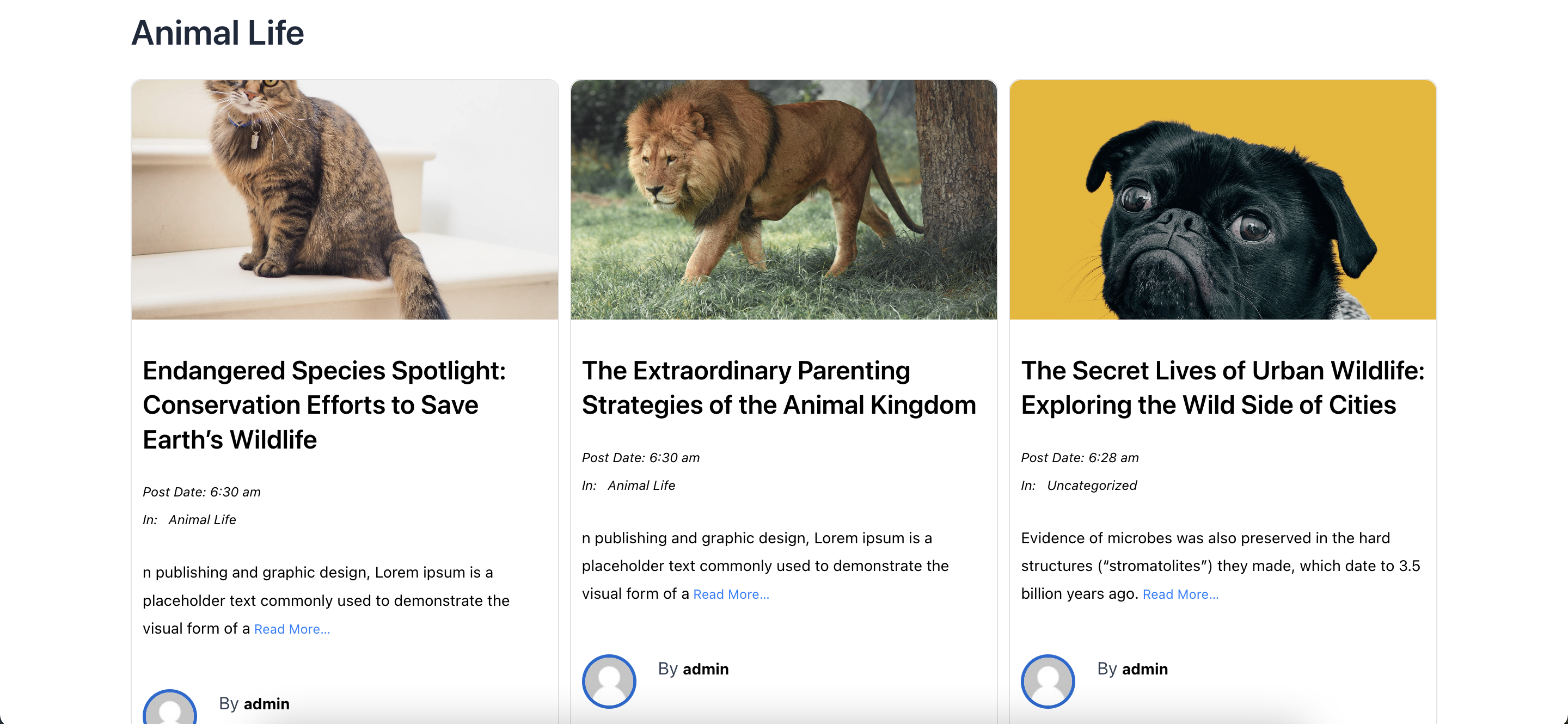
Frontend view of the post list block
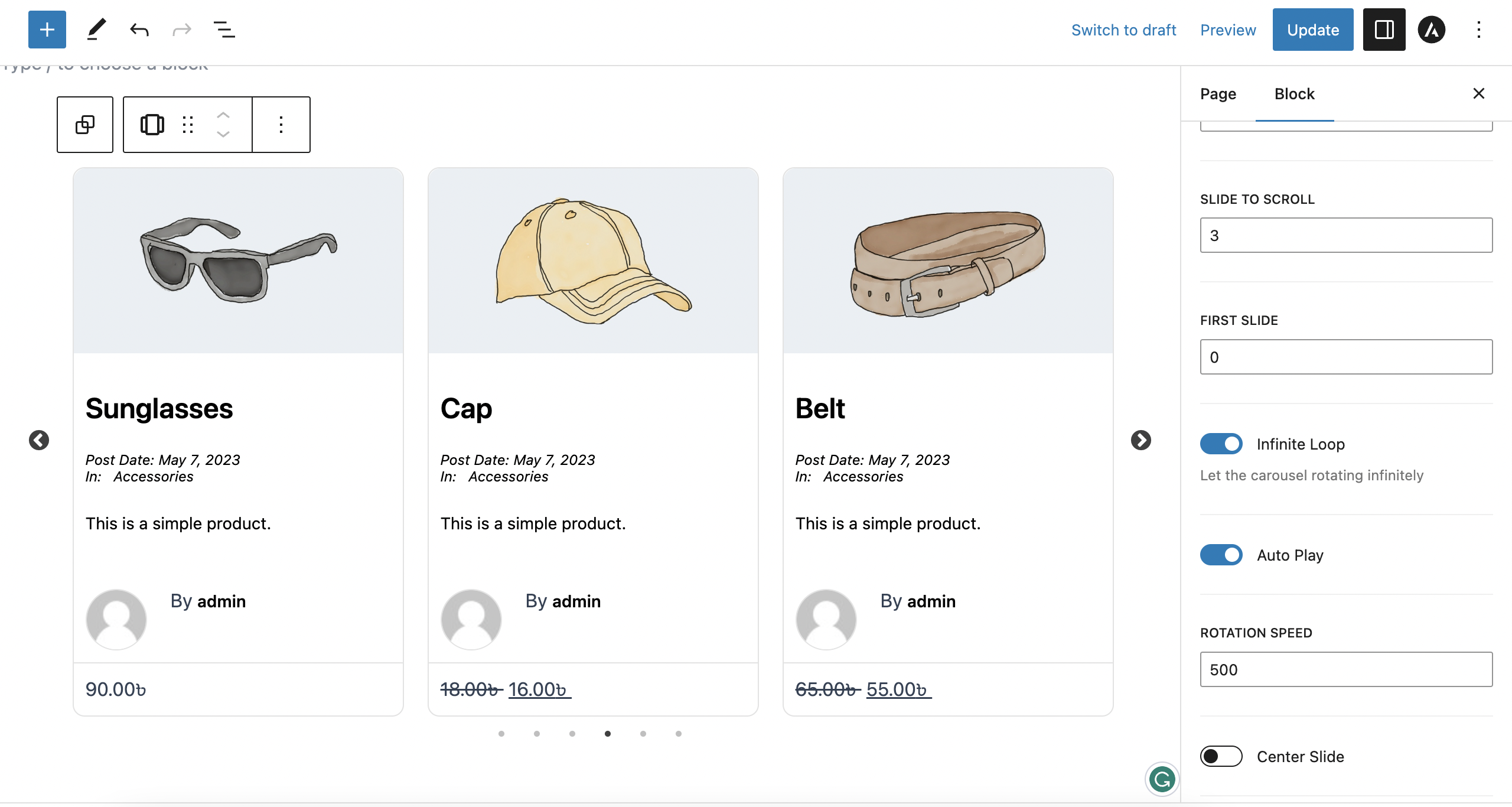
Editor view of the post carousel block

Frontend view of the post carousel block
Changelog
1.0.3 – 08 Jul, 2025
Improve: Performance optimized to load the post faster
Update: WordPress 6.8 compatibility
1.0.2 – 15 Sep, 2024
Update: Compatibility with WordPress 6.6
1.0.1 – 4 Oct, 2023
Improvements: Performance improved
Fix: SeSidebar settings section re-rendering
1.0.0
- Plugin released