
Post Grid Addon for Elementor
Addon for the Elementor page builder to display posts in a grid. Useful for generating post grid from your blog posts with multiple options.
Plugin info
Maintenance & Compatibility
Maintenance score
Maintained • Last updated 121 days ago • 72 reviews
Is Post Grid Addon for Elementor abandoned?
Likely maintained (last update 121 days ago).
Compatibility
Languages
Similar & Alternatives
Explore plugins with similar tags, and compare key metrics like downloads, ratings, updates, support, and WP/PHP compatibility.
Description
Addon for the Elementor page builder to display posts in a grid. Useful for generating post grid from your blog posts with multiple options.
View Demo | View Details | Support | Buy Pro
Key Features
- Multiple customization options and easy to use.
- Fully responsive layout for all devices.
- Create any kind of design without coding.
- Multiple layouts for post grid block.
- Several features for blog grid block.
- Compatible with all themes.
- And more…
Premium features
- Advanced Customization Options
- Assign Default Image (Works if Featured Image of the post is not available)
- Disable Title and Image Links
- Meta Setting (Includes Date Format, Comments, Author, Categories and other settings)
- Post Filter
- Pagination (Normal, Ajax and Load More)
- Custom Post Type Support
- WooCommerce and Easy Digital Downloads Support
- Exclude Posts
- Advanced Query Parameters
- Additional Layout with Overlay
Installation
- Go to Plugins > Add New and search for Post Grid Addon for Elementor, install and activate it.
- We are good to go. No configuration needed.
- The Post Grid Addon is added under WPC Elements on the Elementor page customization panel.
Frequently Asked Questions
Yes, this is an addon for the Elementor page builder, so it needs Elementor to be installed and activated to work.
Yes, it works with all themes.
Yes, it works with all FSE themes.
It comes with 5 layouts. The Premium version of a plugin comes with additional layouts and options.
No, the free version of this plugin does not have pagination. You need to upgrade to the premium version if you want to add pagination.
Review feed
Fits in with Gutenberg
Screenshots

Layout 1 (Default)
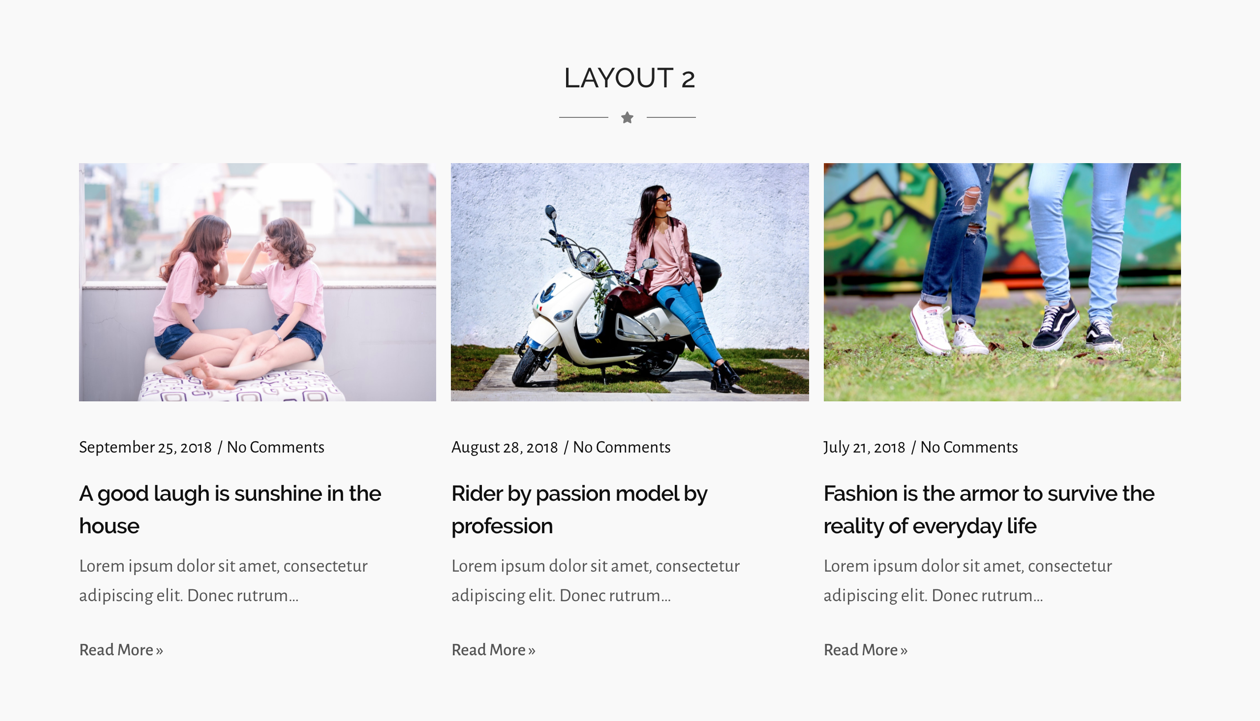
Layout 2

Layout 3

Layout 4

Layout 5

Curve Image Layout
Changelog
2.0.23 – 2025-12-05
- Update tested up to 6.9
2.0.22 – 2025-09-16
- Rename plugin
2.0.21 – 2025-04-25
- Update tested up to 6.8 + fix PHP errors in vendor/ernilambar/wp-welcome
2.0.20 – 2024-11-14
- Update tested up to 6.7
2.0.19 – 2024-10-19
- Update output of HTML classes
2.0.18 – 2024-08-12
- Update tested up to
2.0.17 – 2024-04-20
- Fix tag title
2.0.16 – 2023-12-11
- Update tested up to
2.0.15 – 2023-11-21
- Update contributor
2.0.14 – 2023-07-28
- Update Author Info
2.0.13 – 2023-05-25
- Update Admin Notice package
2.0.12 – 2023-02-20
- Fix PHP 8 issue
2.0.11 – 2022-12-15
- Fix admin links
2.0.10 – 2022-10-10
- Update dashboard
2.0.9 – 2022-09-08
- Fix class names
- Minor bug fixes
2.0.8 – 2022-07-4
- Fix admin notice
- Minor bug fixes
2.0.7 – 2022-05-26
- Tested with latest version (6.0) of WordPress
- Demo, documentation and other links added
2.0.6 – 2022-01-26
- Tested with latest version (5.9) of WordPress
- Fixed alignment icons missing on backend
- FAQs updated
2.0.5 – 2021-07-15
- PHP error fixed in PHP 7.1
2.0.4 – 2021-07-14
- Minor bug fixes
- Add welcome page
2.0.2 – 2021-06-29
- Updated Color and Typography options
2.0.1 – 2021-06-28
- Show published posts only
2.0.0
- Global Typography and Color compatibility added
- Removed depreciated color and typography schemes
- Removed hardcoded colors
1.0.7
- Tested with latest version (5.4.1) of WordPress
- Hover color added for title and read more button
1.0.6
- Tested with latest version (5.4) of WordPress
- Author and Demo URL updated
- Screenshots added
1.0.5
- Tested with latest version (5.2.4) of WordPress
- Demo URL updated
1.0.4
- Demo URL updated
1.0.3
- Author and Plugin URI updated
1.0.2
- Demo and Plugin Detail URL updated
1.0.1
- Minor CSS issue fixed
- Default color for title, meta and content added
- Class issue at layout 5 fixed
1.0.0
- Initial Release