

Post Migration Checklist
Helps site administrators perform a comprehensive checklist and scan after migrating a WordPress website. Identifies issues related to SEO, performanc …
Plugin info
Maintenance & Compatibility
Maintenance score
Stale • Last updated 212 days ago
Is Post Migration Checklist abandoned?
Likely maintained (last update 212 days ago).
Compatibility
Similar & Alternatives
Explore plugins with similar tags, and compare key metrics like downloads, ratings, updates, support, and WP/PHP compatibility.
Description
The Post Migration Checklist plugin is an essential tool for any WordPress site administrator managing a website migration. Moving a WordPress site can introduce various issues, from broken links and mixed content to SEO visibility problems and performance regressions. This plugin provides a streamlined and systematic approach to verify your site’s health and configuration in its new environment.
It offers a detailed checklist covering critical areas such as:
* Technical Configuration: WordPress version, site URLs, WP_DEBUG status, memory limit, permalinks.
* Security Checks: Admin users, plugin/theme updates, unused items, 2FA, security plugins.
* Performance: Caching, lazy loading, minification, image optimization, TTFB, page size.
* SEO & Marketing: Meta tags, noindex, search engine visibility, robots.txt, sitemap.xml, canonical URLs, analytics.
* HTTPS / SSL: SSL certificate validation, mixed content, HTTP to HTTPS redirects, HSTS.
* Email Configuration: SMTP setup, email sending tests.
* E-Commerce (WooCommerce): Checkout, payment gateways, transactional emails (if WooCommerce is active).
* Forms & Interactions: Contact forms, file uploads, reCAPTCHA.
* Files & Folders: Favicon presence, exposed backup/sensitive files.
* Cleanup: Default content, development plugins, media library.
* Accessibility: ALT tags (manual review).
* Redirection & Legacy Support: 301 redirects, broken links, .htaccess rules.
* Multilingual / Multisite: Language switchers, translations, hreflang tags (if applicable).
The plugin performs automated scans for many items and provides clear “pass,” “fail,” “warning,” or “info” statuses, along with actionable recommendations for items requiring manual verification or correction. Ensure your site is fully operational, secure, and optimized post-migration with ease.
Installation
- Download the plugin ZIP file from WordPress.org.
- Upload the plugin through the ‘Plugins > Add New’ screen in your WordPress dashboard.
- Click ‘Install Now’ and then ‘Activate Plugin’.
- Alternatively, unzip the
post-migration-checklist.zipfile and upload thepost-migration-checklistfolder to the/wp-content/plugins/directory via FTP/SFTP. - Activate the plugin through the ‘Plugins’ menu in WordPress.
- Navigate to the “Migration Checklist” menu item in your WordPress admin dashboard (under the main Dashboard menu) to start using the plugin.
Frequently Asked Questions
It checks for a wide array of post-migration issues including site URL inconsistencies, permalink structure, WP_DEBUG status, caching, SSL configuration, robots.txt, sitemap.xml, security vulnerabilities (like admin users and old dev plugins), and more.
Yes, this plugin works independently of your theme and should be compatible with most standard WordPress setups. It focuses on core WordPress configuration, server responses, and plugin/theme statuses.
No, this plugin primarily identifies potential issues and provides actionable recommendations. It acts as a diagnostic tool, guiding you on what needs to be fixed. It does not automatically change your site’s files or database.
Yes, it’s designed to be run on the target production site itself after migration. However, as with any diagnostic tool that performs network requests, it’s always recommended to exercise caution and have backups.
Some aspects, like content quality, specific form functionality, or the visual appearance of fonts, cannot be reliably checked automatically. For these, the plugin provides a reminder for you to manually inspect them.
Review feed
Screenshots
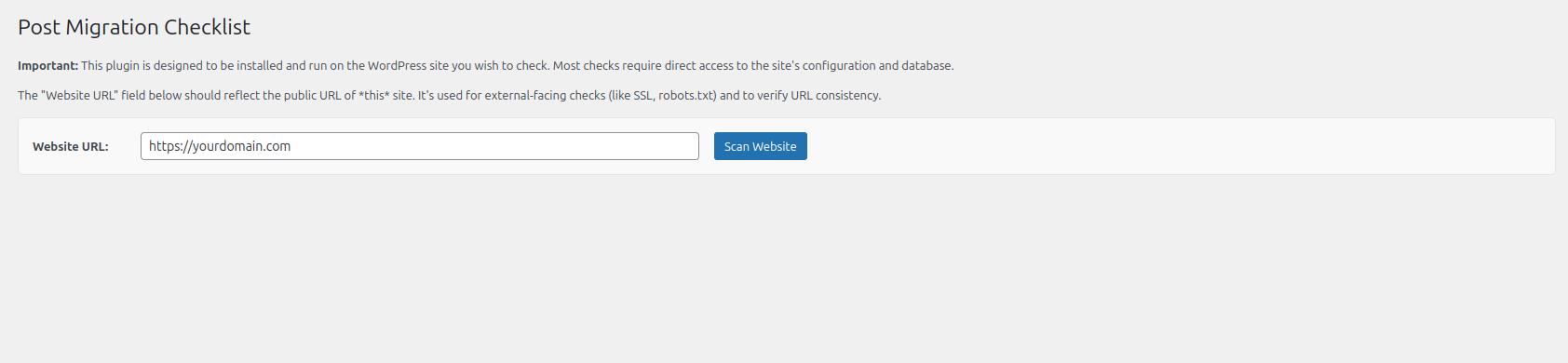
Screenshot of the main Post Migration Checklist dashboard with the "Scan Website" button.
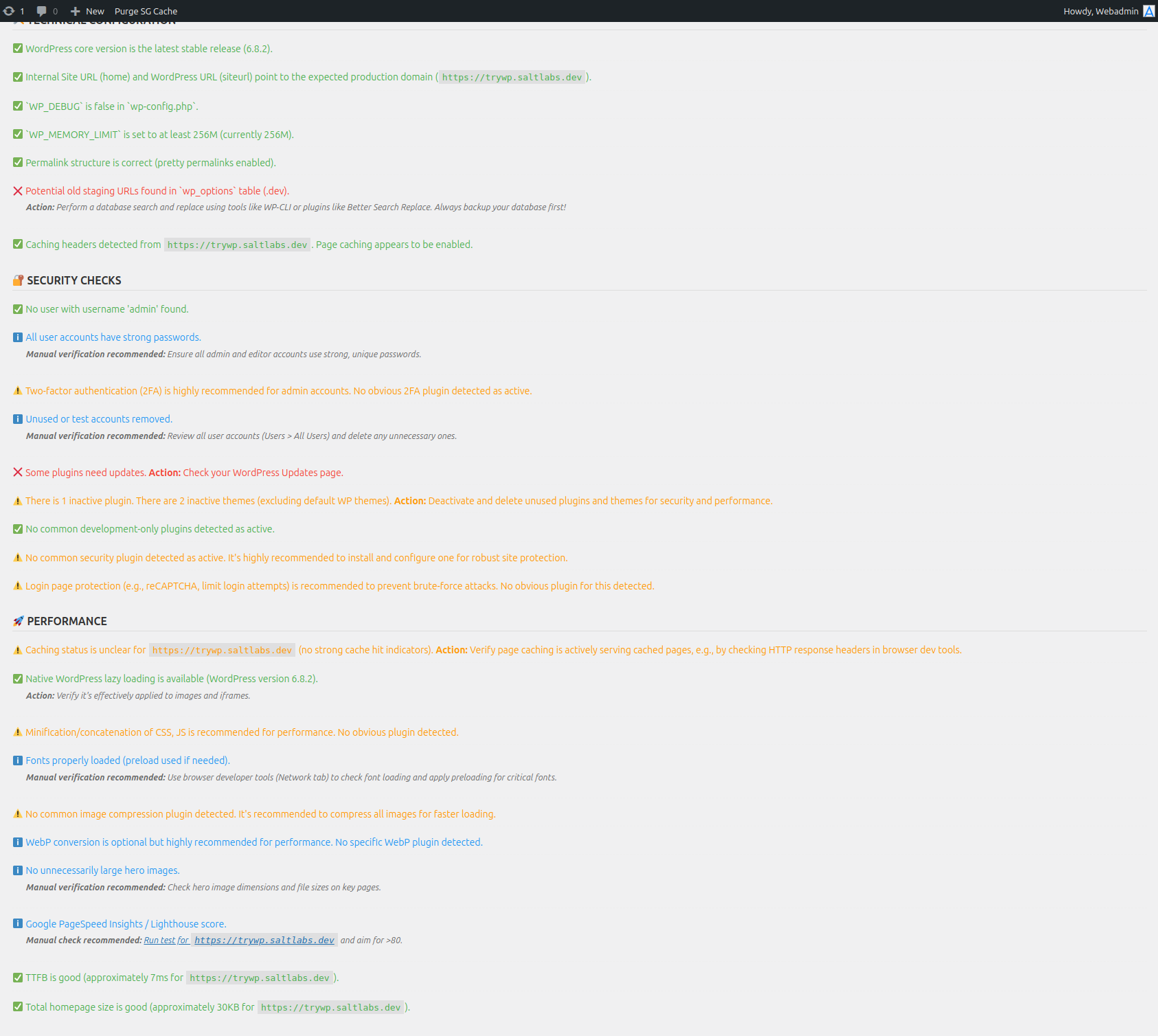
Screenshot illustrating successful scan results for a category.
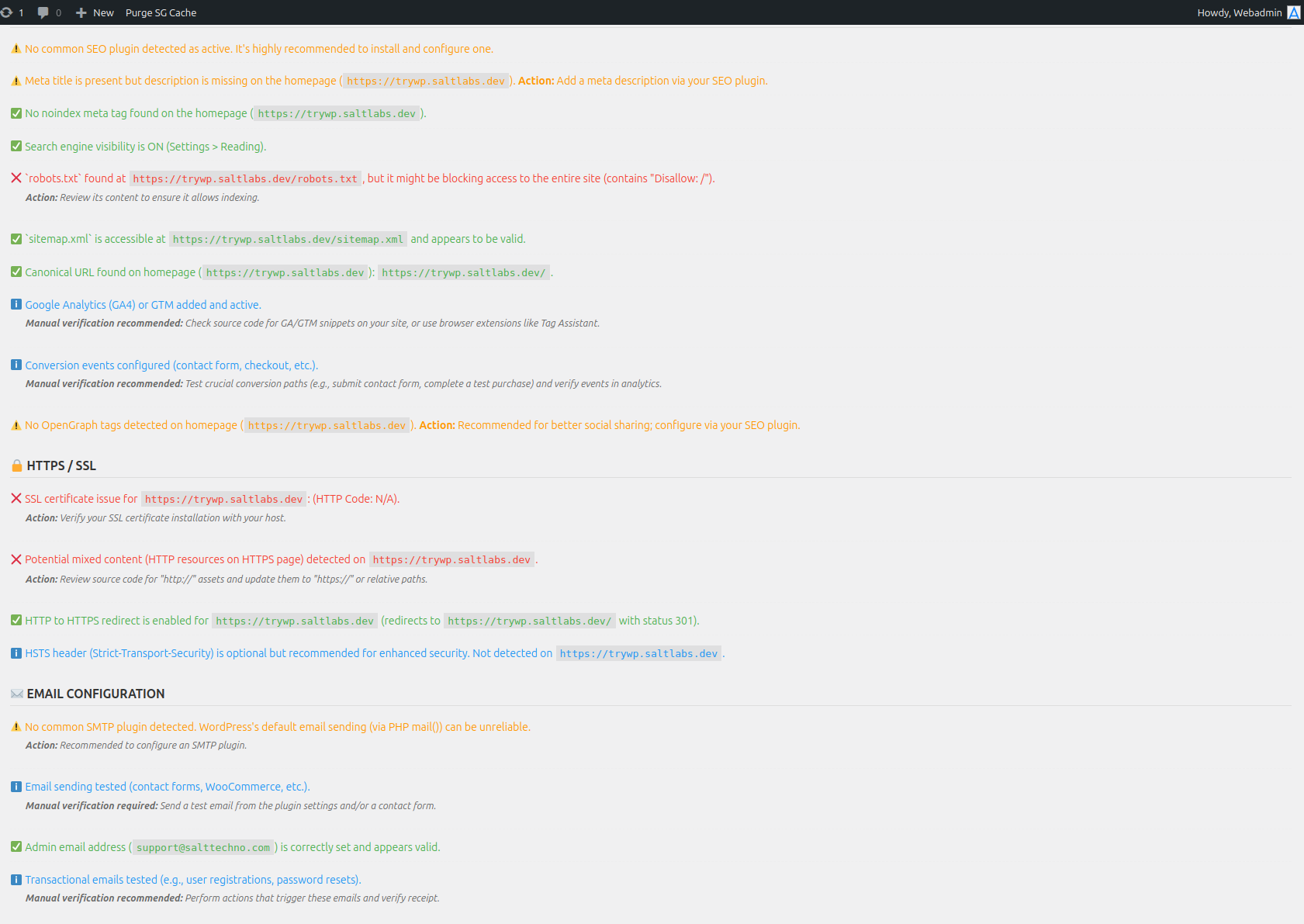
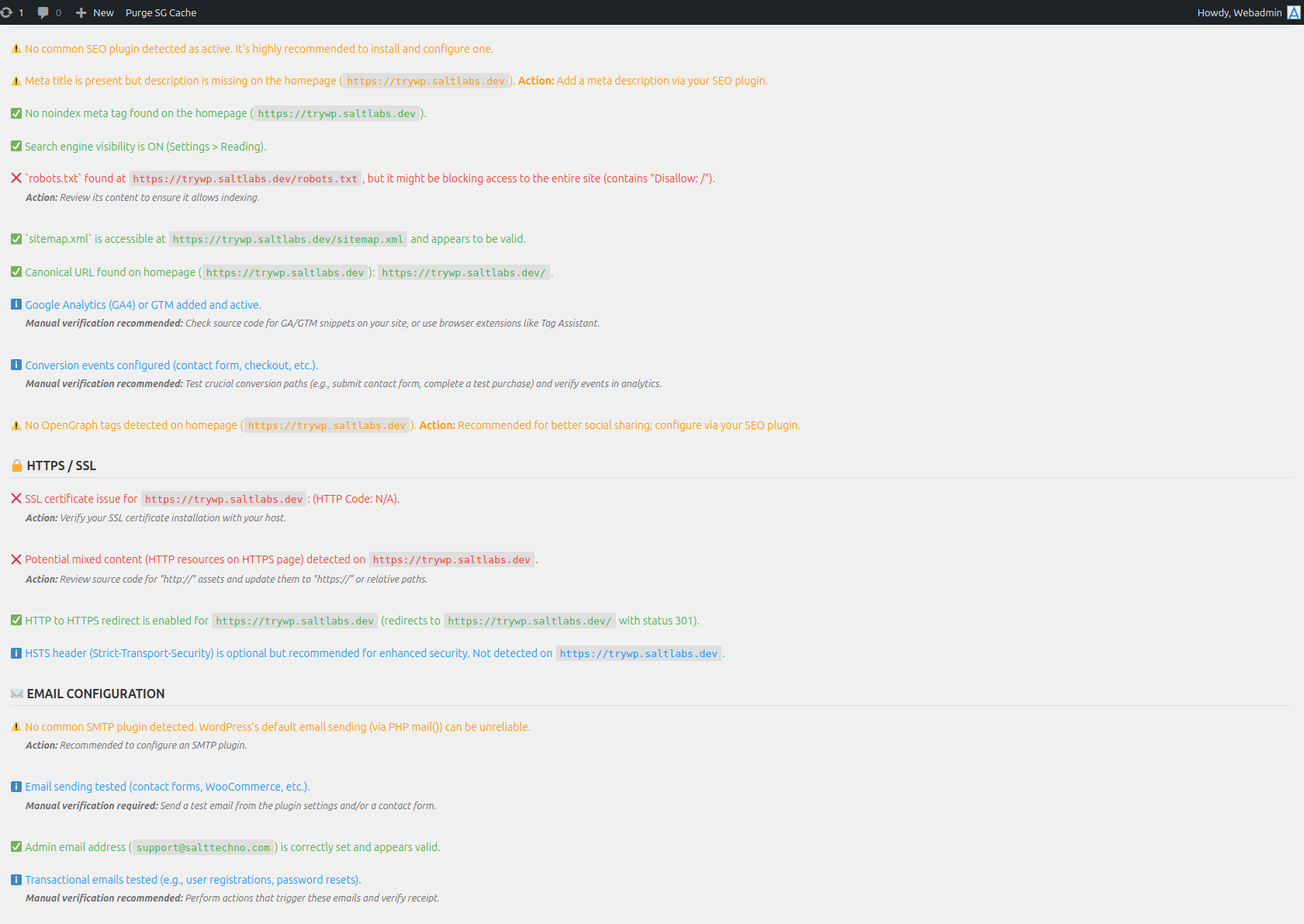
Screenshot showing warnings and failures, with actionable advice for some checks.
Screenshot of the plugin's admin menu item.
Changelog
1.0.0
- Initial release of the Post Migration Checklist plugin.
- Implemented core scanning functionalities for various categories (Technical, Security, Performance, SEO, HTTPS, Email, E-commerce, Forms, Files, Cleanup, Accessibility, Redirection, Multilingual).
- Added a dedicated admin interface for running scans and viewing results.
- Introduced comprehensive error handling and user feedback.
- Ensured full internationalization support.
- Adhered to WordPress.org plugin submission guidelines.