

Plugin info
Maintenance & Compatibility
Maintenance score
Possibly abandoned • Last updated 498 days ago • Support resolved 0%
Is Post Network abandoned?
Possibly abandoned (last update 498 days ago).
Compatibility
Similar & Alternatives
Explore plugins with similar tags, and compare key metrics like downloads, ratings, updates, support, and WP/PHP compatibility.
Description
Post Network makes it easier to find isolated articles on your site by visualizing internal links in graphs, helping to improve user flow and SEO.
Usage
After installing the plugin, select
“Post Network->Visualize” from the admin panel.
You can also set the options for displaying the graph from
“Post Network->Settings” in the admin panel.
You can display the graph on the frontend by using a shortcode.
Simply add the [post-network] shortcode to the page where you want to display the graph.
Installation
- Upload post-network to your /wp-content/plugins/ directory or download through the Plugins page.
- Activate the plugin through the ‘Plugins’ menu in WordPress.
Frequently Asked Questions
Review feed
Screenshots
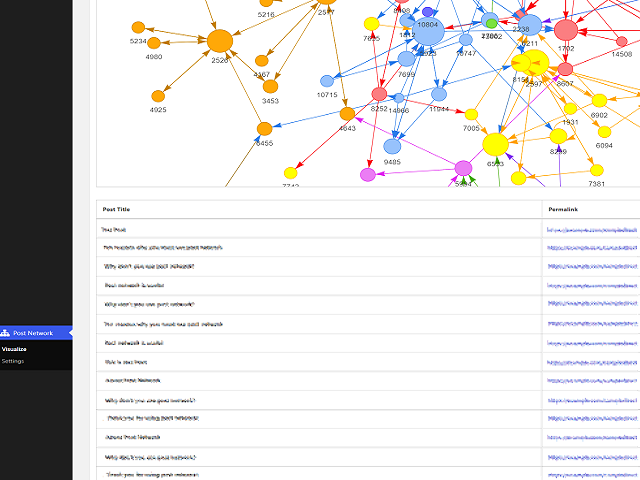
screenshot-1.png

screenshot-2.png

screenshot-3.png
Changelog
1.5.0
- Added shortcode
- WordPress 6.6
1.4.3
- Fixed some errors
- WordPress 6.4
1.4.2
- Fixed activation error
- WordPress 6.2
1.4.1
- Fixed activation error
- PHP8.0
- WordPress 6.1
1.4.0
- Add “Indicate post status in label” to setting
- Add “Post type to include” to setting (“Include pages” option removed)
- WordPress 6.0
1.3.1
- Fixed php notice errors
1.3.0
- Add “Include pages” option to setting
- Hooks added
- Fixed php notice errors
- Code refactoring
1.2.0
- Add “None” option to Graph label
- Display loading icon while drawing the graph
- Add link to settings on the plugin page
- Code refactoring
1.1.0
- Add “Include published post only” to setting
- Graphs color-coded by post category
- Display post title on hover to each node
- WordPress 5.9