

Maintenance 28/100398d since update
Active installs
300
Downloads
8,877
Reviews
4
Age
8.7y
Plugin info
Total downloads: 8,877
Active installs: 300
Total reviews: 4
Average rating: 5
Support threads opened: 0
Support threads resolved: 0 (0%)
Available in: 1 language(s)
Contributors: 1
Last updated: 3/1/2025 (398 days ago)
Added to WordPress: 7/8/2017 (8 years old)
Minimum WordPress version: 5.0
Tested up to WordPress version: 6.5.7
Minimum PHP version: 7.1
Maintenance & Compatibility
Maintenance score
Possibly abandoned • Last updated 398 days ago • 4 reviews
28/100
Is Post Carousel & Slider abandoned?
Possibly abandoned (last update 398 days ago).
Compatibility
Requires WordPress: 5.0
Tested up to: 6.5.7
Requires PHP: 7.1
Similar & Alternatives
Explore plugins with similar tags, and compare key metrics like downloads, ratings, updates, support, and WP/PHP compatibility.
Post Sliders
Rating 4.0/5 (2 reviews) • Active installs 200
Slider Future
Rating 0.0/5 (0 reviews) • Active installs 0
Carousel, Slider, Photo Gallery with Lightbox, Video Slider, by WP Carousel
Rating 4.7/5 (419 reviews) • Active installs 70,000
Blog Designer Pack – Blog, Post Grid, Post Slider, Post Carousel, Category Post, News
Rating 4.7/5 (72 reviews) • Active installs 30,000
Ultimate Post Kit Addons for Elementor
Rating 4.8/5 (55 reviews) • Active installs 30,000
Smart Post Show – Post Grid, Post Carousel & Slider, and List Category Posts
Rating 4.7/5 (202 reviews) • Active installs 20,000
Description
You can create a post slider and carousel for your WordPress site. All you need to do is just a few clicks and your slider will be ready.
The slider uses auto-generated shortcodes for making it easier to add it to the custom location.
Features
- You can create multiple post sliders with different options at single page or post
- Custom post type support
- Ascending or descending order and Sort retrieved posts
- Show posts associated with certain categories, taxonomies & tags
- Show posts based on a keyword search
- CSS animation https://daneden.github.io/animate.css/
- Given multiple design option
- Work with Mousewheel & Touch swipe
Support this plugin
Contact me at [email protected] if you have any questions
And don’t forget to rate this plugin if you like it.
Thank You
Installation
Admin Installer via search
- Visit the Add New plugin screen and search for “Post Carousel & Slider”.
- Click the “Install Now” button.
- Activate the plugin.
- Navigate to the “Post Carousel & Slider” Menu.
Admin Installer via zip
- Visit the Add New plugin screen and click the “Upload Plugin” button.
- Click the “Browse…” button and select zip file from your computer.
- Click “Install Now” button.
- Once done uploading, activate Post Carousel & Slider.
Manual
- Upload the Post Carousel & Slider folder to the plugins directory in your WordPress installation.
- Activate the plugin.
- Navigate to the “Post Carousel & Slider” Menu.
Frequently Asked Questions
A. You can update HTML code here also add new class as per your requirement.
Review feed
Patel
Useful for create slider and carousel
Useful for create slider and carousel
Screenshots
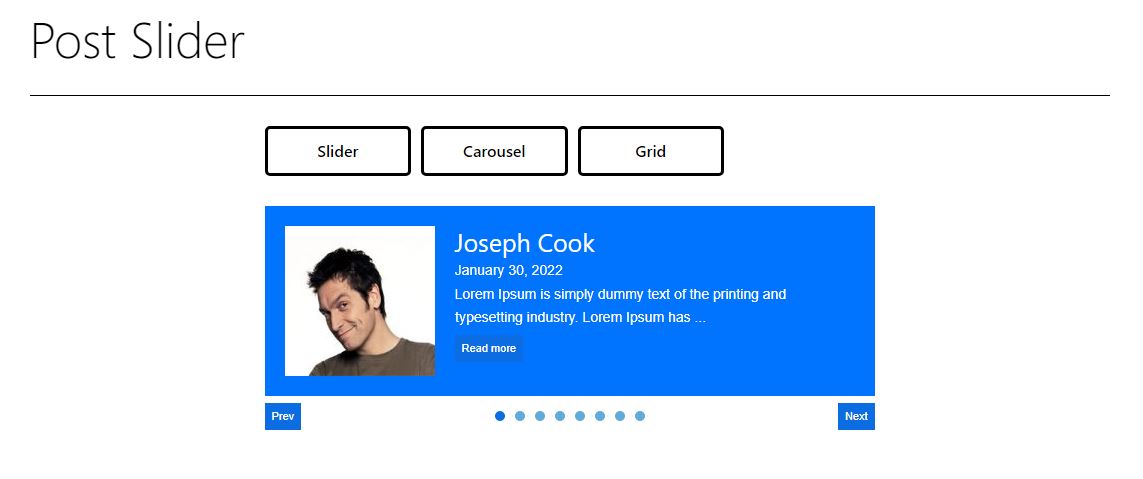
Post slider

Post carousel

Post grid
Changelog
See changelog.txt for older changes.