
Post/Page Specific Custom Code
Add custom CSS to posts, pages, or WooCommerce products, with optional archive support. Includes a dedicated editor box.
Plugin info
Maintenance & Compatibility
Maintenance score
Stale • Last updated 256 days ago • 42 reviews
Is Post/Page Specific Custom Code abandoned?
Likely maintained (last update 256 days ago).
Compatibility
Similar & Alternatives
Explore plugins with similar tags, and compare key metrics like downloads, ratings, updates, support, and WP/PHP compatibility.
Description
Post/Page/Product-specific custom code allows you to add custom CSS styles to individual posts, pages, or WooCommerce products. It provides a dedicated area in the editor screen where you can write your CSS code. You can also choose whether the CSS should apply only to the single view or also to archive-type views.
A new meta box will appear below the content editor on the edit screen for posts, pages, and products. You can enter any custom CSS there and decide whether it loads only on the single view or also on archive pages like category listings or product grids.
Requirements
This plugin requires at least WordPress 5.0 (remember always to keep your WordPress installation up to date!) and PHP 7.4 on your server.
Installation
Automatic installation
Automatic installation is the easiest way. Simply log in to your WordPress admin panel, go to the Plugins menu, and click “Add New”.
In the search field, type Post/Page Specific Custom Code and click Search Plugins. Then click the “Install Now” button.
Manual installation
- Upload the
post-page-specific-custom-cssfolder to the/wp-content/plugins/directory. - Activate the plugin through the ‘Plugins’ menu in WordPress.
- That’s it – enjoy! 🙂
Frequently Asked Questions
Yes, it’s licensed under GPLv2 (or later). However, if you’d like to support my work, you’re welcome to make a donation of a few dollars. I won’t stop you 🙂
Review feed
Great plugin!
A very useful plugin
Screenshots
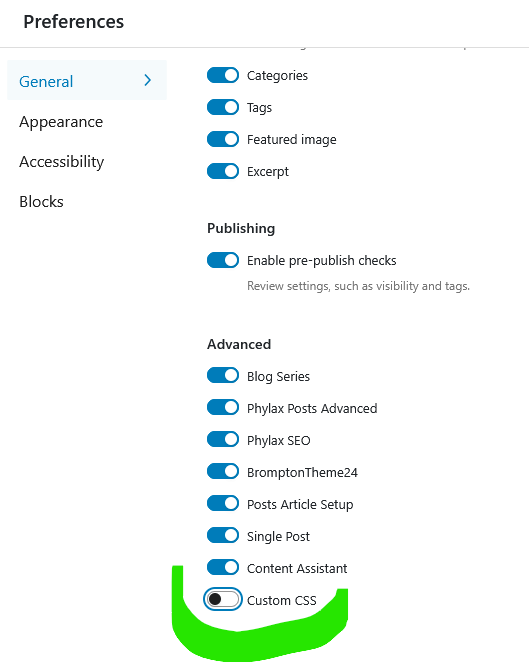
If you don't see the CSS panel, open Screen Options and make sure "Custom CSS" is checked.
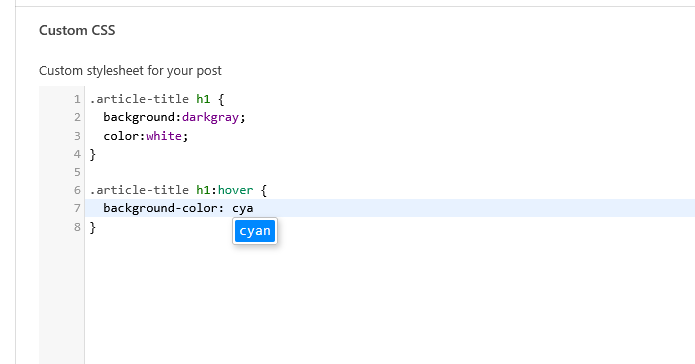
Enter CSS code that will apply only to your post or page. You can force the plugin to apply it only on single post/page views.
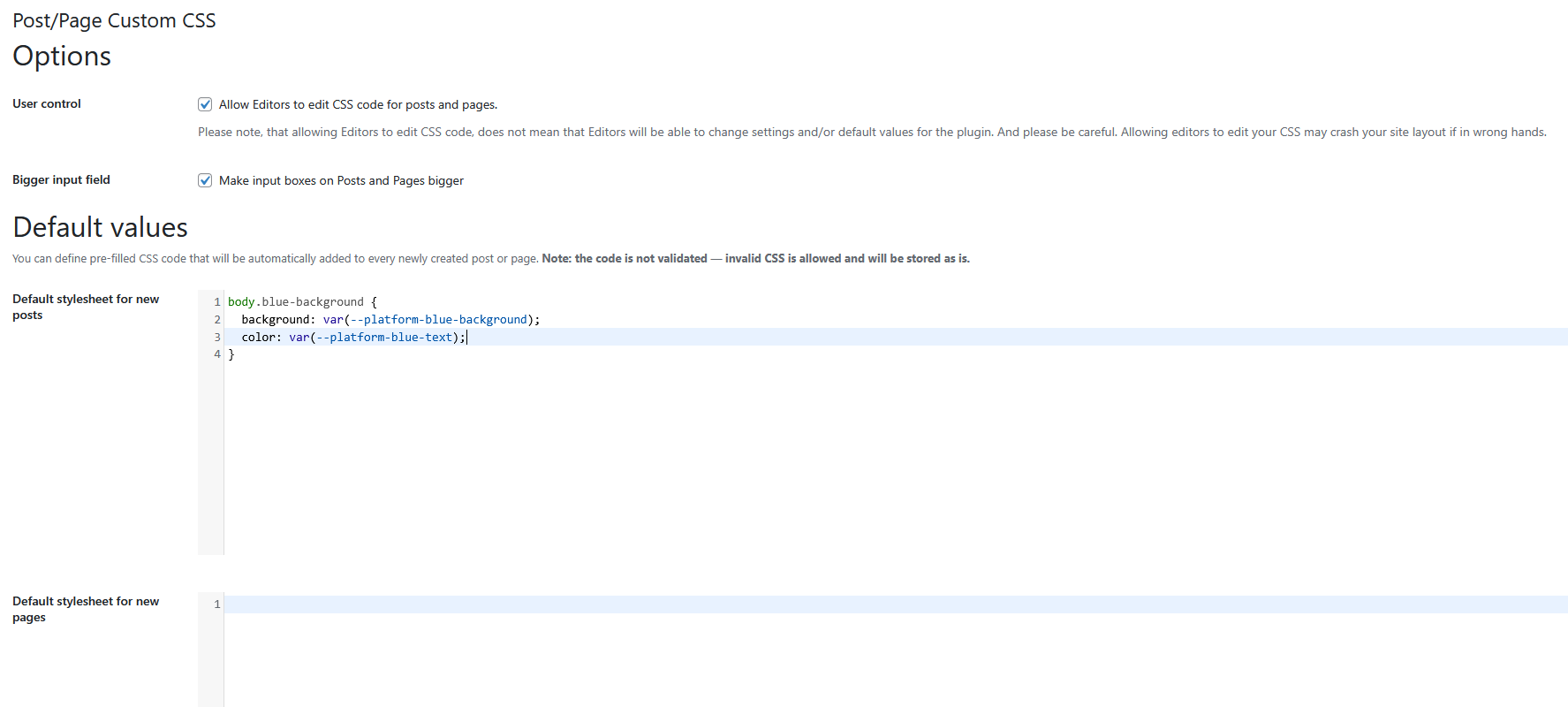
Plugin settings panel.
Changelog
0.3.0
- Release date: 2025-07-21
- Added support for WooCommerce products (custom CSS can now be assigned to individual products)
- Plugin renamed from “Post/Page specific custom CSS” to “Post/Page Specific Custom Code”
0.2.5
- Release date: 2025-07-17
- Highlighting for CSS code is now enabled by default.
7 years ago it was optional due to performance concerns on
slower machines — nowadays that looks outdated; you can still
disable it using:
add_filter(‘postpage_sccss-highlight_code’, ‘__return_false’); - Fixed issue with incorrect validation of an empty CSS field
- Replaced CSS validation with a linting mechanism
- Minor code improvements and compatibility testing with newer PHP and WordPress versions
- Removed birthday notice
0.2.4
- Release date: 2022-01-20
- Fixed default post/page values (it was in reverse, thank you, @olandir, for pointing that out!)
0.2.3
- Release date: 2021-11-29
- Fixed options saving issue
- Fixed text formatting
0.2.2
- Release date: 2020-05-10
- Lot of fixes, to stay up to date with WordPress code rules
- Birthday banner visible only for administrators
- Birthday banner now can be hidden for the next year
- Now it’s possible to let editors edit CSS
0.2.1
- Release date: 2020-04-27
- Custom JavaScript note
- Birthday note
0.2.0
- Release date: 2020-02-25
- Compatibility: 5.3 and previous
- Added options page for plugin
- Added default CSS for post and page
- Added CSS highlighting for posts, page and options (for default CSS)
- Thou it’s a bit bigger by default, you may make input view even bigger
0.1.4
- Release date: 2018-11-21
- Status: Stable
- Compatibility: 5.0 and previous
- Minor code refactoring
0.1.3
- Release date: 2018-05-18
- Status: Stable
- Compatibility: 4.9.6 and previous
0.1.2
- Release date: 2018-05-05
- Status: Stable
- Compatibility: 4.9.5 and previous
- Added screenshots, icons and header image for WordPress repository
0.1.1
- Release date: 2017-08-03
- Status: Stable
- Compatibility: 4.8.1 and previous
- Added screenshots, icons and header image for WordPress repository
0.1.0
- Release date: 2016-12-16
- Status: Stable
- Initial release