

Plugin info
Maintenance & Compatibility
Maintenance score
Maintained • Last updated 128 days ago
Is Pre Order for Dokan abandoned?
Likely maintained (last update 128 days ago).
Compatibility
Languages
Similar & Alternatives
Explore plugins with similar tags, and compare key metrics like downloads, ratings, updates, support, and WP/PHP compatibility.
Description
Pre Order For Dokan is a WooCommerce extension that adds pre-order functionality to your Dokan marketplace. It allows vendors to offer products for pre-order with customizable release dates and payment options.
Features
- Enable pre-orders for individual products
- Set release dates for pre-order products
- Choose between immediate or delayed payment
- Set pre-order limits
- Customize pre-order button text
- Email notifications for pre-order confirmation and release
- Compatible with Dokan marketplace
Installation
- Upload
pre-order-for-dokanfolder to the/wp-content/plugins/directory - Activate the plugin through the ‘Plugins’ menu in WordPress
- Go to WooCommerce > Settings > Pre-Order to configure the plugin
Frequently Asked Questions
- Edit the product in WooCommerce
- Scroll down to the Pre-Order tab
- Check “Enable Pre-Order”
- Set the release date and other options
- Update the product
Yes, each product can have its own pre-order settings including release date, payment type, and pre-order limit.
The release date is displayed on the product page and in the order confirmation email. Customers will also receive an email when the product is released.
Review feed
Screenshots
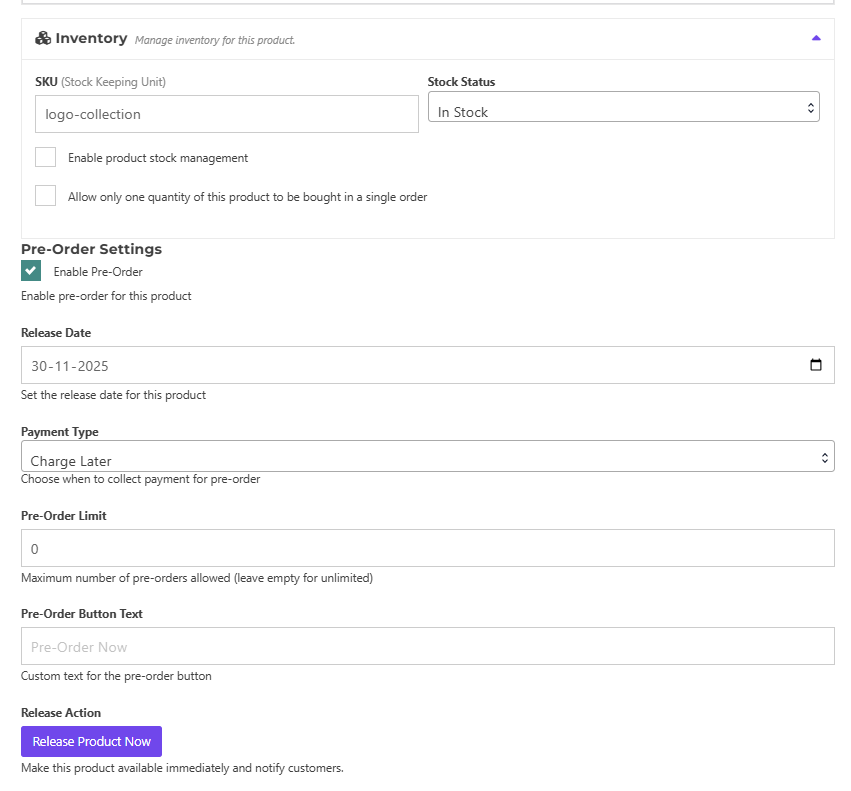
Pre-order product settings

Pre-order product Edit Screen

Pre Order Management

Pre-order Product Page
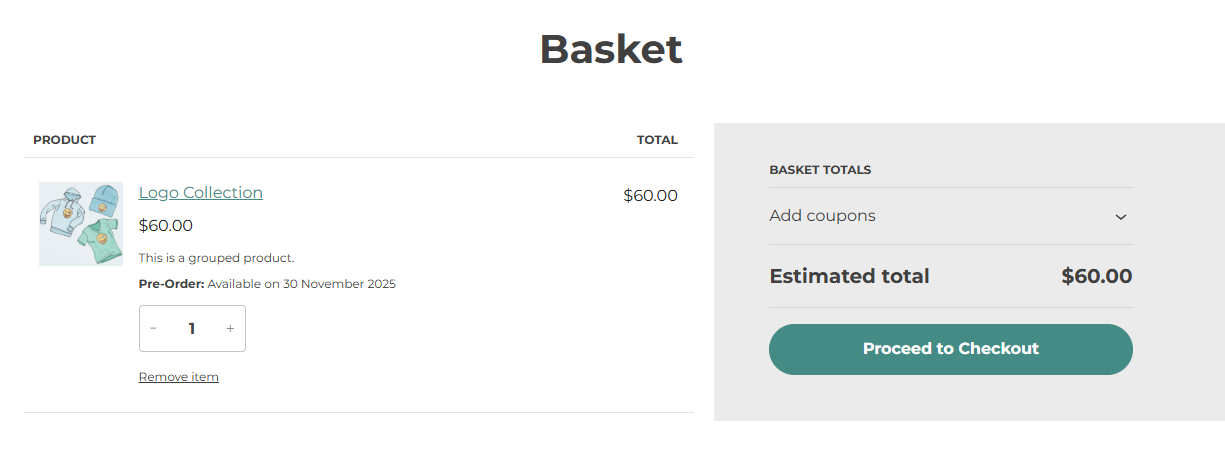
Pre-order Cart Page
Changelog
1.0.2
- Initial release