

Premmerce Wishlist for WooCommerce
This plugin provides the possibility for your customers to create wishlists with the further possibility to share them with friends.
Plugin info
Maintenance & Compatibility
Maintenance score
Stale • Last updated 271 days ago • 3 reviews
Is Premmerce Wishlist for WooCommerce abandoned?
Likely maintained (last update 271 days ago).
Compatibility
Similar & Alternatives
Explore plugins with similar tags, and compare key metrics like downloads, ratings, updates, support, and WP/PHP compatibility.
Description
A wishlist is a tool that will allow your customers to choose products for future purchases and to share their wishes with close people. Using wishlists you can review customers’ wishes and make favorable offers and promotions based on collected information.
Full documentation is available here: Premmerce Wishlist for WooCommerce
Major features in “Premmerce Wishlist for WooCommerce”
- Creating your own wishlists
- The possibility to share a wishlist using the URL
- The possibility to review customers’ wishlists in the dashboard
- Displaying a widget with wishlists
Demo
You can see how it works on the Storefront theme here: https://storefront.premmerce.com/messenger-bag-eshow/ .
You can see how it works on the SalesZone theme here: https://saleszone.premmerce.com/apple-iphone-64gb-x/ .
Plus, you can create your personal demo store and test this plugin together with Premmerce Premium and all other Premmerce plugins and themes developed by our team here: Premmerce WooCommerce Demo.
Compatibility with other Plugins
- WooCommerce
- WooCommerce Multilingual
- WPML
Installation
- Unzip the downloaded zip file.
- Upload the plugin folder into the
wp-content/plugins/directory of your WordPress site. - Activate
Premmerce Wishlist for WooCommercefrom the Plugins page
Installation
Frequently Asked Questions
Full documentation is available here: Premmerce Wishlist for WooCommerce
Go to Plugins -> Add New section from your admin account and search for Premmerce Wishlist for WooCommerce.
You can also install this plugin manually:
* Download the plugin’s ZIP archive and unzip it.
* Copy the unzipped premmerce-woocommerce-wishlist folder to the /wp-content/plugins/ directory.
* Activate the plugin through the ‘Plugins’ menu in WordPress
Please report security bugs found in the source code of this plugin through the Patchstack Vulnerability Disclosure Program. The Patchstack team will assist you with verification, CVE assignment, and notify the developers of this plugin.
Review feed
Broken with Blocks
Не работает с плагинами кеширования
Screenshots
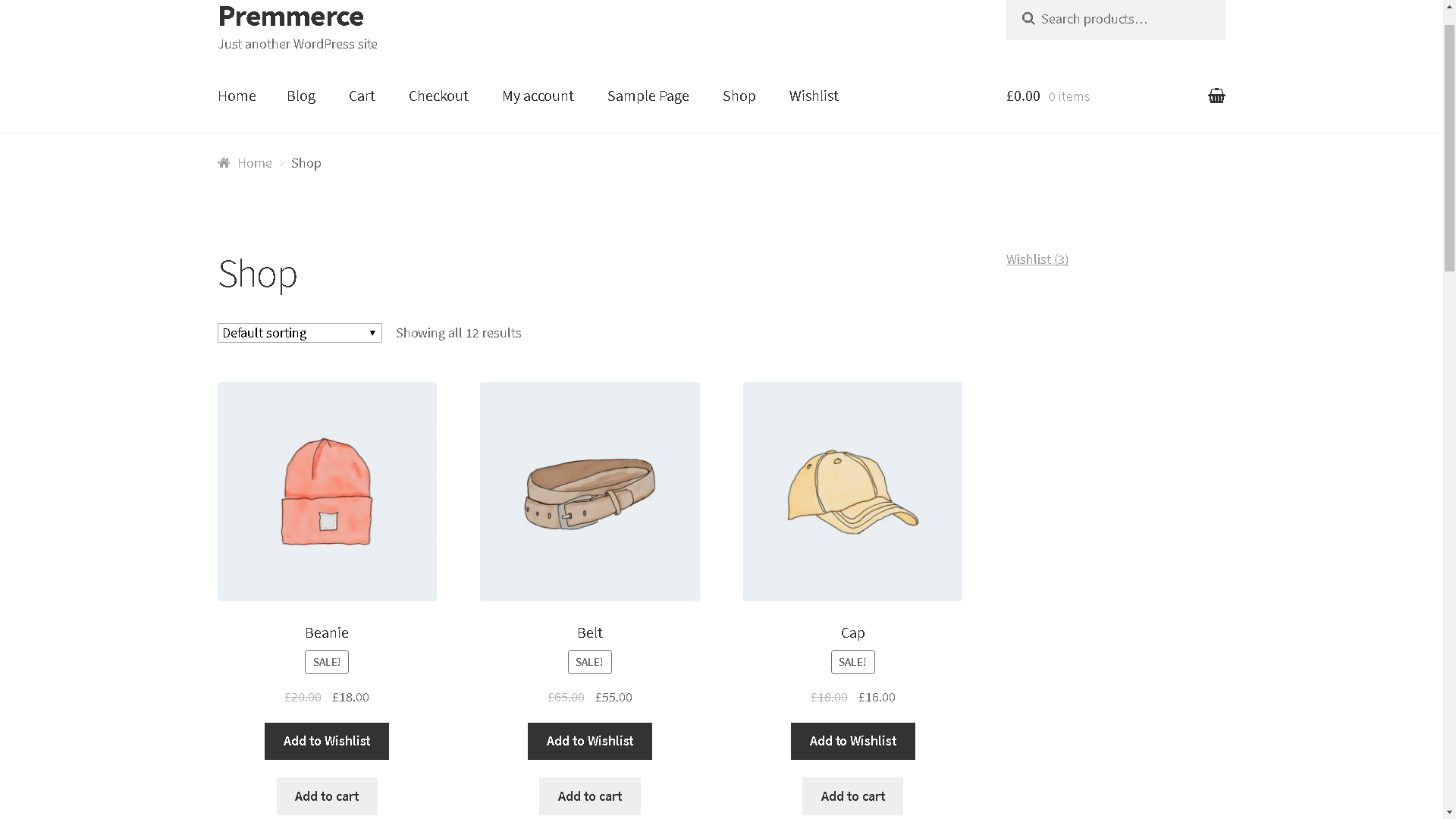
Displaying the ‘Add to Wishlist’ button

The list of all the products in the wishlist

Displaying wishlists in the dashboard

Displaying wishlists on the customer’s profile page
Changelog
1.1.10 (21st July 2023)
- Security: Freemius SDK updated to 2.5.10
1.1.9
Release Date: May 28, 2022
- Fix: PHP Notice register_rest_route should have the permission_callback argument
- Tested up with WordPress 6.0
1.1.8
Release Date: Mar 23, 2022
- Update Freemius SDK to 2.4.3
1.1.7
Release Date: Dec 24, 2020
- Update Freemius to 2.4.1
1.1.6
Release Date: Sep 24, 2019
- Updated WooCommerce compatibility version to 3.7
1.1.5
Release Date: Jun 19, 2019
- Updated Freemius to 2.3.0
- Updated Premmerce SDK to 2.1
1.1.4
Release Date: Apr 25, 2019
- Updated WooCommerce compatibility version to 3.6
- Updated SDK version
1.1.3
Release Date: Mar 1, 2019
- Security fix
1.1.2
Release Date: Jan 16, 2019
- Added OceanWp integration
- Updated freemius to 2.2.3
- Fixed uninstall hook
1.1.1
Release Date: Nov 14, 2018
- Updated freemius version to 2.1.3
- Added WooCommerce 3.5 support
1.1
Release Date: Sep 26, 2018
- Fixed popup with cached nonce
- Fixed security issues
- Fixed link to wishlist page translated with WPML
- Tested up with woocommerce 3.4
- Updated translations
- Updated freemius sdk
- Updated premmerce sdk
1.0.2
Release Date: Feb 02, 2018
- Added WooCommerce 3.3.0 support
- Updated translations
1.0.1
Release Date: Jan 24, 2018
- Updated freemius sdk
- Fixed the dependency check on multisite
1.0
Release Date: Jan 16, 2018
- Initial release