

PrettyCode • Code syntax highlighting with CodeMirror
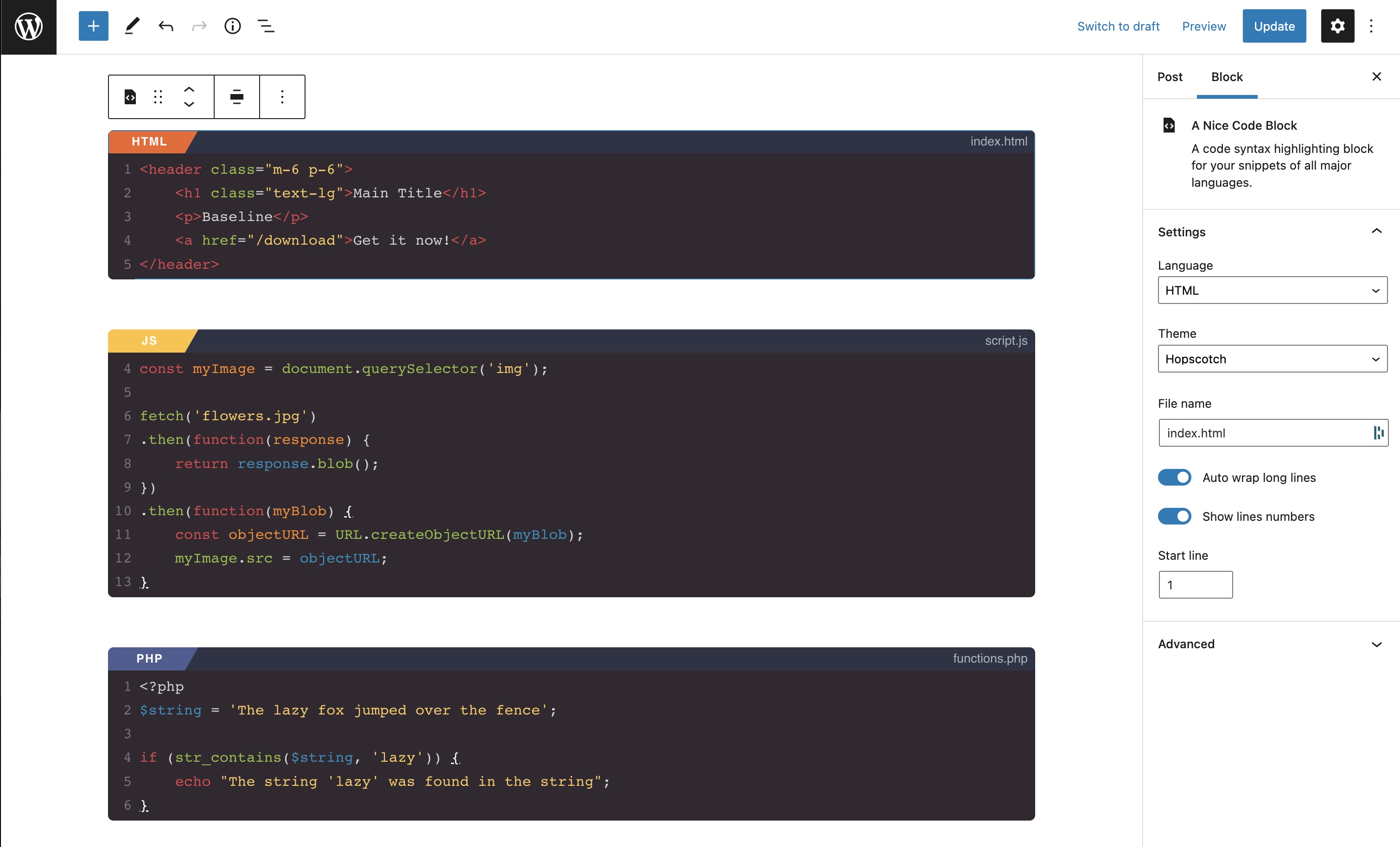
A simple block to highlight code with 20+ languages and 50+ themes, for the WordPress editor.
Plugin info
Maintenance & Compatibility
Maintenance score
Possibly abandoned • Last updated 1439 days ago • 2 reviews
Is PrettyCode • Code syntax highlighting with CodeMirror abandoned?
Possibly abandoned (last update 1439 days ago).
Compatibility
Similar & Alternatives
Explore plugins with similar tags, and compare key metrics like downloads, ratings, updates, support, and WP/PHP compatibility.
Description
The prettiest syntax highlighting block for the WordPress editor.
Live edit your code snippets in the admin with bracket matching, customize colors with more thant 50 themes (Base16, Monokai, Material, Zenburn, Hopscotch…).
Compatible with major languages: HTML, CSS, JS, JSX, Stylus, Sass, PHP, Python, C, C++, C#, Java, XML, Shell, JSON, Go, Swift…
This block uses CodeMirror. You may have seen this block before on the Advanced Gutenberg Blocks plugins few years ago. It’s now an updated and standalone block.
Third Party
This plugins uses some third party libraries:
- WordPress create-block by gziolo – https://www.npmjs.com/package/@wordpress/create-block
- CodeMirror – https://github.com/codemirror/CodeMirror
- react-codemirror2 by scniro – https://github.com/scniro/react-codemirror2
A big thanks to their respective creators and maintainers!
Installation
- Upload the plugin files to the
/wp-content/plugins/prettycodedirectory, or install the plugin through the WordPress plugins screen directly. - Activate the plugin through the ‘Plugins’ screen in WordPress
- Go to a post and click on ‘Add block’
- Search for ‘PrettyCode’
Frequently Asked Questions
All major language are available: HTML, CSS, JS, JSX, Stylus, Sass, PHP, Python, C, C++, C#, Java, XML, Shell, JSON, Go, Swift…
Yes, by using the filter prettycode_languages_list.
Sure! You have access to 50+ dark and light themes like Base16, Monokai, Material, Zenburn, Hopscotch…
Yep! The public repository is right here: https://github.com/maximebj/prettycode.plugin
Review feed
Parfait
Code is poetry
Screenshots

Changelog
1.0.7
- Fixed code editor line height
1.0.6
- Added translation for JS files
- Fixed a bug with PHP block
1.0
- Initial release