

Primary Addon for Elementor
Primary Addon for Elementor is a collection of widgets needed for all common websites.
Plugin info
Maintenance & Compatibility
Maintenance score
Possibly abandoned • Last updated 366 days ago • 2 reviews
Is Primary Addon for Elementor abandoned?
Possibly abandoned (last update 366 days ago).
Compatibility
Similar & Alternatives
Explore plugins with similar tags, and compare key metrics like downloads, ratings, updates, support, and WP/PHP compatibility.
Description
Primary Addon for Elementor covers all the must-needed elements for creating a perfect website using Elementor Page Builder. 20+ Common Elementor widgets & 15+ Pro Elementor widgets cover all of the Primary elements.
Elasta WordPress Theme + Primary Addon for Elementor
Elasta WordPress Theme + Primary Addon for Elementor
3. Creative Portfolio Website Demo
Elasta WordPress Theme + Primary Addon for Elementor
Elasta WordPress Theme + Primary Addon for Elementor
Elasta WordPress Theme + Primary Addon for Elementor
Check Live Demo | NicheBase (Theme)
20+ Primary Free Widgets & 15+ Primary Pro Widgets
Each elementor widget is crafted based on Common Websites in Mind. So, this plugin covers all 20+ free must-needed elementor widgets to fulfill your website needs. At the same time, it grabs your visitor’s attention. 🙂
Easy to Customize
User-Friendly wise Elementor is the best choice of Page Builder in WordPress. We assured that same editing experience in our Addons plugin too. Every widget comes with plenty of options with easy to edit user experience.
Professional Support
Our experienced Team supports your every question carefully, and your points/notes will take you to the core development team to improving our plugin gradually.
20+ Primary Free Widgets & 15+ Primary Pro Widgets
You can find all of the following 20+ most useful widgets of your Awesome Website.
Primary FREE Widgets
- About Me – Name, Profession, Social Media Links, Description, and Button link.
- About Us – All Basic Company Details Meta Information, Social Icons, Description, and Alignments.
- Blog – Columns up to four, Limit, Order & Order by, Certain Category posts, Certain ID’s, Excerpt and its length, Pagination, and more.
- Button – Text, Link, Alignment, Typography, and Other Setting.
- Chart – Contains – Bar and PIE Charts.
- Contact – Contact form box, Title, Short Content and Contact form shortcode.
- Gallery – Filter, Title, Subtitle, Positioning Controls, Zoom, and Links.
- Get Apps – App Store, Play Store, and Chrome Browser Extension images, and links. Title, Sub-title, and short content.
- History – Time or Year, Title, Short Content, and Read More link. With Swappable Image.
- Image Compare – Before and After Images with a vertical and horizontal controller.
- Process – Includes Three Types of Different Design Layouts, Title, Icon, or Numbers and, Short Content.
- Section Title – Title, Sub-Title, Image, Alignment
- Separator – Vertical Alignment and Horizontal Alignment with Headings, Icon, or Text between separator lines.
- Services – Five style types of a service element, icon or image, Headings, Short Content and, Read More link.
- Slider – Sider animation control, background image uploads, Heading, Short Content, and two buttons.
- Subscibe – Title, Short Content with Shortcode Placement area. That you can able to install any third-party subscribe form plugin and include that shortcode into this design.
- Table – Easy to add rows and columns, Supported multiple inside elements.
- Team Single – Name, Profession, Meta Informations, Contact Details, Social Links, and, Short Content.
- Team – Four Styles, Name, Short Content, Social Links, and Profession.
- Testimonials – Three Styles, Images, Content, and Client Name, Professions.
- Type Writter – Typing Animation Controls, Speed, and Cursor Controls.
- Video – Title, Cover Image with Animated Button – Video Popup.
Primary PRO Widgets
- Breadcrumbs – Six Breadcrumbs Style
- Advanced Buttons – Text, Link, Styles, Animations, Effects
- Call to Action – Heading, Content, Buttons, Button Types, Subscribe
- Contact Form – Form Styles, Field Controls, And More Options.
- Counters – Five Styles, Animations, Count Numbers, After Values, Icons or Images.
- Coupons – Four Styles, Title, Copy Coupon Codes, and More.
- FAQ – Four Styles, Nested FAQ Options, Title, and Content.
- Flip Box – Cubix Flip Box, 3D Flip, Normal, Title, Icon, Short Content
- Advanced Heading – Title Styles, Heading, Sub-Heading, Short Content
- Icon Box – Five Icon Box Styles, Title, Icon, Content, Button/Link.
- Image Hotspot – Heading, Content, Button, Image, Pointer Location, Pointer Text.
- Instagram Feed – Getting a List of Pictures from Instagram, Column Controls, Full Width
- News Ticker – Five News Ticker Styles, Meta Details, Post Carousel.
- Protected Content – List of Private Pages to Show Lock Design, Role Controls, Password Only Controls
- Reviews – Five Review Styles, Image, Title, Rating, Content, More.
- Skill Bar – Six Skill Bar Styles, Value, Heading, Styling Controls
- Timeline – Three Styles, Year, Heading, Content, Icon, Alignment and Style Controls
Installation
- Make sure you already have a WordPress site and the Elementor plugin installed and activated.
Default Installation
- Install “Primary Addon for Elementor” via the WordPress plugin directory.
- Once installed, Activate “Primary Addon for Elementor.”
Manual Installation
- Upload the plugin folder to the “/wp-content/plugins/” directory.
- Activate the plugin through the “Plugins” screen in WordPress
Frequently Asked Questions
Yes, for sure! It will work with any theme that “Elementor Page Builder” works.
No, it’ll not work without Elementor Page Builder, it’s an addon for Elementor.
Review feed
Screenshots
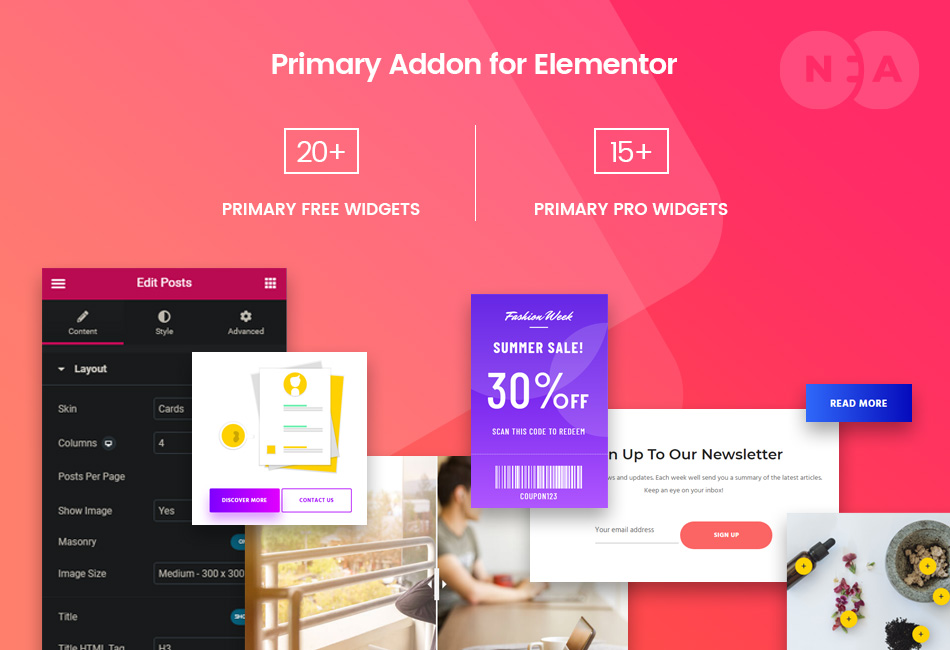
Primary Addon for Elementor - 35+ Must-Need Widgets
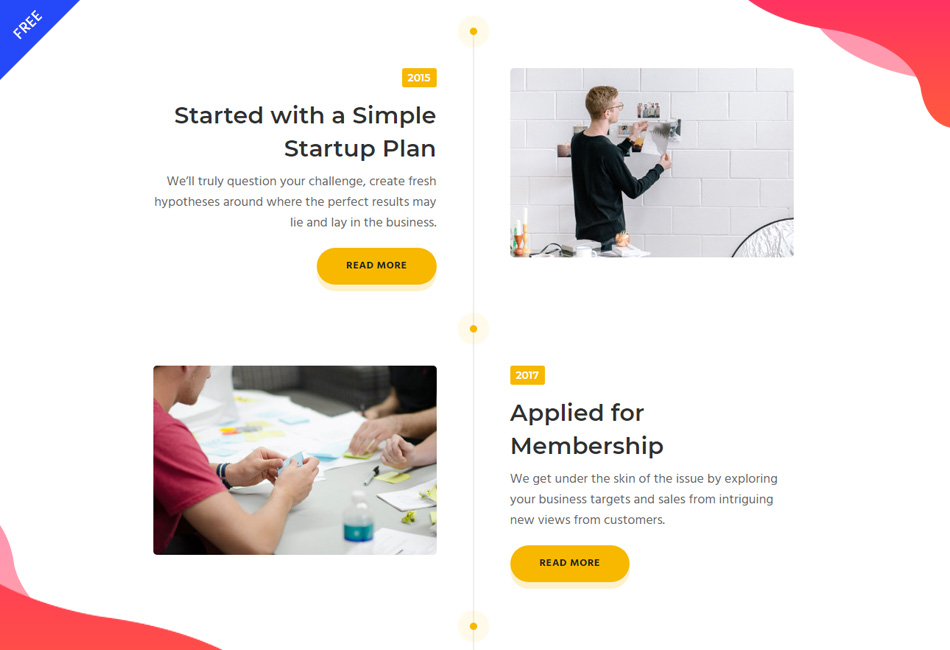
History Widget - FREE

Blog Widget - FREE

Review Widget - FREE
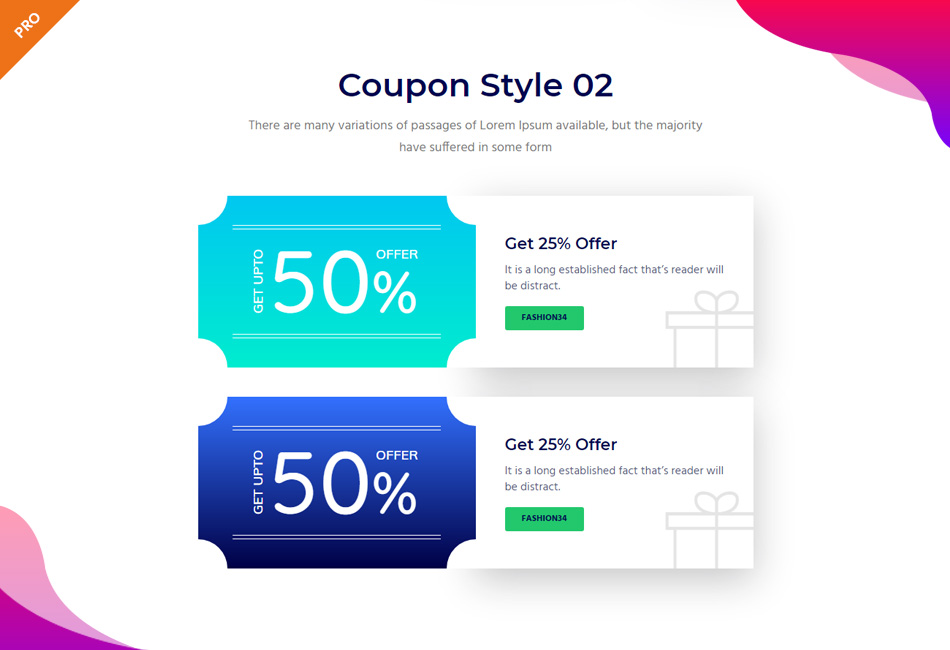
Coupon Widget - PRO
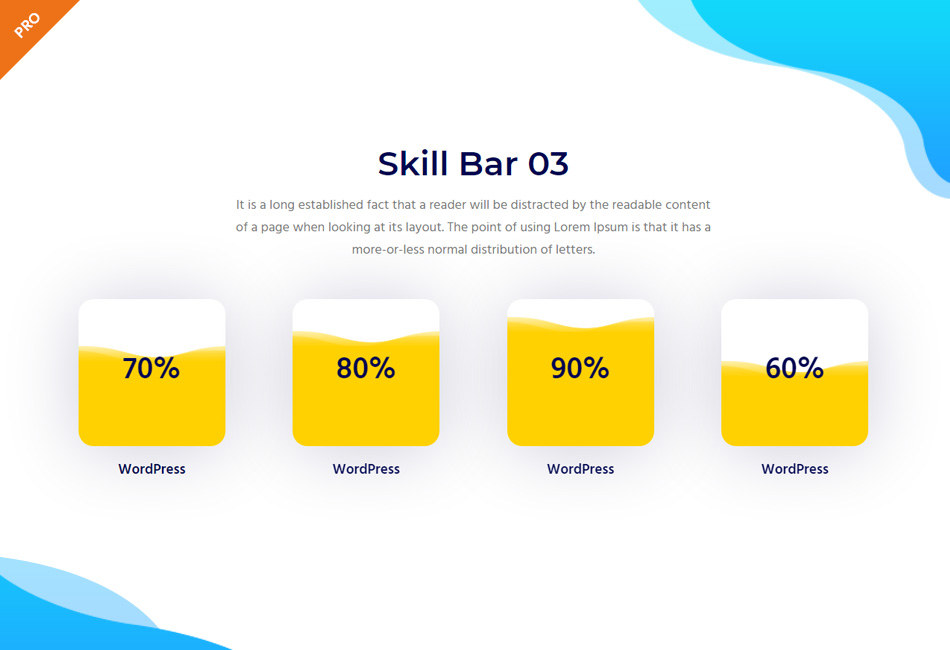
Skill Bar Widget - PRO

Form Widget - PRO
Changelog
= 1.6.8
* Chart js updated
= 1.6.7
* Testimonial slider issue fix
= 1.6.6
* Deprecated function updated
= 1.6.5
* Freemius SDK updated
= 1.6.4
* JS error fix
= 1.6.3
* Content security updated
= 1.6.2
* JS issue fix
= 1.6.1
* Security Fixes and Improvements
= 1.6.0
* Freemius SDK Updated
= 1.5.9
* Cross Site Scripting Fixes
= 1.5.8
* Security Fixes and Improvements
= 1.5.7
* Swiper classes updated
= 1.5.6
* Security Fixes and Improvements
* Translation
= 1.5.5
* Breadcrumb fixes
= 1.5.4
* Slider widget error fix
* Minor PHP 8 warning fix
* Translation
= 1.5.3
* Freemius Update 2.5.10
* Translation
= 1.5.2
* Security Fixes and Improvements.
= 1.5.1
* Dual Button Improvements
* Some Styling Fixes
= 1.5
* FREE: Added Pricing table – 3 style – Customization options
* FREE: WooCommerce product grid/showcase – 4 styles – Customization options
* PRO: Dual Button – 2 style – Full customization options + Premade styles
* PRO: WooCommerce Product Carousel – 4 styles – Customization options + Premade styles
* Few css fix for responsive
= 1.4
* Scheme_Color & Scheme_Typography Removed
* Translation
= 1.3.3
* Security Freemius Update
* Translation
= 1.3.2
* Testimonial Display Backend Fixes
* News Ticker Carousel Fixes
* Reviews Carousel Fixes
* Blog Excerpt Control
* Translation
= 1.3.1
* Slider Effects Fixed
* Button Margins
* Effect Coverflow to Flip
* Translation
= 1.3
* Elementor Premium Wrap
* Services
* Call to Action Popup
* Contact form Popup
* Minor Fixes and Improvements
* Translation
= 1.2
* Pro Version Added
* 17 New Widgets Added on Pro
* 22 Free Widgets Improved
* Translation
= 1.1
- Conditions Improved
- Team Styles Added
- Process, Slider, Team Single, Get Apps, Gallery, Button, Blog, About Us, About Me – Fields and Styles Improved
- Scrollax console error fixed
- Translation
= 1.0
- Initial release