
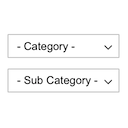
Product Category Dropdowns
Displays product categories as dependent drop-down selects.
Plugin info
Maintenance & Compatibility
Maintenance score
Maintained • Last updated 128 days ago • 12 reviews
Is Product Category Dropdowns abandoned?
Likely maintained (last update 128 days ago).
Compatibility
Similar & Alternatives
Explore plugins with similar tags, and compare key metrics like downloads, ratings, updates, support, and WP/PHP compatibility.
Description
This plugin displays a drop-down select with WooCommerce product categories.
After selecting the root category it displays another drop-down with sub categories and so on.
When the last sub category is selected it will redirect to the category page.
It is possible to select just one or two selects and click the search button.
It displays only the categories that have products.
Main Features:
- Displays product categories as dependent drop-down selects.
- Can be added to any page as a widget or with a shortcode.
You can check a demo page here:
DEMO Page
You can read the installation instructions here:
README
Simple Code Idea:
The idea of this plugin is to keep the base version as simple as possible.
And to add the new features as modifications.
This plugin has just 7 files to make it easy to use and customize. If you need more features check the modifications page hottons.com/pcd_modifications
Contact me by email [email protected] if you have questions or need help.
Translators
Available Languages
- English (Default)
Documentation
Full documentation is available here.
Installation
Requires WordPress 4.7, WooCommerce 3.0
- Unzip the downloaded zip file.
- Upload the plugin folder into the
wp-content/plugins/directory of your WordPress site. - Activate
Product Category Dropdownsfrom Plugins page.
Contact me by email pektsekye@gmail.com if you have questions or need help.
Frequently Asked Questions
Review feed
Screenshots
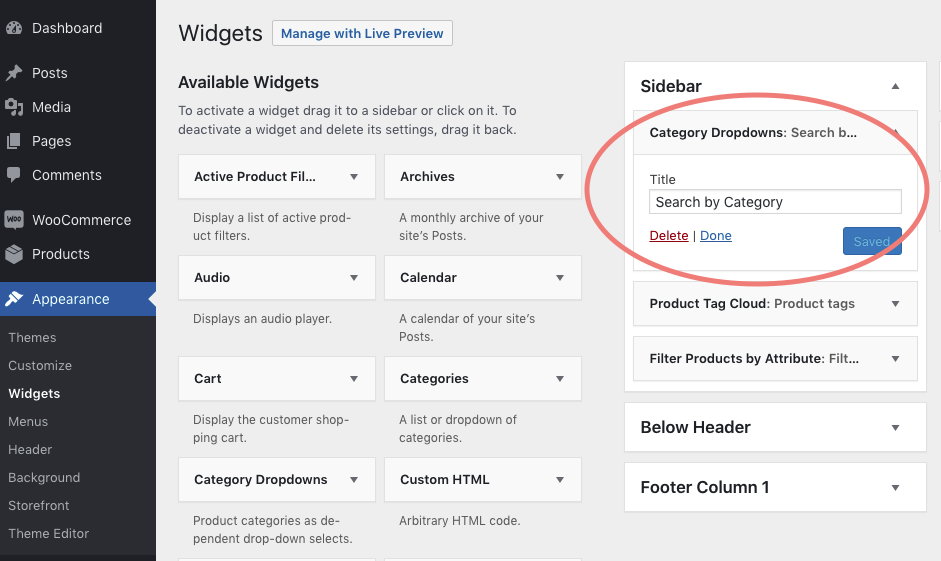
Category Dropdowns widget on the Widgets page in WordPress dashboard.

Search by Category search box on the Shop page.
Changelog
1.0.0 – Released: Jul, 30 – 2019
- Initial release