
Product Image Hover Effects WOOC – WPSHARE247
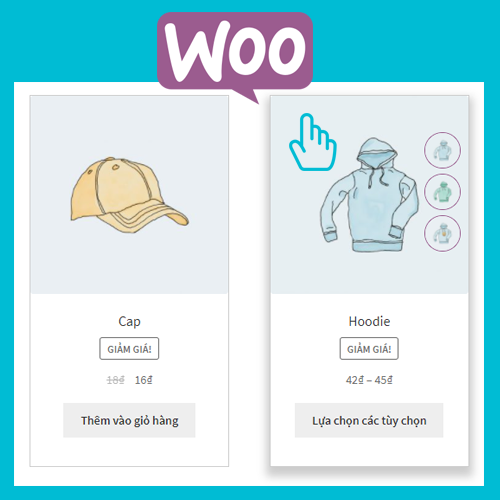
Add effects when hovering over product Loop woocommerce, display more photo gallery, enlarge product photo gallery Thêm hiệu ứng khi hover sản phẩm L …
Plugin info
Maintenance & Compatibility
Maintenance score
Possibly abandoned • Last updated 1066 days ago • 1 reviews
Is Product Image Hover Effects WOOC – WPSHARE247 abandoned?
Possibly abandoned (last update 1066 days ago).
Compatibility
Similar & Alternatives
Explore plugins with similar tags, and compare key metrics like downloads, ratings, updates, support, and WP/PHP compatibility.
Description
Add effects when hovering over product Loop woocommerce, display more photo gallery, enlarge product photo gallery
Thêm hiệu ứng khi hover sản phẩm Loop woocommerce, hiển thị thêm thư viện ảnh, phóng to thư viện ảnh sản phẩm
Video
Features
- There are many effects to change
- Show product photo gallery
- photo gallery border
- Photo gallery border color
- Photo gallery location
- Outline of the product
- Product border color
- Create product shadow
Tính năng
- Có nhiều hiệu ứng để thay đổi
- Hiển thị thư viện ảnh sản phẩm
- Bo góc thư viện ảnh
- Màu viền thư viện ảnh
- Vị trí thư viện ảnh
- Viền ngoài sản phẩm
- Màu viền sản phẩm
- Tạo bóng sản phẩm
Front page
Change the number of photo galleries with filter ** ws247_piew_small_gallery_limit **, default : 4,
add below code into functions.php
Thay đổi số lượng thư viện ảnh bằng filter ws247_piew_small_gallery_limit, mặc định là 4,
Thêm đoạn code bên dưới vào file: functions.php
add_filter( 'ws247_piew_small_gallery_limit', 'your_new_piew_small_gallery_limit');
function your_new_piew_small_gallery_limit(){
    $new_limit = 3;
    return $new_limit;
}
Liên hệ – Contact Us
Professional website design – Thiết kế website chuyên nghiệp: tbay.vn
Web design – Thiết kế web trọn gói: website366.com
Sample Website – Thiết kế web giá rẻ: waoweb.vn
Wordpress Share – Học wordpress: wpshare247.com
Web Content – Viết bài chăm sóc web: vietbaigiare.com
Installation
- Tải thư mục
wooc-product-img-effects-wpshare247vào đường dẫn/wp-content/plugins/ - Kích hoạt từ menu Plugins (Plugins > Installed Plugins).
Tìm Cấu hình Hover Wooc hoặc Configure Piew menu trong WooCommerce.
Frequently Asked Questions
Review feed
Screenshots

screenshot-1.png

screenshot-2.png

screenshot-3.png

screenshot-4.png


Changelog
1.0
- Publishing plugin
1.0.1
- add_filter: ws247_piew_small_gallery_limit
1.0.2
- New effect: Overflow Background
1.0.3
- Compatible with flatsome theme
1.0.4
- New effect: Show Short Description
1.0.5
-
Add to cart style
-
Product border radius
1.0.6
- Fixed on Flatsome Child
1.0.7
- Check warning php