

Product Price History Tracker for WooCommerce
Easily track WooCommerce product prices and display the lowest price in the last 30 days to comply with the EU Omnibus Directive.
Plugin info
Maintenance & Compatibility
Maintenance score
Stale • Last updated 225 days ago • 1 reviews
Is Product Price History Tracker for WooCommerce abandoned?
Likely maintained (last update 225 days ago).
Compatibility
Similar & Alternatives
Explore plugins with similar tags, and compare key metrics like downloads, ratings, updates, support, and WP/PHP compatibility.
Description
Product Price History Tracker for WooCommerce helps you stay compliant with the EU Omnibus Directive by automatically recording product price changes and displaying the lowest price in the last 30 days on product pages.
The plugin works out of the box, is light-weight and fully integrates with WooCommerce.
Key Features:
- Automatically tracks price changes for all WooCommerce products
- Calculates and displays the lowest price in the last X days (default 30 days)
- Option to include or exclude sale prices in the calculation
- Optional display only for products currently on sale
- Fully customizable message using placeholders
{price},{date},{days} - Choose where to display the lowest price message on the product page (using WooCommerce hooks)
- Optional price history chart: inline display or open chart in popup
- Reset price history for individual products directly from product edit page
- Clean uninstall: all data can be safely removed when uninstalling
Compliant with EU regulations for price transparency and consumer protection.
External Services
This plugin connects to an external service provided by WizeWP (https://wizewp.com) in order to retrieve important product announcements, updates, offers or critical notifications.
- What data is sent: No personal data is transmitted. Only a simple HTTP GET request is performed to retrieve public JSON data.
- When: Only when you access the plugin’s admin settings page.
- Service provided by: WizeWP (https://wizewp.com)
- Privacy Policy: https://wizewp.com/privacy-policy/
- Terms of Service: https://wizewp.com/terms-of-service/
Installation
- Upload the plugin files to the
/wp-content/plugins/product-price-history-tracker-for-woocommercedirectory, or install directly from WordPress plugin repository. - Activate the plugin through the ‘Plugins’ menu in WordPress.
- Configure plugin settings under
WizeWP > Woocommerce Price History.
The plugin will start tracking prices automatically after activation.
Frequently Asked Questions
Yes. The plugin will start recording prices for all products from the moment you activate it.
No. The plugin works independently, without altering WooCommerce core functionality.
Yes. You can easily reset price history from the product edit page.
Yes. This plugin implements the core functionalities required for price transparency under the EU Omnibus Directive.
Yes. We are working on a PRO version that will include full historical tables, CSV export, advanced reporting, compliance audit logs, and more.
Review feed
Screenshots
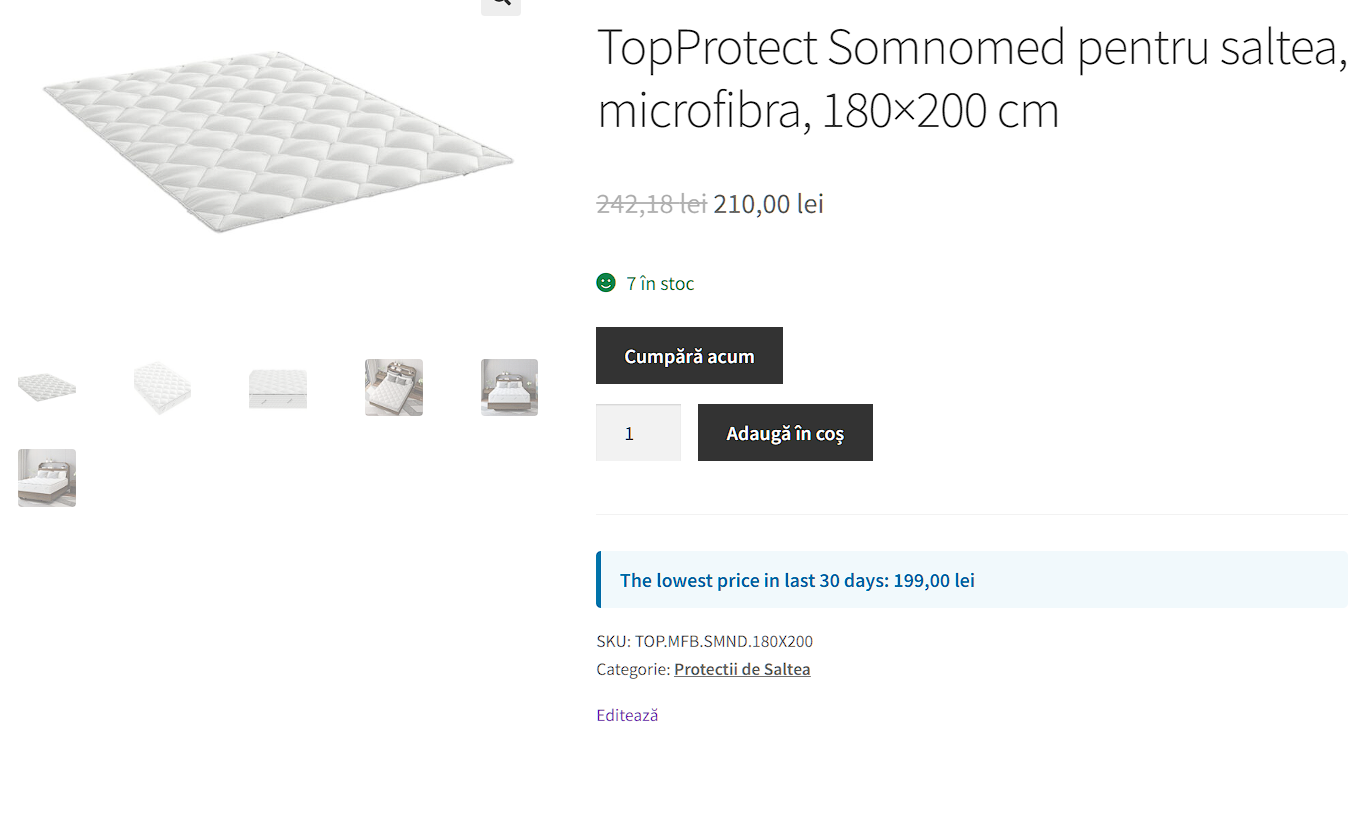
Lowest price message displayed on product page
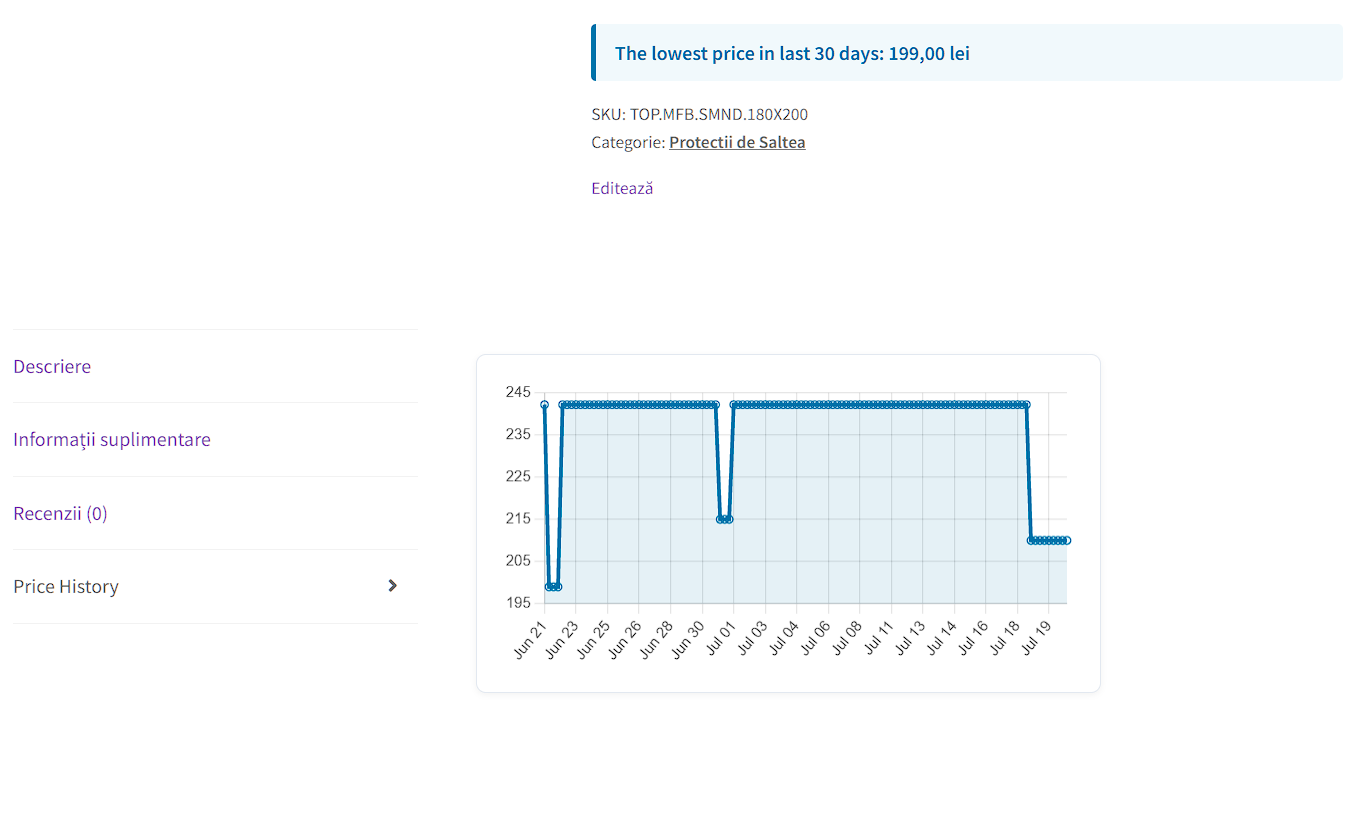
Price history chart inline (example template)
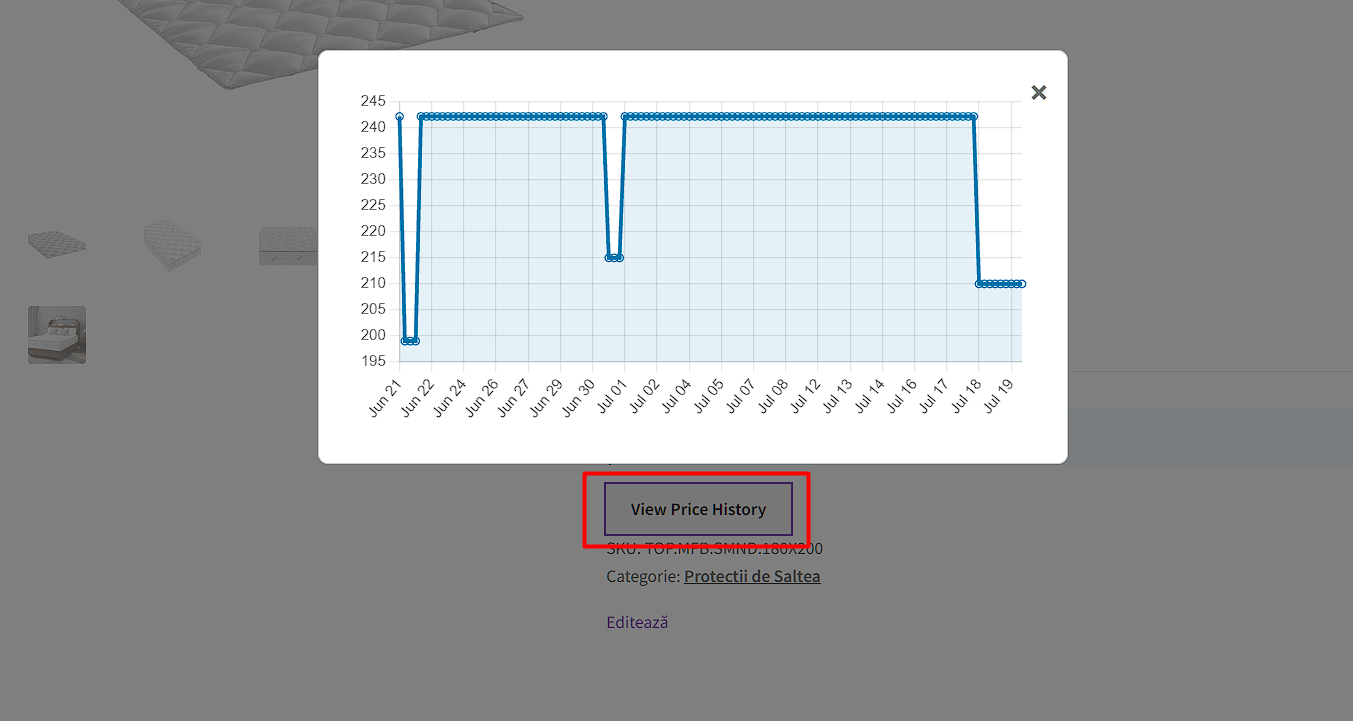
Popup chart display
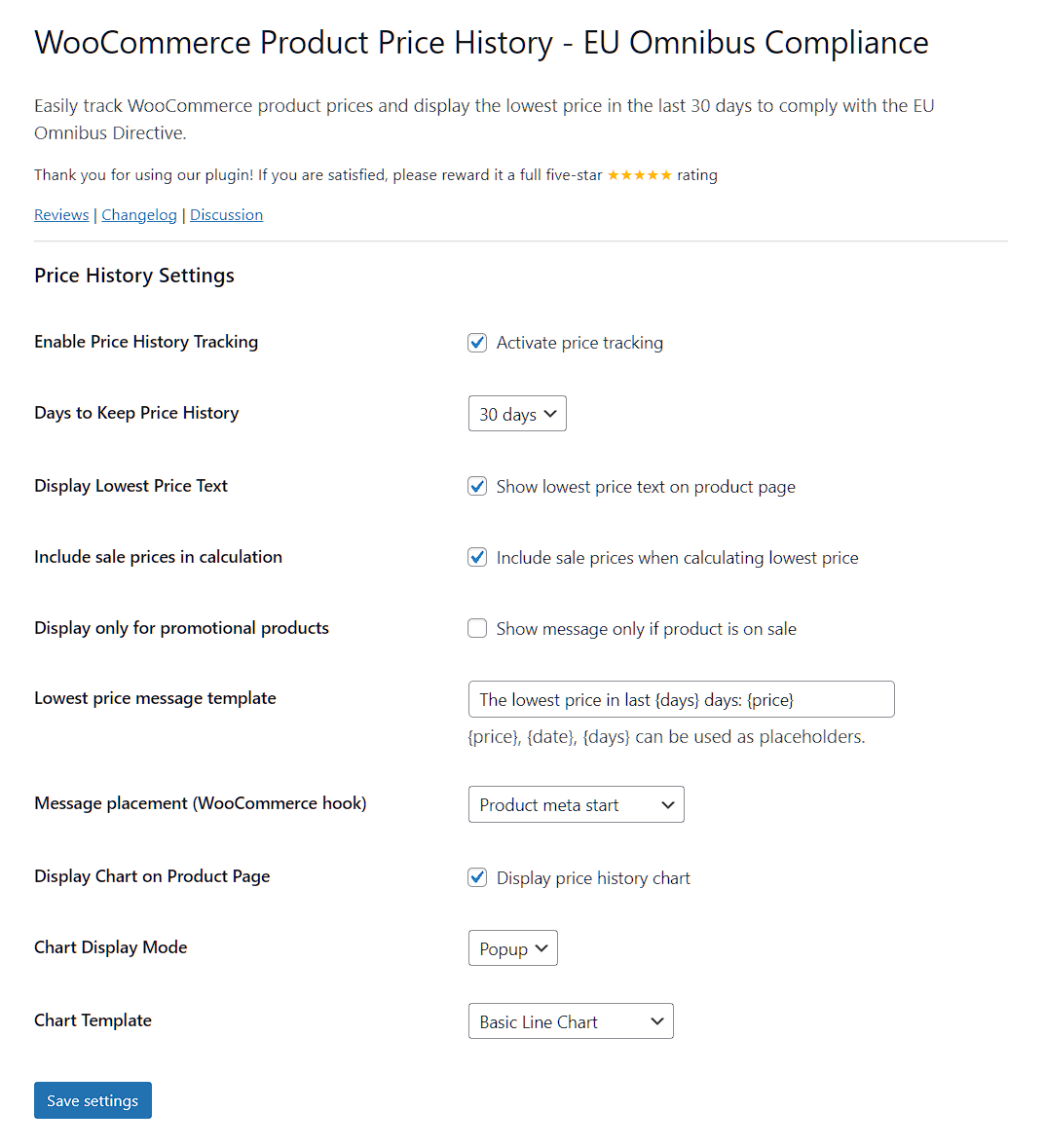
Admin settings page with configuration options
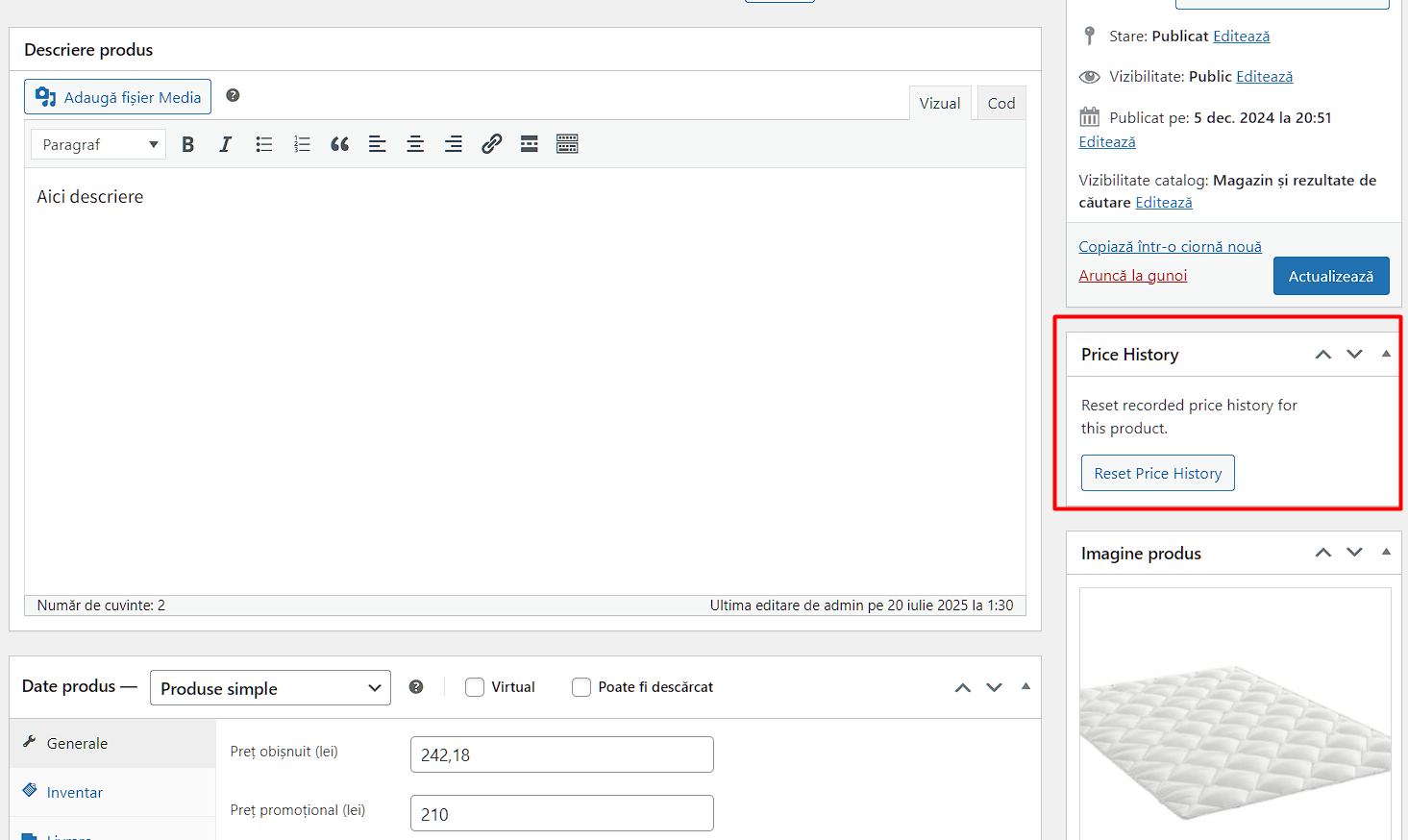
Reset price history per product in admin
Changelog
1.0.7
- Changes made to ‘plugins_api()’ function
- FIX for variable products
1.0.0
- Initial release