

Protect uploads
Protect your uploads directory from people who want to browse it. Avoid browsing of your uploads directory by adding a htaccess or index.php file.
Plugin info
Maintenance & Compatibility
Maintenance score
Possibly abandoned • Last updated 1307 days ago • 12 reviews
Is Protect uploads abandoned?
Possibly abandoned (last update 1307 days ago).
Compatibility
Similar & Alternatives
Explore plugins with similar tags, and compare key metrics like downloads, ratings, updates, support, and WP/PHP compatibility.
Description
The uploads directory is where the files of the WordPress library are stored. Unfortunelty, this directory is not protected. A person who wants to see all your library could list it instantly going to : http://yourwebsite/wp-content/uploads . This plugin will hide the content by adding an index.php file on the root of your uploads directory or by setting an htaccess which will return a 403 error (Forbidden Access).
- Depending on your server setting, the htaccess option could be disabled.
Available languages :
- English
- Français
- Español
- Italian (thanks to Marko97)
Installation
- Upload
protect-uploadsfolder to the/wp-content/plugins/directory - Activate the plugin through the ‘Plugins’ menu in WordPress
Note : GD library is needed and being able to create a .htaccess file in uploads directory.
Frequently Asked Questions
Review feed
It's a virus
Screenshots
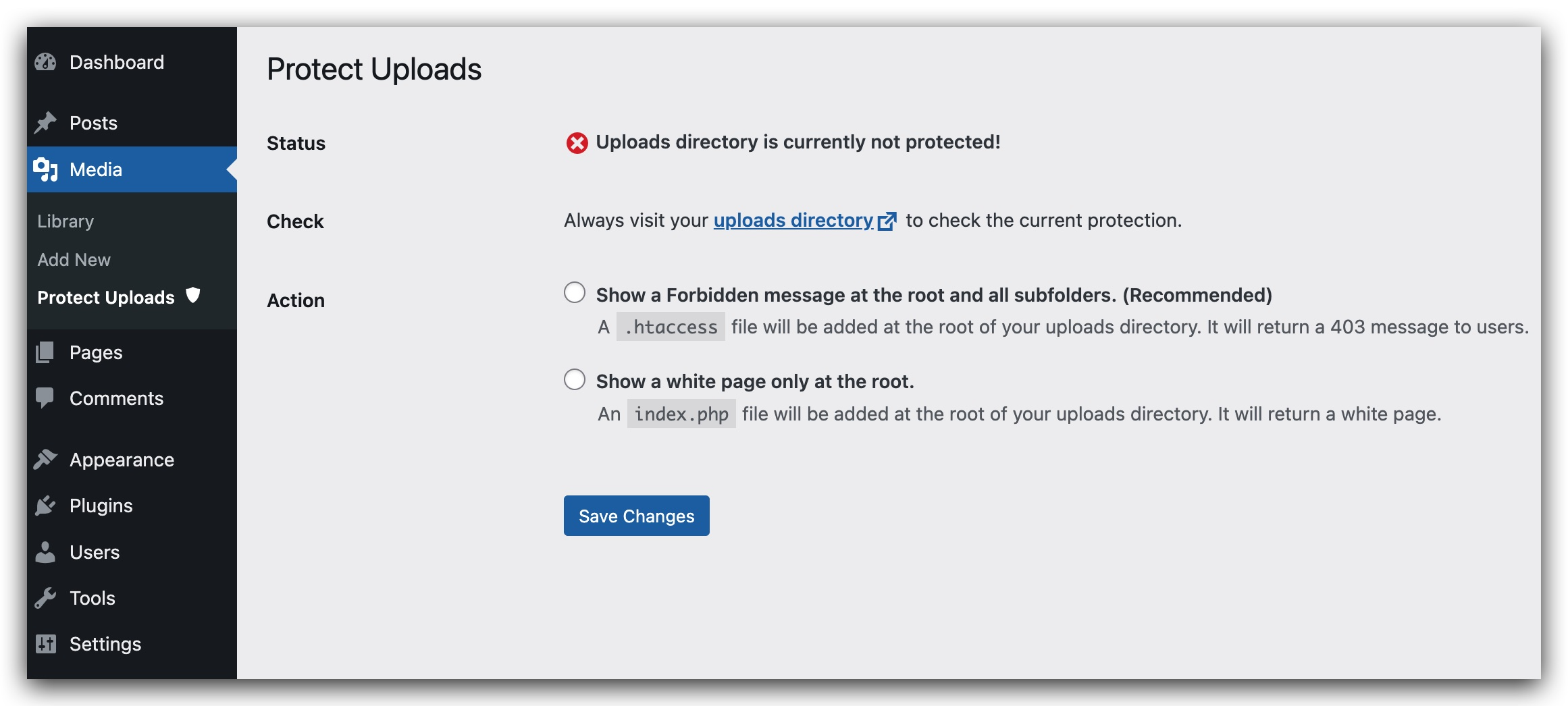
Administration Page for the plugin.
Changelog
0.1
- Initial release
0.2
- Add security check to form in admin page.
- Add sidebar for admin page
- Add Italian translation (thanks to Marko97).
- Try to fix the wrong message saying that Protection is disabled eventhough it is actually working.
0.3
- Simplify UI admin.
- check presence of index.html.
- Remove option value managing current protection status.
- Reorganizing code and making it more modular and simple.
- Remove useless pieces.
0.4
- Fix potential security issues.
- Remove recursive loop that creates indexes.
0.5.2
- Removed unused css