

Provide Live Help
Provide Live Support to your Customers with Live Chat widget by Provide Live Help
Plugin info
Maintenance & Compatibility
Maintenance score
Possibly abandoned • Last updated 5247 days ago • 1 reviews
Is Provide Live Help abandoned?
Possibly abandoned (last update 5247 days ago).
Compatibility
Similar & Alternatives
Explore plugins with similar tags, and compare key metrics like downloads, ratings, updates, support, and WP/PHP compatibility.
Description
Adding Live Support Chat button to your WordPress site is as easy as installing this module. Just select your Live Chat button and you are ready to offer online support to your visitors. Provide Live Help is a service that allows you to chat with your website visitors, enabling you to give instant online customer support and pro-actively sell your product. Provide Live Help is a hosted system which means you don’t have to worry about server capacity, bandwidth usage, system upgrades and other issues.
Why Provide Live Help
- Ease of use
- Support for Multiple Languages
- Improve customer satisfaction
- Instant Sales Leads
- Better First Impression
- Know your web sites visitors in real time
Features
Real time chat
Chat in real time with your website visitors. Provide instant answers to your Customers and improve your sales conversion rate.
Simple setup
Only one simple piece of HTML code is required to be inserted into your site. That’s all! No development, no special skills required.
Customizable
Fully customize all aspects of your clients chat experience, from the chat icons that you place on your website to the chat window messages.
Live visitors tracking
Provide Live Help allows you to watch your website visitors activity in real time. See visitors arriving at your site and move from page to page in real time.
Please note: after 30 days free trial period, you will need to subscribe to a paid serivce to use this extension.
Contributors/Changelog
Version Date Changes
1.0.4 2011/11/16 Visitors Tracking added
1.0.3 2010/11/17 API URL fixed
1.0.1 2010/09/18 ExtJS Settings Window added
1.0.0 2010/09/15 Initial Release
Notes
You can review installation instruction at Provide Live Help widget installation instructions
Demo available here
Installation
- Download live_support.zip to your computer and add new plugin in WordPress administration.
- Activate
Provide Live Helpthrough the ‘Plugins’ menu in WordPress. - Get Provide Live Help account
- Activate
Provide Live HelpWidget through the ‘Appearance’ menu in WordPress.
Frequently Asked Questions
Review feed
Screenshots
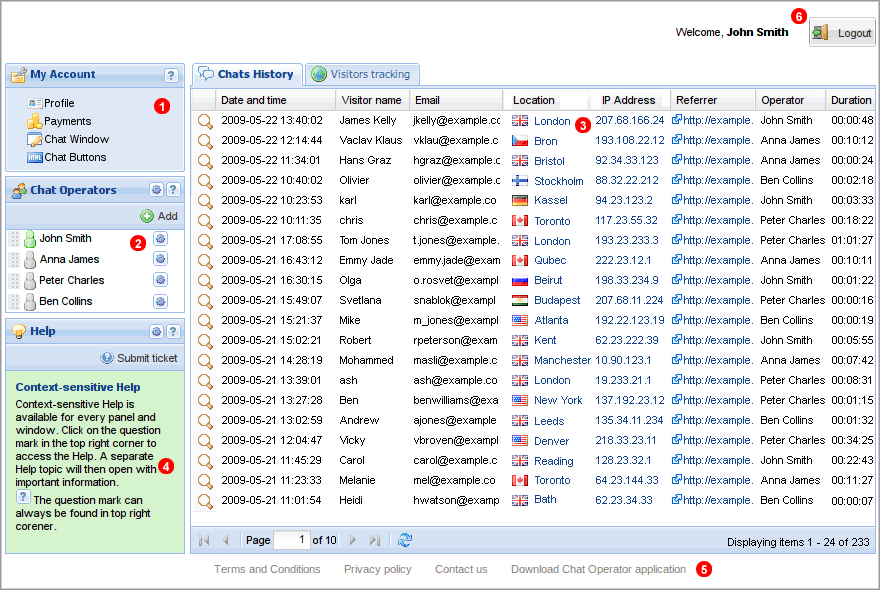
Chat History panel

Chat session

Chat browser window

Visitors Tracking

WordPress settings window