

Publish Post Email Notification
Publish post notification is plugin which will send an automatic email to its author when the post is published and approved by WP admin.
Plugin info
Maintenance & Compatibility
Maintenance score
Stale • Last updated 206 days ago • 3 reviews
Is Publish Post Email Notification abandoned?
Likely maintained (last update 206 days ago).
Compatibility
Similar & Alternatives
Explore plugins with similar tags, and compare key metrics like downloads, ratings, updates, support, and WP/PHP compatibility.
Description
Publish post notification is plugin which will send an automatic email to its author when the post is published and approved by WP admin.
admin has to go to setting and set email template that’s it all other things are managed by this plugin.
Find WP publish post email notification Pro Plugin at Publish Post Email Notification Pro
=Features=
-
set email template.
-
Notify author via email when post is published.
=Pro Version Features=
1.Support for send email to author when custom post type published
2.No Advertisements.
License
This plugin is free for everyone! Since it’s released under the GPL, you can use it free of charge on your personal or commercial blog. But you can make some donations if you realy find it useful.
Installation
This plugin is easy to install like other plug-ins of WP as you need to just follow the below mentioned steps:
-
upload publish-post-notification folder to wp-Content/plugins folder.
-
Activate the plugin from Dashboard / Plugins window.
-
Now Plugin is Activated, Go to the Usage section to see how to use Vertical News Scroller.
Usage
1.Use of publish post notification is easy after activating plugin go to Settings menu.
2.Select Publish post email template sub menu.
3.Fill out email template you can use place holders in email content.
4.Thats it your email is set now whenever a post is publish the author is notified via email.
Frequently Asked Questions
1.How to use ?
For More info use readme installation and usage notes.
Review feed
Screenshots
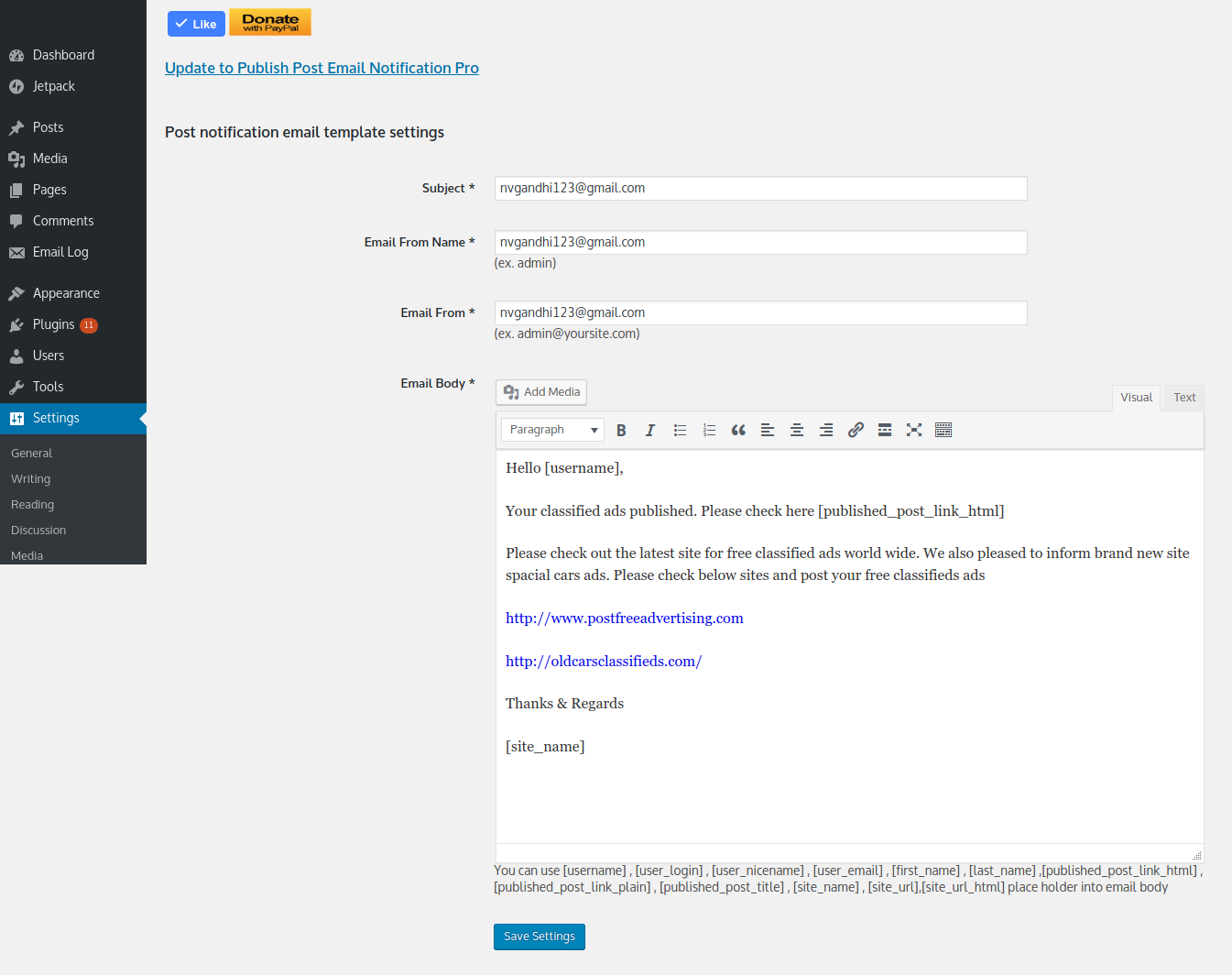
Email template settings
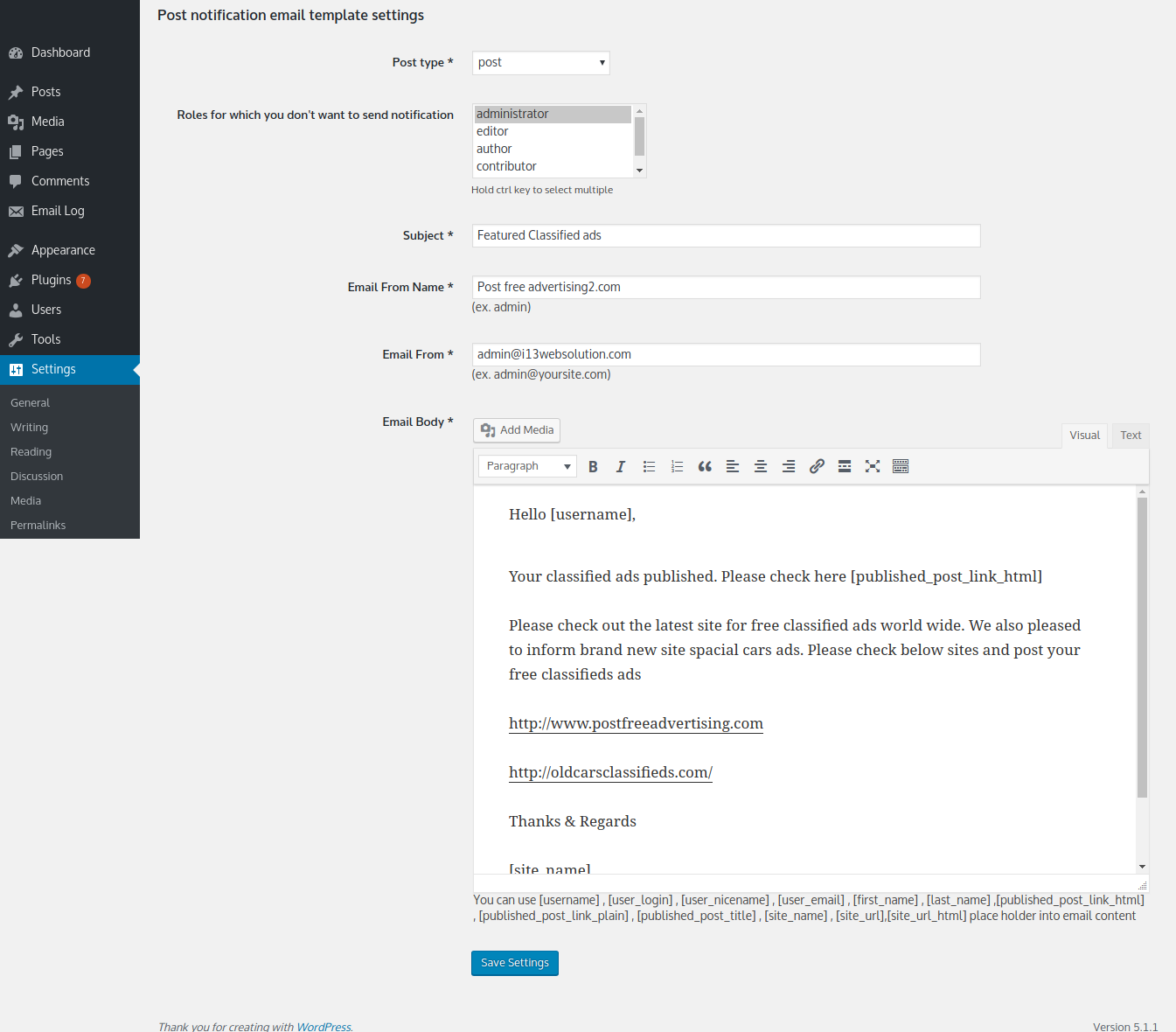
Pro version with full html editor
Changelog
1.0.2.4
- Fixed vulnerability.
1.0.2.3
- Fixed vulnerability.
- Tested with WordPress 6.3
1.0.2.2
- Improve security.
- Tested with WordPress 6.2
1.0.2.1
- Fixed undefined variable problem.
- Tested with WordPress 5.9
1.0.2
- Fixed character set problem for non- english lang.
- Tested with WordPress 5.5
1.0.1
- added WordPress capebilities feature.
- Added WordPress editor for email content
- Tested with WordPress 5.1
1.0
- Stable 1.0 first release