

Push Notification for Post and BuddyPress
Send free push notifications for post/custom post, BuddyPress from WordPress sites or using mobile app webview and to generate PWA.
Plugin info
Maintenance & Compatibility
Maintenance score
Maintained • Last updated 131 days ago • Support resolved 0% • 24 reviews
Is Push Notification for Post and BuddyPress abandoned?
Likely maintained (last update 131 days ago).
Compatibility
Similar & Alternatives
Explore plugins with similar tags, and compare key metrics like downloads, ratings, updates, support, and WP/PHP compatibility.
Description
It sends push notifications to desktop, android/ios mobile apps using Firebase Cloud Messaging (FCM) Firebase API http v1 or Onesignal or Progressier as notification provider. It has REST API facility to integrate with native/hybrid Android/iOS mobile apps for push notifications. It sends notification whenever new WordPress post, custom post types, new BuddyPress activities, comments published. It has facility to generate PWA – Progressive Web App.
Plugin features:
** Plugin allows to choose different push notification providers **
1. Firebase – FCM (Free push notifications for desktop, PWA and mobile apps)
2. Self-hosted push notification using web-push
3. Onesignal (Free push notification for desktop, PWA and mobile apps)
4. Progressier (Push notifications for PWA)
5. webtoapp.design (Push notifications for Mobile apps)
(Plugin allows to send push notifications to both Firebase/Onesignal and webtoapp.design users simultaneously)
** Plugin sends Push notifications for following **
- New post/custom post type published (including bbpress).
- New BuddyPress activities published.
- New BuddyPress group activity published (only to members of group).
- Notifications for BuddyPress mentions in activities.(only to recipient).
- BuddyPress group invite sent (only to recipient).
- BuddyPress group details updated.
- New Buddypress comments published.
- New BuddyPress message or private messages (only to recipient).
(It is also compatible with Bettermessages plugin). - New BuddyPress member joined.
- For Friend request in BuddyPress (only to recipient).
- Friendship accepted in BuddyPress (only to requestor).
- User avatar change in BuddyPress.
- Cover image change in BuddyPress.
- Mark as favourites or Likes on BuddyPress activities.
- Supports Push notifications for BuddyBoss and Better Messages plugins
- Woocommerce custom post type push notifications.
- Ability to process more than 200,000 subscribers unlimited push notifications using background action scheduler.
** Admin only push notifications (only to administrators) **
1. When contact form(contactform7 plugin) submitted.
2. When new user registered in site.
Reports
It supports Firebase analytics reports in Firebase console for notification_open, notification_read, page_view events.
Notifications only for loggedin users
Enable/Disable option in admin settings to send push notifications using Firebase httpv1 or Onesignal only for loggedin users.
Custom popup and Bell prompt to subscribe push notifications with subscription options
Enable/Disable custom notification subscription prompt to subscribe/unsubscribe push notifications in front end in admin settings.
Enable/Disable Bell prompt icon to subscribe/unsubscribe notifications. Front end users will be able to subscribe to particular category like post, activity, comments, friendship request/accept, other options while subscribing for first time or if user wants to update subscribe options from bell prompt at any time it is needed.
Shortcodes
[subscribe_PNFPB_push_notification] is available to Subscribe/Unsubscribe push notifications for frontend users.
[PNFPB_PWA_PROMPT] to install PWA.
[member name] and [group name] are avilable to display user name in push notifications, For BuddyPress group activities [group name] shortcode to display group name in push notifications.
Subscribe/Unsubscribe various push notifications in front end
Front end push notification menu is available for BuddyPress Front end users to subscribe/unsubscribe various push notifications according to their choices. This menu is available in user profile – settings area. For other users, shortcode is available to display subscription menu for Front end users to subscribe/unsubscribe various push notifications according to their choices.
Scheduling Push notification
It allows Scheduled Push notifications to send push notifications hourly(every hour), twice daily(2 times per day), daily, weekly as per WordPress CRON. It also provides option to schedule push notification in background using action scheduler, this will be useful to send notification more than 100000 subscribers simultaneously in background mode.
Push notification scheduling is available for On demand/One time, WordPress Post, BuddyPress activities, BuddyPress group activities and for BuddyPress comments.
REST API
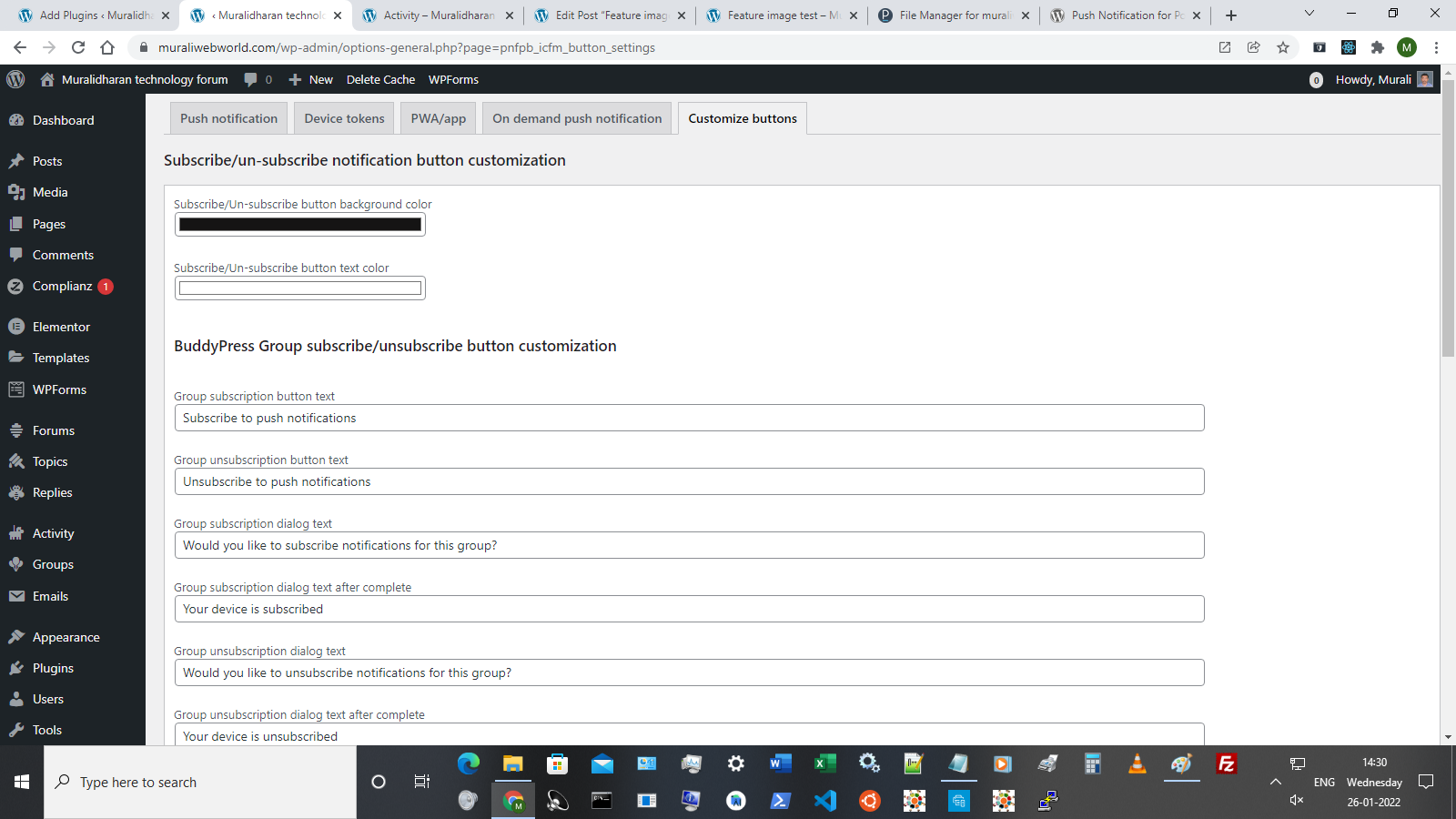
REST API to connect mobile native/hybrid apps to send push notification from WordPress site to both mobile apps and WordPress sites.
Using this REST API WordPress site gets Firebase Push Notification subscription token from Mobile app(Android/Ios).
This allows to send push notifications to WordPress site users as well as to Native mobile app Android/ios users.
REST API url is https://wp-json/PNFPBpush/v1/subscriptiontoken
HOW TO USE PLUGIN API TO INTEGRATE MOBILE APP PUSH NOTIFICATION
Android app code to integrate with this plugin
IOS app code to integrate with this plugin
Refer video tutorial under “How to use this plugin” section to configure Firebase options in plugin admin area.
PWA
This plugin has facility to generate Progressive Web App (PWA). It also supports Progressier PWA.
Go to plugin settings page to enable/disable PWA app and to customize PWA app with app name, app icon, app theme color, background color for PWA and list of pages to be included in offline cache for web app offline mode.
Extra settings for NGINX server
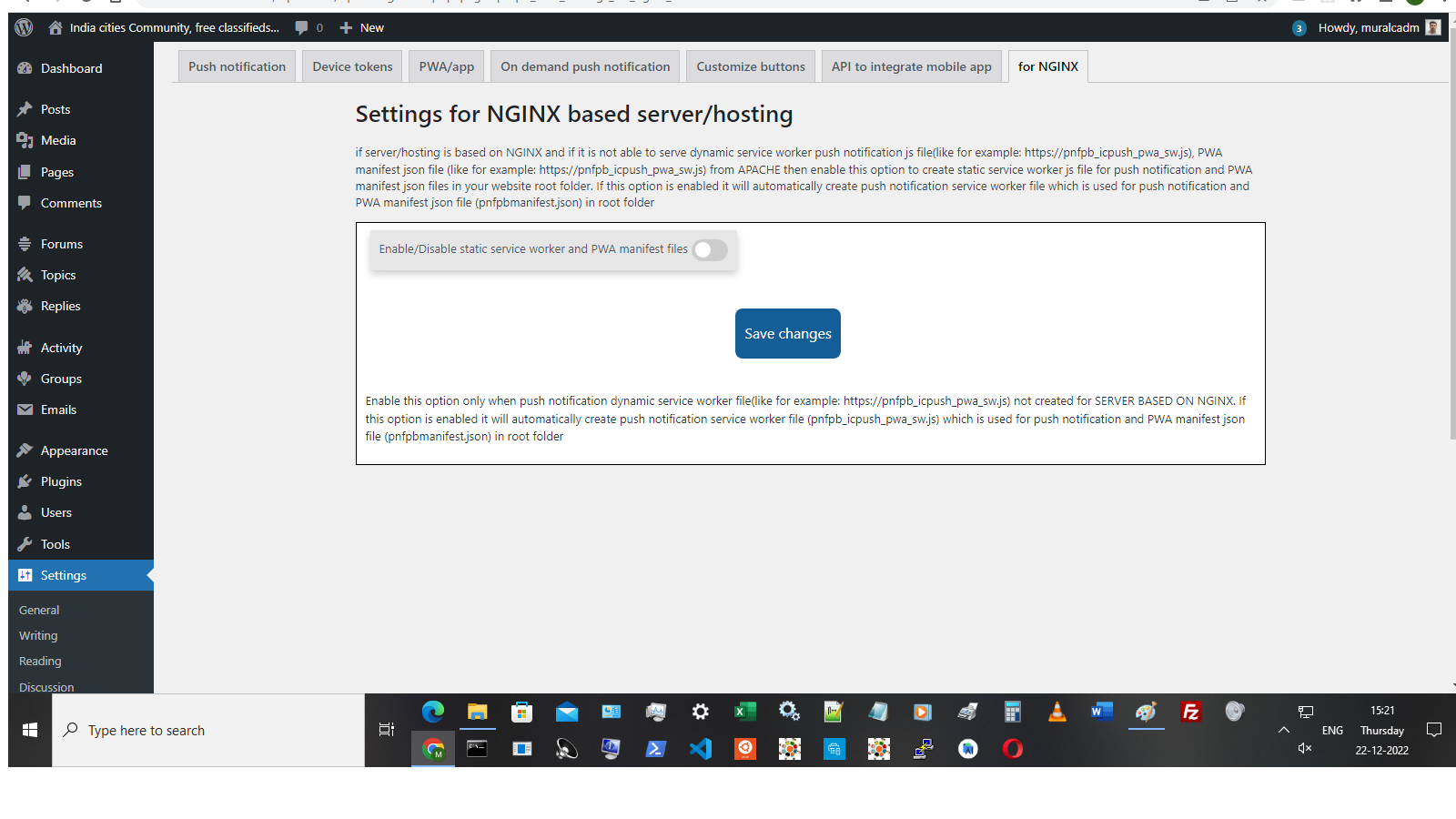
If server is NGINX and not able to create dynamic service worker file https://pnfpb_icpush_pwa_sw.js & PWA manifest json file https://pnfpbmanifest.json then go to plugin settings->nginx tab, enable static file creation option, it will create required static service worker file, PWA manifest json files in root folder. This option is applicable only if hosting/server is based on NGINX and not creating dynamic service worker file, manifest json files. By default, this plugin creates dynamic service worker file and PWA manifest json file.
This plugin uses Firebase Cloud Messaging to send push notification using Firebase registration credentials which is free of cost.
Plugin Demo site
Video tutorial showing how to configure Firebase for this plugin
Frequently Asked Questions (FAQ)
Do you have any questions?
Submit or contact us with your question here (or) Please contact us here with your query. (or) Submit your question in plugin forum
How can I report security bugs?
You can report security bugs through the Patchstack Vulnerability Disclosure Program. The Patchstack team help validate, triage and handle any security vulnerabilities. Report a security vulnerability.
Installation
Following are steps to configure the plugin,
-
Download the plugin
-
Activate the plugin
-
Go to settings of the plugin (in admin menu -> Settings -> Push Notification using FCM)
-
Enable/Disable push notification when new item published in following,
4.a. new post types published,
4.b. new custom post types published,
4.c. BuddyPress activities,
4.d. BuddyPress Group members,
4.e. BuddyPress messages,
4.f. BuddyPress comments
4.g. New BuddyPress member joined
4.h. Friend request in BuddyPress
4.i. Friendship accepted in BuddyPress
4.j. User avatar change in BuddyPress
4.k. Cover image change in BuddyPress
4.l. Group invite
4.m. Group details update
4.n. Contactform7 submitted (Admin notification)
4.o. New user registration (Admin notification)
4.p Mark as favourites or Likes on BuddyPress activities.
Scheduling push notifications
5.Optionally it allows to Schedule push notifications for post types,BuddyPress new activities, BuddyPress new Group activities and for BuddyPress new comments. Push notifications can be scheduled in following schedules. Go to admin settings and schedule it accordingly.Schedule push notifications in Hourly, twice daily,daily,weekly schedules.
6.When BuddyPress Group Members option is enabled, it will send push notification only to users who joined in Group/to Particular group members.
7.When Buddypress private message notification is enabled, Private message notification will be sent only to the recipient id sent by sender.
Firebase configuration
** Video tutorial showing how to configure Firebase for this plugin **
- Configure Firebase settings as per below steps,
Firebase configuration setup in plugin admin settings
Sign in to Firebase, then open your project, click settings icon & select Project settings
To get Firebase server key (for field 1 in admin firebase settings)
project settings > cloud messaging tab > get server key or add server key button to get server key
To get Firebase config fields (for fields 2 to 8 in admin firebase settings)
If you do not have web app, Create a new web app. After creating a new app, it will show firebase config fields
Project settings > General under your apps section > click on config button to view configuration fields
To get Firebase public key (for field 9 in admin firebase settings)
Open the Cloud Messaging tab of the Firebase console Settings pane and scroll to the Web configuration section.
In the Web Push certificates tab, click Generate Key Pair. The console displays a notice that the key pair was generated, and displays the public key string and date added.
(If you already Generated key pair then no need to generate it again)
Progressive Web App (PWA) settings
-
Go to PWA settings in plugin admin area and fill all required fields to customize and generate PWA app with offline facility.If pages are included for offline cache then users will be able to view those pages in offline mode without internet if page is not stored in cache then default offline page will be displayed.if all urls needs to be excluded from offline PWA cache then enable exclude all urls option in PWA settings.
-
Go to on-demand push notification admin panel to send push notification from admin panel to all subscribers whenever it required.
After saving below fields, it will ask to allow notification for this website in browser default popup, click on allow notification to get notifications
Push notifications will better work in normal browser not in cognito private browser as it requires service worker registrations to display push notification.
After completing above steps, push notification will be displayed based on option selected for posts/buddypress while publishing posts or custom post types or during new BuddyPress activities or comments.
11.For front end users Shortcode [subscribe_PNFPB_push_notification] is available to Subscribe/Unsubscribe push notifications for various push notification options.
- Shortcode [PNFPB_PWA_PROMPT] to create button to install PWA. If user clicks this button, it will show default prompt to install PWA. This shortcode can be placed anywhere or in sidebar according to convenience.
Frequently Asked Questions
Submit or contact us with your question here (or) Please contact us here with your query. (or) Submit your question in plugin forum
Review feed
Screenshots
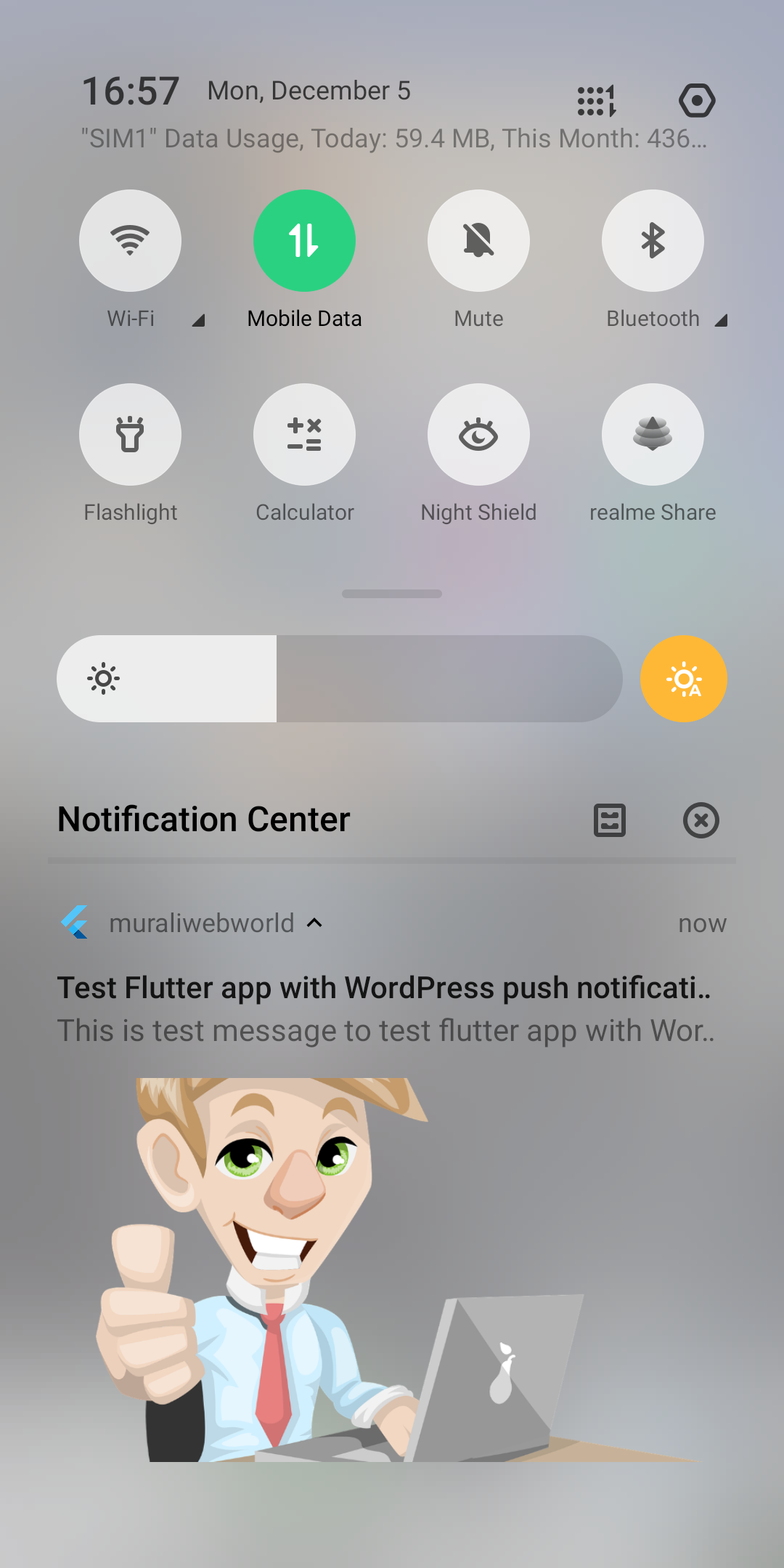
Push notification in Mobile
Desktop push notification
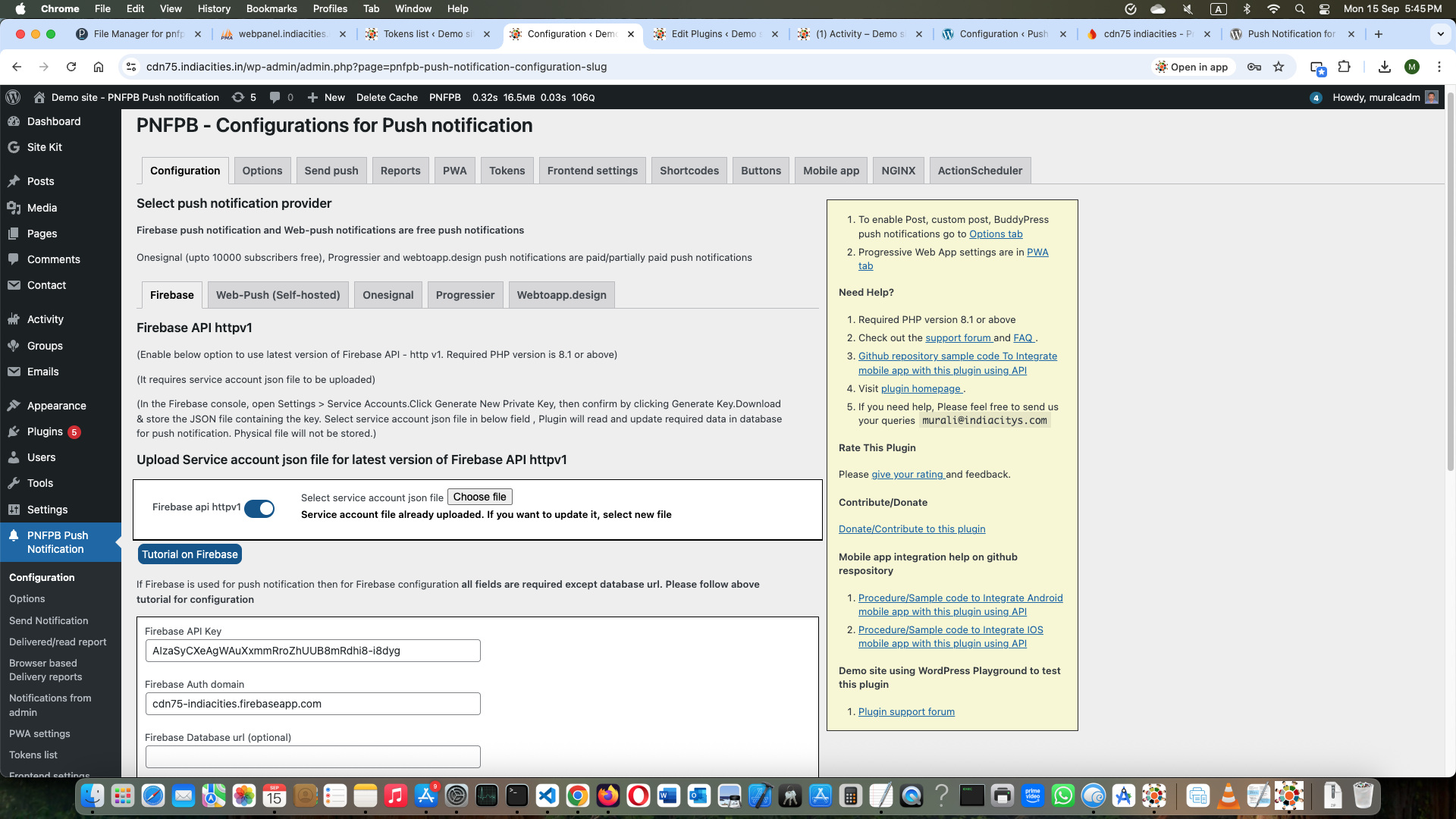
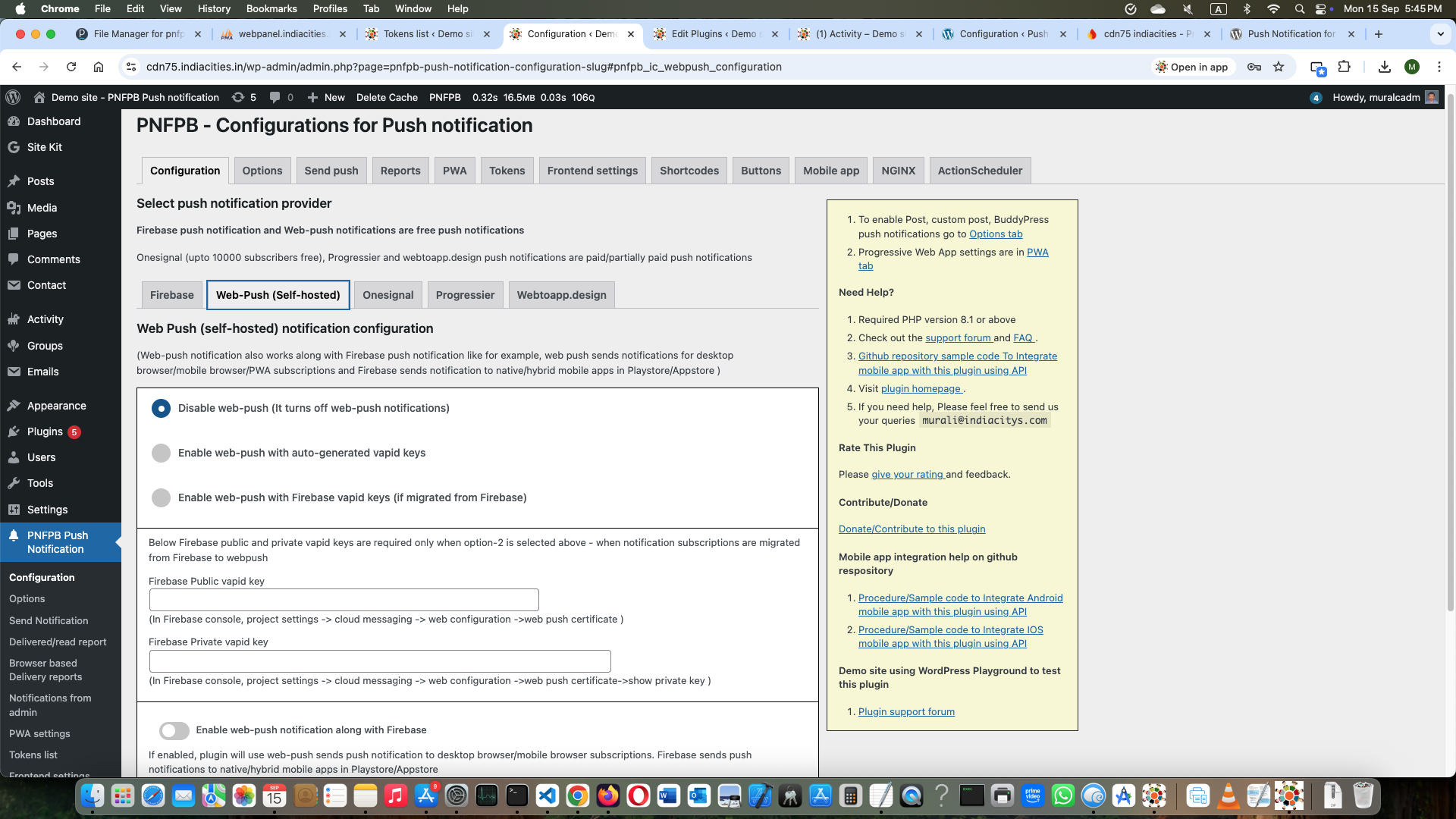
Plugin settings for push notification in admin area
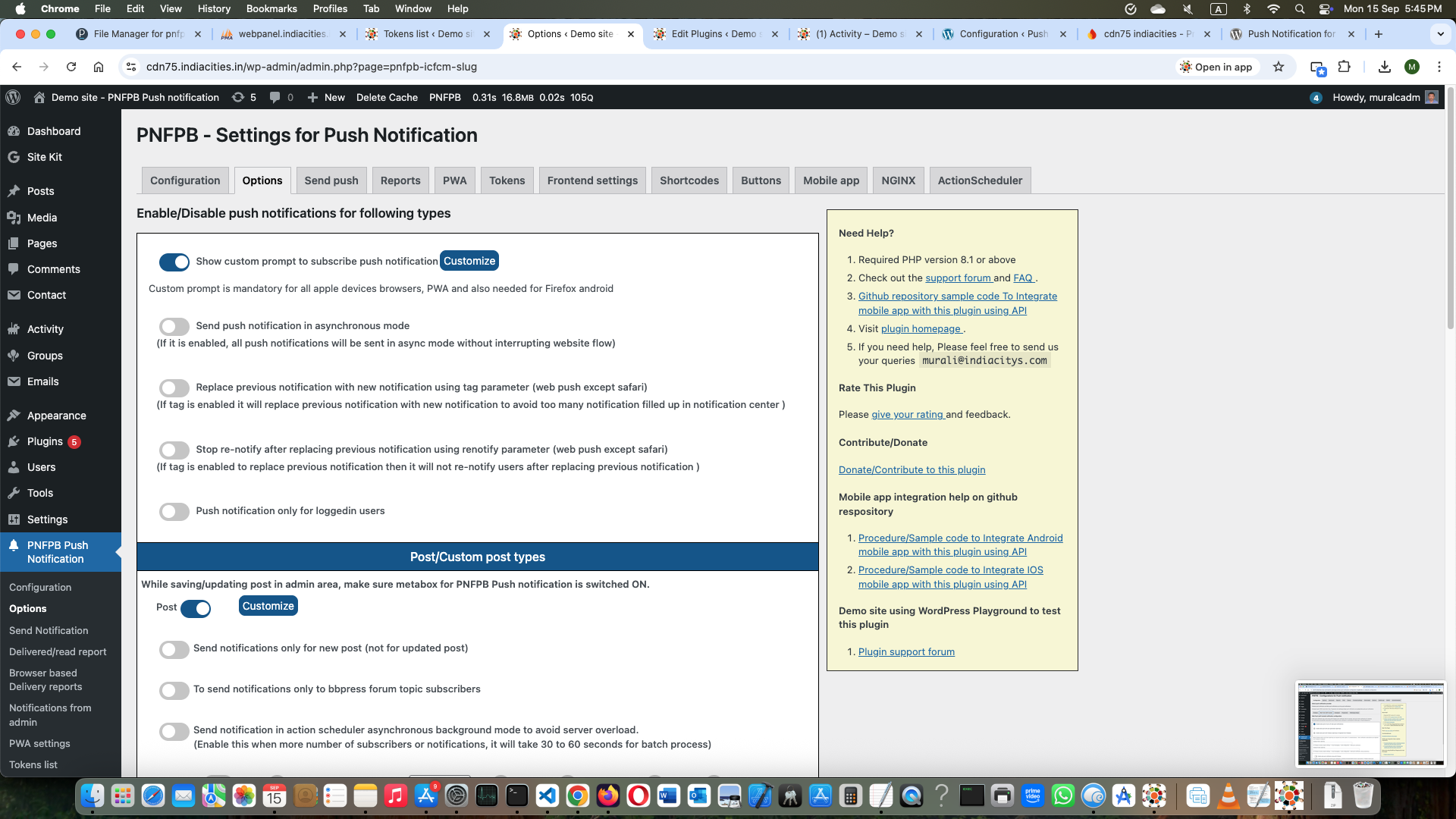
Plugin settings for push notification with BuddyPress options in admin area
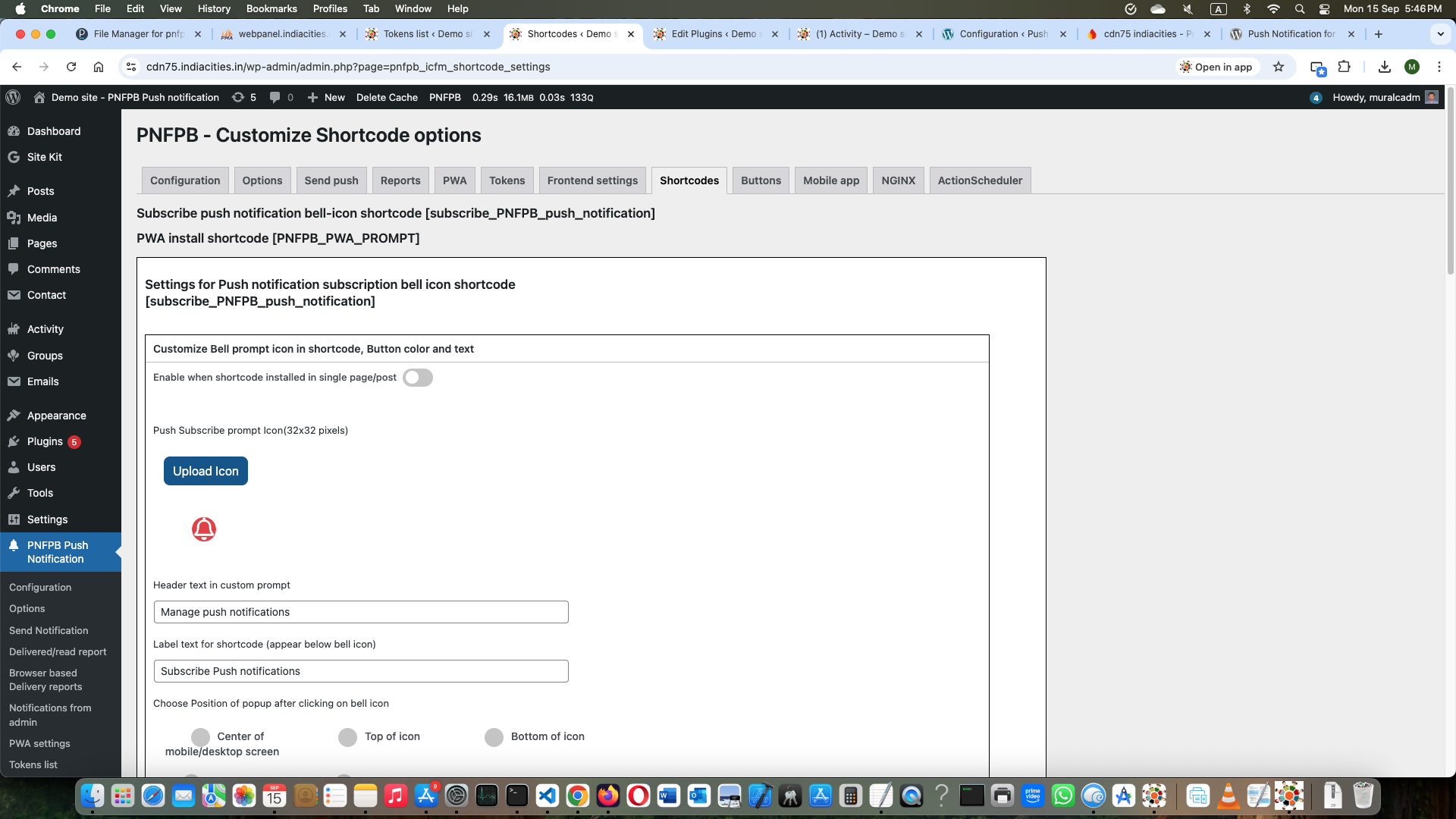
Shortcode push notification options for front-end users to opt for various notifications
BuddyPress Group members can subscribe/remove push notification for every group
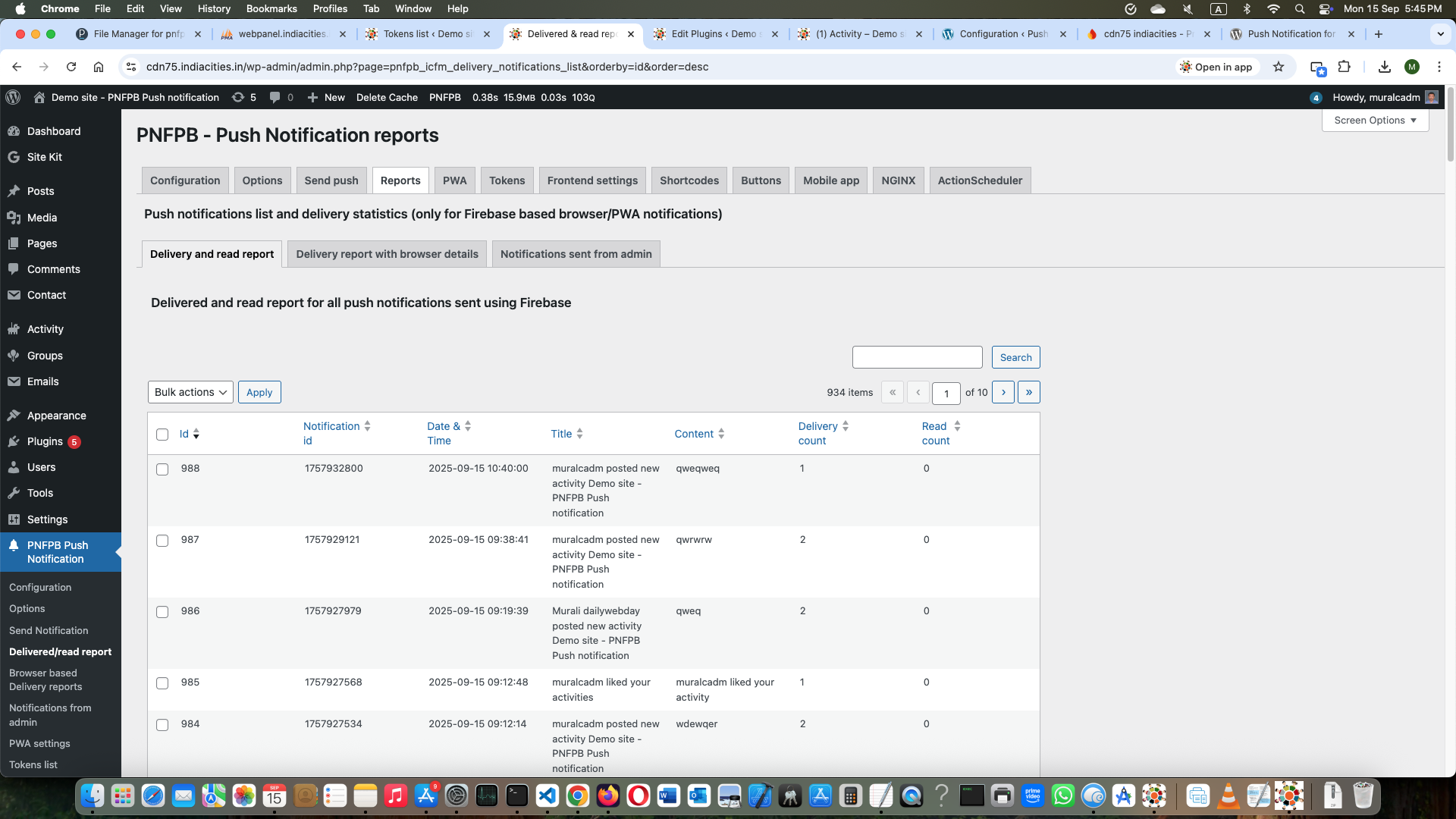
Admin page showing list of tokens subscribed
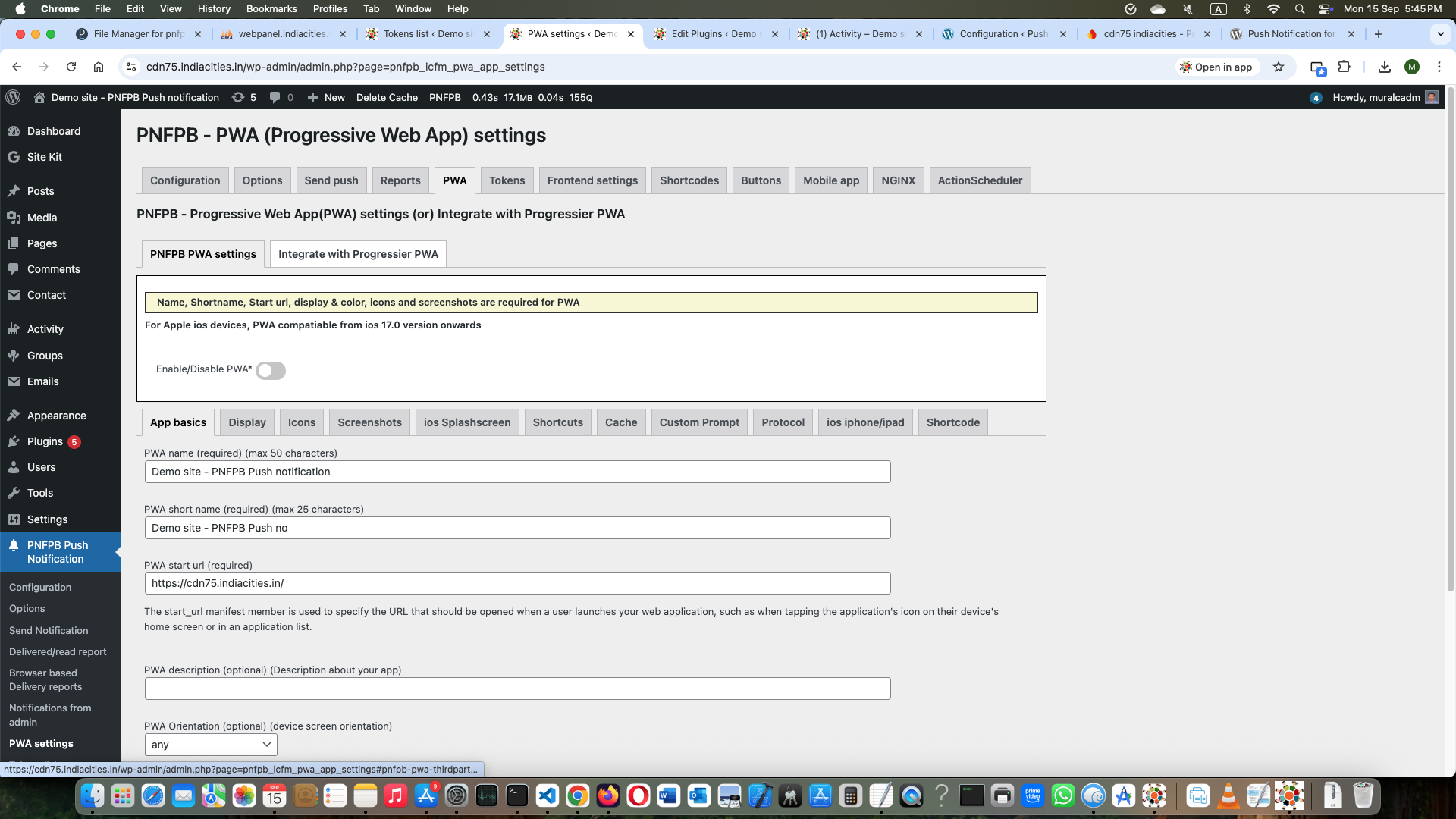
Progressive Web App admin settings page
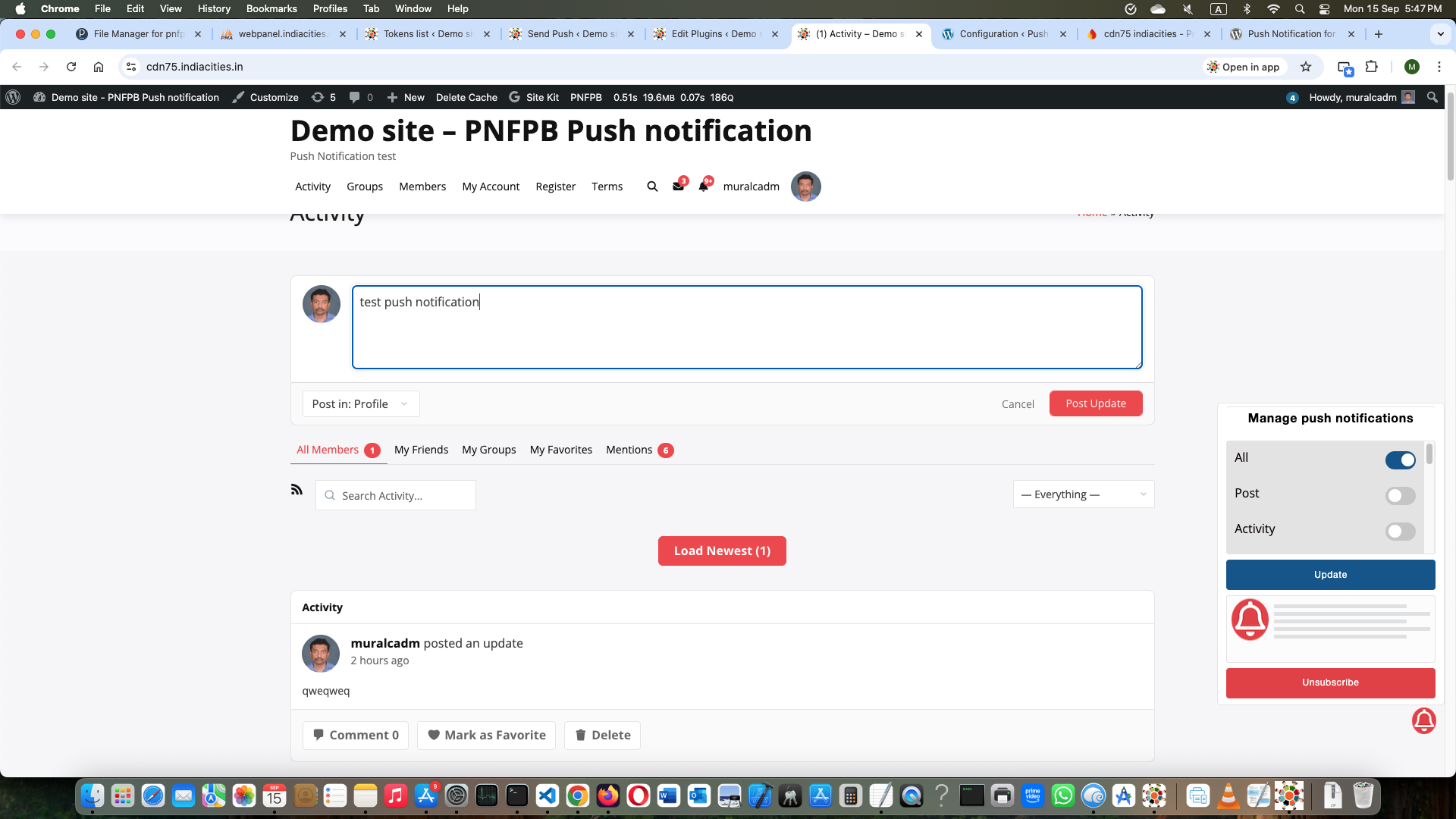
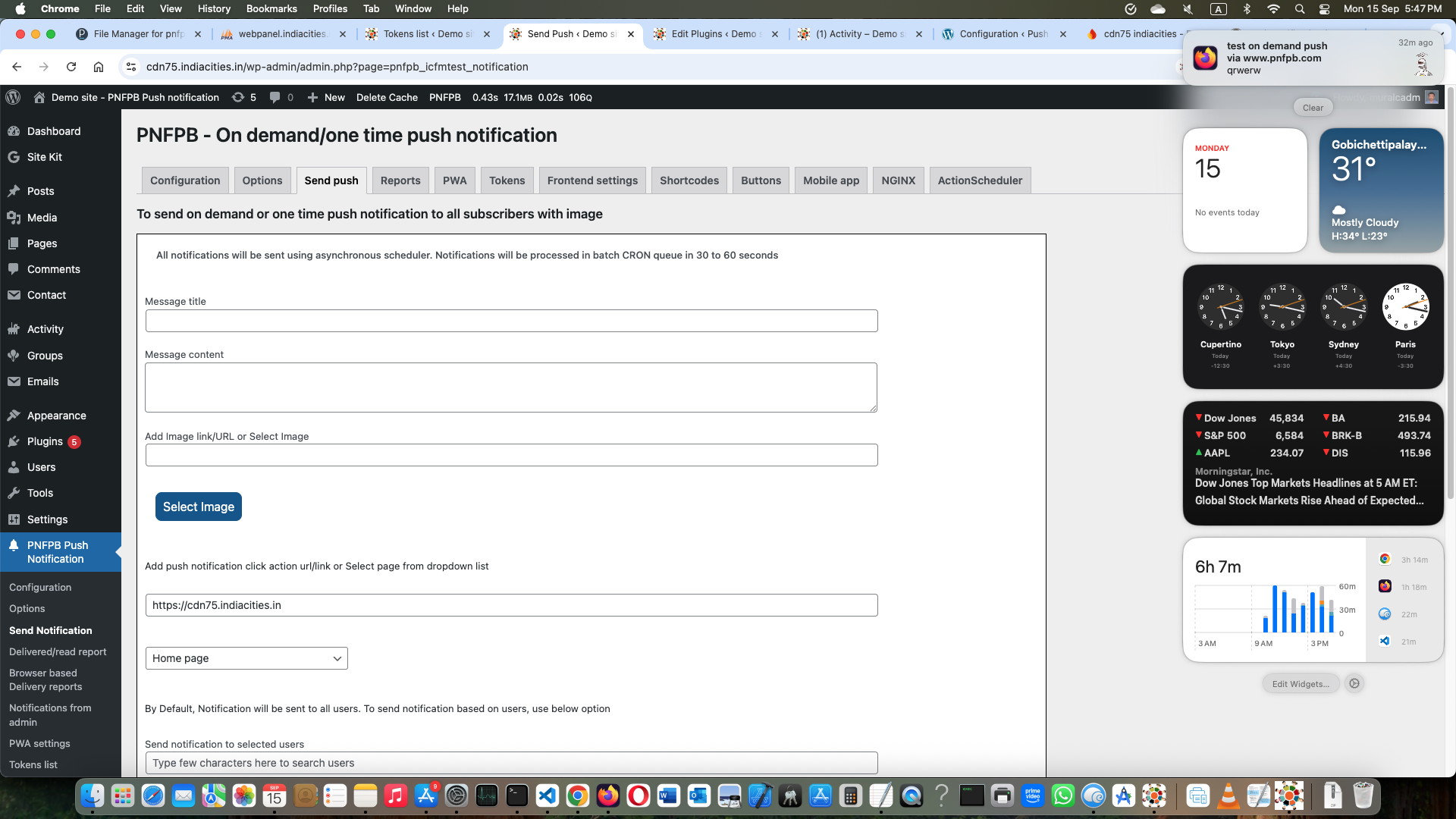
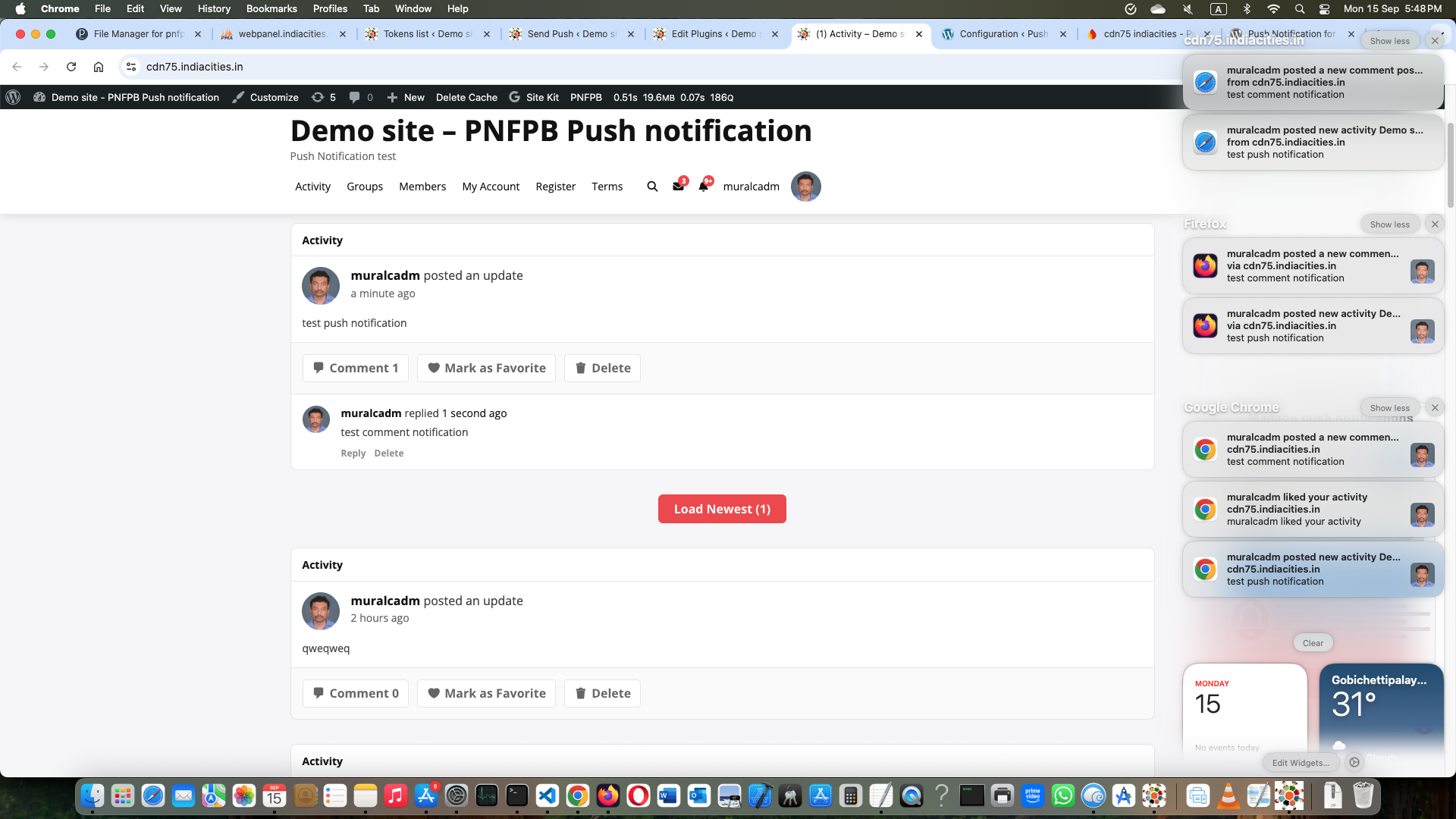
On demand push notification page in plugin settings area 10.Customize plugin buttons 11.API for mobile app which are using webview 12.Special settings for NGINX based server
Changelog
3.11 version 22 November 2025
- New feature – Added Firebase analytics parameter measurementId in Firebase configuration to enable Firebase analytics.
- Firebase analytics will be available in Firebase console for notification open, notification read and page view events.
- New feature – Support for BuddyPress followers plugin for post, activity, comments notifications to followers only.
- New feature – To send post/custom post notifications based on user role.
- Bug fixes.