

Push Notifications For Web
Free, fastest growing & lightweight plugin for Web Push Notifications. Add Free browser push notifications to your WordPress.
Plugin info
Maintenance & Compatibility
Maintenance score
Stale • Last updated 218 days ago • Support resolved 0% • 6 reviews
Is Push Notifications For Web abandoned?
Likely maintained (last update 218 days ago).
Compatibility
Similar & Alternatives
Explore plugins with similar tags, and compare key metrics like downloads, ratings, updates, support, and WP/PHP compatibility.
Description
With Push Notifications For Web, you can send browser push notifications to your site visitors across all popular browsers. Your visitors receive these notifications even when they are not on your site. It only takes a few minutes to install. HTTPS WordPress sites are supported.
Once you have set it up, your site visitors will start seeing opt-in message to receive web push notifications from you. Once they have opted in, you can send them push messages anytime you want.
You can configure the plugin to automatically send push notification to your subscribers any time you publish a new post. You can also also view your subscriber useful user reports (such as browser).
Company
Push Notifications For Web is the new standard in web push notifications. We are trusted by thousands of developers & marketers in small to large companies from around the world for their push notification needs.
Features
- Supports all popular browser such as Chrome (Desktop & Android), Firefox (Desktop & Android), Microsoft Edge (Desktop & Android) web browsers.
- Supports HTTPS sites.
- Automatic Notifications – Automatically send notifications to visitors every time you publish a new post.
- Compatibility of WordPress VIP.
Demo for Push Notifications For Web
OUR OTHER PLUGINS
- Abandoned Contact Form 7 Pro
- Accept 2 Checkout Payments Using Contact Form 7 Pro
- Accept Authorize.NET Payments Using Contact Form 7 Pro
- Accept Elavon Payments Using Contact Form 7 Pro
- Accept PayPal Payments Using Contact Form 7 Pro
- Accept Sagepay(Opayo) Payments Using Contact Form 7 Pro
- Accept Stripe Payments Using Contact Form 7 Pro
- Custom Product Options WooCommerce Pro
- Generate PDF Using Contact Form 7 Pro
- Smart Appointment & Booking Pro
- Smart Showcase for Google Reviews Pro
- User Registration Using Contact Form 7 Pro
Installation
Installing the plugin is easy. Just follow these steps:
- From the dashboard of your site, navigate to Plugins –> Add New.
- Select the Upload option and hit “Choose File.”
- When the popup appears, select the push-notifications-for-web.1.0.zip file from your desktop.
- Follow the on-screen instructions and wait till the upload completes.
- When it’s finished, activate the plugin via the prompt. A message will display confirming activation was successful.
That’s it! Just configure your settings as you see fit, and you’re on your way to send notification your style.
Frequently Asked Questions
Yes.
Review feed
Good experience with this plugin
Screenshots
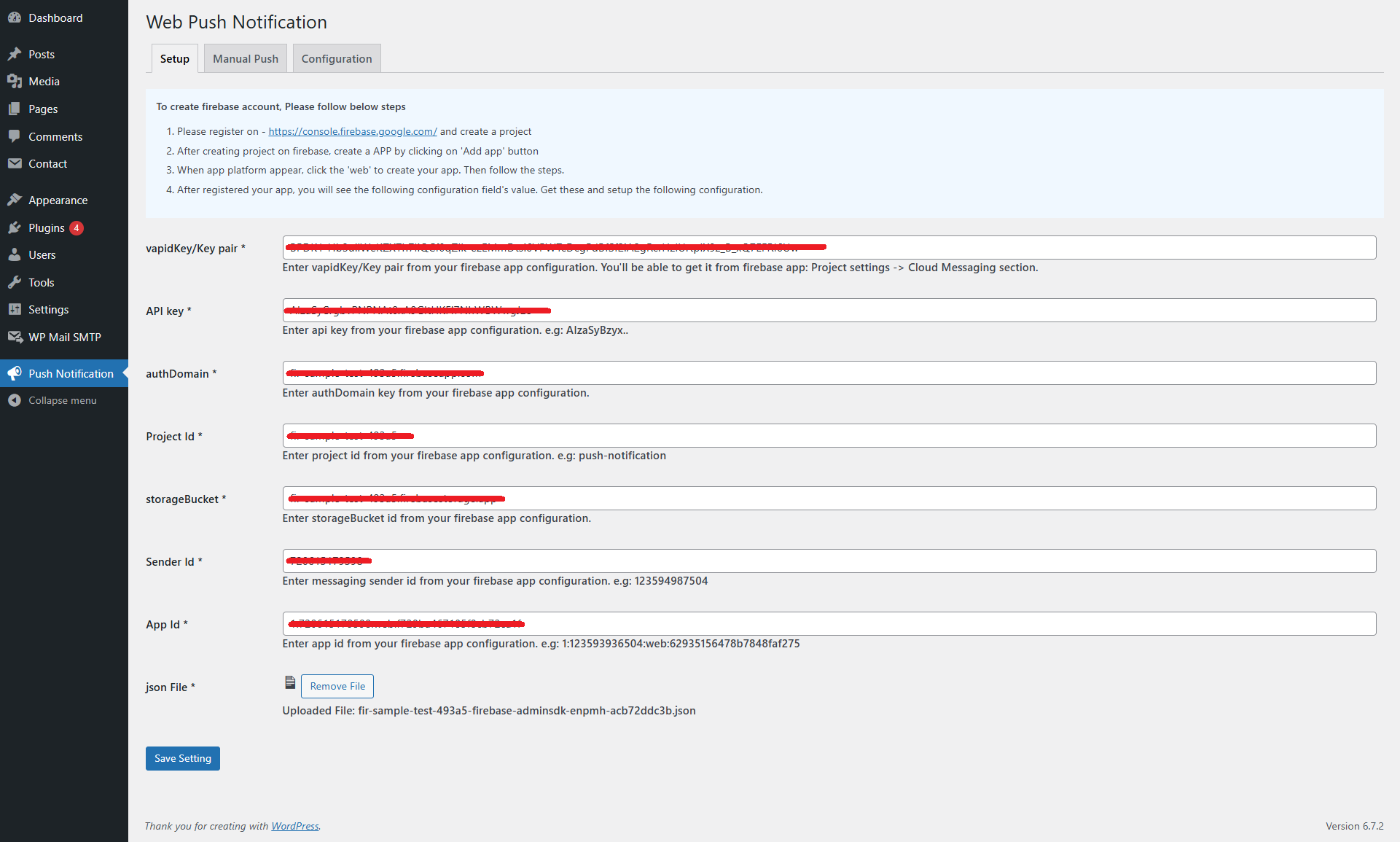
Notification Setup Option.
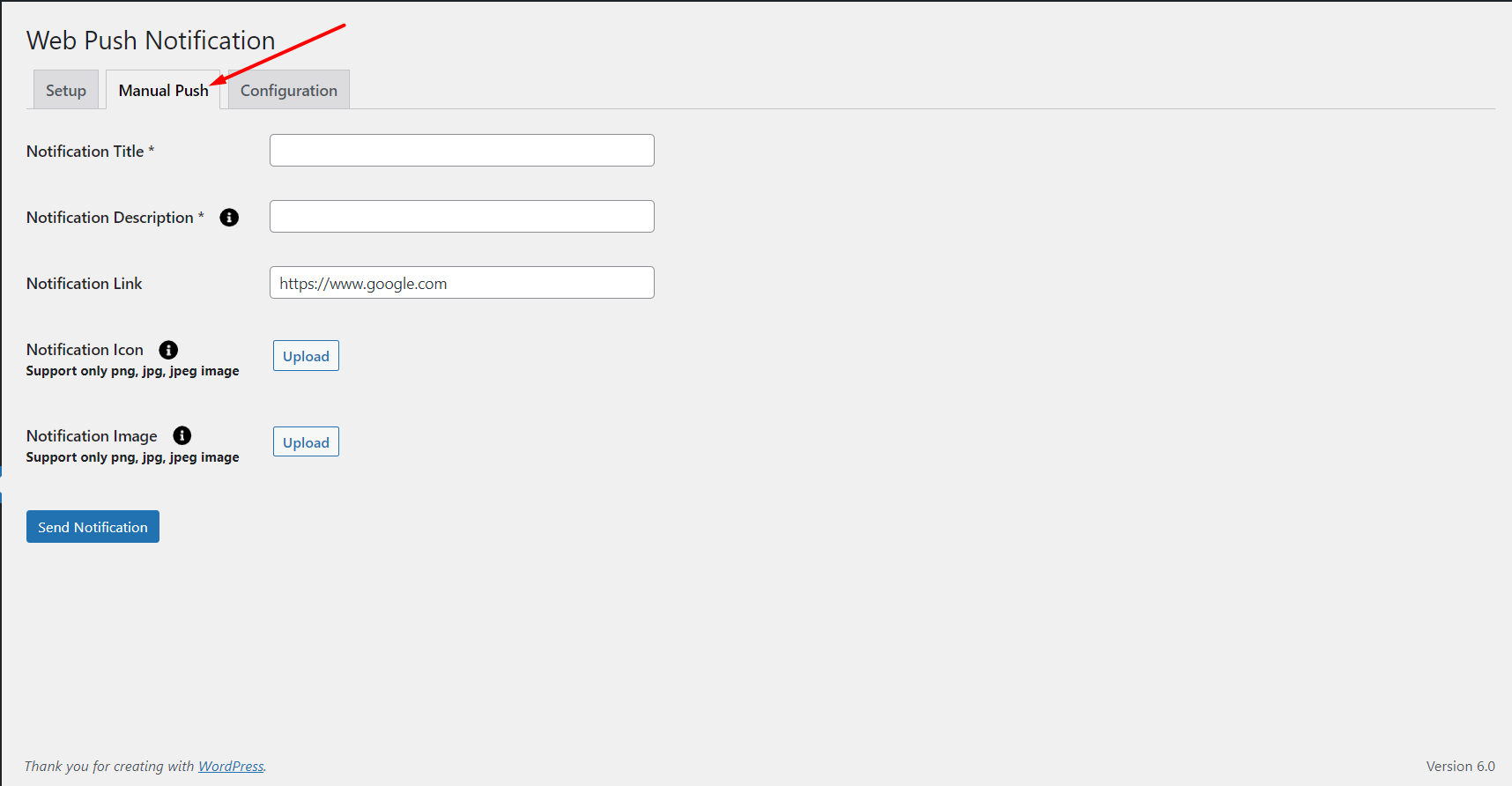
Send Manual Push Notification.
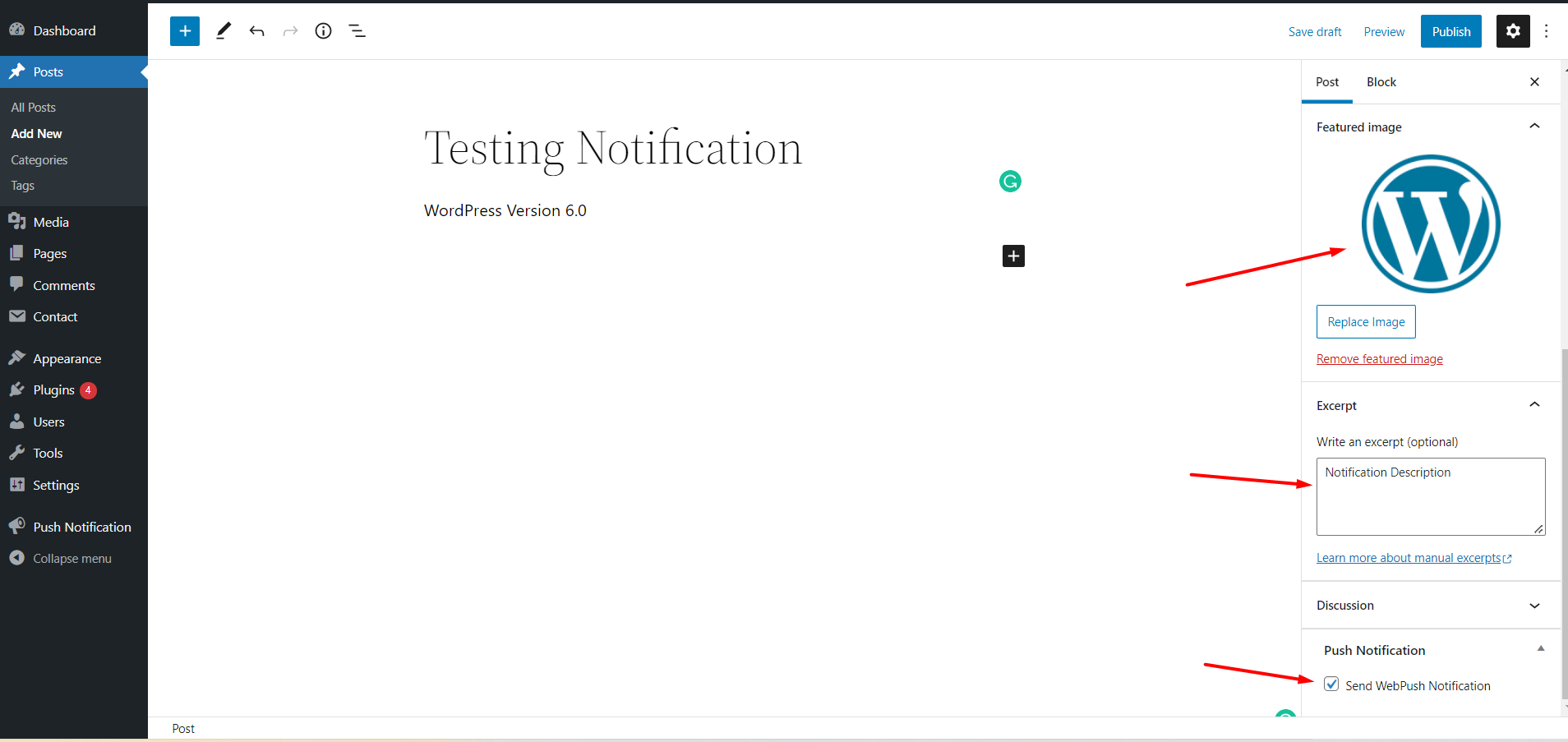
Post and Page Push Notification Option.
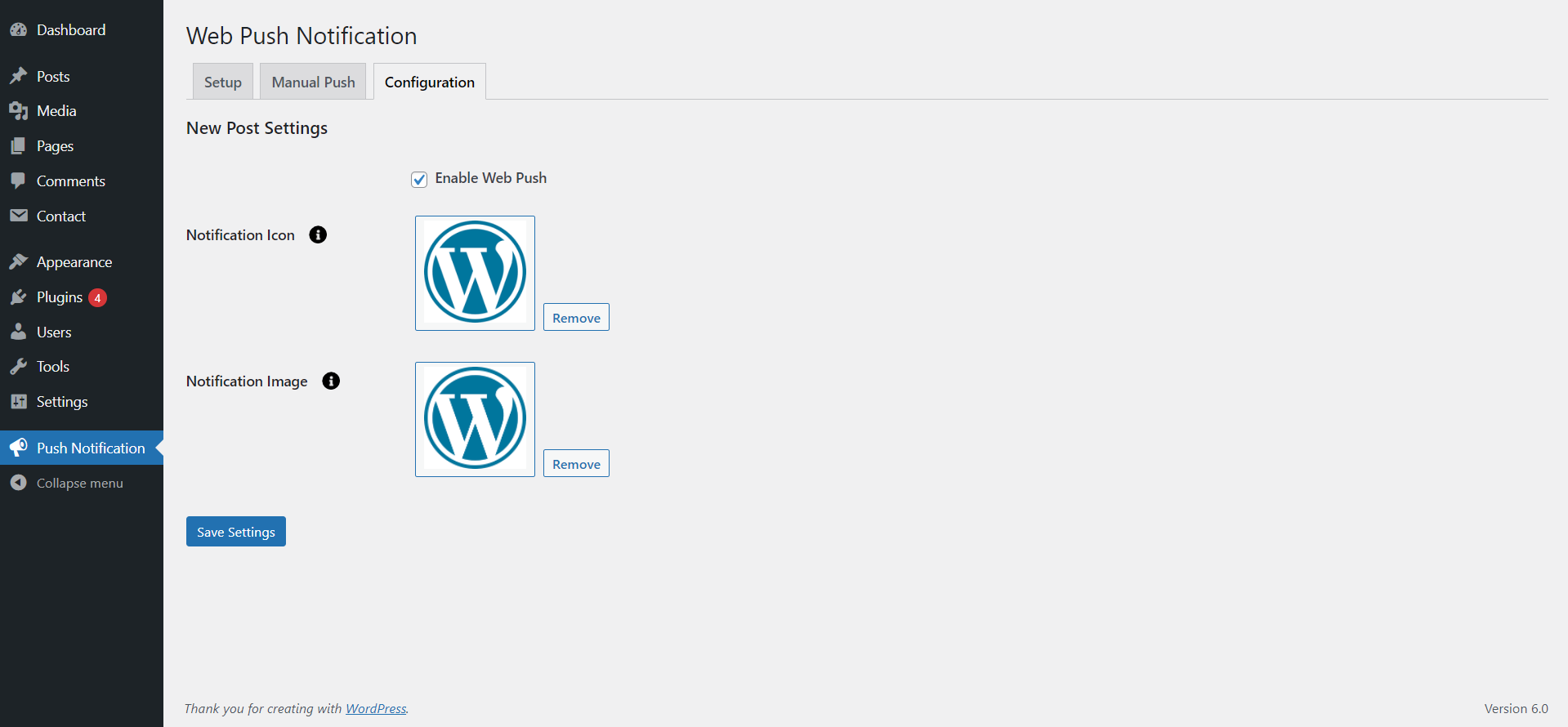
Configuration New Post Settings.
Changelog
1.9
- Minor changes – Doc update
1.8
- Minor Bug fixed
1.7
- API Update
1.6
- Minor workflow adjustments
1.5
- Backend Bugs Resolved.
1.4
- Frontend and Backend Bugs Resolved.
1.3
- Improved compatibility with WordPress VIP platform by refactoring code to adhere to VIP coding standards.
1.2
- Backend side issue fixed.
1.0
- Initial release of the plugin