

PW WooCommerce Gift Cards
Sell gift cards to your WooCommerce store, in just a few minutes!
Plugin info
Maintenance & Compatibility
Maintenance score
Maintained • Last updated 135 days ago • Support resolved 83% • 194 reviews
Is PW WooCommerce Gift Cards abandoned?
Likely maintained (last update 135 days ago).
Compatibility
Developers
Similar & Alternatives
Explore plugins with similar tags, and compare key metrics like downloads, ratings, updates, support, and WP/PHP compatibility.
Description
Your WooCommerce store should offer gift cards!
Gift Cards are convenient and increase sales organically. the WooCommerce Gift Cards plugin makes it easy to sell gift cards to your store. So easy to get started, you can be selling gift cards for your WooCommerce store in 5 minutes!
The PW WooCommerce Gift Cards plugin is designed for online stores using WooCommerce, enabling them to sell digital gift cards seamlessly. With this plugin, customers can purchase gift cards by selecting a predefined amount, entering the recipient’s email, and adding a personalized message. The recipient receives an email containing the gift card code, which they can apply during checkout to redeem the balance.
For store owners, the plugin integrates smoothly with WooCommerce, allowing for easy creation and management of gift card products. It utilizes WooCommerce’s email template system to ensure consistent and professional communication with customers. Additionally, the plugin supports guest checkout, meaning recipients can redeem gift cards without needing to create an account. This straightforward approach enhances the shopping experience and provides an additional avenue for customer engagement.
Purchasing Similar to Amazon.com gift cards, the customer can specify the amount, recipient, and message when purchasing.
Receiving WooCommerce email template system for beautiful emails. Click the link directly in the email to add the gift card to the cart automatically!
Redeeming Integrates into your theme to make redeeming a gift card easy for the customer. Applies the balance after tax, just like cash. New balance shown on the cart and checkout pages.
Guest Checkout Gift cards are not tied to a specific account so guests can receive gift cards without having to create an account.
WooCommerce Blocks Works with the WooCommerce Blocks based Cart and Checkout pages.
High Performance Order Storage (HPOS) Compatible with WooCommerce’s High Performance Order Storage system.
Compatible with most plugins Works with nearly every plugin including WooCommerce Subscriptions, WooCommerce Pre-Orders, and more!
Setup is easy! One-click creation of the Gift Card product. Easily customized to suit your needs.
Gift Card Admin See your gift card liability at a glance. View details about individual cards.
PW WooCommerce Gift Cards Pro lets you do more:
- Import / Export – Easily move gift card balances.
- PDF Gift Cards – Recipient can view their gift card as a PDF to print out.
- Bonus Gift Cards – Offer a free gift card for purchasing a gift card. For example, “Buy a $25 gift card, get a $5 gift card free!”
- Enhanced Email Designer – Even more customization for your gift card email. Includes the ability to add an image to the email.
- Set Custom Amounts – Allow customers to specify the amount. You can set a minimum and a maximum amount.
- Schedule delivery – Optionally allow customers to schedule when a gift card will be delivered.
- Specify a Default Amount – Choose an amount that will be pre-selected when purchasing a gift card.
- Customer-facing Balance Page – A shortcode to let customers check their gift card balances.
- Adding funds to existing gift card – Customers can add funds to existing gift cards from the Check Balance page.
- Use Coupon Code Field – Optionally allow the existing “Apply Coupon” field to also accept gift card numbers.
- Expiration Dates – Automatically set an expiration date based on the purchase date.
- Balance Adjustments – Perform balance adjustments in the admin area.
- Sell Physical Gift Cards – Import existing gift card numbers and balances.
- Manually Generate Gift Cards – Specify the amount and quantity for the cards to create multiple cards in one step.
- QR Codes – Include a QR code on the gift card email, PDF, or both.
- REST API – Adheres to the WordPress and WooCommerce REST API standards.
Compatible with WooCommerce 4.0 and higher.
Available in the following languages:
* Arabic
* Danish
* Dutch
* English
* Finnish
* French
* Galician
* German
* Italian
* Polish
* Portuguese
* Romanian
* Russian
* Spanish
* Swedish
The following currency switcher plugins are supported:
* Aelia Currency Switcher
* WooCommerce Currency Switcher by realmag777
* WPML WooCommerce Multi-currency by OnTheGoSystems
* Multi Currency for WooCommerce by VillaTheme
* WooCommerce Ultimate Multi Currency Suite by Dev49.net (requires a patch, contact us for details)
* Polylang + Hyyan WooCommerce Polylang Integration
Installation
- Upload the plugin files to the
/wp-content/plugins/pw-gift-cardsdirectory, or install the plugin through the WordPress plugins screen directly. - Activate the plugin through the ‘Plugins’ screen in WordPress.
- Navigate to Pimwick Plugins -> PW Gift Cards
Frequently Asked Questions
Review feed
Quality Plugin and Top developer
Screenshots
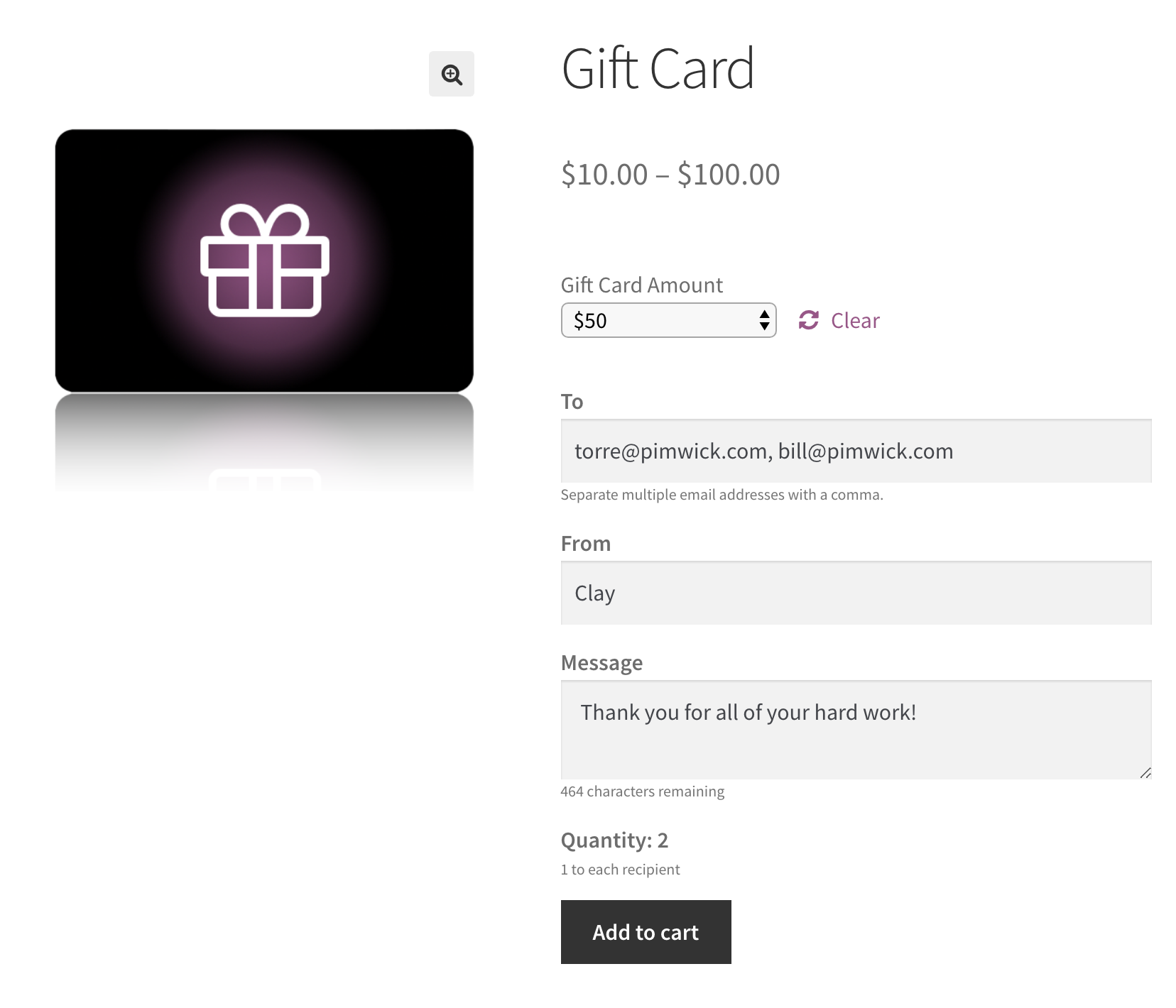
Similar to Amazon.com gift cards, the customer can specify the amount, recipient, and message when purchasing.
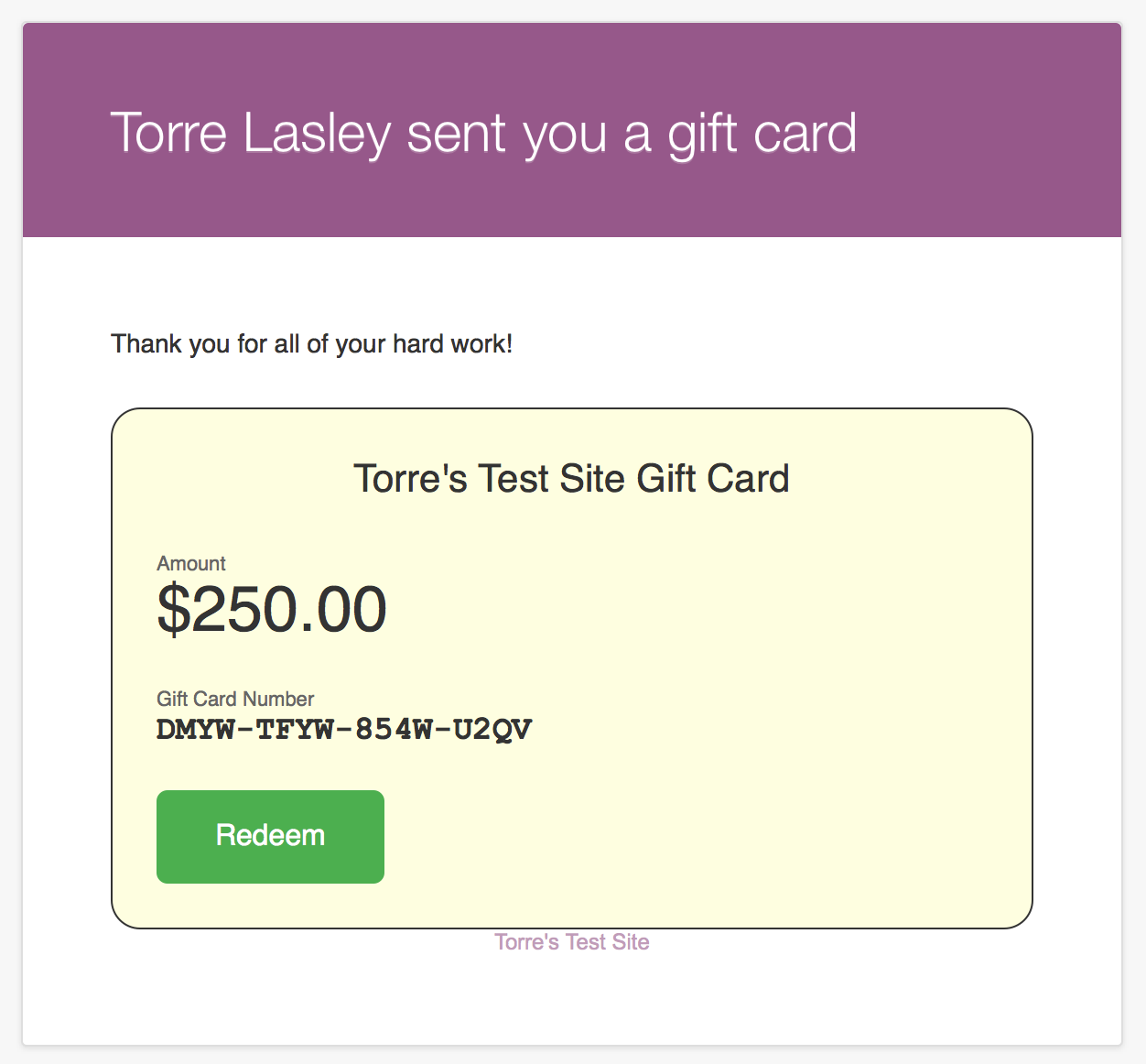
WooCommerce email template system for beautiful emails. Click the link directly in the email to add the gift card to the cart automatically!
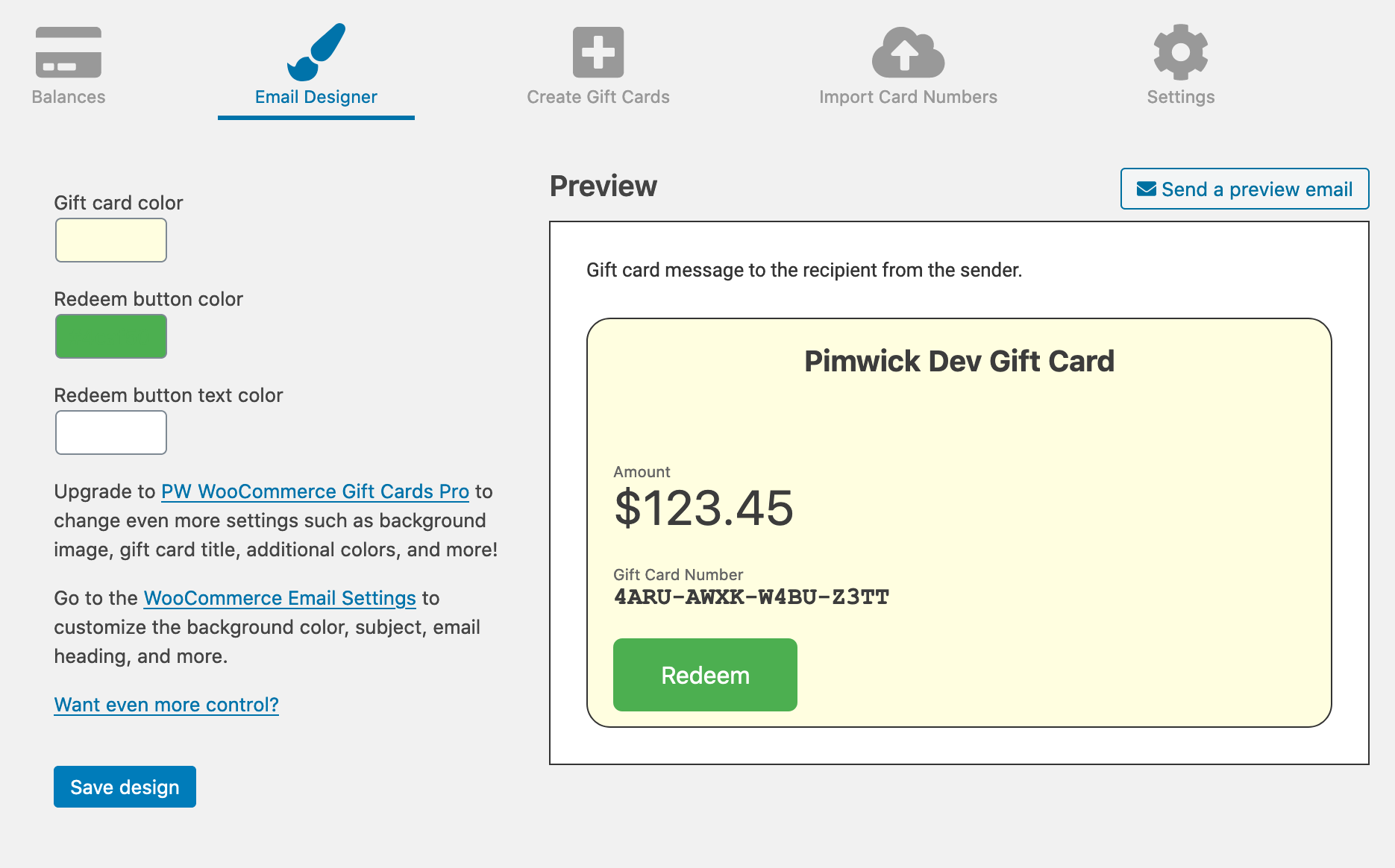
Use the email designer to customize your gift card.

Integrates into your theme to make redeeming a gift card easy for the customer. Applies the balance after tax, just like cash. New balance shown on the cart and checkout pages.
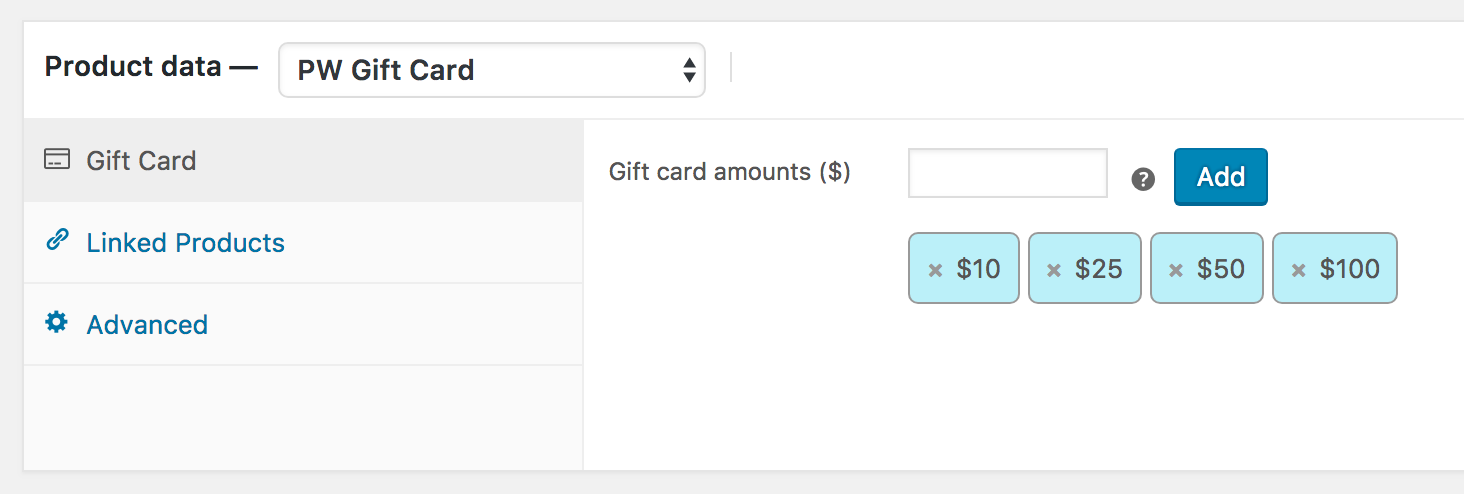
One-click creation of the Gift Card product. Easily customized to suit your needs.

See your gift card liability at a glance. View details about individual cards.
Changelog
2.24
- Updated readme to indicate compatibility with WooCommerce Blocks and HPOS.
2.23
- Added a new setting to allow hiding the Apply Gift Card form on Blocks Cart and Checkout pages.
2.22
- WooCommerce Blocks support added for Cart and Checkout. Confirmed compatibility with WooCommerce 10.3
2.21
- Bug fix for attribute drop down display text.
2.20
- Confirmed compatibility with WooCommerce 10.2
2.19
- Small bug fix to version numbering. Bug fix for order total rounding issue.
2.18
- Bug fix for currency conversion issue (double conversion).
2.17
- Compatibility with WooCommerce 10.1.
2.16
- Added integration with YayCurrency currency switcher.
2.15
- Added additional parameter (product id) for pw_gift_cards_random_card_number filter.
Previous versions
- See changelog.txt